Page Visit Counter for WordPress
Count page and post views and see where visitors come from
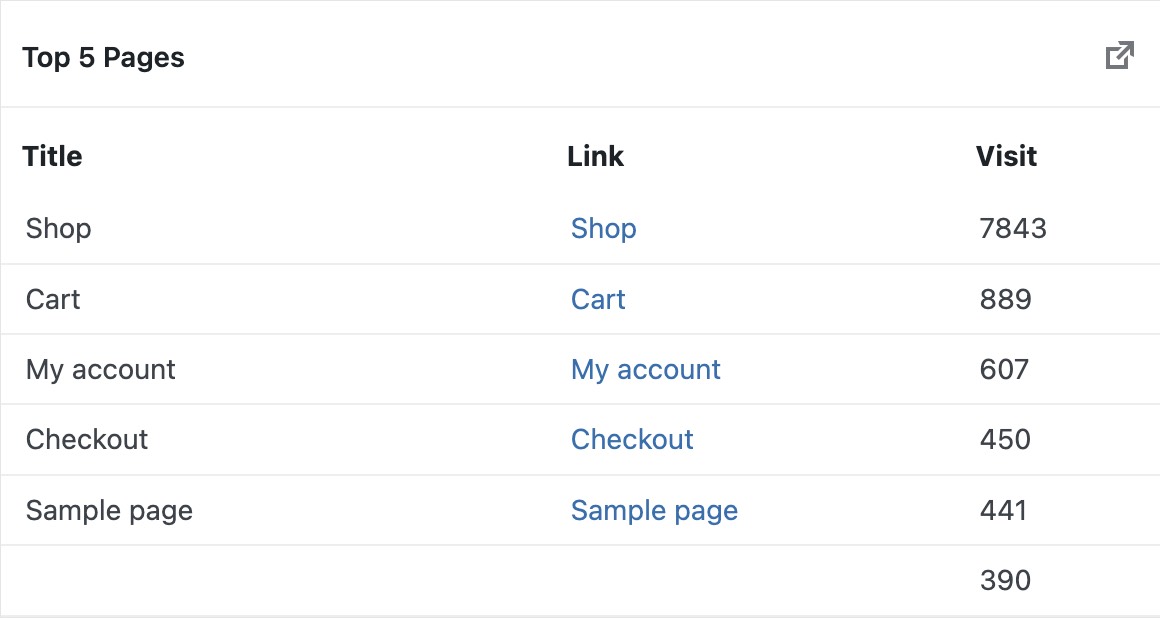
Track visits on every WordPress page and post from your dashboard. See visitor counts by country, referral site, browser, operating system and IP in charts and lists, and show a visit counter on any page or custom template with a shortcode.

2,185+
Happy Customers
Making a good impact on my business by showing visitors details.
– Reeve Ewer
5/5 Stars
Based on 4 ReviewsTrack Business Growth with Website Count
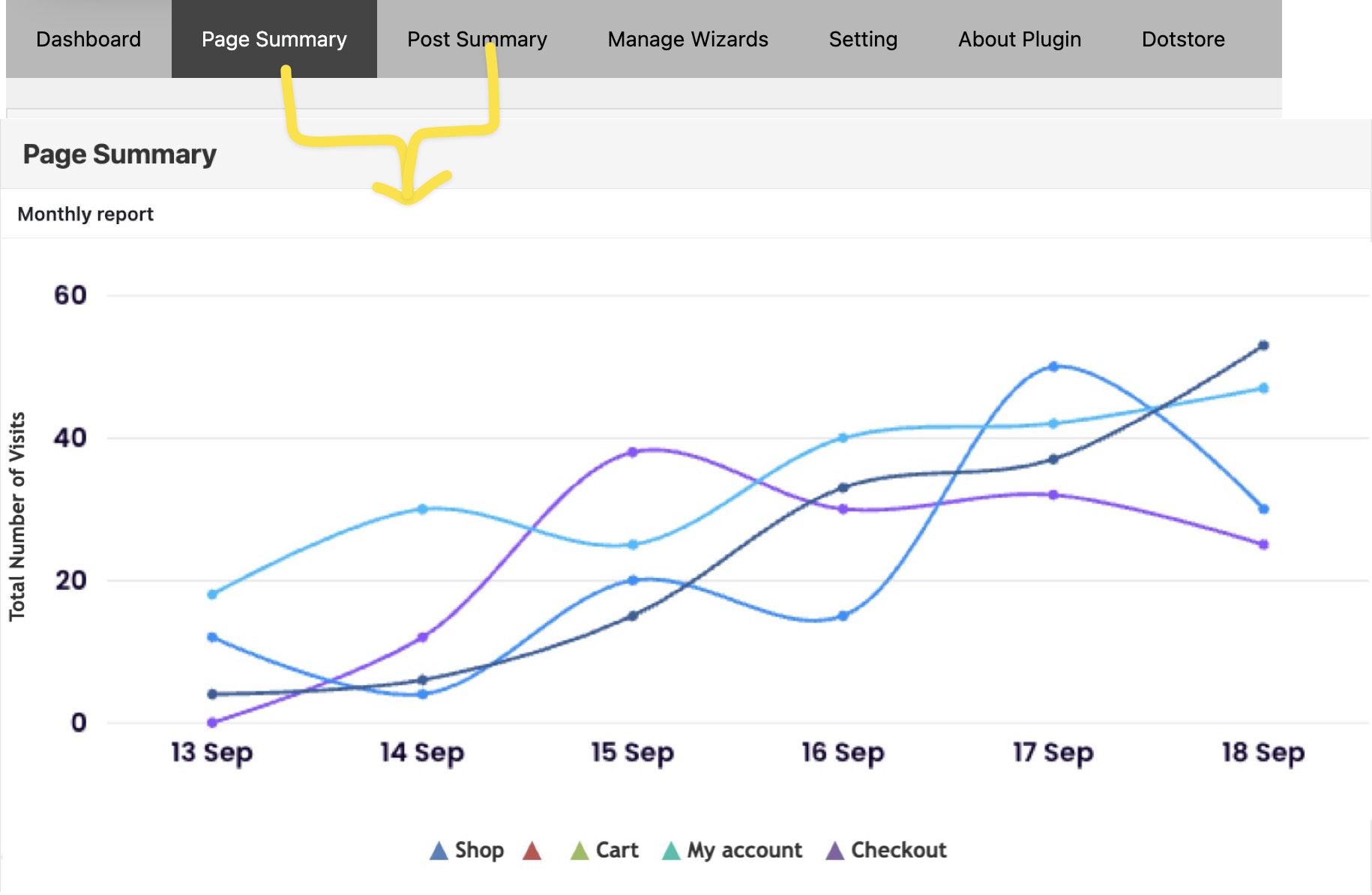
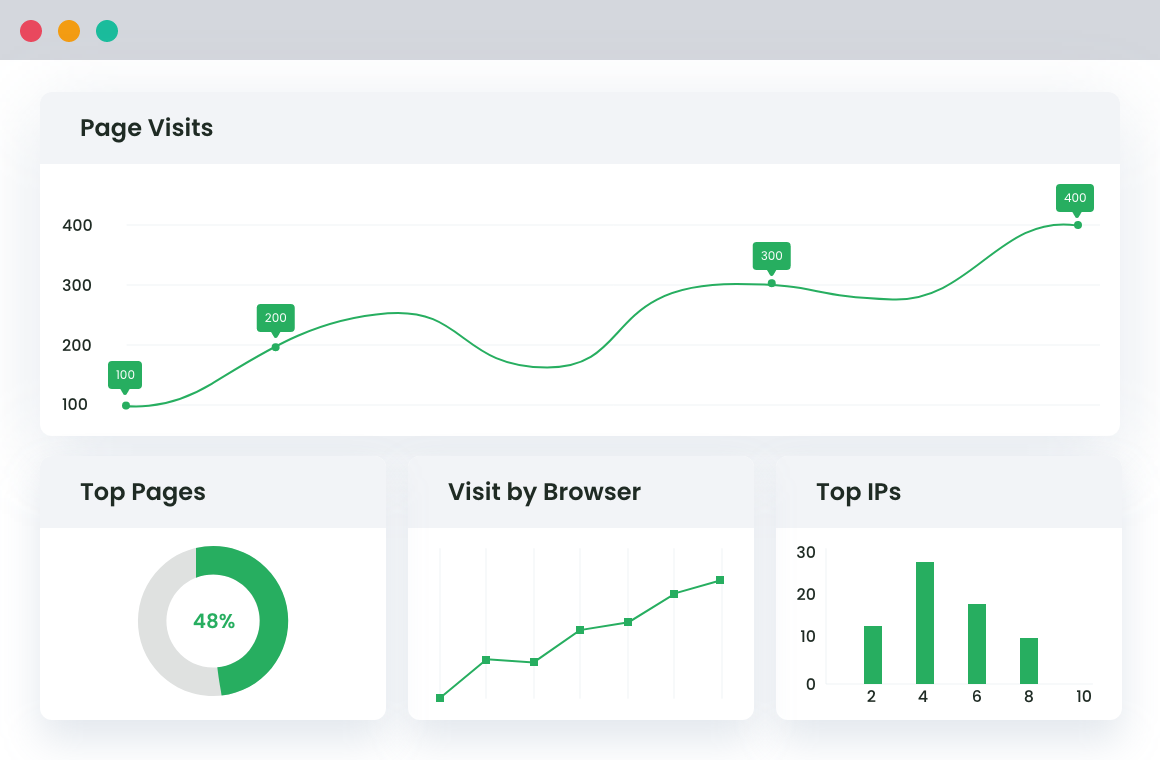
Feature-rich Analytics Dashboard
Look under the hood of your website’s online presence by tracking browsers, operating systems, countries, referrals & IPs all in one convenient location.
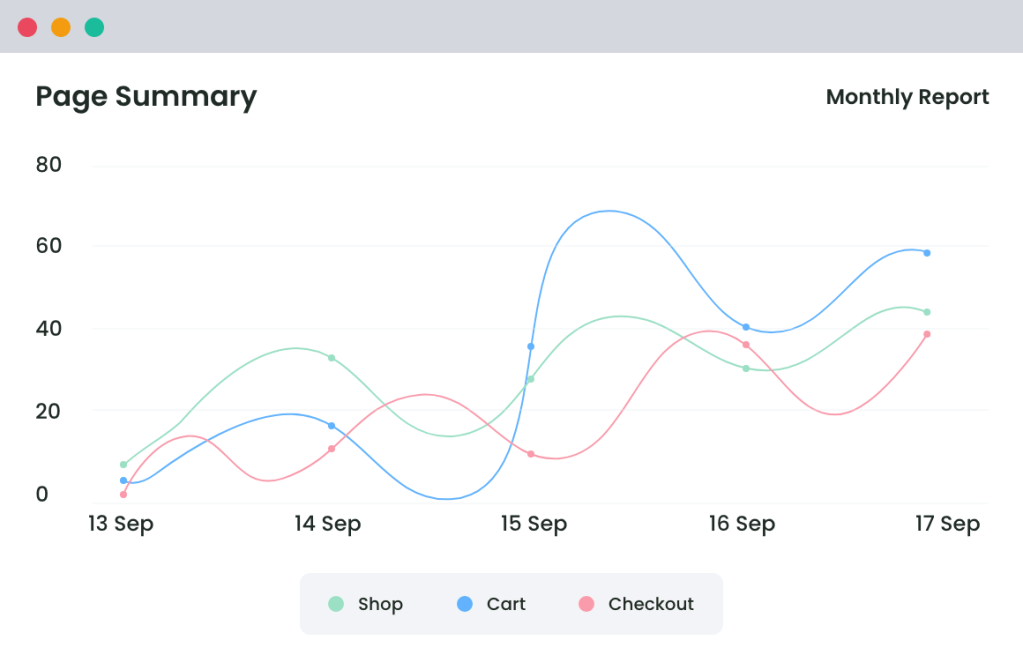
Reports in Multiple Formats
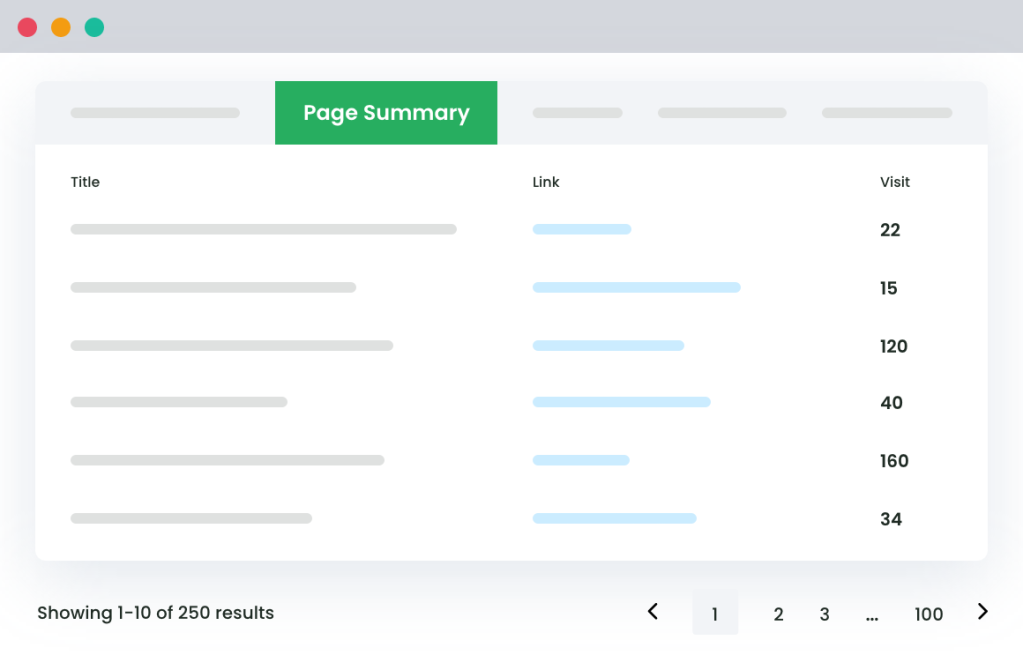
View intuitive graphs and lists of the available data [visitor counts for different parameters]
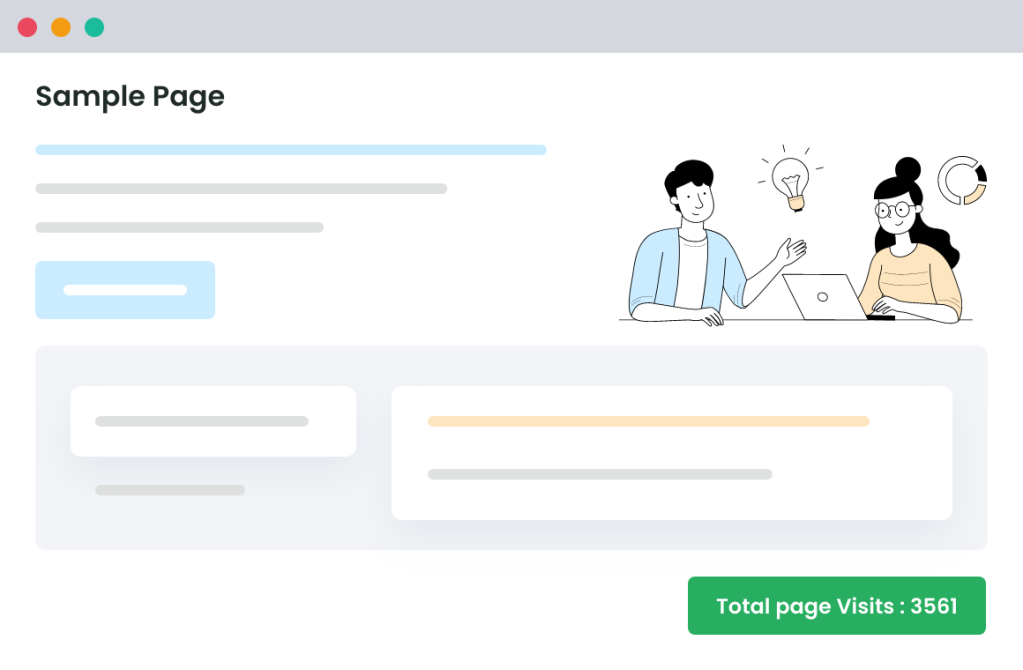
Flexibility to Display Counter on Custom Template
Generate page visit wizards and use shortcodes to add them to your pages without the hassle.
What Our Clients Say

An In-depth look at all our features
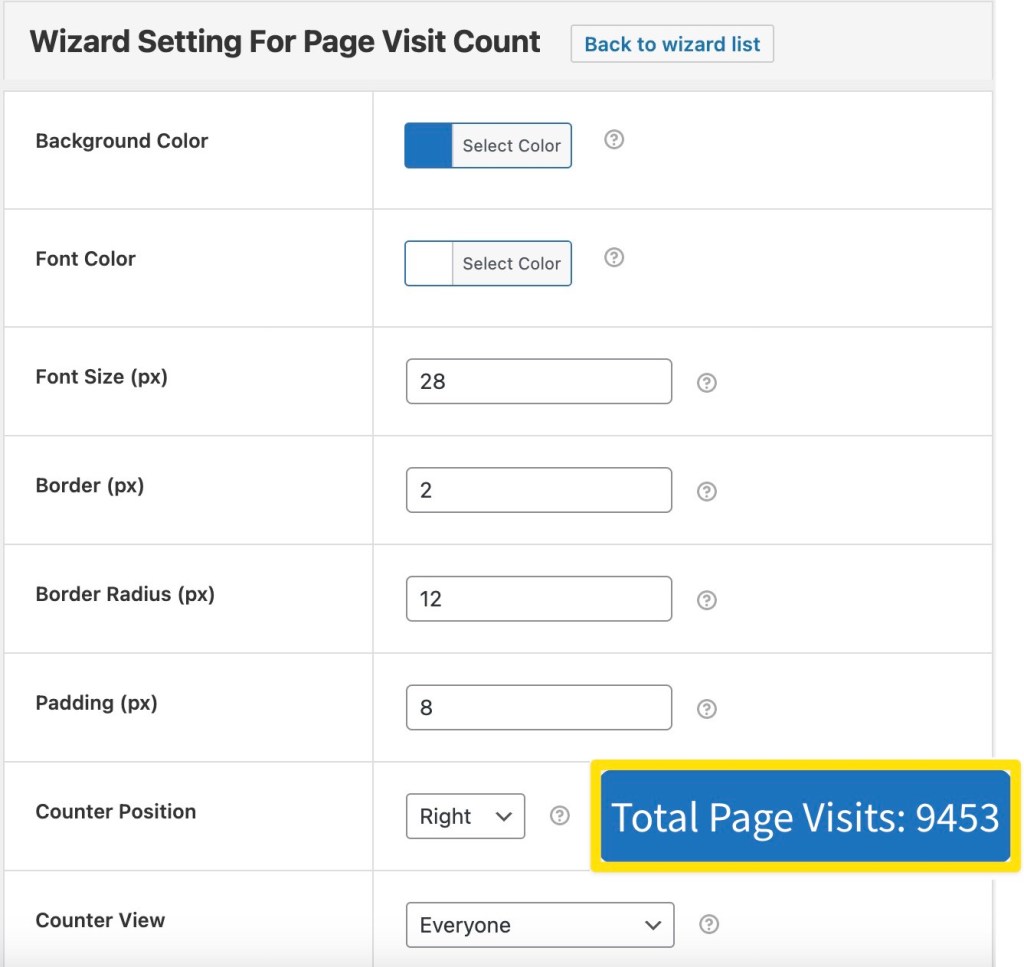
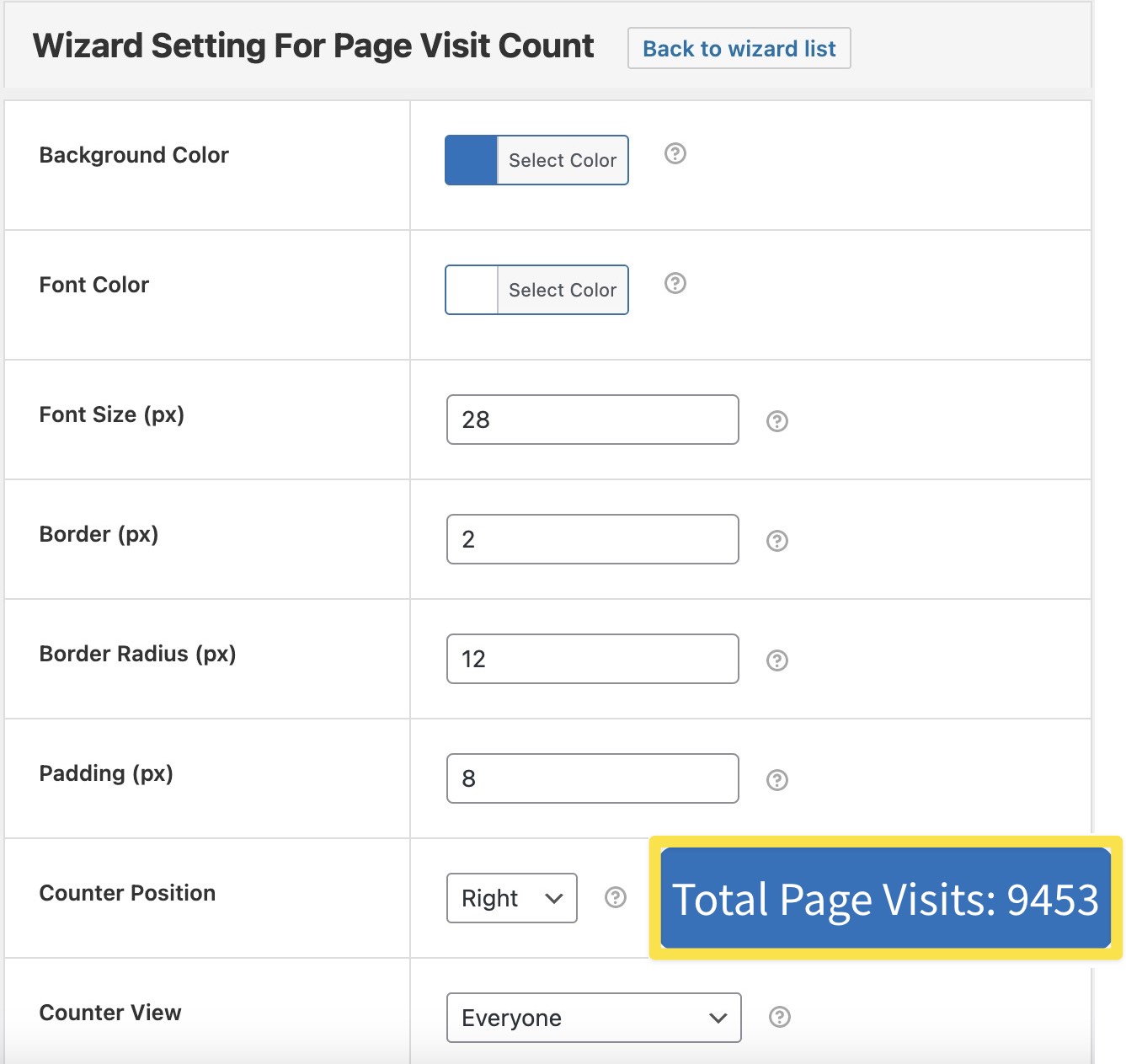
Set background color, font color & size, border, border-radius, icon, and position of your counters.
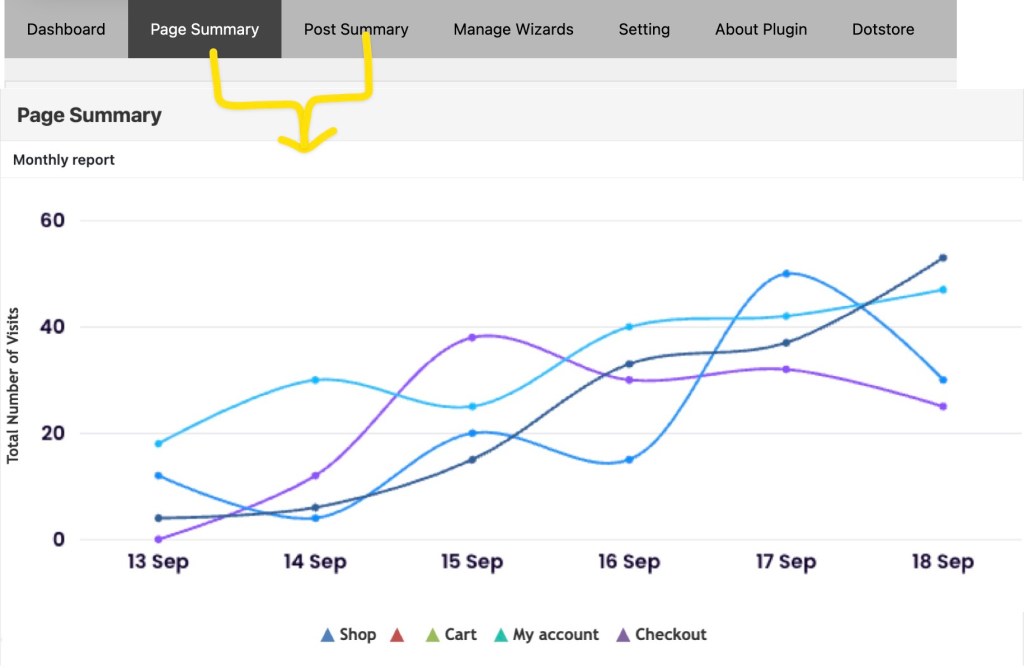
Instead of giving a complex view, we render neat & separate stats of your pages and posts.
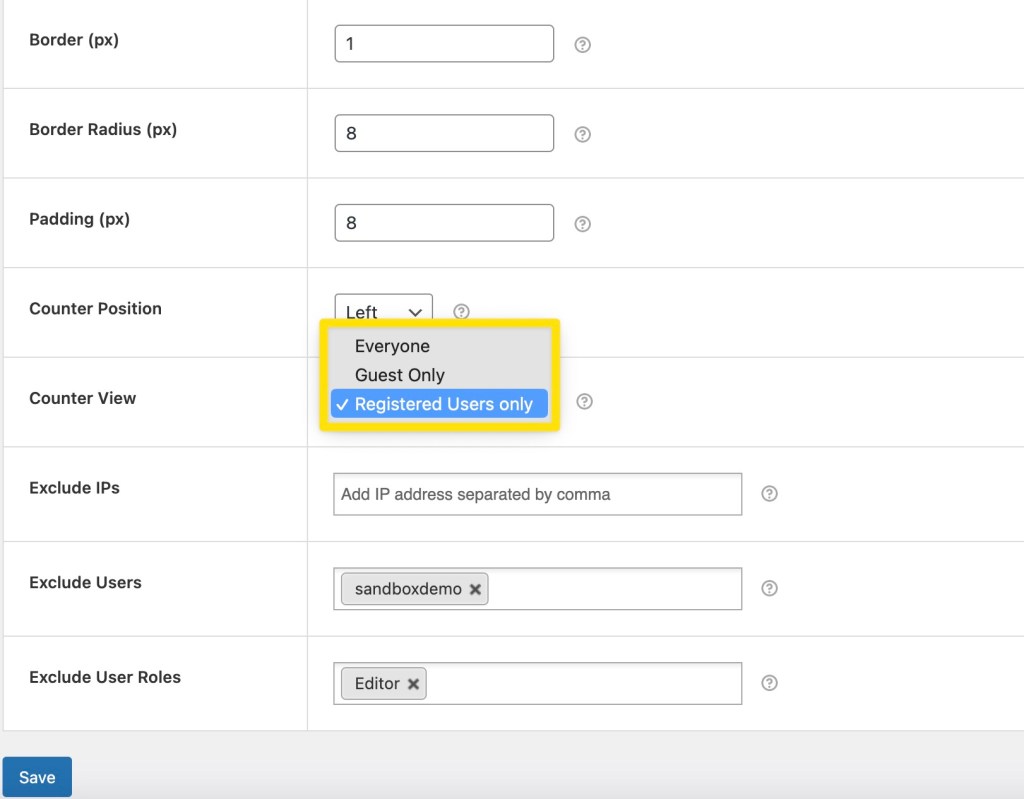
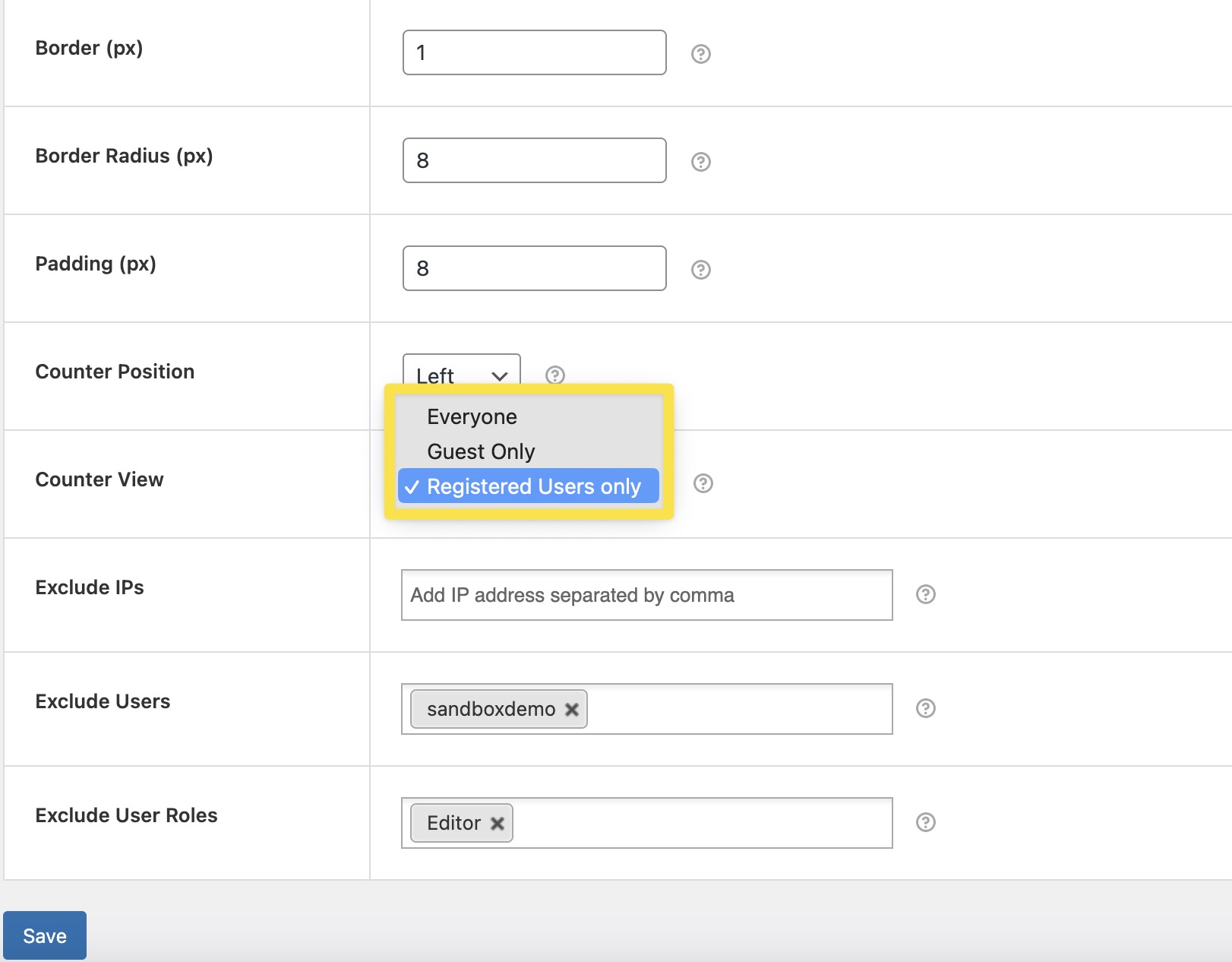
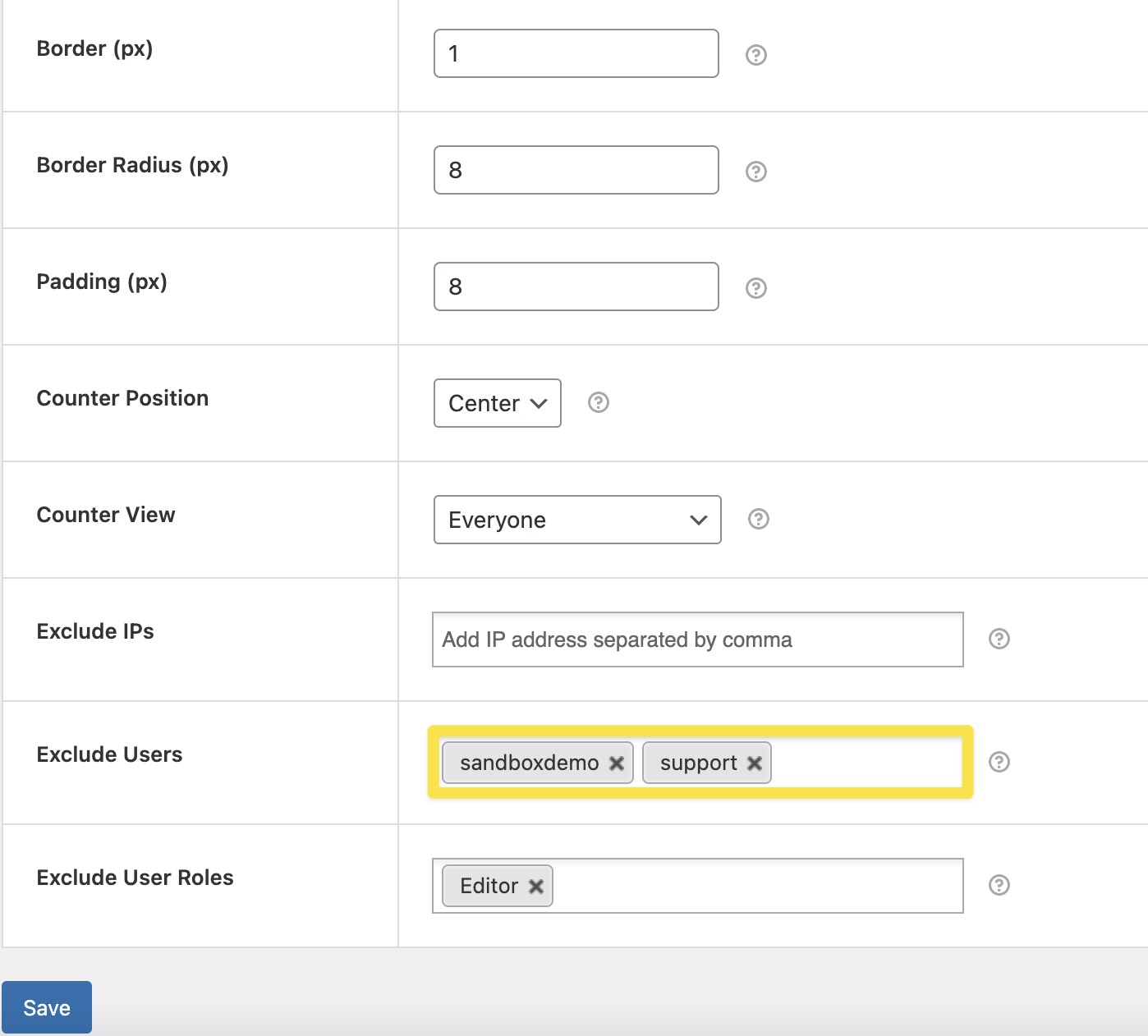
Use various user settings to run campaigns and track webpage(s)/post(s) the way you want.
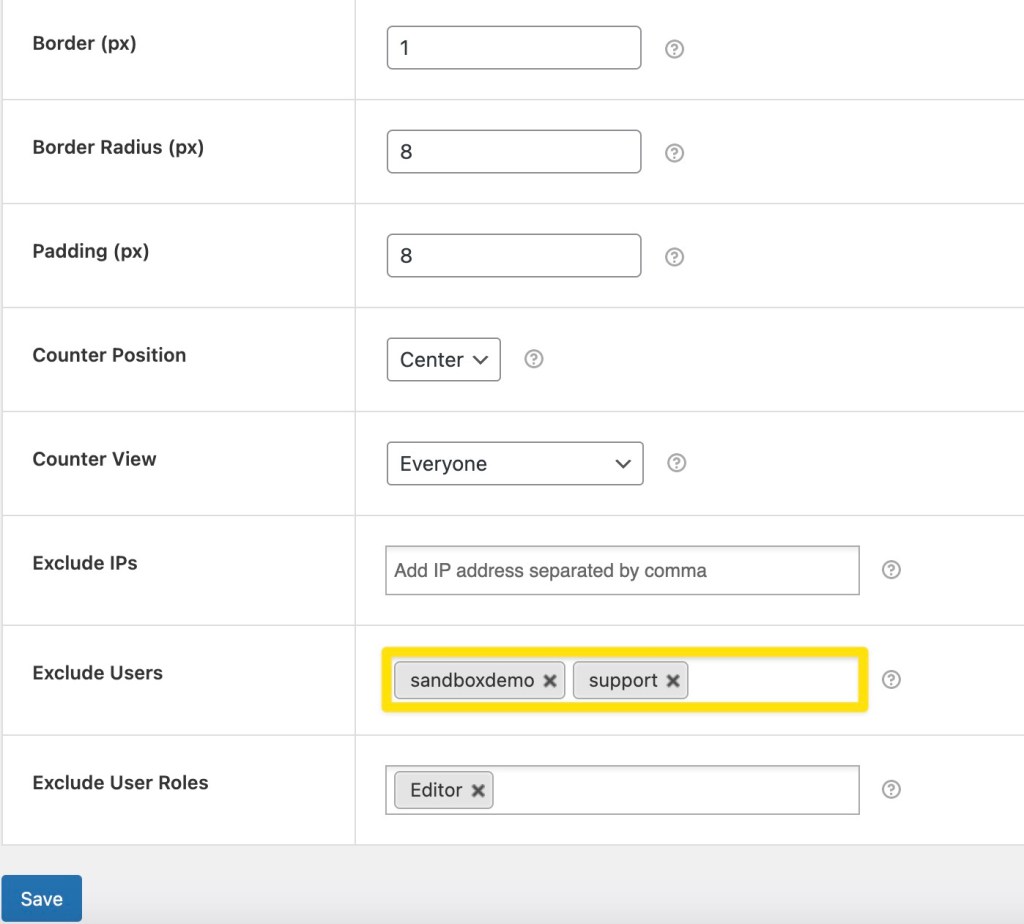
Select the users you want to ignore – Decide who should see your page visit counters.
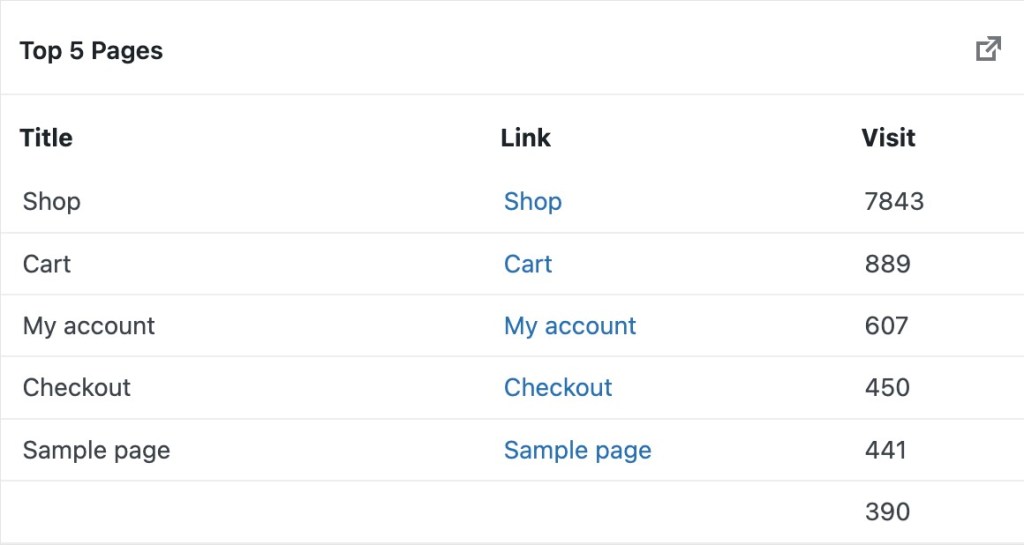
The data collected by the Page Visit Counter plugin can be sent to most-visited pages/posts widgets to reflect your most-visited posts/pages based on the plugin setting rather than overall traffic.

Simple, transparent pricing
All features included on every plan. Pick the license that fits your store.
Renews annually • Cancel anytime
Or get all 20+ plugins for $149/yr
The All Access Bundle includes this plugin and every other Dotstore plugin – plus every future release, on one license.
Running an agency or need more licenses? Contact us for preferential agency and volume pricing. Contact us →


14-Day money-back guarantee. No questions asked!
Applies to all eligible products or services purchased through our platform. If you are not satisfied with your purchase for any reason, you may request a refund within 14 days from the date of purchase.
- Version: 6.1.5
- Last Updated: May 21, 2026
- WordPress: 7.0.x
- WooCommerce: 10.7.x
- Minimum PHP version: 5.0
- View Changelog

What Sets Us Apart?
-

Top-of-the-line customer support
Responsive, fast, and competent—That’s our user support. Our world-class customer service team has consistently been singled out for their clear and quick solutions to customer issues.
-

Solutions you can trust
Built with integrity, coded with precision, and optimized for performance, our plugins are designed to help you get the most out of your WooCommerce store.
-

Flexibility for customization
Highly customizable and compatible with all major plugins, Checkout for Digital Goods for WooCommerce can be tailored to your needs. Whether you have a retail store or a membership business, we have you covered!
-

Easy to use and set up
Simplicity is the name of our game. We believe in creating user-friendly plugins that are intuitive and ridiculously simple to use, with accessible features and straightforward interfaces.
FAQs
-
AUTOMATIC INSTALLATION
Automatic installation is the easiest option as WordPress handles the file transfers without your even needing to leave your web browser. To automatically install the Page Visit Counter, log in to your WordPress dashboard, navigate to the Plugins menu, and click ‘Add New’. In the search field, type ‘Page Visit Counter’ and click ‘Search Plugins’. Once you’ve found our plugin, you can view its details, such as the rating and description. Most importantly, you can install it by clicking ‘Install Now’.
MANUAL INSTALLATION
- Unzip the files and upload the folder into your plugins folder (/wp-content/plugins/), overwriting older versions if they exist.
- Activate the plugin through your WordPress admin area.