
Increase Your Shopify Revenue with Extra Fees Manager
Add smart checkout fees, surcharges, and discounts directly in Shopify — no coding required.
Try free: Launch fees in minutes with 1 active fee, unlimited time, and advanced rules.


Trusted By





Enhance Your Shopify Checkout with Smart Fee Rules
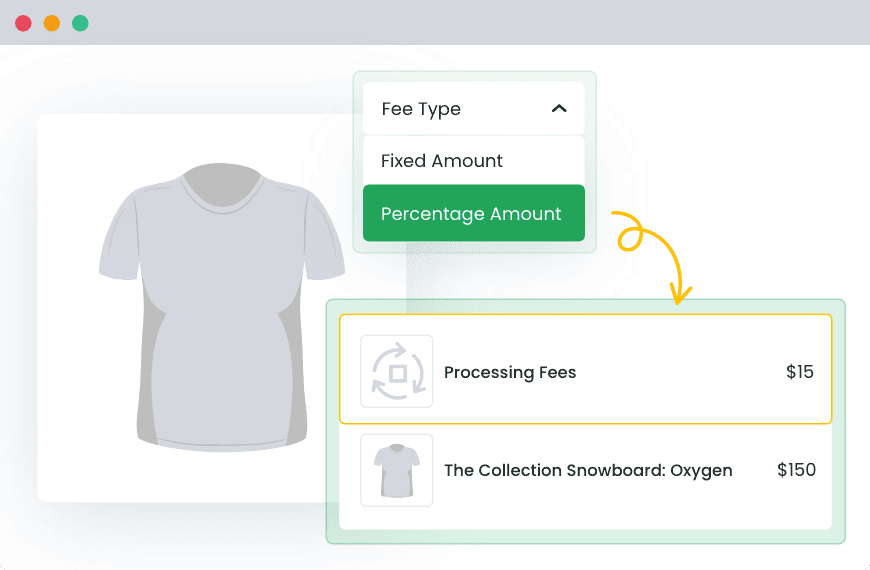
Add Checkout Fees in Minutes
Create fixed or percentage fees in just a few clicks.
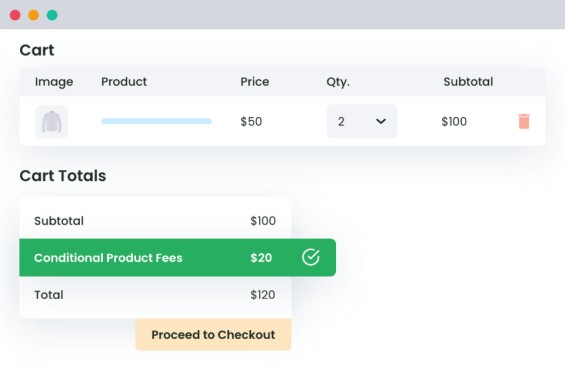
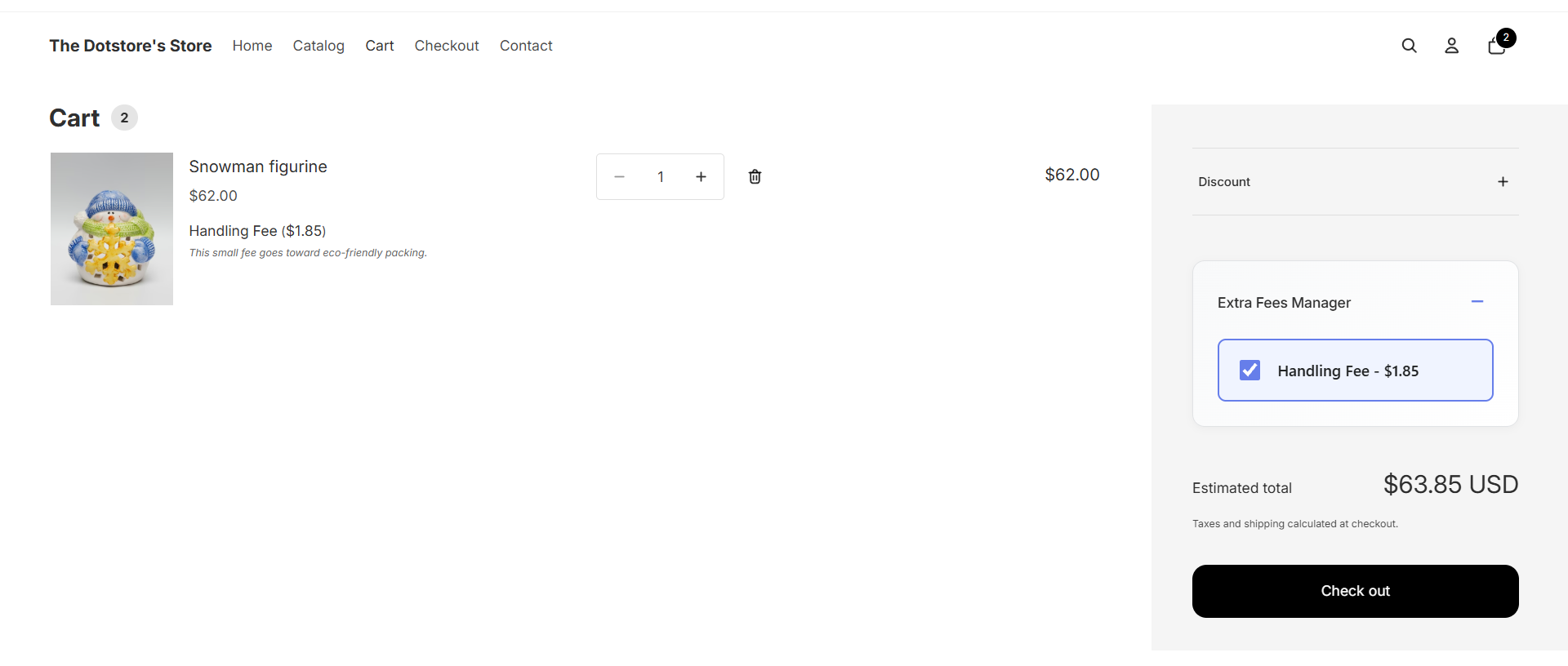
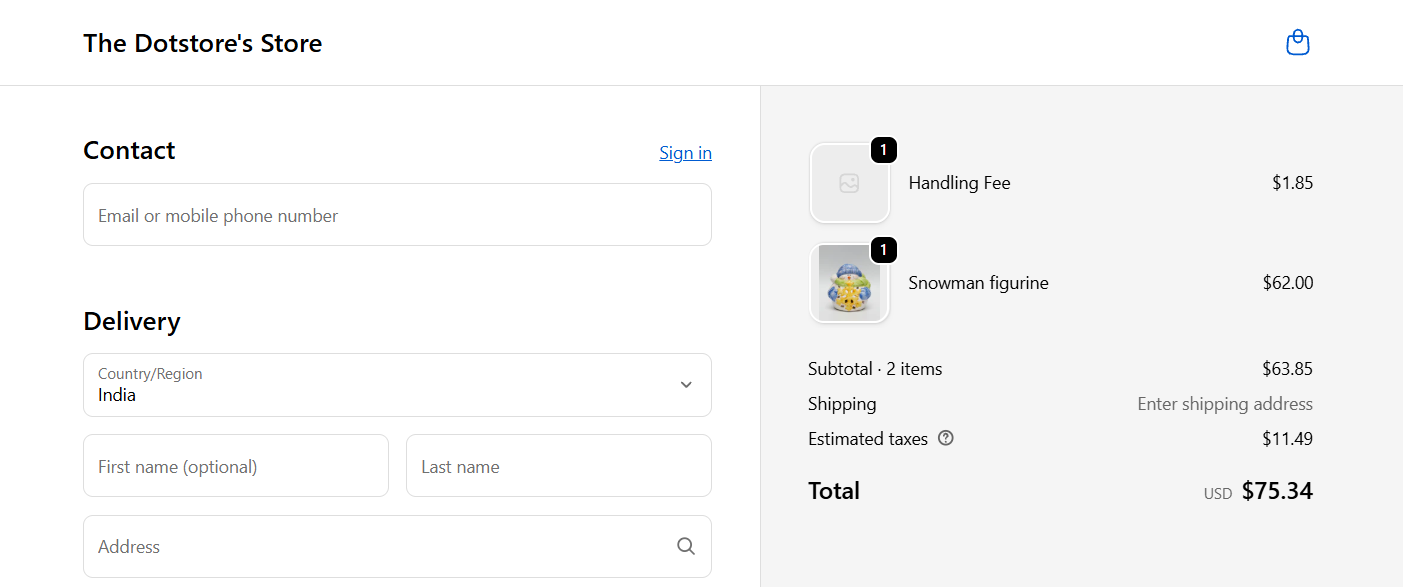
Customers see the extra charge clearly in their checkout summary.
Apply Fees Exactly Where You Want
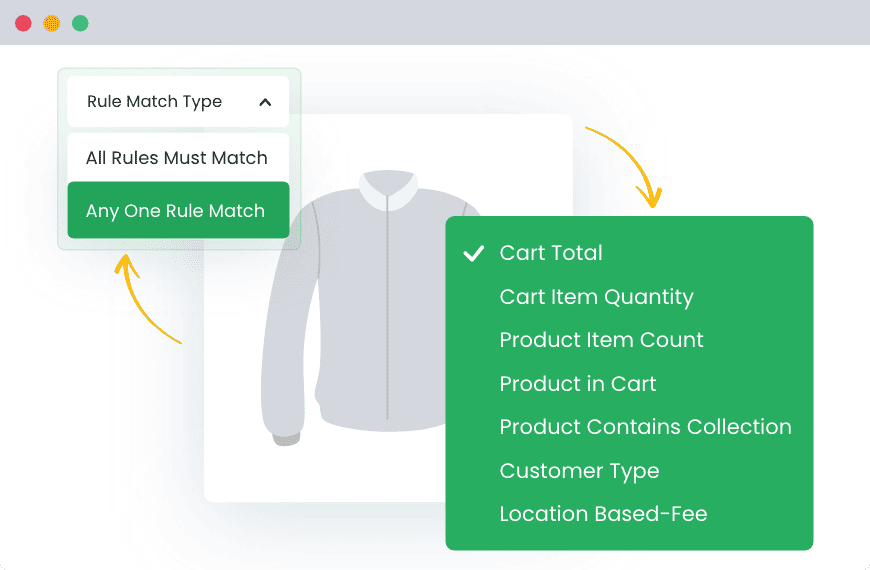
Target fees by product, cart total, customer location, or quantity.
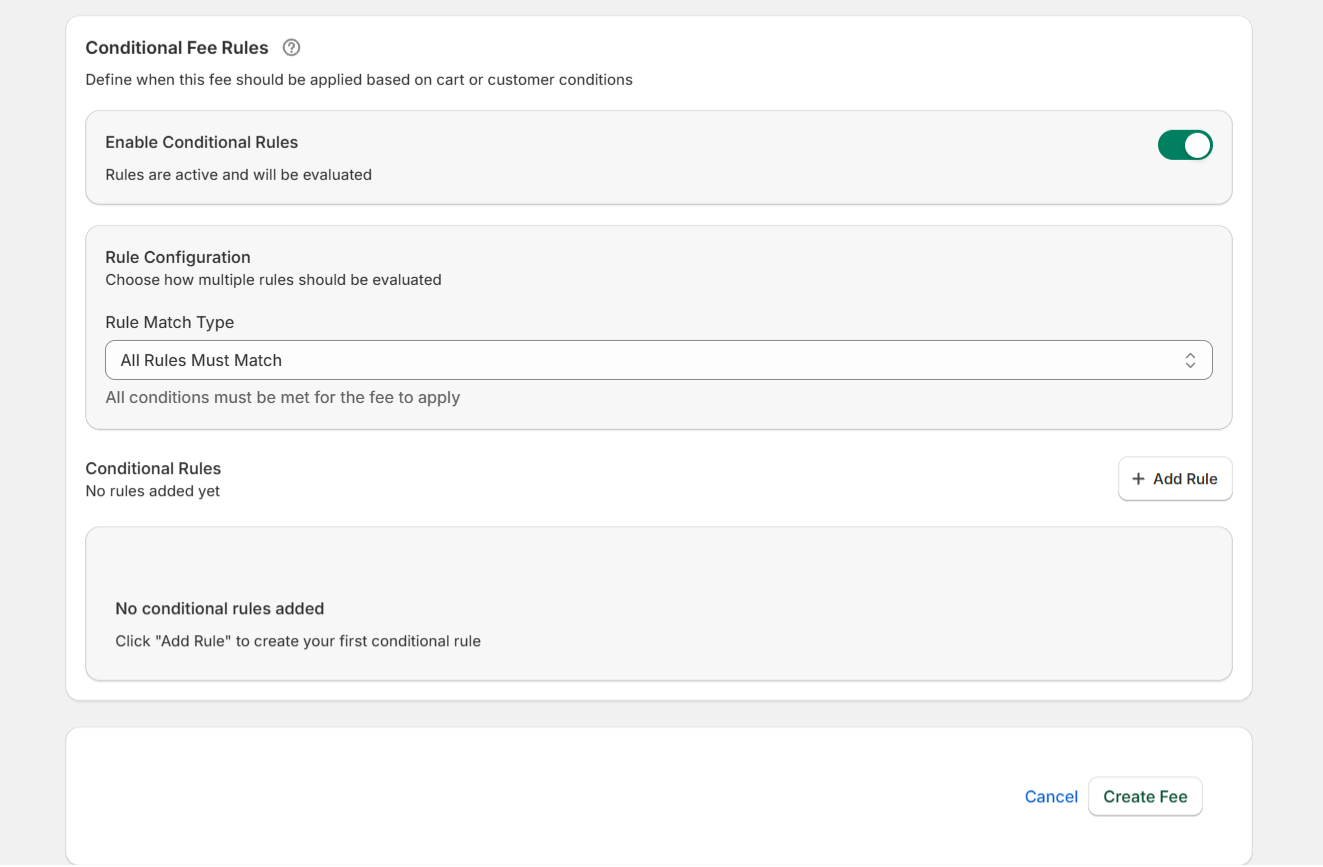
Use AND/OR logic to combine rules for full flexibility.
Flexible Taxes & Multi-Currency
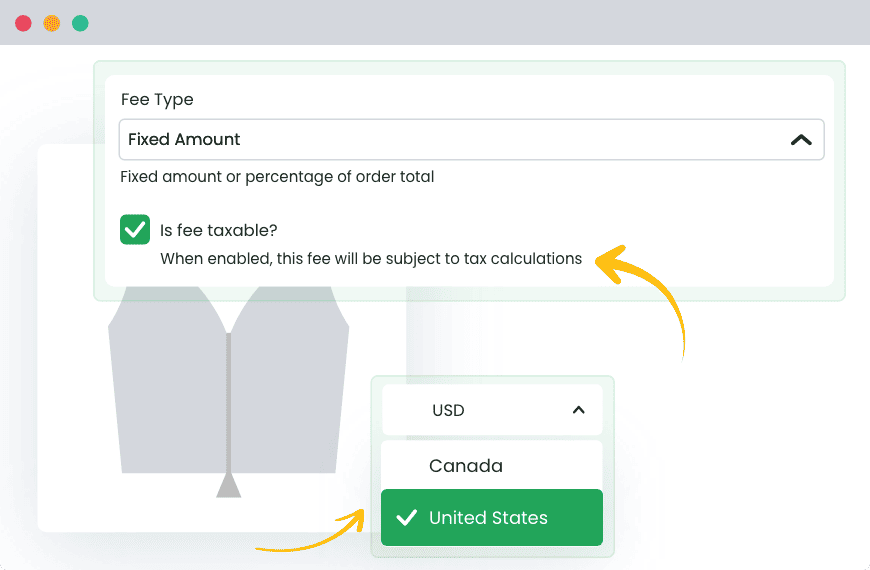
Mark fees as taxable or non-taxable to match your store’s tax rules.
Display fees in local currencies so global customers see the right price.

Why our customers love us
-

Fast, Friendly Support That Gets Things Done
We don’t just reply fast — we solve problems. Our support team helps Shopify users daily with setup, troubleshooting, and best practices.
-

Fast, Clean, Reliable
Our plugins are lightweight, well-coded, and stable. You can trust them to run smoothly with your existing Shopify setup.
-

Flexible for Any Store Type
Run a retail store, sell subscriptions, or offer local delivery? Shopify Extra Fees adapts to your setup with powerful rules and conditions.
-

Set Up in Minutes
You don’t need to be a developer to use this plugin. The dashboard is beginner-friendly with clear options and helpful tooltips.
An In-depth look at all our features
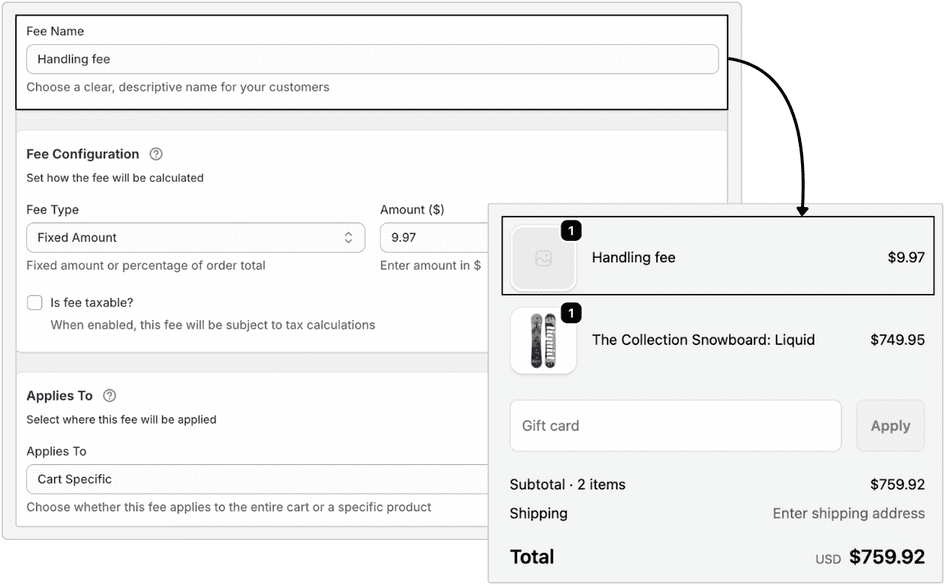
Create flexible fixed or percentage-based fees for products, collections, or entire carts.
Example: Add a 3% handling fee on all orders under $50 or a $2 flat packaging fee on specific collections.
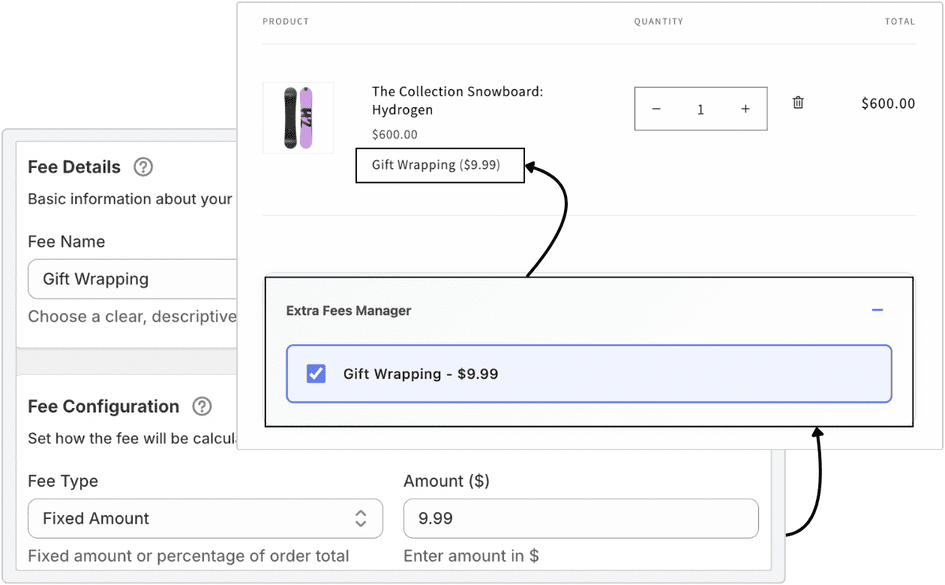
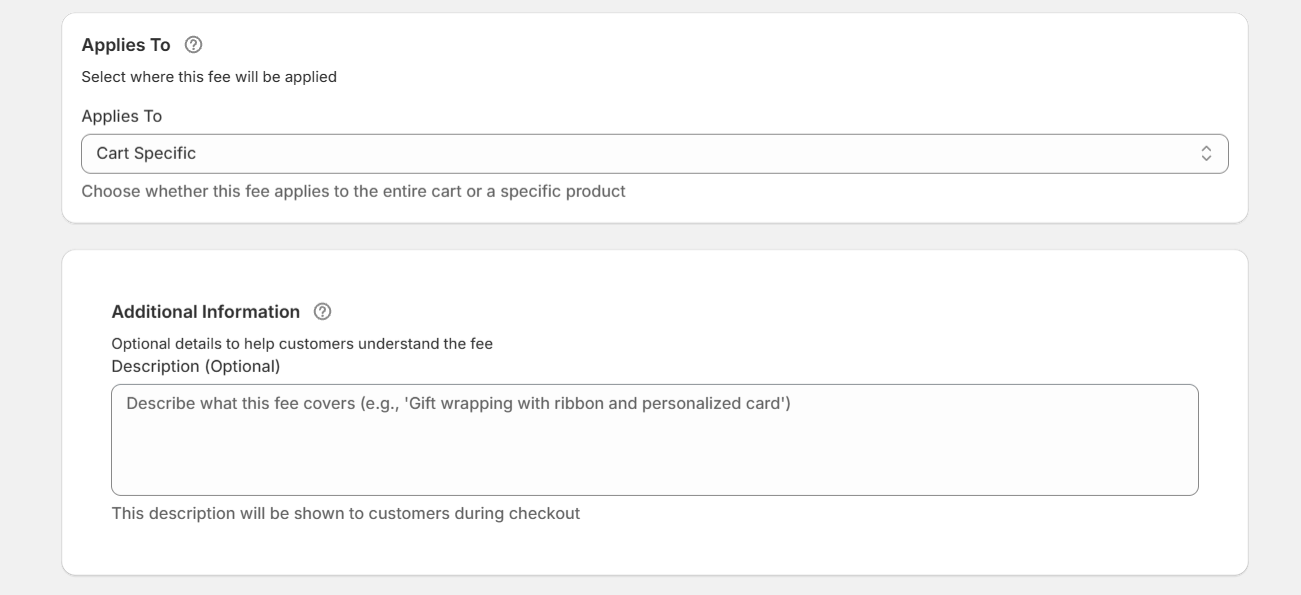
Use a built-in visual wizard to set up fees and conditions in minutes — no developer help required.
Example: Add a new fee rule for “Gift Wrapping” using a simple dropdown interface right inside your Shopify admin.
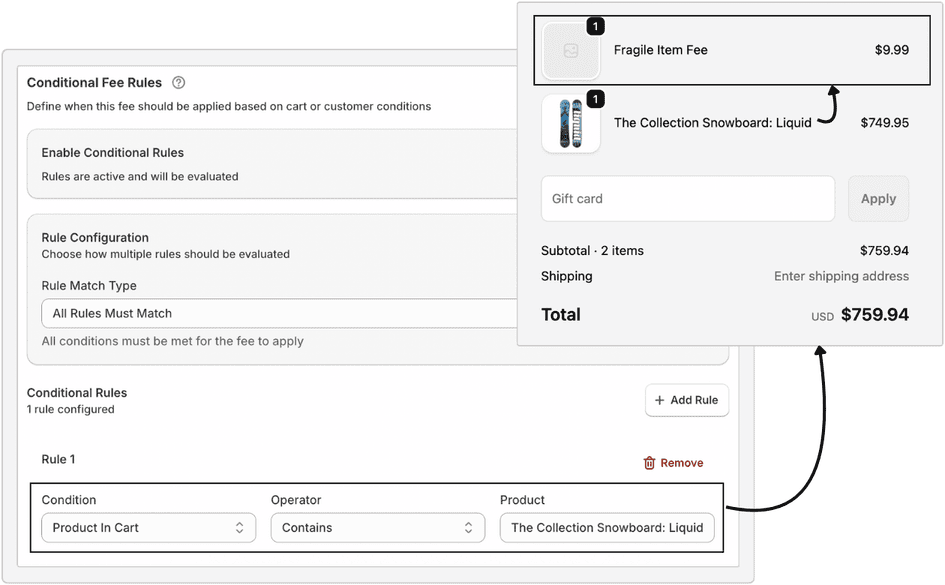
Apply fees only when certain products or collections are in the cart.
Example: Charge a $5 fragile item fee only when customers buy from the “Glassware” collection.
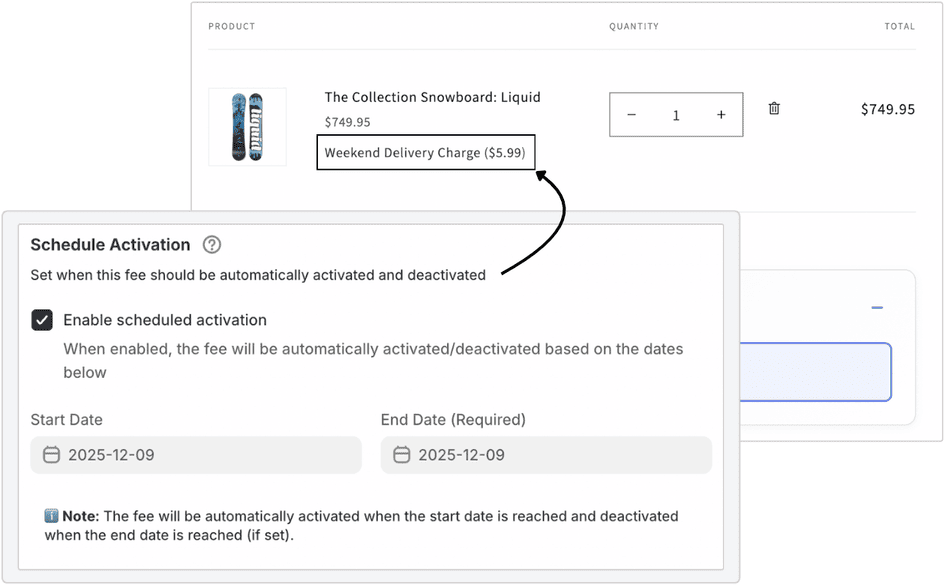
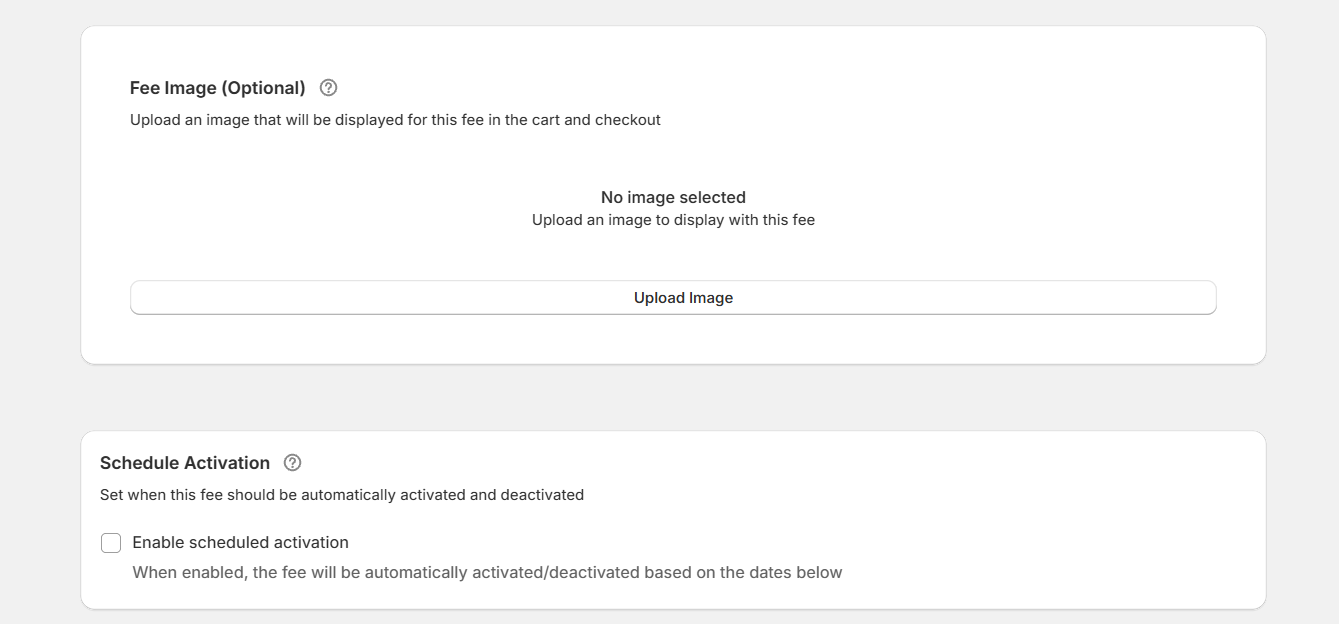
Set start and end dates for fees to run automatically during weekends, holidays, or sale seasons.
Example: Add a $4 weekend delivery surcharge active only from Friday evening to Sunday night.
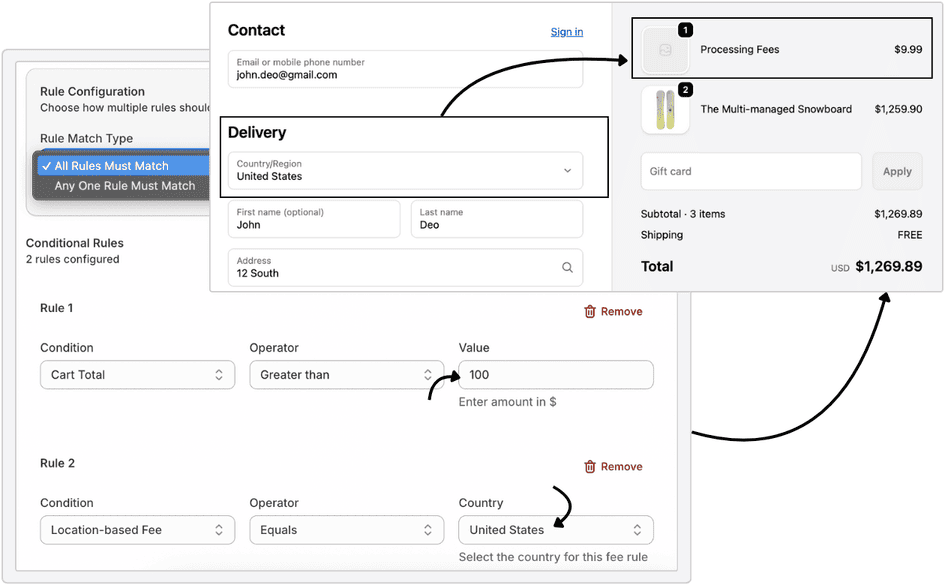
Combine multiple rules to make advanced conditions easy to manage.
Example: Add a $9.99 processing fee only if the order total is over $100 and the country is the United States.
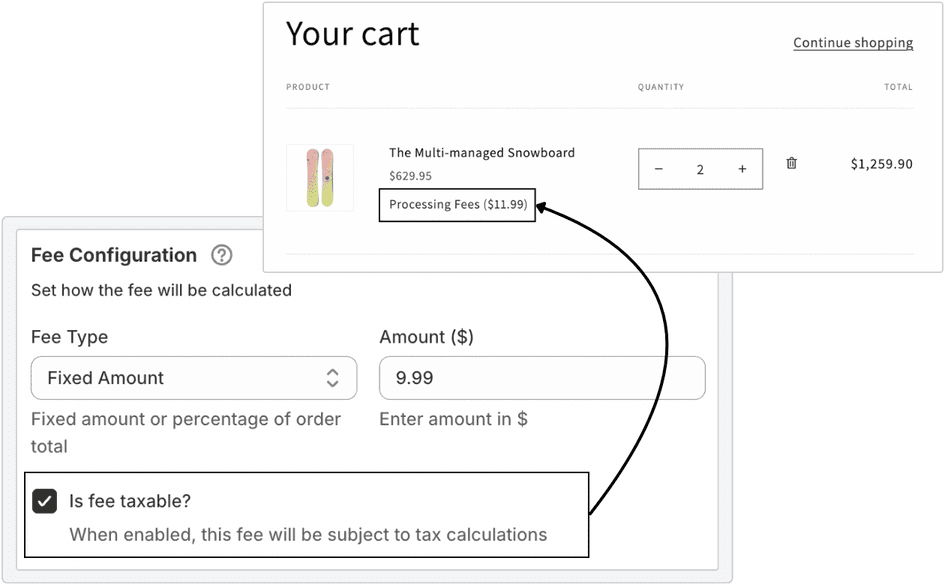
Decide whether your custom fees should include tax or stay separate from the total.
Example: Make a processing fee taxable while keeping an optional donation non-taxable for clarity.
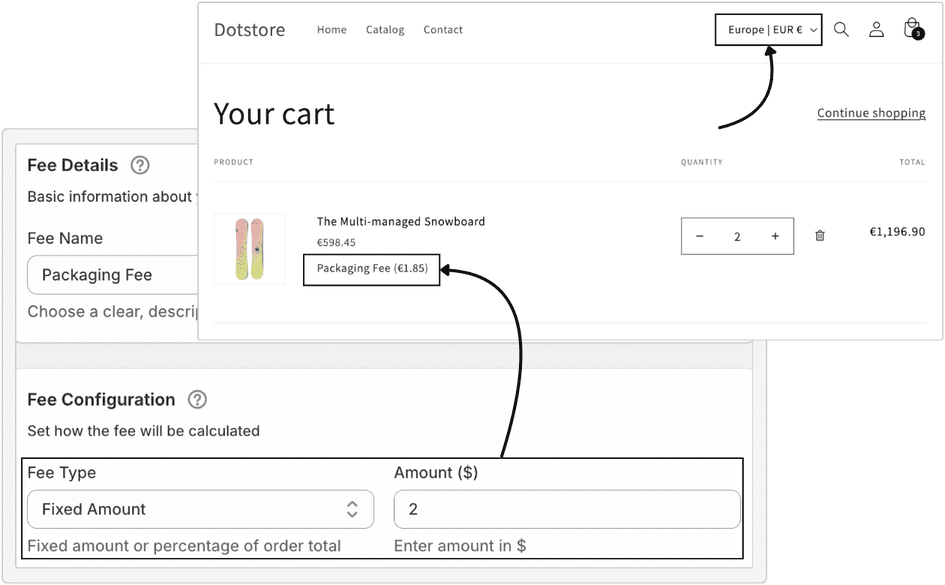
Let fees adjust automatically based on the customer’s selected currency.
Example: A $2 USD packaging fee will automatically appear as €1.85 EUR for European shoppers.
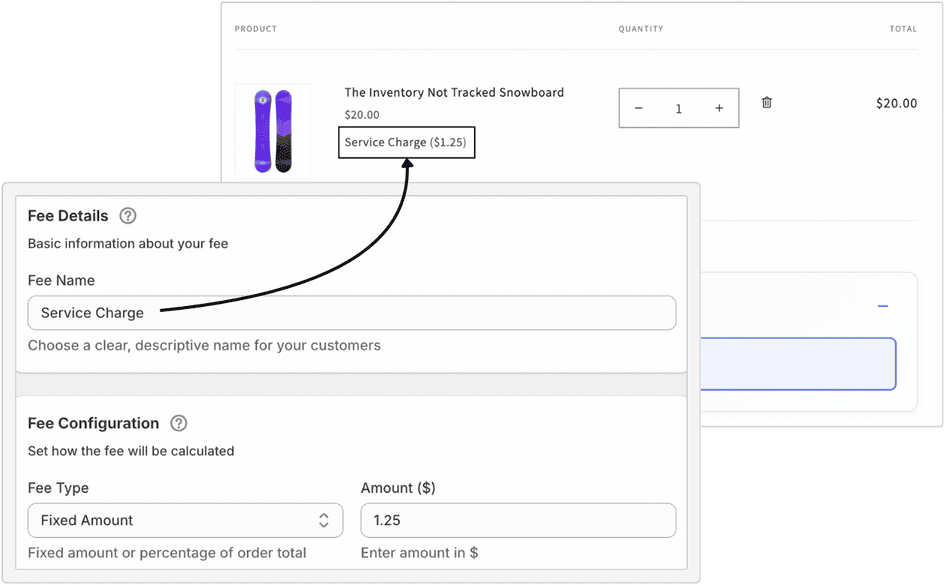
Add precise fee amounts for detailed pricing.
Example: Apply a $1.25 service charge instead of rounding to whole numbers.
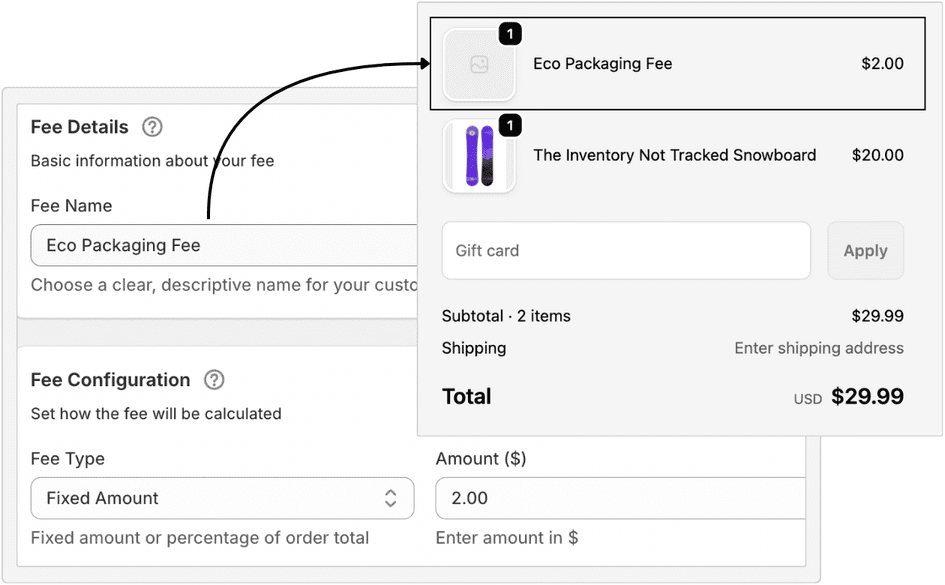
Show each fee clearly at checkout so customers always understand what they’re paying for.
Example: “Eco Packaging Fee – $2.00” appears as its own line in the checkout summary, right under products.
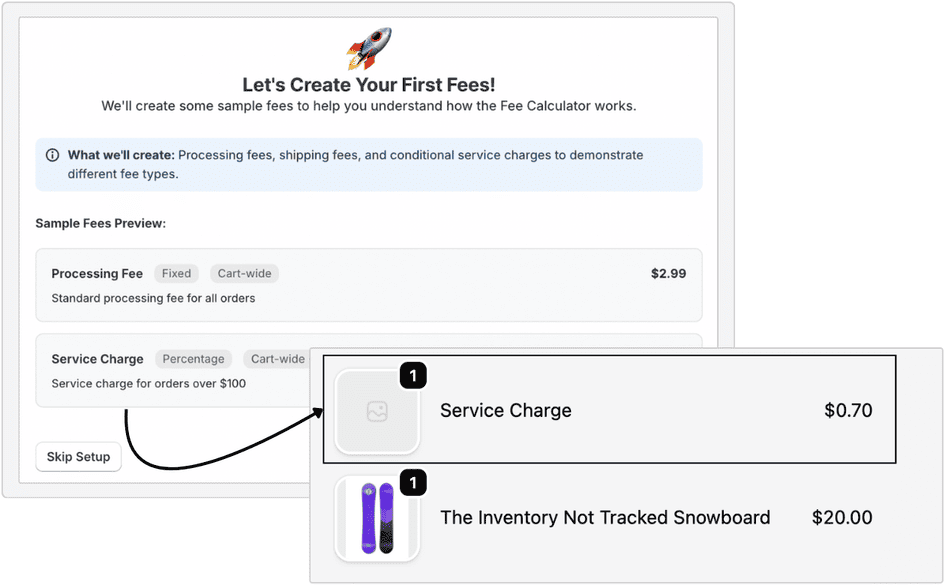
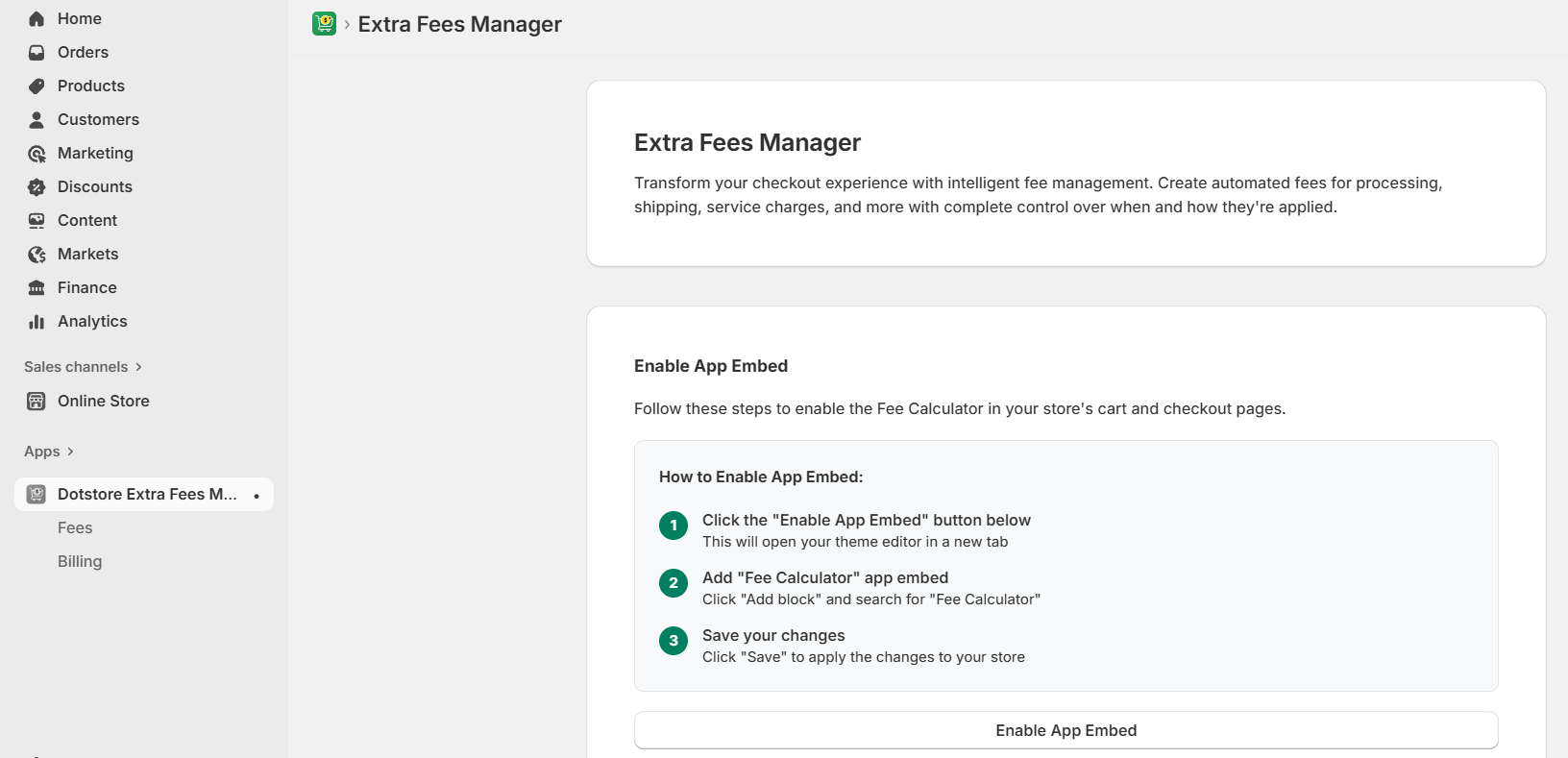
Get started instantly with an easy onboarding process that walks you through fee creation step by step.
Example: The setup wizard helps you create your first “Product Fee” rule within minutes after installation.
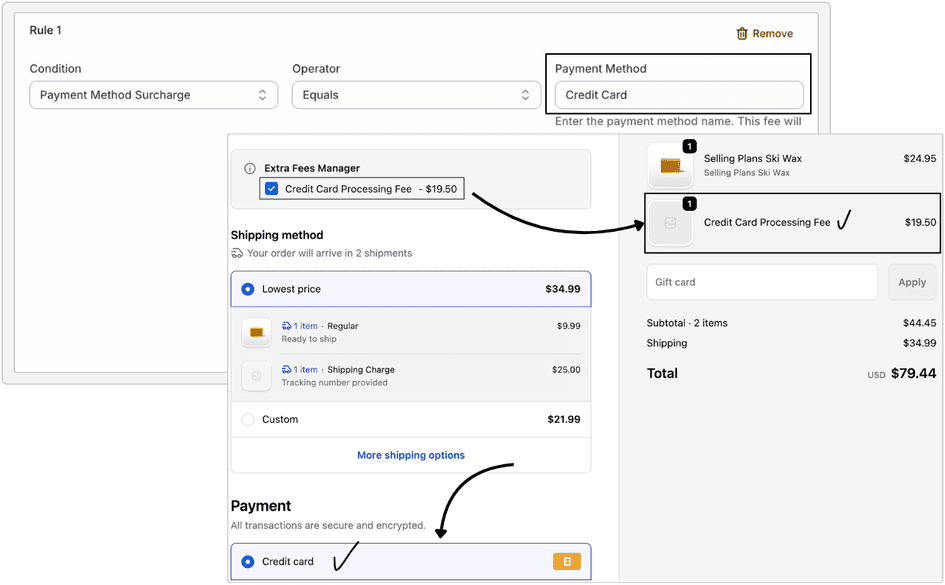
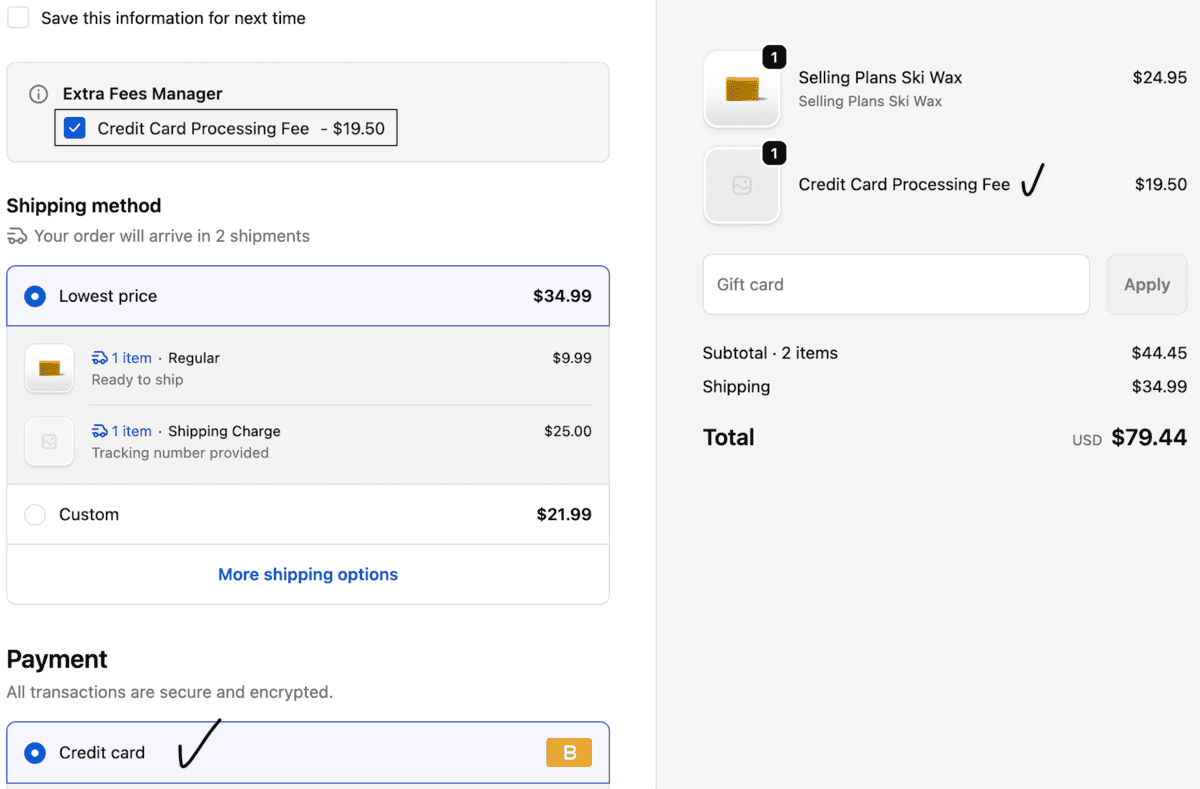
Add automatic fees based on the payment method customers choose at checkout.
Charge a surcharge for specific payment options like credit cards, while keeping other methods fee-free.
Rules apply only when the selected payment method matches, ensuring accurate and transparent checkout pricing.
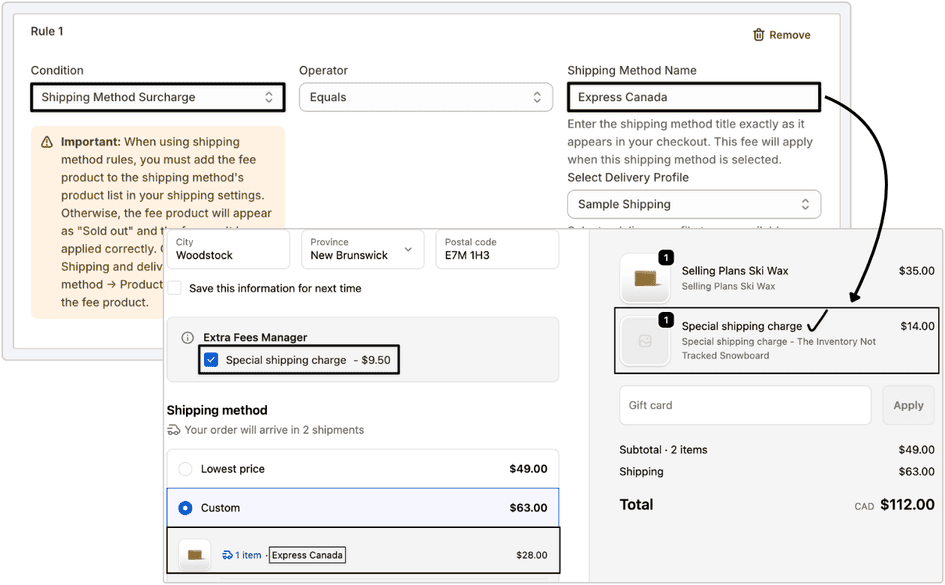
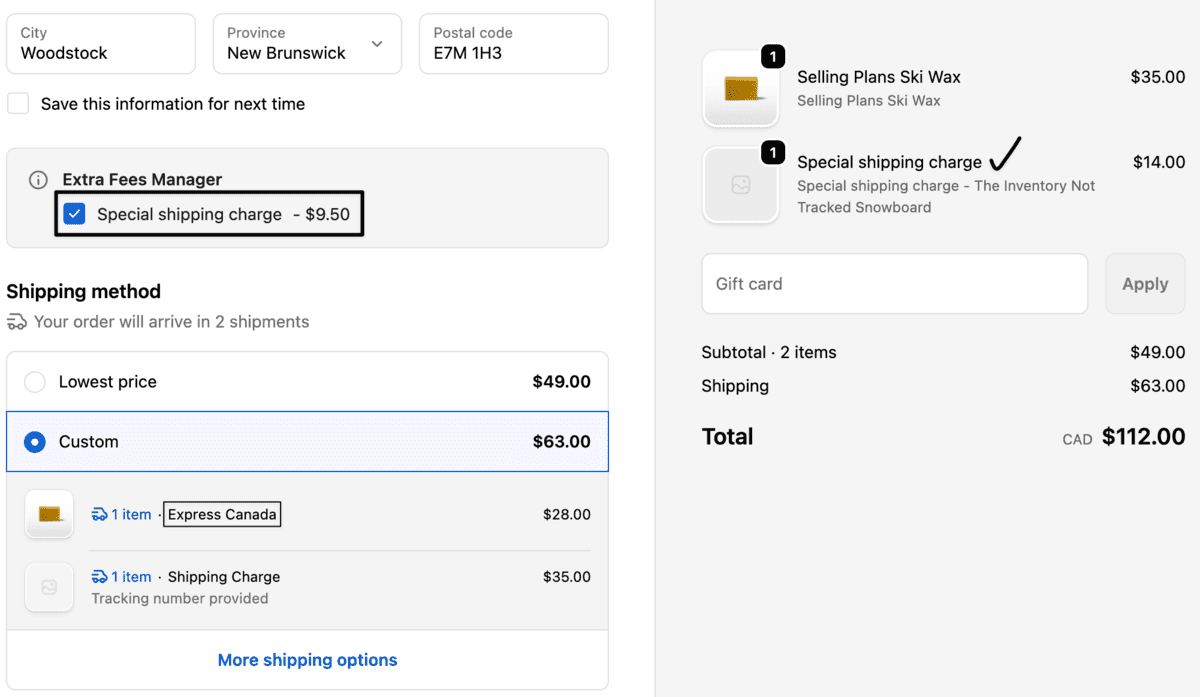
Apply extra fees when customers select specific shipping methods.
Recover additional costs for express or premium shipping by linking fees directly to shipping method names.
Fees are added only when the matching shipping option is chosen.
Pricing That Pays for Itself
Most stores recover the $11.99/month fee in just 1–2 orders with a simple surcharge.

FREE
Starter – FREE
-
Activate 1 extra fee (fixed or percentage)
-
Apply a fee to a product or collection
-
Custom fee label & description
-
Display fee on cart + checkout
-
Basic support
-
No coding required
Best for stores testing the app or adding a simple fee, like packaging or handling.

PRO
$11.99/ month
-
Everything in Free, plus:
-
Unlimited active fees
-
Advanced conditional logic
-
Multi-currency support
-
Weekend & holiday surcharges
-
Priority support
-
Start 14-day free trial
Best for growing stores, and Shopify Plus businesses need complete fee flexibility.


14-Day money-back guarantee. No questions asked!
Applies to all eligible products or services purchased through our platform. If you are not satisfied with your purchase for any reason, you may request a refund within 14 days from the date of purchase.
Calculate Your Revenue Potential
See exactly how much additional revenue you could generate with smart fee strategies. Adjust the sliders to match your store’s metrics.Your Store Metrics
Common Fee Examples:
- Handling fee: $3.99 (5% of $80 order)
- Express shipping: $12.99 (15% of $85 order)
- Payment processing: 2.9% + $0.30
- Small order fee: $2.99 (4% of $75 order)
Revenue Impact Analysis
Annual Revenue Projection
Break-even Timeline
Customer Impact
Start Generating Revenue Today
Based on your calculations, you could generate an additional $26,400.00 annually. Get started with our 30-day money-back guarantee.
Frequently Asked Questions
-
Yes. You can create both fixed-amount and percentage-based fees for products, collections, or full carts. For example, you could add a 3 % handling fee or a flat $2 packaging charge automatically.
-
Not at all. The plugin includes a visual setup wizard that guides you step-by-step through creating your first fee rule.
-
Every custom fee appears as a separate line item (for example, “Eco Packaging Fee – $2.00”), so customers always understand what they’re paying for. This transparency helps reduce abandoned carts.
-
Absolutely. You can set start and end dates for any fee rule. Many merchants use this to add weekend surcharges or holiday-season delivery fees automatically.
-
Yes. Fees adjust automatically based on your customer’s selected currency, keeping your pricing accurate across international markets.
-
You can decide for each rule. For instance, you might keep a donation non-taxable but make a handling fee taxable to stay compliant with local regulations.
-
Once uninstalled, all custom fee rules are removed instantly, and your checkout returns to its original Shopify settings — no leftover code or data.


Turn Every Shopify Order Into More Profit
With Shopify Extra Fees Manager
