
Linked Variations for WooCommerce
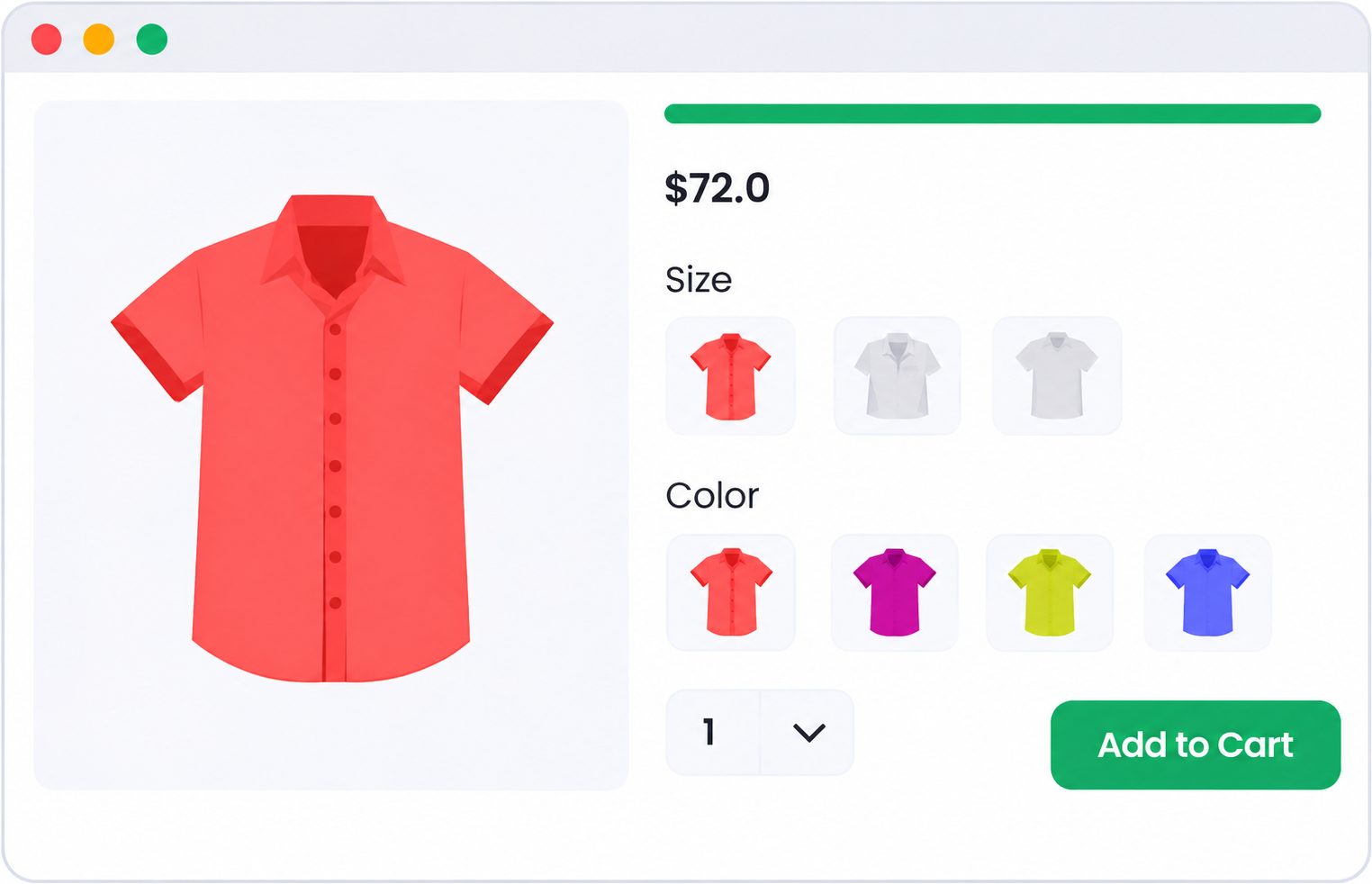
Link separate products by attribute with swatches, image popups, and custom styles — without complex variable product setups.
Show individual simple and variable products as variations of one another across your store. Group items by product, category, or tag, customize swatch borders and shapes, display real attribute images or custom hex colors, and let buyers browse variants across independent URLs with clean SEO and zero code.

1500+
Happy Customers
“Just what I was looking for!”
– janon123
4.2/5 Stars
Based on 5 ReviewsEnhance Your Online Store with Advanced Linked Variations
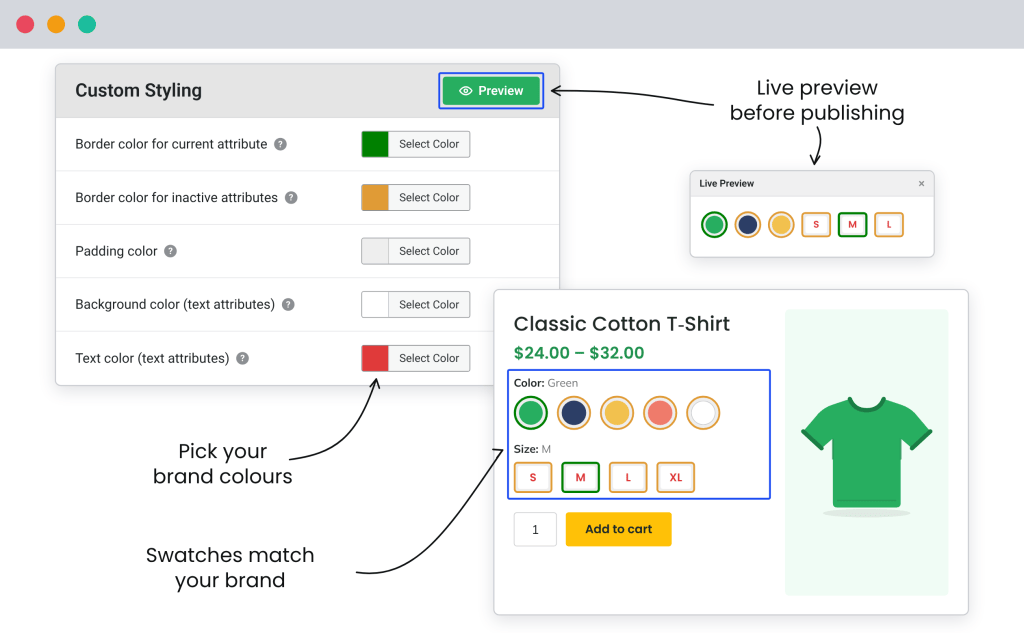
Custom Swatch Styling & Brand Matching
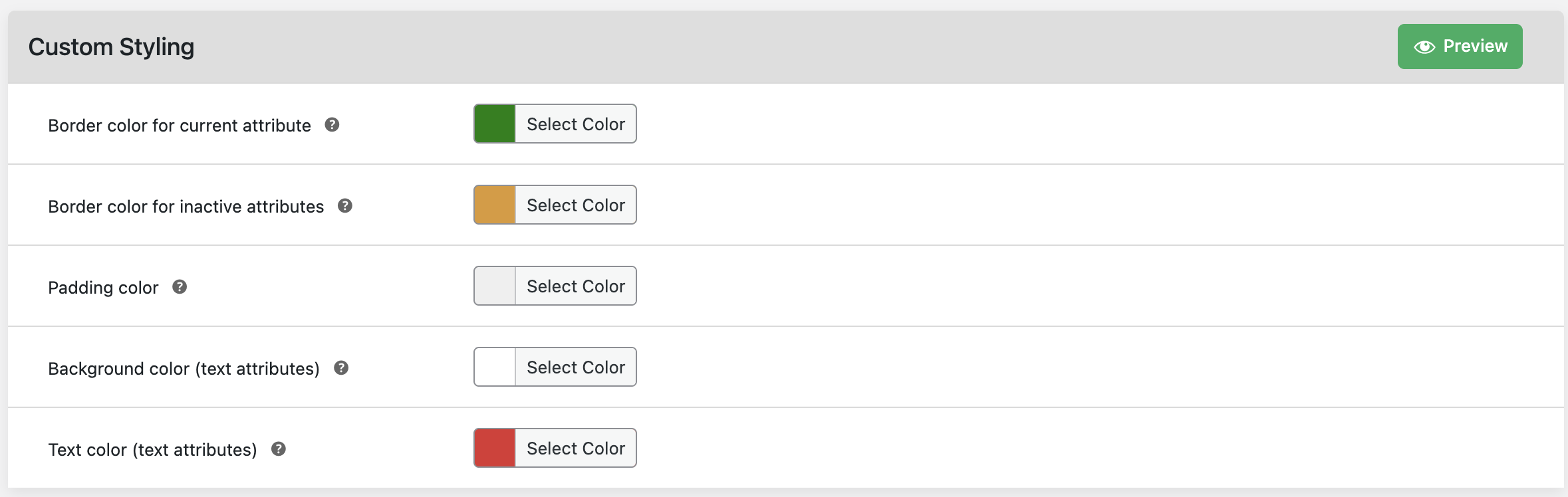
Take total control over how variation swatches look on your product pages. Pick custom hex colors for the active product border, inactive item borders, swatch inner padding, text background, and font color. Use the live admin preview modal to test styles before publishing changes to your live storefront.
Modern Circle & Square Swatch Layouts
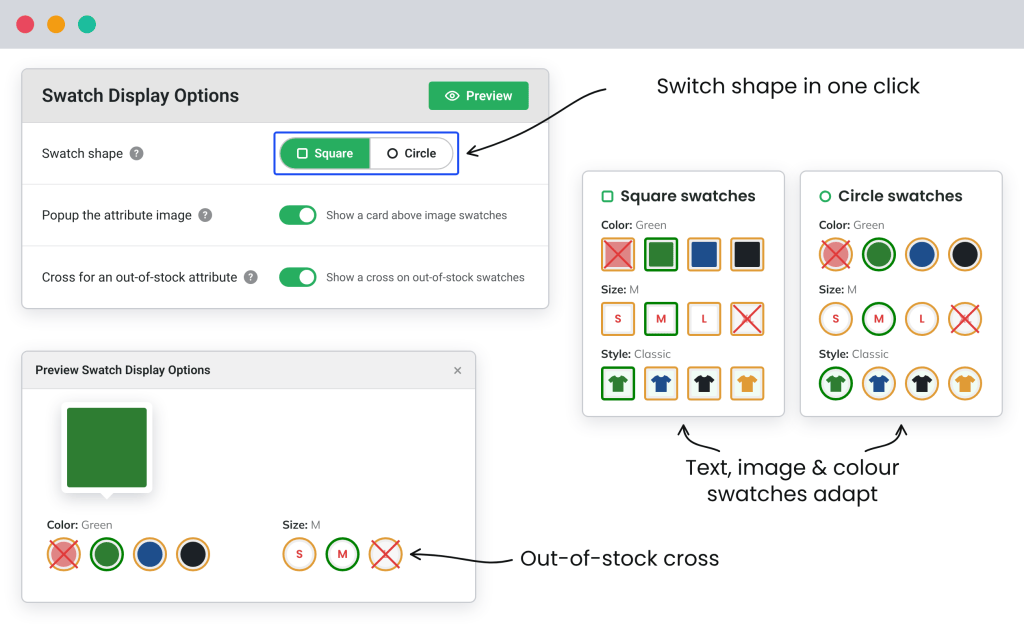
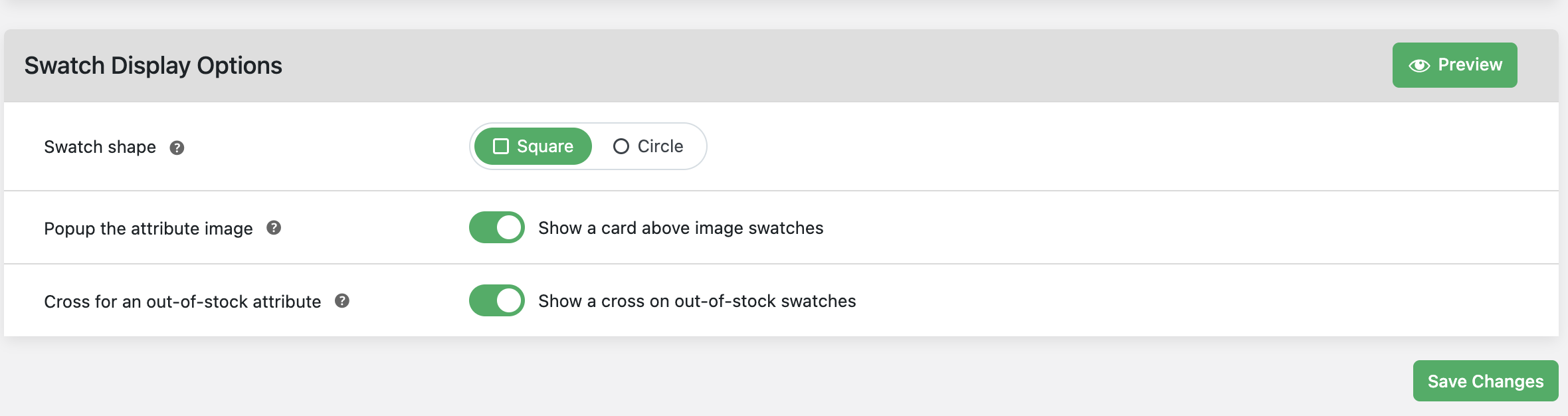
Break away from boring browser dropdowns. Display your variation swatches in clean square buttons or modern rounded circles. Switch layout shapes globally with a single click — all text, image, and color swatches automatically adjust to match your chosen style.
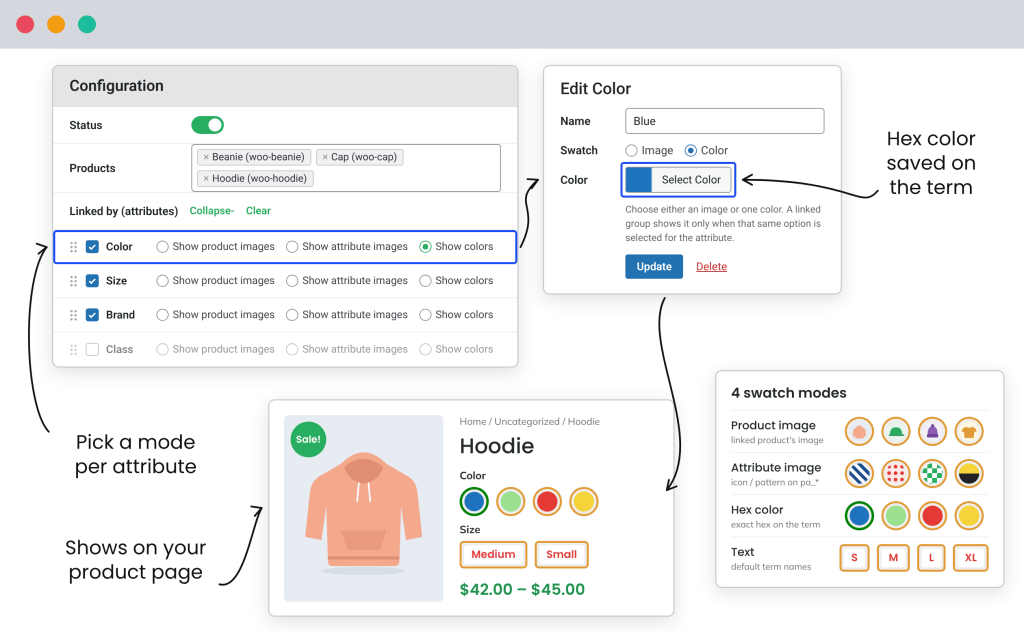
Three Swatch Modes: Product Image, Attribute Image, or Hex Color
Give every linked attribute the exact presentation it needs:
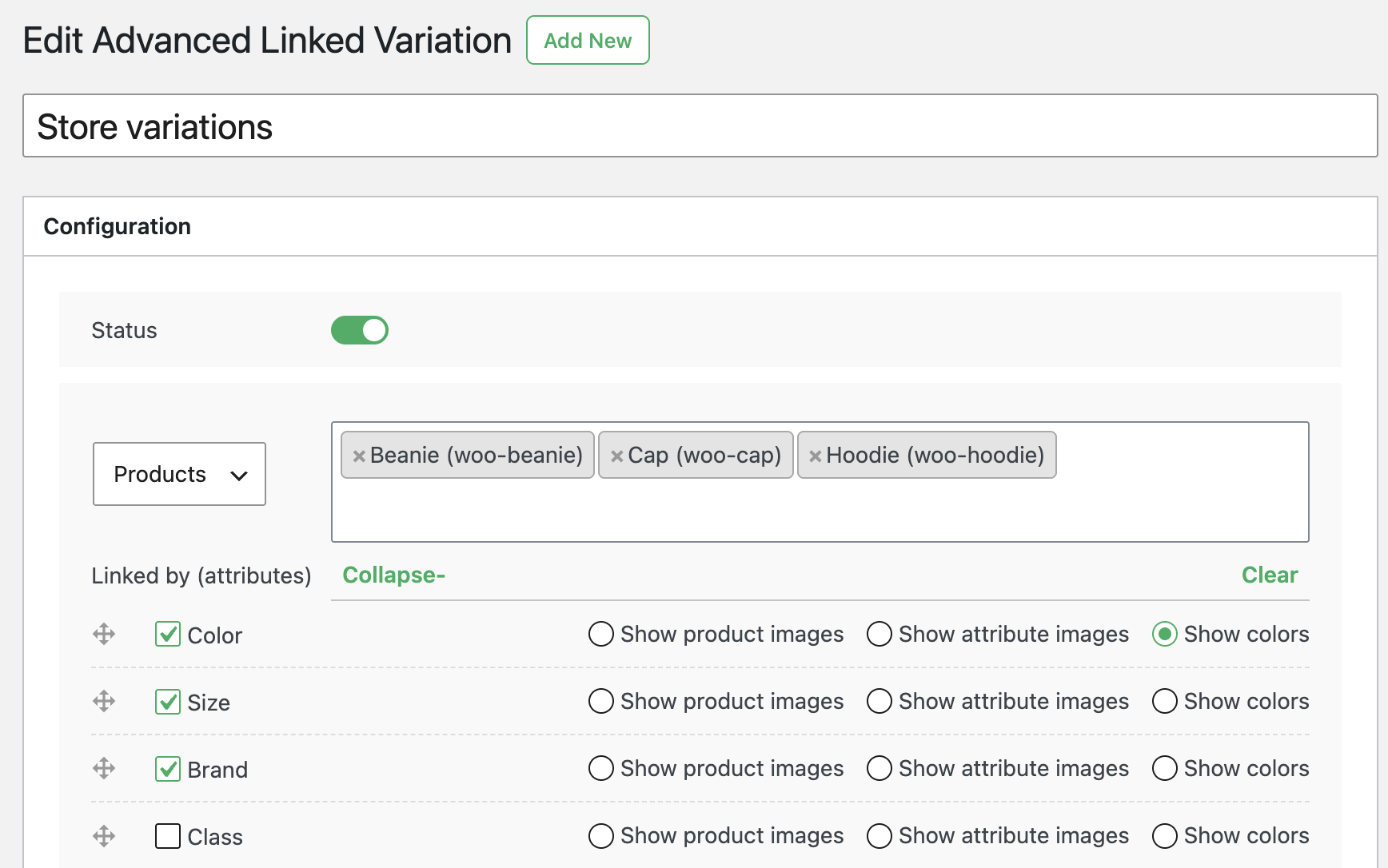
- Show product images: Displays the featured image of each linked product automatically.
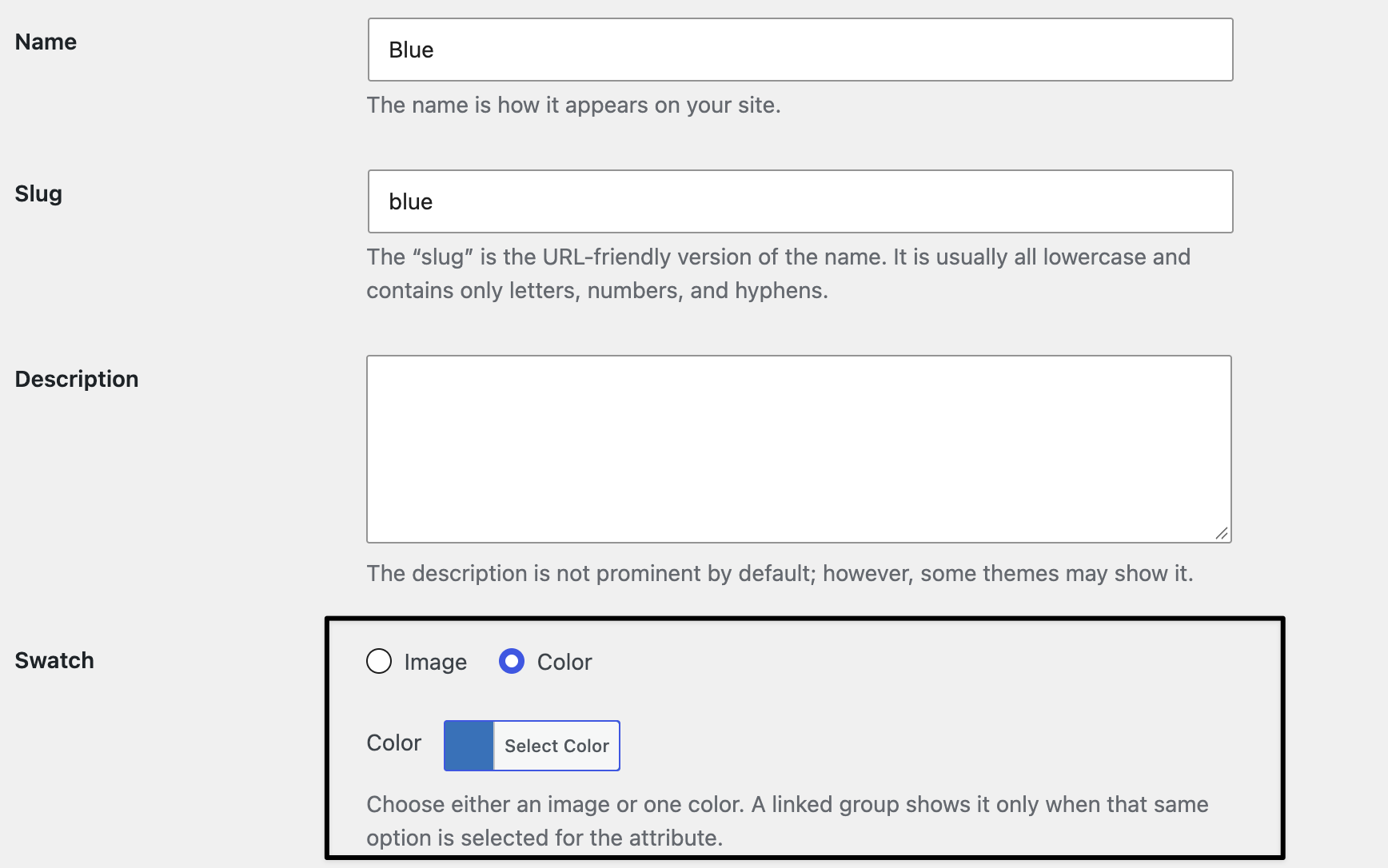
- Show attribute images: Shows a dedicated icon or pattern uploaded directly to the global attribute term (
pa_*). - Show colors: Renders an exact single hex color saved on the attribute term.
- Default (text): Renders clean attribute term names when no image or color is needed.
An In-depth look at all our features
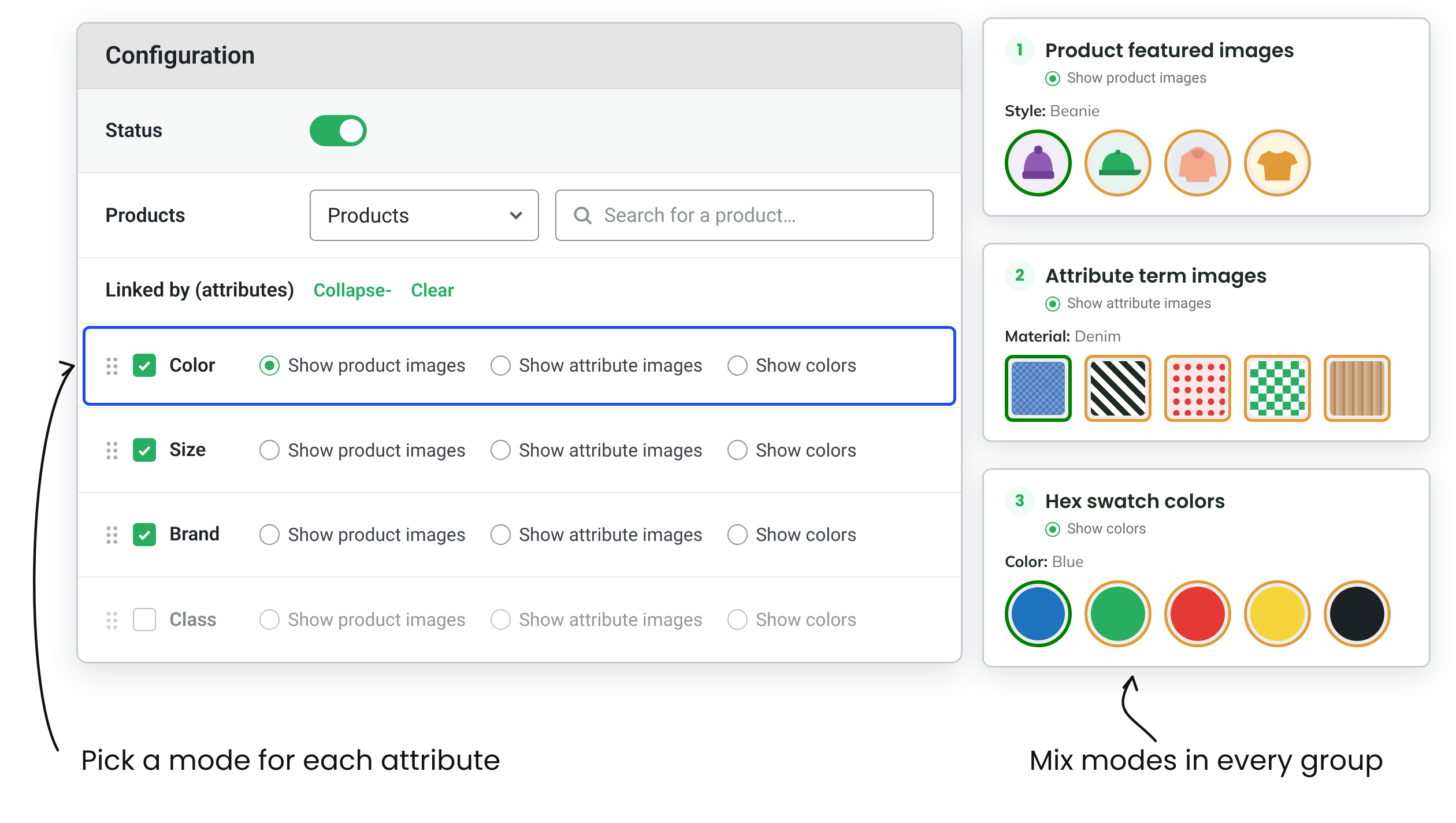
Choose between Product Featured Images, Attribute Term Images, or Hex Swatch Colors for each attribute in every group.
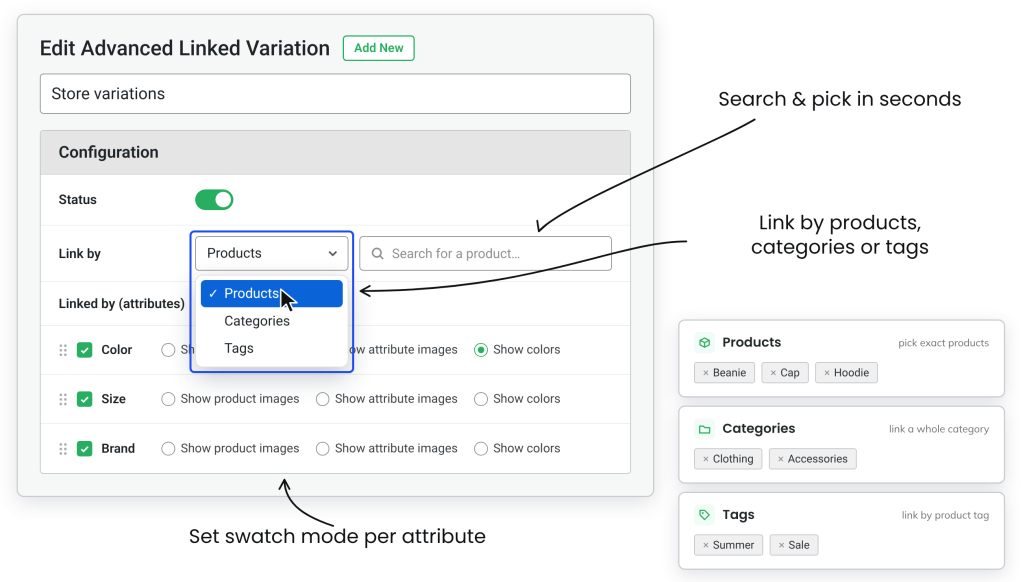
Create flexible groups linking specific products manually or automatically pull all products sharing categories or tags.
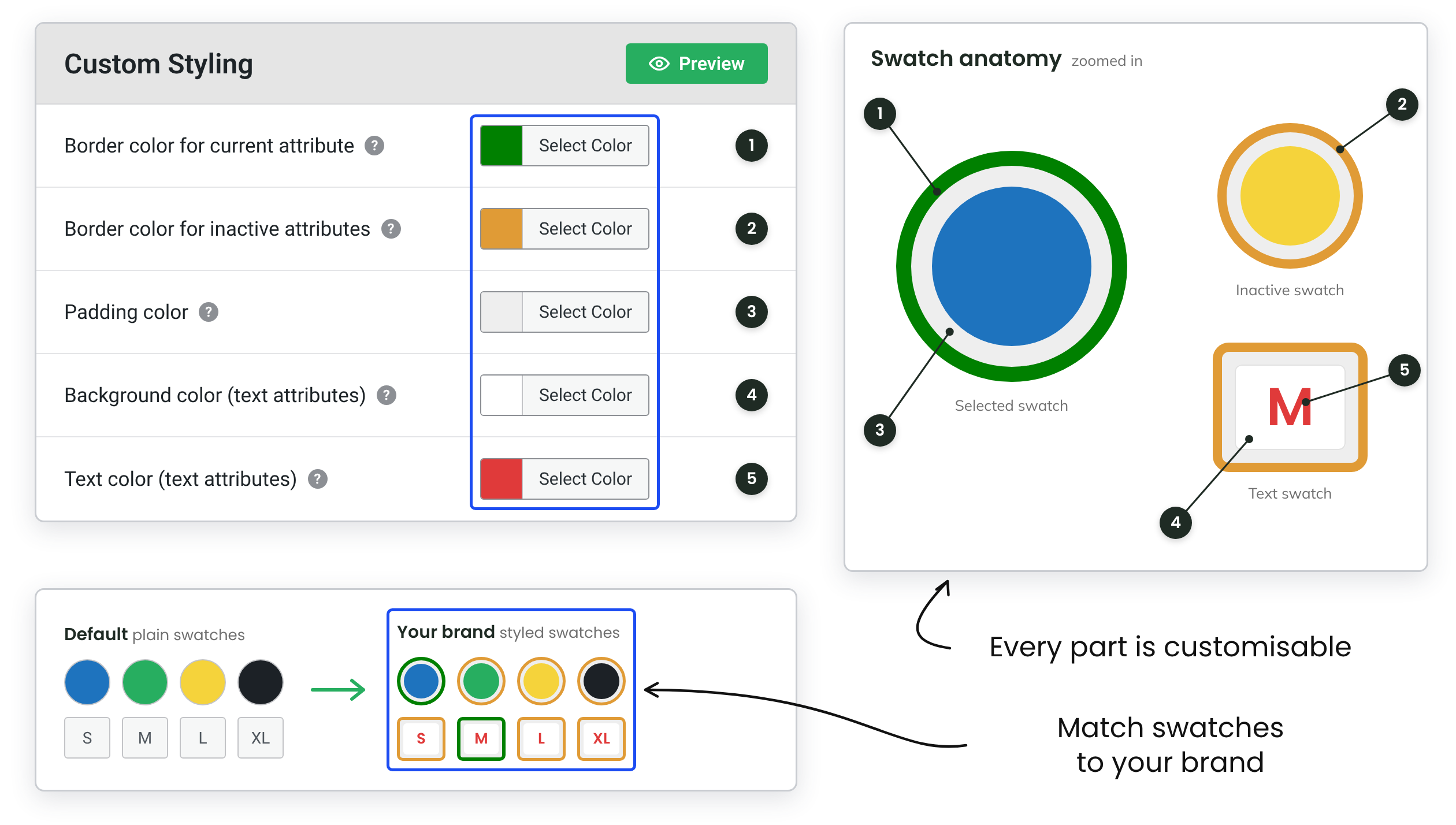
Set custom hex colors for active borders, inactive borders, inner padding, text background, and text colors.
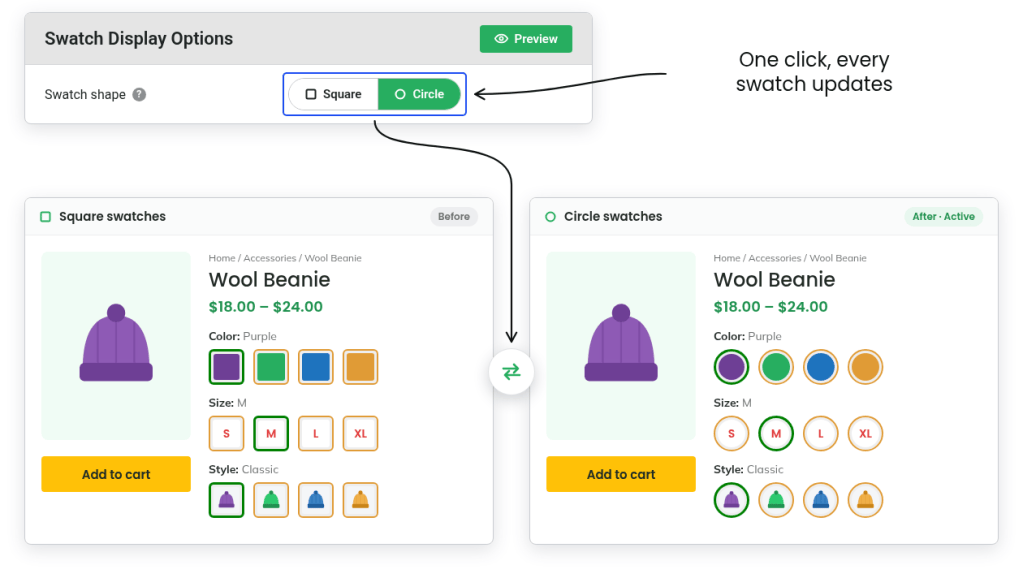
Switch between classic square swatches and modern rounded circles globally across all swatches.
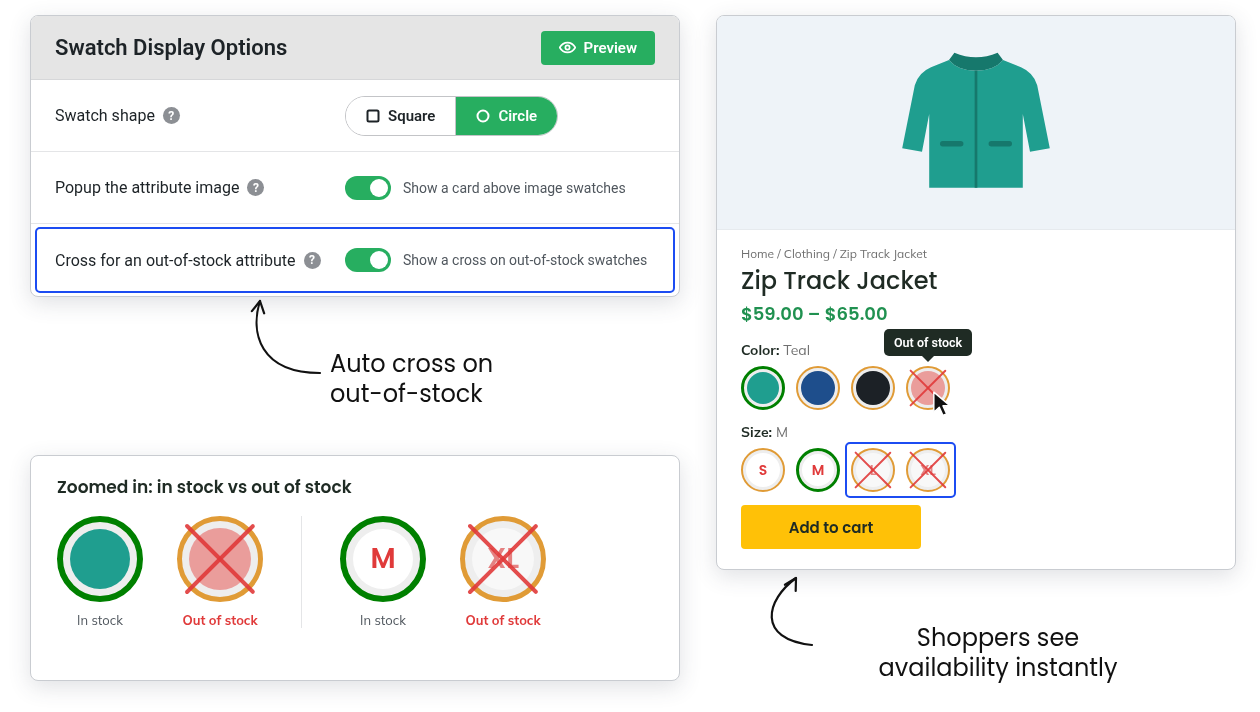
Overlay an automatic diagonal cross indicator on swatches whose linked product is out of stock.
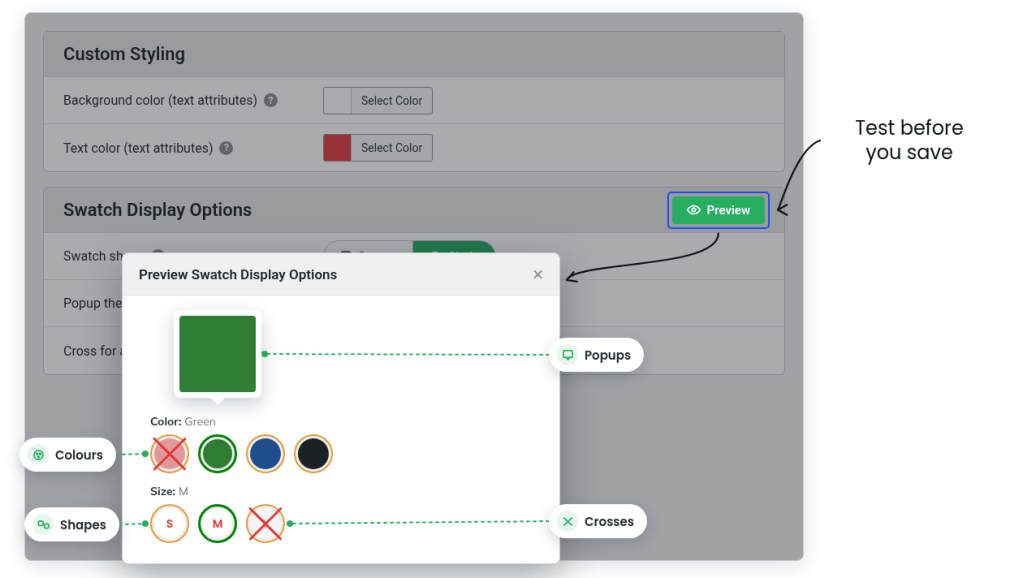
Preview layout shapes, popups, crosses, and custom color styles directly inside the WordPress dashboard before saving.
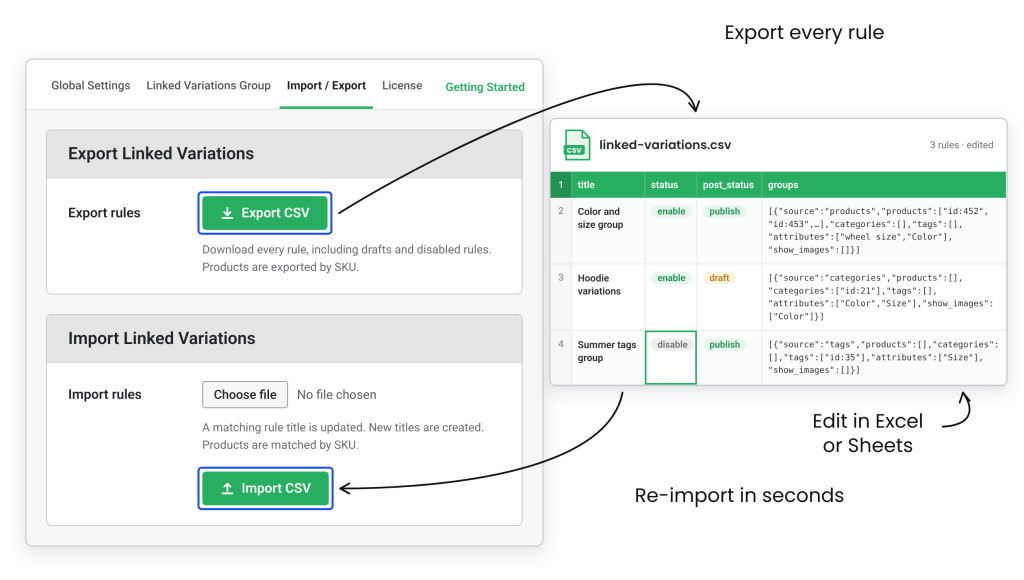
Export all linked variation rules to a clean CSV file, update in Excel/Google Sheets, and re-import in seconds.

Simple, transparent pricing
All features included on every plan. Pick the license that fits your store.
Renews annually • Cancel anytime
Or get all 20+ plugins for $249/yr
The All Access Bundle includes this plugin and every other Dotstore plugin – plus every future release, on one license.
Running an agency or need more licenses? Contact us for preferential agency and volume pricing. Contact us →


14-Day money-back guarantee. No questions asked!
Applies to all eligible products or services purchased through our platform. If you are not satisfied with your purchase for any reason, you may request a refund within 14 days from the date of purchase.
- Version: 1.1.0
- Last Updated: Nov 17, 2026
- WordPress: 7.1.x
- WooCommerce: 11.3.x
- Minimum PHP version: 5.6
- View Changelog

Why our customers love us
-

Top-of-the-Line Customer Support
Responsive, fast, and competent. That’s our user support. Our world-class customer service and we’ve been consistently appreciated for our clear and quick solutions to customer issues.
-

Solutions you can trust
Built with integrity, coded with precision, and optimized for performance, our plugins are designed to help you get the most out of your WooCommerce store.
-

Flexibility for Customization
Highly customizable and compatible with all major plugins, WooCommerce Linked Variation can be tailored to your specific needs. Whether you have a retail store or a membership business on WooCommerce, we have you covered!
-

Easy to use and set up
Simplicity is the name of our game. We believe in creating user-friendly plugins that are intuitive and ridiculously simple to use, with accessible features and straightforward interfaces.
Frequently Asked Questions
-
Yes. When creating a Linked Variations Group, you can select whether to link items by specific Products, by Categories, or by Tags.
-
Yes! You can use Elementor’s native WooCommerce widgets (swatches hook automatically into the Single Product Add to Cart area) or drop the [dsalv] shortcode directly into any Elementor Shortcode widget.
-
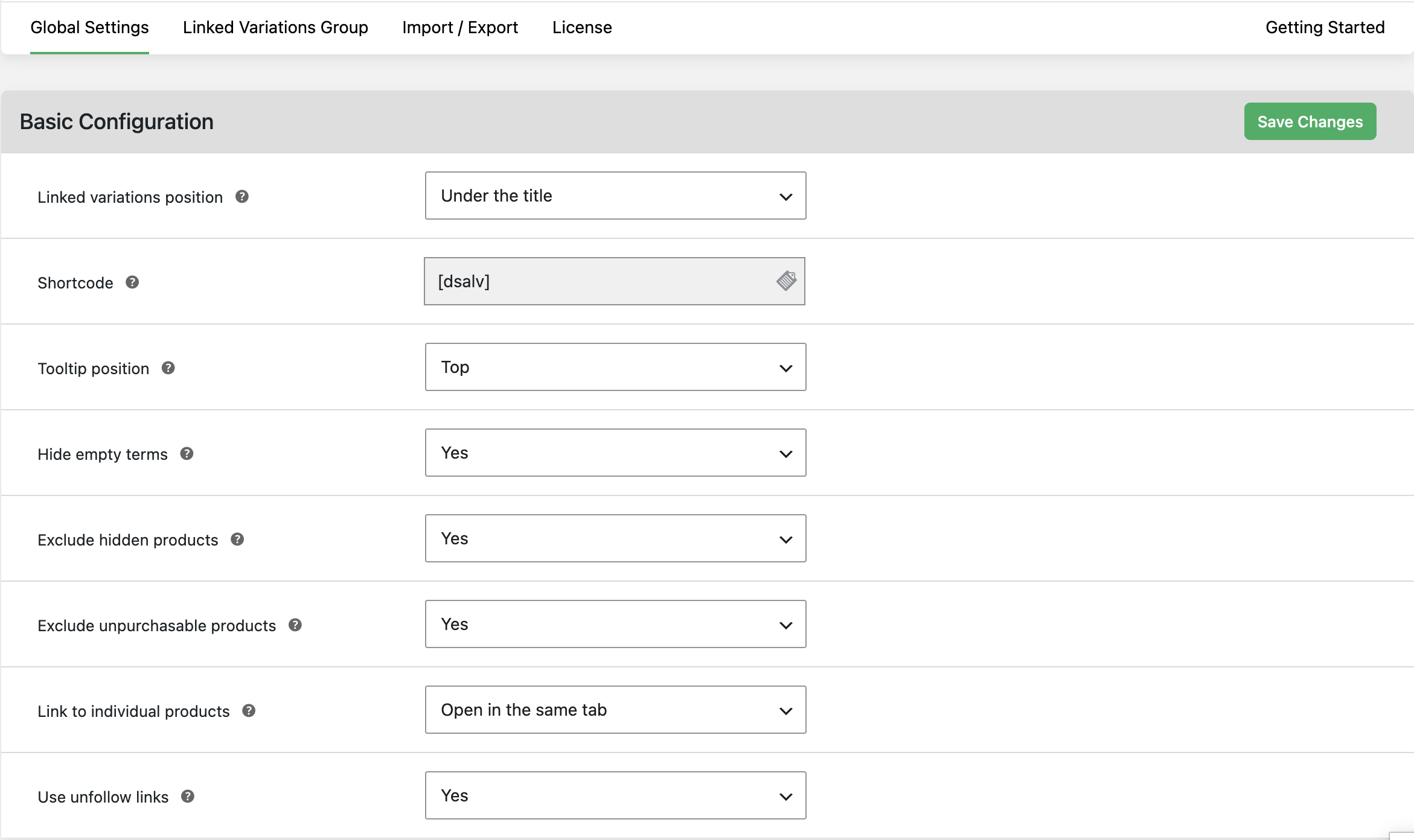
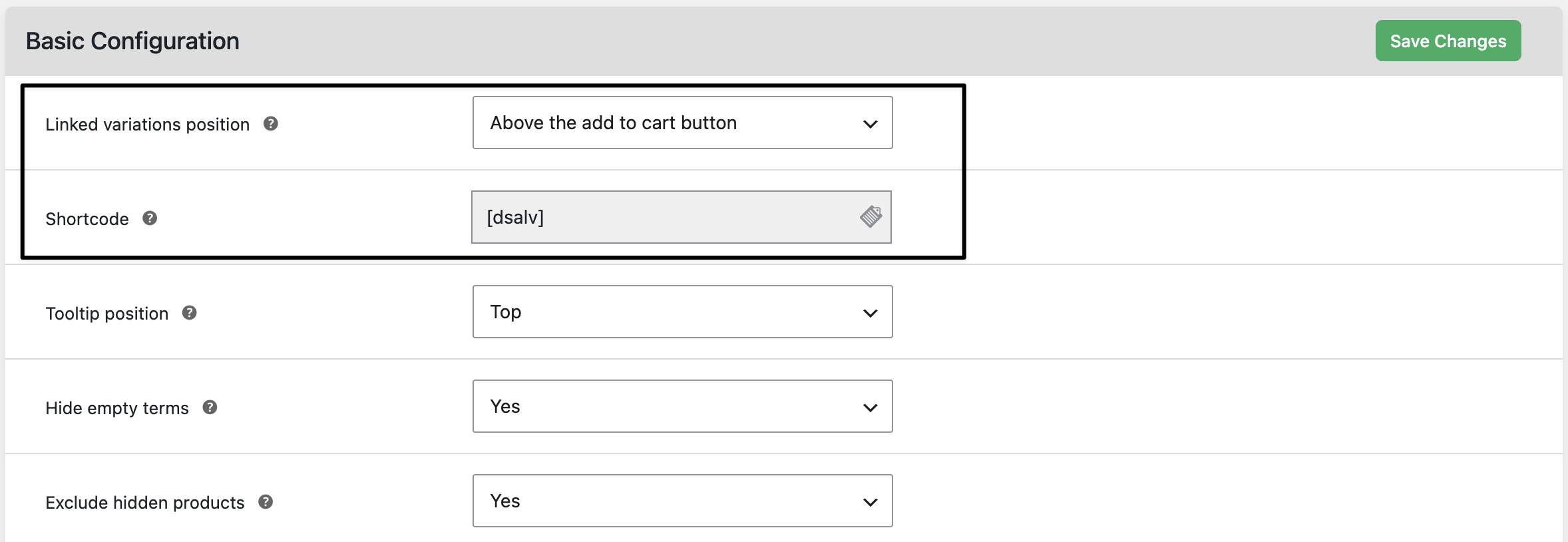
Yes. You can select No (hide it) under Linked variations position in Global Settings and insert the [dsalv] shortcode anywhere on your page using Elementor, Divi, Gutenberg blocks, or custom PHP template files.
-
When enabled, any swatch whose linked product has zero stock automatically displays an overlay cross. It alerts customers that the variant is currently out of stock before they click, reducing frustration and abandoned carts.
-
Yes. On desktop computers, the image popup card smoothly swipes up on hover. On smartphones and tablets, the first tap opens the preview card so the customer can inspect the design, and a second tap follows the link to that product page.
-
Yes! The Premium version lets you set any attribute to display as Show product images (using the linked item’s featured image), Show attribute images (using an icon uploaded directly to the attribute term), or Show colors (using an exact hex color code).
-
With standard variable products, only one main product URL gets indexed by search engines. With Advanced Linked Variations, every linked product has its own page and can rank for specific long-tail search queries (such as “Women’s Emerald Green Fleece Hoodie”) while still offering customers a 1-click swatch switcher on the page.
-
The plugin allows you to show separate WooCommerce products as variations of one another. Instead of creating complex variable products with dozens of internal variations, you can keep individual products (each with their own title, SKU, description, gallery, and URL) and connect them visually using swatches on product pages.
-
All your existing linked variation groups, positions, and settings are preserved 100%. Once you activate your Premium license, new options for custom swatch styling, circle shapes, image popups, out-of-stock crosses, and attribute term images/colors unlock immediately.
Documentation
-

Installation guide
Read through our in-depth installation and user guide to learn all about Linked Variations for WooCommerce.
-

Support
All plugins developed by DotStore are GPL-compliant. For more details, contact our customer support.
-

Tutorials
We’ve published 100s of step-by-step videos and tutorials on how to use our plugins for a wide range of purposes.
-

Changelog
We work on consistently updating our products with useful and unique features.
