Table of Contents
In this guide, I’ll compare WooCommerce vs Shopify across setup, costs, customization, maintenance, SEO, and AI-assisted sales to help you choose the right ecommerce platform for your store.
Key Takeaways
- WooCommerce and Shopify take different approaches to ecommerce. WooCommerce is free and open-source, while Shopify is a fully hosted platform.
- Shopify is easier to set up and maintain. You don’t need to choose separate hosting or set up WordPress, as Shopify handles much of the underlying infrastructure.
- WooCommerce gives you more customization and control. You can choose your hosting provider, payment processor, themes, and plugins, modify your site’s code, and otherwise customize your store.
- There’s no universal winner. Choose WooCommerce if you prioritize control, customization, and keeping platform costs low. Choose Shopify if you want to launch quickly, minimize infrastructure maintenance, and prefer a more managed ecommerce experience.
WooCommerce and Shopify are neck and neck for the best ecommerce platform. Each one powers millions of websites, boasts excellent reviews, and sits at the center of a thriving ecosystem of apps, agencies, and expertise.
It’s fair to say that both platforms are excellent at what they do. But if you’re thinking about starting an online store in 2026, you’re probably wondering which is better: WooCommerce or Shopify?
At The Dotstore, we’ve been building both WooCommerce plugins and Shopify apps for ecommerce stores across a range of niches since 2016. That puts us in a fairly unique position to answer this question. We’re not trying to sell you one platform; we support merchants on both.
I created test ecommerce stores using each platform, polled our own internal development team, and combed through stacks of user reviews and Reddit threads to get past the marketing copy and into what store admins experience firsthand.
My verdict? WooCommerce and Shopify have their strengths and weaknesses; neither platform is universally better. The right choice for your store depends on your budget, business model, bandwidth, appetite for learning, willingness to adapt, customization requirements, and growth plans. So, I recommend that you:
- Choose WooCommerce if you want maximum customization options at a lower cost, and total ownership of your data. However, you must be willing to invest time learning how the platform works, as the initial learning curve can be steep.
- Choose Shopify if you want the fastest setup, managed hosting, and minimal infrastructure maintenance. Shopify is best for people who prefer a more managed, plug-and-play experience. But as you might expect, this convenience comes at a higher cost.
Want to understand the reasoning behind this assessment? Read on for a more detailed comparison of each platform, so you can make an informed decision based on your store’s specific needs.
WooCommerce vs Shopify at a glance
WooCommerce is a free, open-source ecommerce plugin. Shopify is an all-in-one, fully hosted ecommerce platform. Both platforms provide the tools you need to run an ecommerce business, but the usability experience is quite different.
I’ll review the differences in detail further in this guide. First, here’s a brief overview of how WooCommerce and Shopify compare across the key parameters.
| WooCommerce | Shopify | |
| Ease of setup | ⭐⭐⭐⭐More initial decisions, but no coding required. You need to choose hosting, set up WordPress, and install WooCommerce. | ⭐⭐⭐⭐⭐Fully hosted with hosting included. You can start building your store without setting up WordPress or separate hosting. |
| Customization & control | ⭐⭐⭐⭐⭐ Open-source and highly flexible. You control your hosting, code, checkout, payment processor, plugins, and store setup. | ⭐⭐⭐⭐ Extensive storefront customization, but checkout, payment processing, and some international selling features have platform and plan limitations. |
| Costs | ⭐⭐⭐⭐⭐ No platform subscription or revenue share. However, you pay for hosting, your domain, themes, plugins, and payment processing. | ⭐⭐⭐ Predictable subscription pricing, but costs can increase with premium themes, apps, and third-party payment processor surcharges. |
| Maintenance | ⭐⭐⭐ You’re responsible for WordPress, WooCommerce, plugin, and theme updates, backups, compatibility, and hosting-related tasks. Managed hosting can reduce the workload. | ⭐⭐⭐⭐ Shopify handles hosting, uptime, SSL, platform updates, and much of the underlying infrastructure. |
| SEO | ⭐⭐⭐⭐ Strong SEO and content capabilities through WordPress, with extensive control over technical SEO and content. SEO performance ultimately depends on implementation and strategy. | ⭐⭐⭐⭐ Strong built-in SEO capabilities, fast infrastructure, and automatically generated product structured data. Some advanced requirements may need apps or additional customization. |
| AI-assisted sales | ⭐⭐ WooCommerce is adding infrastructure for agentic commerce and AI agents, but connecting stores to AI shopping experiences such as ChatGPT currently requires more setup. | ⭐⭐⭐ For now, Shopify has a more developed route to AI-assisted product discovery through Shopify Catalog and Agentic Storefronts. Note that this is subject to eligibility and channel availability. |
WooCommerce vs Shopify: A detailed comparison
Choosing the right ecommerce platform can affect everything from how quickly you launch your store to how much control you have over its design, functionality, costs, and day-to-day store management.
For this reason, deciding between WooCommerce and Shopify requires more than a quick look at the monthly pricing or feature list.
Below, I’ll review the top factors that carry the most weight along with which platform wins each category.
Ease of setup
Winner: Shopify
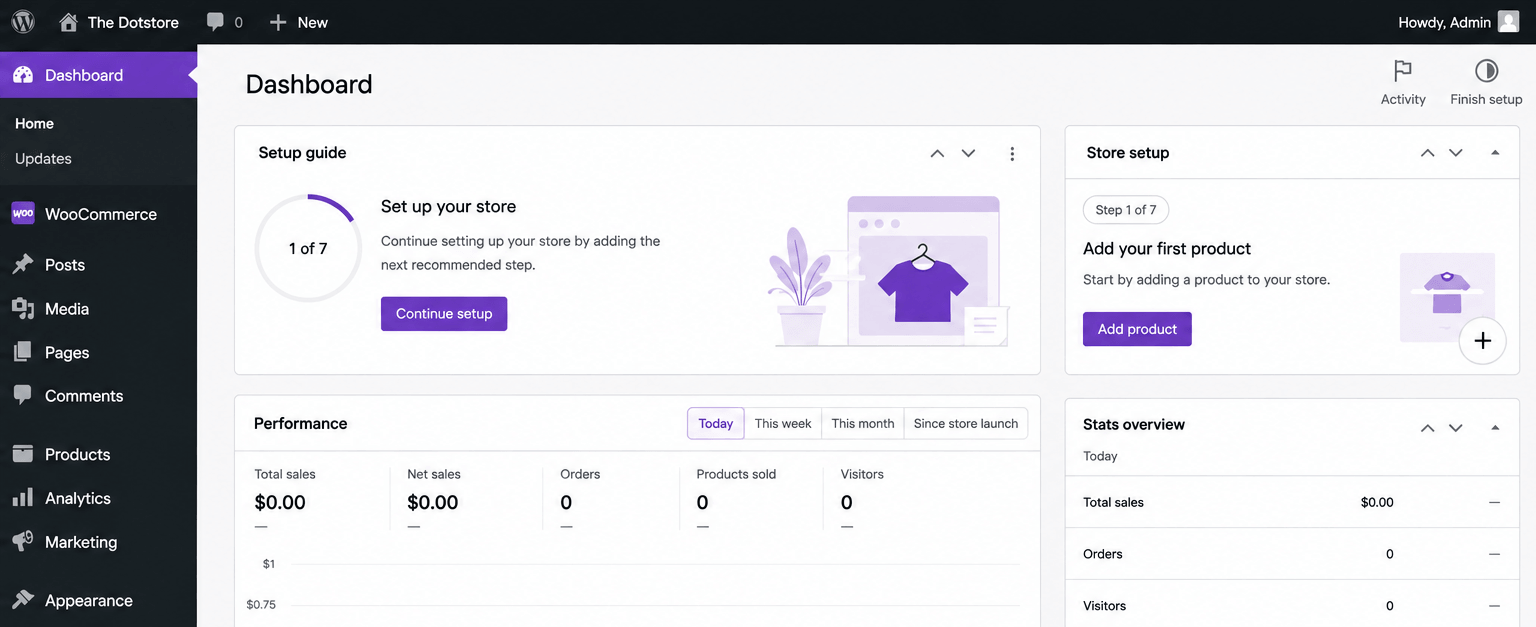
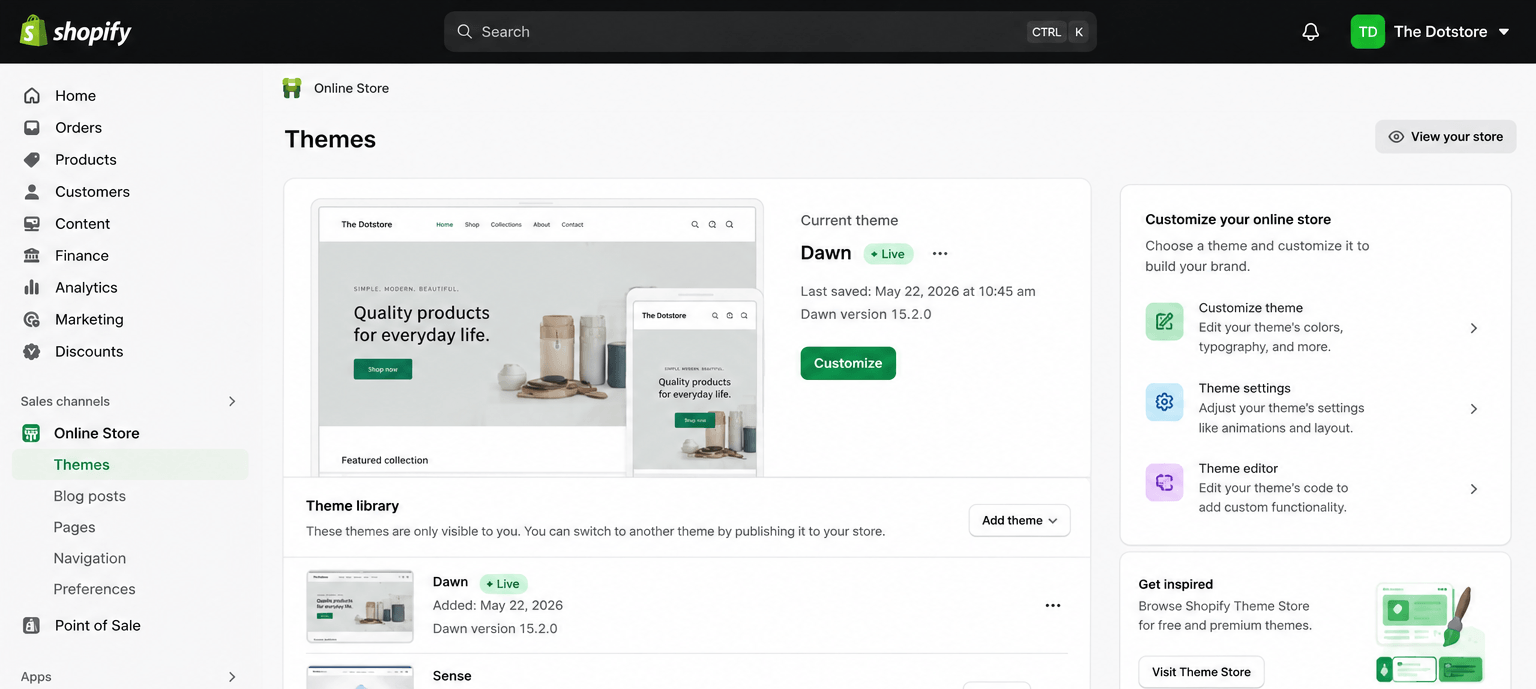
- WooCommerce: Getting a store up and running with WooCommerce requires more decisions compared to Shopify. This doesn’t mean WooCommerce is difficult to use (it isn’t). However, because it is an open-source plugin, you (the store admin) will need to choose a hosting provider, create a WordPress website, and install WooCommerce before you can begin to create your store. Don’t let this discourage you, though, because it doesn’t require any technical skills, as most web hosts now offer a one-click WooCommerce install. Plus, there are tons of resources online to guide you as you make decisions. In addition, some web hosts offer advice and installation services at zero or minimal cost, so you can reach out to their support team for expert assistance with choosing plans and getting started with your WooCommerce store.
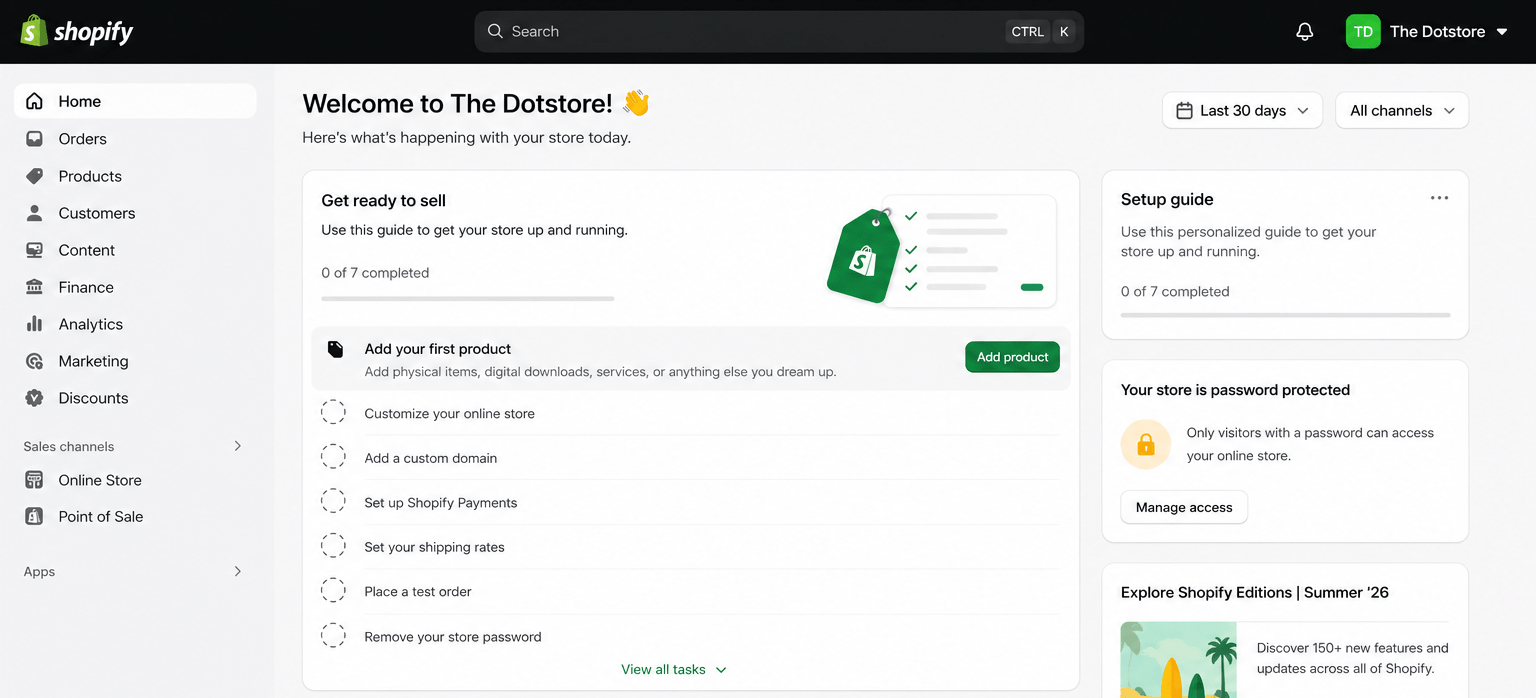
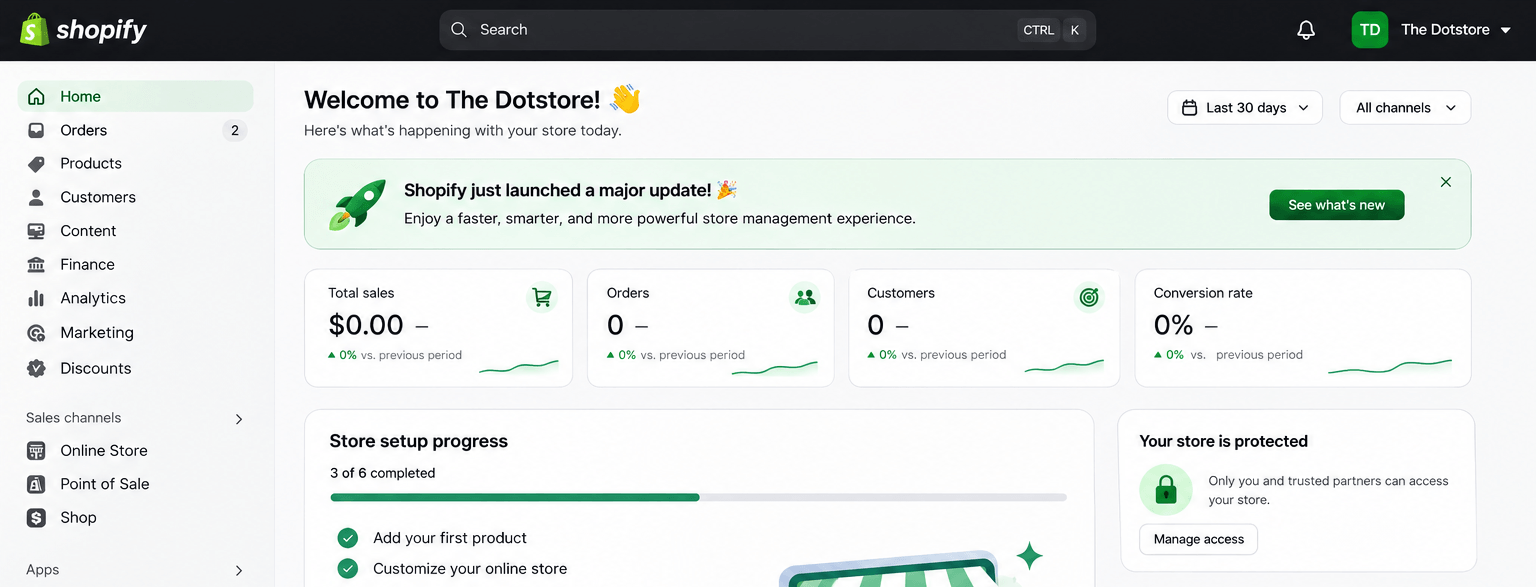
- Shopify: Shopify is a fully-hosted ecommerce platform, so you don’t need to purchase or configure separate hosting. Your store will run on Shopify’s technical infrastructure, and the website hosting is included with your subscription. Note that this doesn’t mean Shopify is completely maintenance-free. You’ll still need to configure your products, apps, theme, orders, and store settings. But if you’re a small business owner launching your first website, not having to choose a hosting provider or install WordPress can make the store-building process a bit quicker and more straightforward.
Customization and control
Winner: WooCommerce
- WooCommerce: As an open-source plugin, WooCommerce gives you extensive control to customize your store however you see fit. You can pick your hosting provider, payment processor, theme, plugins, modify your site’s checkout flow as well as its code, and much more. There’s effectively no ceiling to how much you can personalize your website.
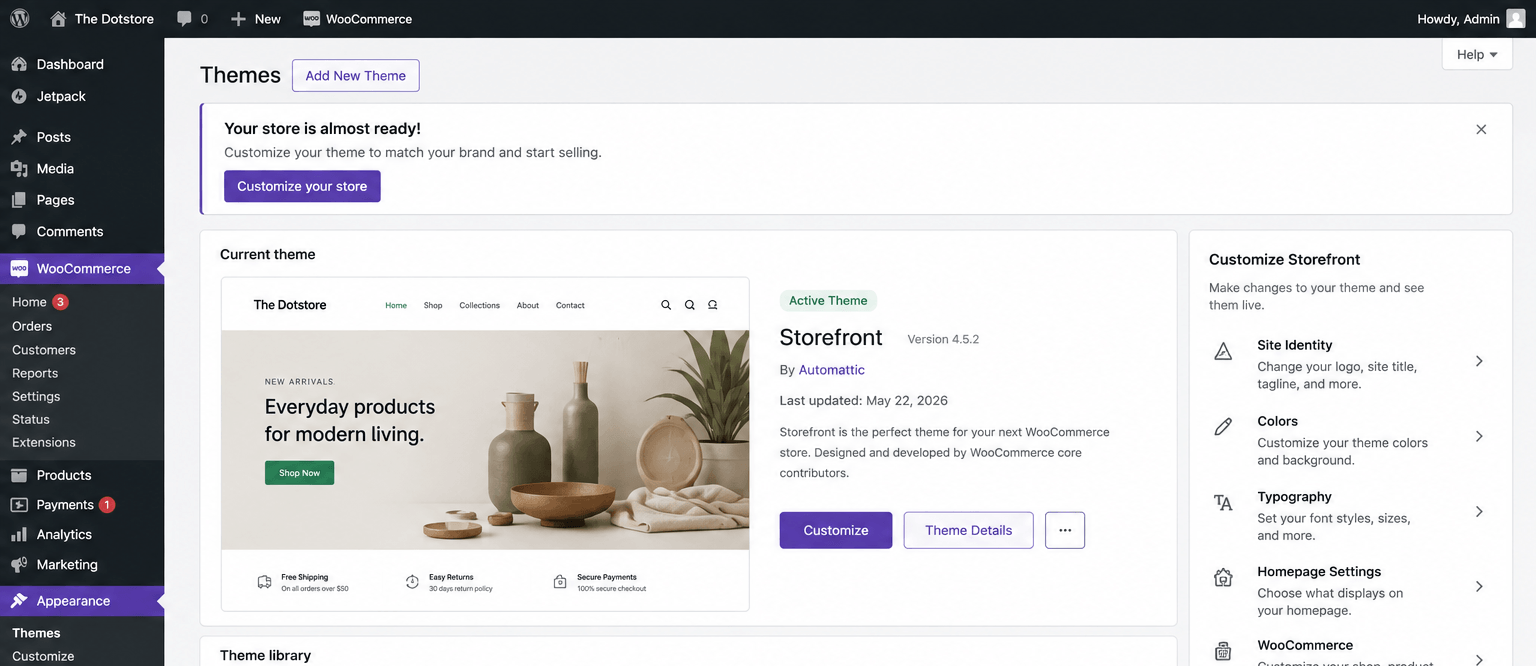
- Shopify: Shopify also enables extensive customization options. You can modify your theme, install apps, and customize many aspects of your storefront. However, you’ll have to work within the limits of its hosted platform and your chosen plan, specifically when it comes to:
- Checkout customization: Shopify allows limited checkout customization on its Basic, Grow, and Advanced plans, while the Shopify Plus plan enables full checkout customization. However, unlike WooCommerce, you don’t have unrestricted access to your store’s underlying checkout code. Also, some checkout UI extensions that allow you to customize the information, shipping, and payment steps are only available on Shopify Plus.
- Choice of a payment processor: You can use Shopify Payments where it’s available or choose from supported third-party payment providers. However, there is a surcharge for using a third-party gateway instead of Shopify Payments. For US-based stores, it is currently 2% on the Basic plan, 1% on Grow, and 0.6% on Advanced plans. This third-party gateway surcharge is added on top of your chosen payment gateway’s charges and can significantly eat into your margins.
- Checkout customization: Shopify allows limited checkout customization on its Basic, Grow, and Advanced plans, while the Shopify Plus plan enables full checkout customization. However, unlike WooCommerce, you don’t have unrestricted access to your store’s underlying checkout code. Also, some checkout UI extensions that allow you to customize the information, shipping, and payment steps are only available on Shopify Plus.
Costs
Winner: WooCommerce
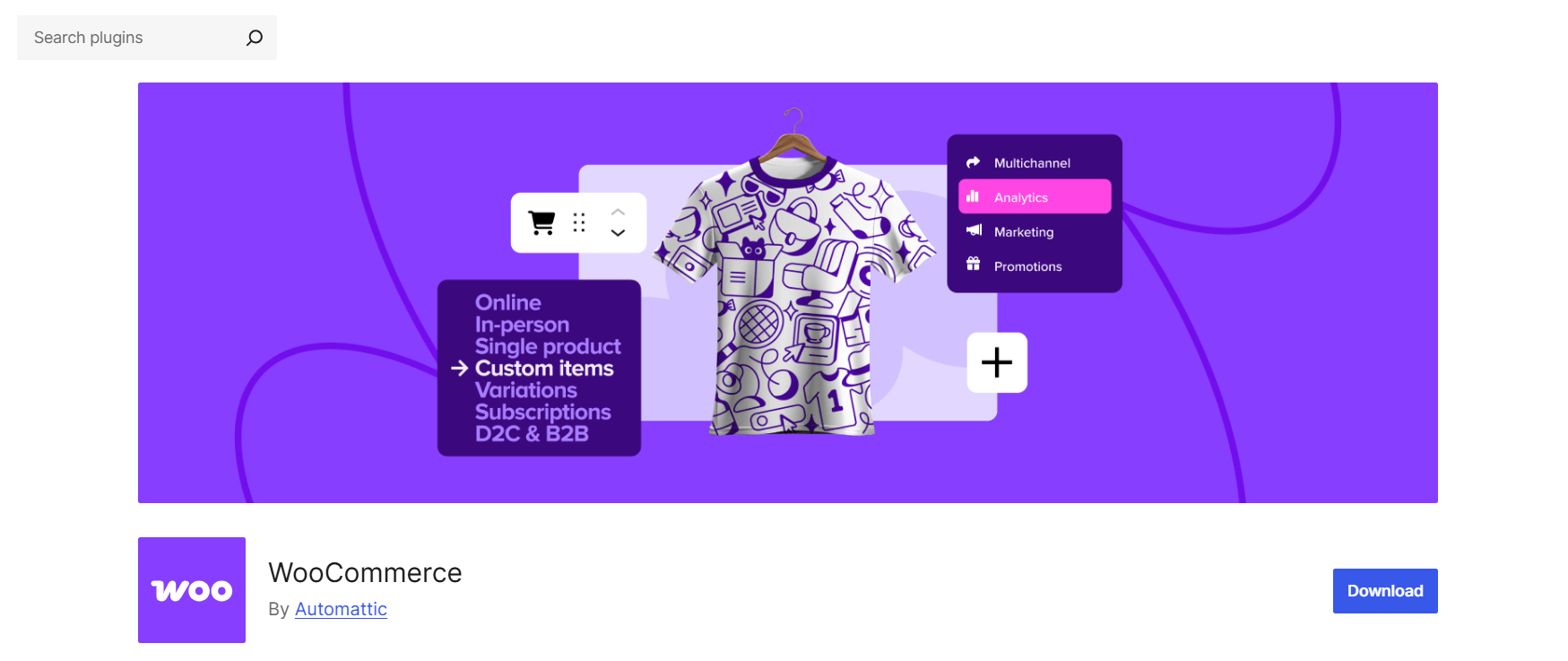
- WooCommerce: The WooCommerce plugin itself is free to download and use. However, you need website hosting and a domain to create a functioning online store, and those cost money. Additionally, although WooCommerce provides the core infrastructure to create a website, you may also need to purchase a premium theme to design your site and plugins to add desired extra features. If you run a small business, my finding is that you can expect to pay around $220 to $600 a year to run a DIY functional, professional-looking WooCommerce store. Here’s a breakdown of my calculations: domain: $20 per year; WooCommerce hosting: $40 to $150 per year; a premium WooCommerce theme: $59 to $129 per year; other critical premium plugins: $99 to $300 per year. WooCommerce doesn’t charge a platform subscription or revenue share on sales. You can freely choose your preferred payment gateway, which will charge its own processing fees.
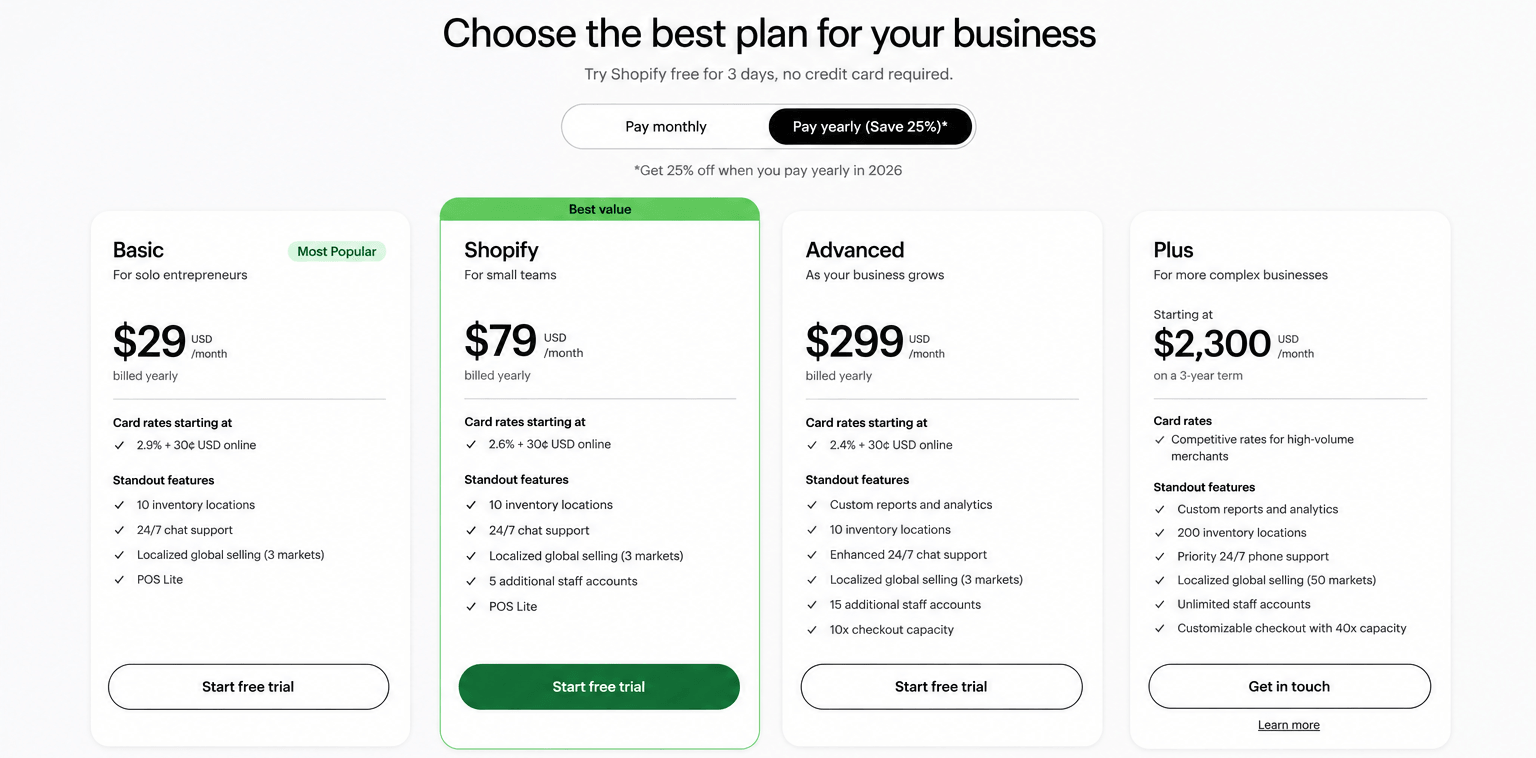
- Shopify: Shopify charges a subscription, which you can pay monthly or annually. As of 2026, they provide four main plans, namely Basic: $39 per month ($29 per month billed annually), Grow: $105 per month ($79 per month billed annually), Advanced: $399 per month ($299 per month billed annually), and Plus: from $2,300 per month (aimed at enterprise-level stores). Using a third-party payment processor adds the surcharge mentioned above, i.e., 2% on the Basic plan, 1% on Grow, and 0.6% on the Advanced plan. Based on my findings, a small business owner can DIY a functional, professional-looking Shopify store using Shopify Payments and can realistically expect to spend a minimum of $900 a year. Here’s the breakdown of my calculations: domain: $20 per year; Shopify annual subscription: $348 per year; premium Shopify theme: $100 one-time fee; other premium apps to add essential features: $400/year. Merchants who use third-party payment processors can expect to pay more. For example, at $30,000 in annual sales, a 2% third-party payment processor surcharge would add $600 per year to their bill, raising their annual cost to $1500.
A few quick notes:
- It isn’t compulsory for merchants to use paid themes, apps, or plugins. However, I recommend setting aside some budget to ensure that you are able to realistically create a website that looks professional and functions as needed.
- For most stores, WooCommerce tends to be cheaper than Shopify in direct operating costs spent each month. But while combing through tons of user reviews during my research, I found that some ecommerce merchants who switched from WooCommerce to Shopify believe that the time saved by using Shopify and the convenience of its managed, plug-and-play features outweigh the extra costs. So if bandwidth is a serious constraint for your business, that’s another perspective to consider.
Maintenance
Winner: Shopify
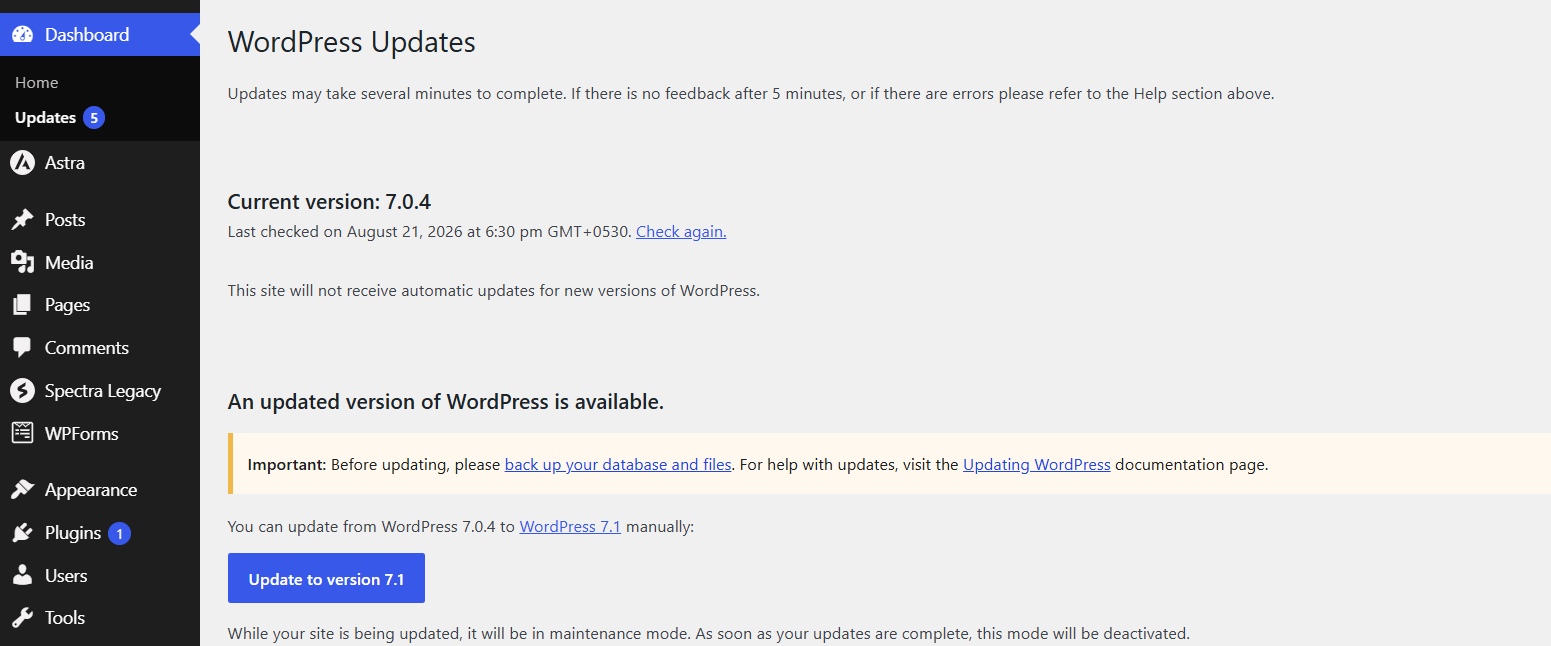
- WooCommerce: Because WooCommerce is a self-hosted plugin, you (the admin) are responsible for maintaining your website. To be clear, “maintaining” a WooCommerce site doesn’t require prior technical knowledge or coding skills. However, it does require knowing which buttons to click to keep your site’s infrastructure running smoothly. This includes WordPress and WooCommerce core updates, plugin updates, theme compatibility, backups, and uptime monitoring. Even though many top-tier managed WooCommerce hosts now handle a decent chunk of maintenance, such as creating automatic backups, staging environments, security patching, etc., the ultimate responsibility is with the site admin. If you’re new to WooCommerce, you need to learn how to keep WordPress, WooCommerce, themes, and plugins up to date, and test updates where possible before applying them to your live store.
- Shopify: As a fully-hosted platform, Shopify manages hosting, uptime, and SSL. Platform updates roll out automatically with no effort on your end. Of course, you still need to maintain your product catalog, apps, and theme customizations, but the infrastructure layer is off your plate. However, the trade-off is that you must abide by Shopify’s own release schedule, whether or not it suits your convenience.
SEO
Winner: Tie
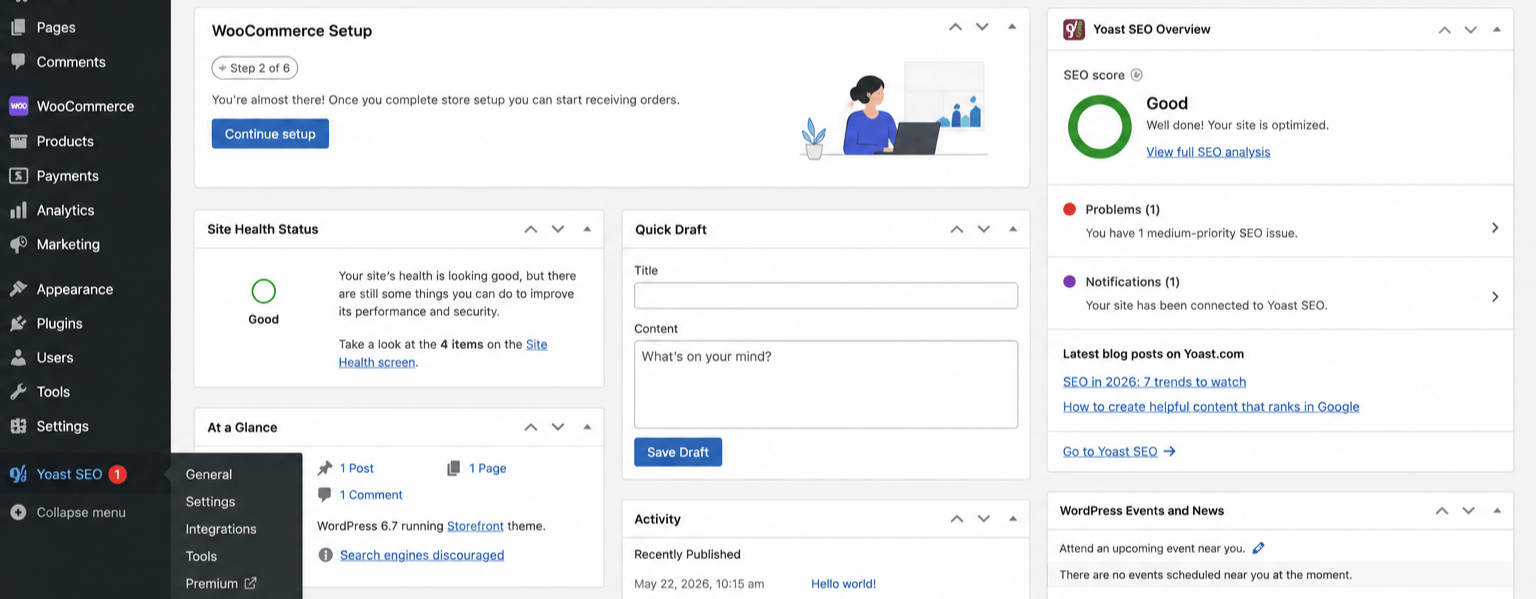
- WooCommerce: Many publications online claim that WooCommerce is better for SEO (considering that it’s built on top of WordPress). However, based on our first-hand experience, this is incorrect. Neither platform has an inherent SEO ranking advantage. Search performance depends much more on the site’s technical implementation, content, performance, internal linking, structured data, and overall SEO strategy. Furthermore, most WooCommerce stores need SEO plugins like Yoast or RankMath for maximum results.
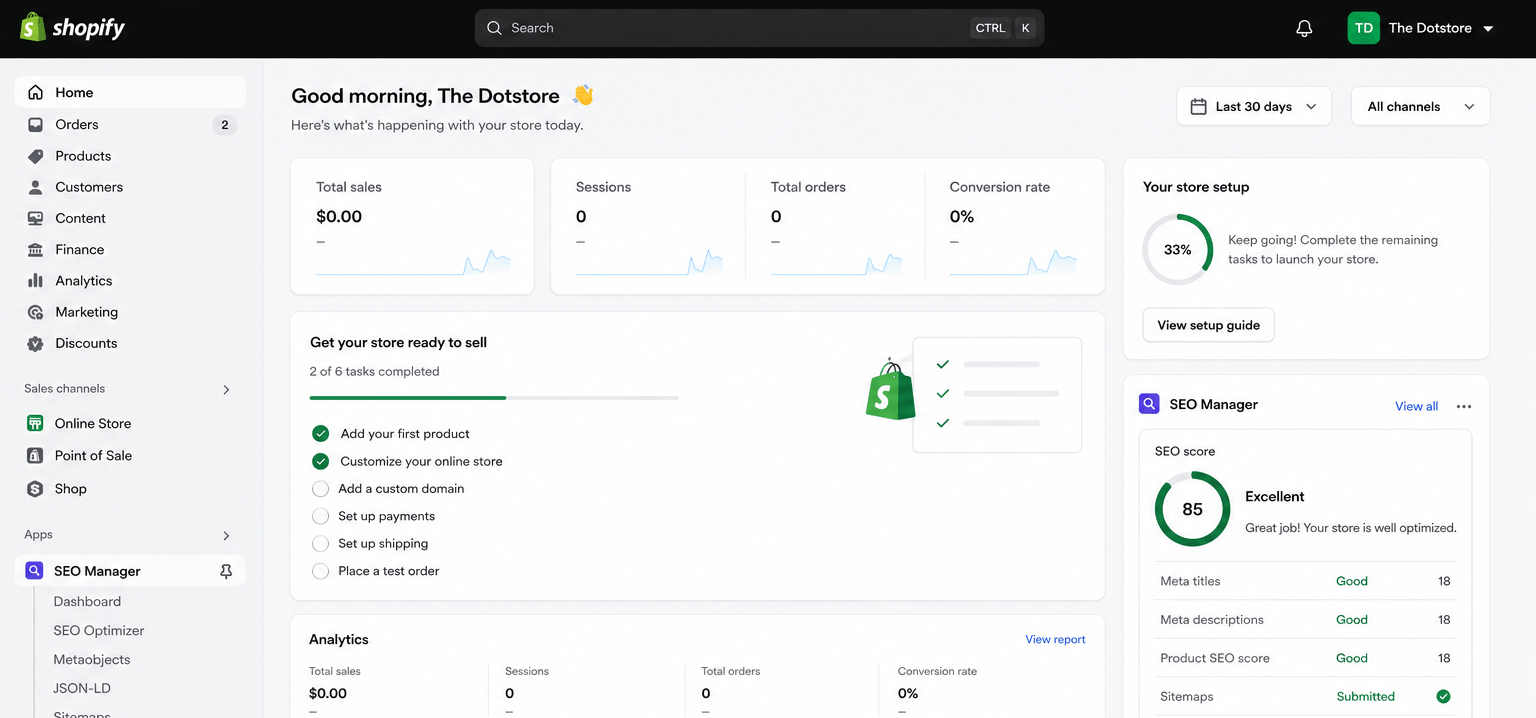
- Shopify: Shopify’s core architecture is mobile-friendly by default and passes Core Web Vitals comfortably. It also boasts strong global CDN performance and automatically generates structured data for products. There seems to be no difference in SEO performance between stores built with WooCommerce and Shopify. However, like WooCommerce, most Shopify stores need SEO apps for maximum results.
AI-assisted sales
Winner: Shopify
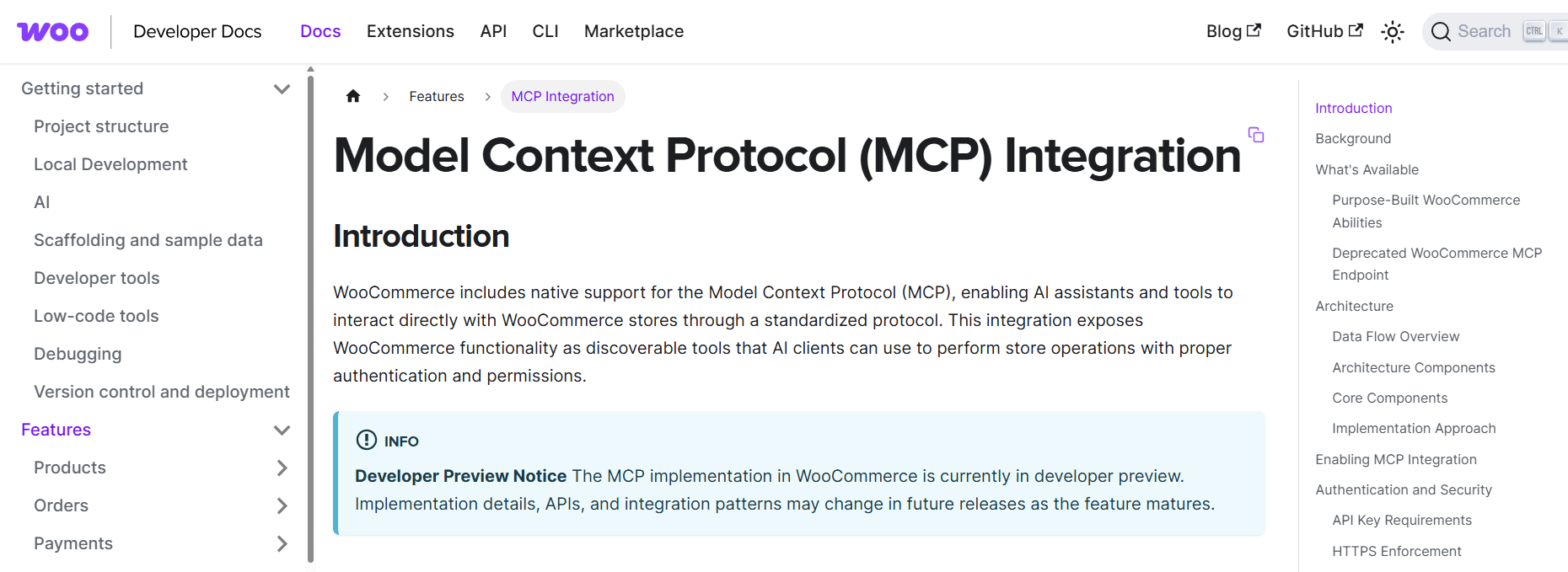
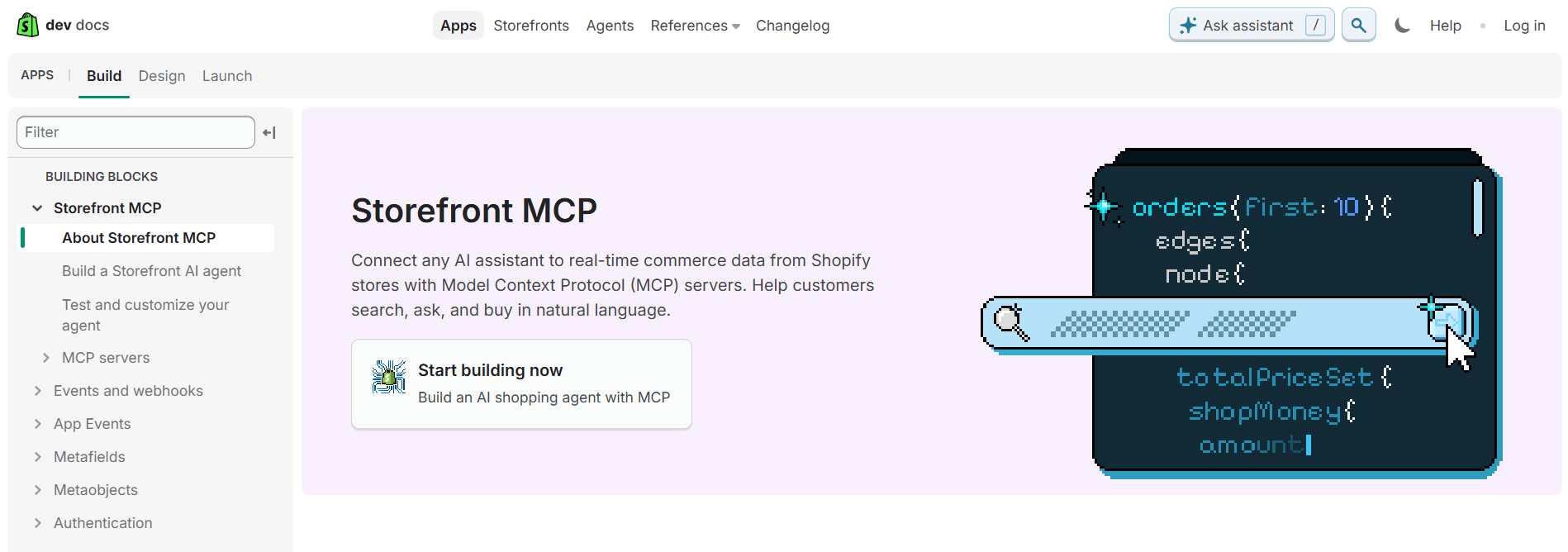
- WooCommerce: WooCommerce announced in 2025 that they have begun adding native infrastructure for agentic commerce, i.e., product discovery through AI platforms and AI-assisted checkout, to the platform. They are also setting up the infrastructure for AI agents through Model Context Protocol (MCP). This will enable compatible AI assistants to interact directly with a WooCommerce store to access and manage products and record orders. As of this writing, its MCP implementation is still in developer preview, and connecting a WooCommerce store to ChatGPT to enable product discovery requires additional setup.
- Shopify: Keeping up their “we handle the infrastructure” model, Shopify has a more developed out-of-the-box route to AI-powered product discovery and sales. For starters, Shopify Catalog automatically makes eligible merchants’ product data available to ChatGPT. This makes it possible for products to appear in relevant shopping conversations. Also, Shopify’s Agentic Storefronts feature connects merchants to AI shopping channels, including ChatGPT. Shoppers can discover and buy from Shopify merchants through AI channels, while orders flow back into Shopify Admin and the merchant remains the merchant of record. However, similar to WooCommerce, this feature is still in its initial development stages. Not to mention, the percentage of AI-assisted sales is still relatively low. Important note: This feature depends on eligibility and channel availability.
Migrating between WooCommerce and Shopify
There’s nothing stopping you from switching between WooCommerce and Shopify. However, keep in mind that migrating your store from one platform to another requires careful data validation and redirect mapping. As such, the process can take multiple steps.
Mid- to large-sized stores may even need native exports/imports, a specialist plugin, app, or custom scripts, or a dedicated developer or development team.
Timeline: Based on my research, migrating stores of varying sizes, a small catalog can be migrated within one week, while a mid-size or complex store can take two to three-plus weeks.
How easy is it to migrate from WooCommerce to Shopify?
You can use Shopify’s Store Migration app, as well as third-party tools like Matrixify or Cart2Cart to move products, customers, and order history from WooCommerce to Shopify. That said, the following things don’t transfer cleanly:
- Variants: Shopify caps products at 2,048 variants per product and 3 options per product. WooCommerce products with more attributes will need to be restructured first.
- Reviews: You’ll need a Shopify review app like Judge.me, Loox, Yotpo, and a CSV export from your WooCommerce reviews plugin, as Shopify has a different native product-review functionality.
- Subscriptions: WooCommerce Subscriptions doesn’t map cleanly to Shopify’s subscription apps (Recharge, Skio). You’ll likely have to re-enroll active subscribers.
- Blog content: If your blog drives meaningful organic traffic, you need a proper URL mapping and 301 redirect plan to avoid losing traffic after relaunching on Shopify.
How easy is it to migrate from Shopify to WooCommerce?
You’ll need to use Shopify’s CSV exports (Products, Customers, Orders) together with tools like Cart2Cart, LitExtension, or WooCommerce’s own Product CSV Importer. However, there are a few gaps to plan for:
- What Shopify’s export doesn’t include: Product reviews, gift card balances, blog posts, pages, navigation menus, discount codes, and custom metafields require manual recreation or a specialist migration tool.
- Theme rebuilds: WooCommerce and Shopify use entirely different theme systems, so your storefront design will have to be recreated, not imported.
Comparing WooCommerce and Shopify for various use cases
Both WooCommerce and Shopify can be used to create virtually any type of ecommerce store, no matter whether it’s a small DTC brand, content-led business, B2B store, global business, or digital and physical retailer. However, based on my in-depth research, I’ve found that:
WooCommerce is best for:
- Store owners who want to avoid recurring platform fees and Shopify’s third-party payment gateway surcharge, especially at lower revenue levels.
- Merchants who want full ownership of their data and infrastructure, including EU brands that prioritize data sovereignty.
- Stores with complex, highly customized product catalogs or checkout requirements.
- Merchants who already run on WordPress and want ecommerce built into an existing content strategy.
Shopify is best for:
- People who want a more managed, plug-and-play experience for launching their ecommerce website.
- Dropshipping and print-on-demand (POD) stores that heavily depend on a mature, tightly integrated app ecosystem to run seamlessly.
- High-volume stores that want managed infrastructure, PCI compliance, and uptime handled for them.
Which is better: Shopify vs WooCommerce?
As noted above, no matter if you’re building an ecommerce website from scratch or thinking about migrating between WooCommerce and Shopify, both platforms can help you build a successful online store.
In this guide, I’ve compared WooCommerce vs Shopify across the factors that matter most when choosing a platform for your ecommerce store: setup, pricing, customization, maintenance, SEO, as well as AI and agentic ecommerce. My final verdict is that neither is objectively better than the other, as they each take different approaches to ecommerce.
- When to choose WooCommerce: You want full control over your store’s code, hosting, and checkout experience for a potentially lower total cost. As it’s a self-hosted plugin, expect a steeper learning curve initially; however, you don’t need any specialized technical knowledge or coding skills. Plus, there’s no shortage of free online resources to assist you, if needed.
- When to choose Shopify: You want to launch fast, keep infrastructure maintenance off your plate, and are comfortable paying for the convenience. In exchange, Shopify manages much of the platform-level hosting and security infrastructure.
No matter which platform you choose, you’ll likely need apps or plugins to fill specific gaps and optimize your store as it grows. Explore Dotstore’s catalog of WooCommerce plugins and Shopify apps to find practical tools for upgrading everything from shipping and pricing to checkout and analytics.
Looking for more practical advice about how to improve your store? Visit the Dotstore blog for more WooCommerce and Shopify tutorials, comparisons, and actionable ecommerce advice.