Table of Contents
In this tutorial, I’ll show you how to add a gift wrap option to Shopify using workarounds of Shopify’s default features and the powerful Dotstore Extra Fees Manager app.
Key Takeaways
- A meaningful portion of ecommerce orders are gifts, especially during holidays, festivals, and event-driven seasons.
- Adding a gift wrap upcharge helps capture existing buyer intent and increase average order value.
- Shopify doesn’t offer a built-in gift wrapping feature. Common workarounds merchants often rely on are: (1) creating a separate “gift wrap” product, (2) collecting requests through order or cart notes, and (3) adding “with gift wrap” product variants.
- These native workarounds are manual, ineffective, and difficult to scale, particularly for stores with large catalogs or multi-item carts.
- Dotstore Extra Fees Manager Shopify app lets you easily add gift wrapping as an upcharge at the product, variant, or cart level.
- Extra Fees Manager shows the gift wrap option only when relevant, based on conditions like products, collections, cart value, customer tags, or shipping location.
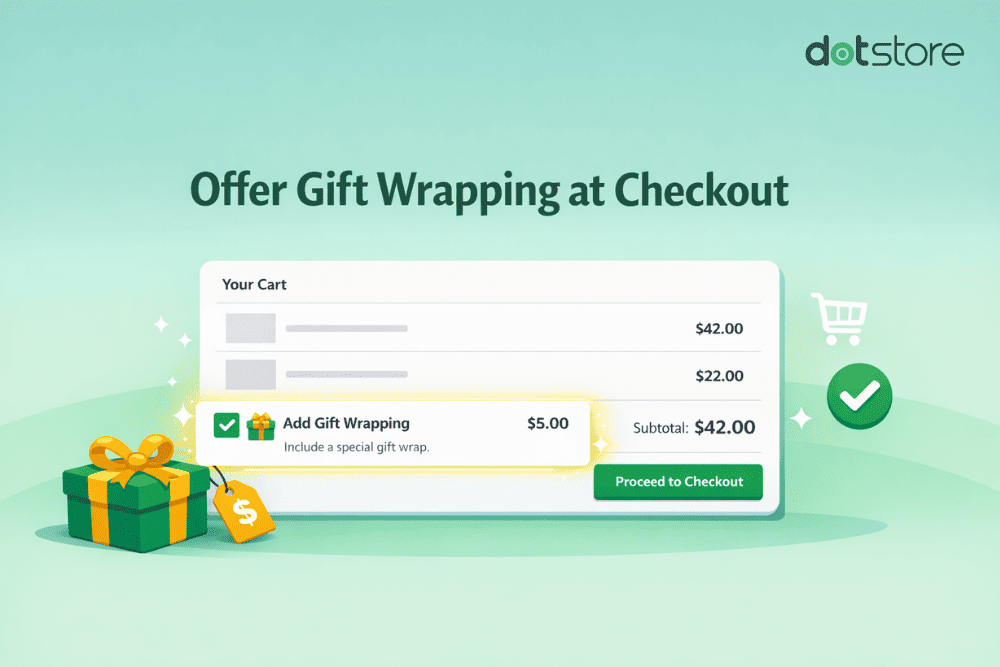
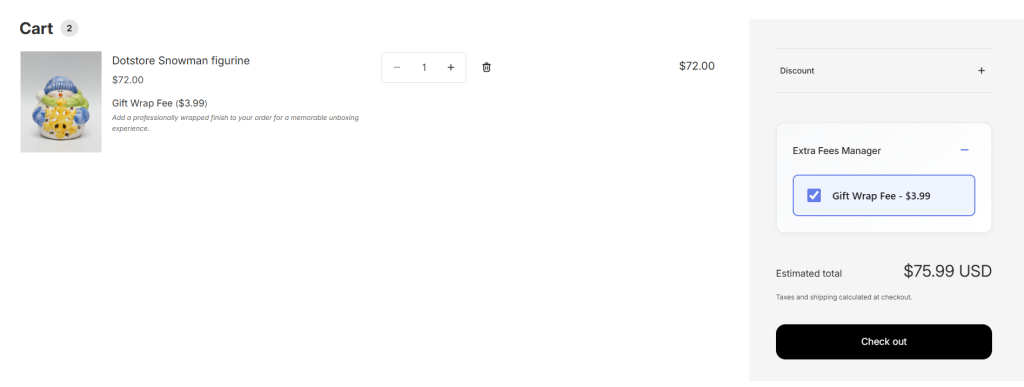
- Gift wrapping is displayed as a clearly labeled add-on in the cart and checkout. Plus, you can add a short description and a custom image to explain what the gift wrap service entails.
Do you want to add a gift wrap option to your Shopify store?
Gifting has become a mainstream ecommerce behavior. Shoppers are no longer just buying for themselves; they are buying for birthdays, anniversaries, festivals, corporate events, and last-minute occasions where convenience matters.
There’s heaps of data to back this up. For example:
- ~34% of shoppers plan to buy gifts online during peak seasons. (Source: MobiLoud)
- Nearly all holiday shoppers (96%) will use online channels for gifts at least once. (Source: Tinuiti)
- Shopify merchant surveys indicate gift orders often make up 25%+ of total orders, with seasonal spikes much higher. (Source: LinkedIn)
Customers’ shopping behavior is just as important as the actual numbers themselves. They actively look for stores that make gifting easier. And when they don’t see a gift-ready option, many either delay the purchase or move on to a competitor that offers one.
From a business perspective, offering a gift wrapping service checks multiple boxes at once. It improves users’ shopping experience and creates a natural opportunity to add an upcharge that boosts average order values.
In this tutorial, I’ll walk you through the step-by-step process to add a gift wrap option in Shopify. We’ll cover:
- How to offer gift wrapping using various workarounds of Shopify’s default settings (since it isn’t a native feature).
- How to offer gift wrapping using the powerful Dotstore Extra Fees Manager Shopify gift wrap app (recommended).
A quick note: Hello, and welcome to The Dotstore’s blog! We’ve been creating ecommerce software since 2009, and our tools are now used by over 100K websites across various niches. Extra Fees Manager is our app, which we built to help merchants add upcharges, add-ons, upsells, and surcharges like gift wrapping, handling charges, extra fees, etc., with ease. Learn more or try out the free or pro version here.
Shopify Extra Fees Manager
Add dynamic checkout fees for add-ons, upcharges, surcharges, etc., to your Shopify store — the easy way!
14-day, no-questions-asked money-back guarantee.
Firstly, let’s discuss the benefits of offering gift wrapping in your Shopify store.
Why add a gift wrapping option in Shopify?
Above, we discussed the abundance of data that points to the popularity of customers shopping online for gifts. Here’s how offering a gift wrap option makes strong business sense for Shopify merchants across various niches:
- Boosts revenue. Gift wrapping captures demand that already exists. Depending on your catalog, a meaningful share of Shopify orders are likely gifts. Common telltale signs are orders shipped directly to third-party addresses, multiple items purchased together but meant for one recipient, and seasonal spikes around festivals, holidays, and events. Offering gift wrapping as an add-on service monetizes their existing buying intent.
- Delights existing customers. Providing a gift wrapping add-on removes a task from many buyers’ to-do lists, saving them from last-minute packaging stress, worrying about gift presentation, and an extra store run for wrapping paper. This improves their experience with your brand.
- Acquires new customers. For many recipients, the wrapped package is their first interaction with your business. Unboxing a gift-wrapped product is a brand touchpoint, and this moment shapes perception more than your homepage ever will. A stellar unboxing experience can strengthen your brand and inspire future purchases by gift recipients, even if they had never heard of your brand before.
Shopify’s default features for adding a gift wrap option
A brief search of Shopify’s help docs will quickly reveal that there’s no native feature for offering gift wrapping as an add-on service. Instead, merchants can cobble together workarounds of the default features that effectively enable adding a gift wrap option.
Option 1: Create a “Gift Wrap” product (the most common workaround)
This is the popular native workaround. You create a product called “Gift Wrap,” price it, and let customers add it to their shopping carts like any other item.
This approach can work for stores with a handful of products. However, as your business scales, it can result in the following issues:
- ❌ Customers can forget to add the gift wrap product to their shopping carts.
- ❌ Customers can accidentally remove the gift wrap product while removing and adding other items to their shopping carts.
- ❌ It doesn’t tie gift wrap to specific products. This creates confusion amongst your staff about which items to wrap while packing orders that include multiple products.
Option 2: Use order notes or cart notes
Some merchants use Shopify’s built-in order notes feature to ask customers to type something like “Please gift wrap this order.” However, this approach isn’t reliable because:
- ❌ Order notes aren’t enforced.
- ❌ Similar to creating a “Gift Wrap” product, customers forget to leave them.
- ❌ There’s no automatic gift wrap fee attached.
- ❌ Your order fulfillment team must manually interpret free-text instructions.
- ❌ It makes reporting nearly impossible, as you can’t easily keep track of the number of gift-wrapped orders or revenue from gift wrapping.
Option 3: Bundle gift wrap with a product variant
The third workaround is adding a “With gift wrap” variant to individual products. This approach doesn’t scale for growing stores because:
- ❌ You have to add a gift wrapping option as a variant to every eligible product.
- ❌ Too many gift wrapping options clutter your store’s product pages, which lowers conversion rates.
- ❌ Pricing becomes harder to manage as you have to update prices for each variant.
- ❌ It doesn’t work well for multi-item carts. It creates confusion amongst customers and staff about which items are to be gift-wrapped.
Introducing a powerful Shopify gift wrapping plugin
The default products-as-gift-wrap, order notes, and shipping hacks work up to a point. After which, most scaling stores find that they cause more issues than they solve and can stop gift orders from becoming a significant source of revenue.
Dotstore Extra Fees Manager is a powerful Shopify app that lets you add a gift wrapping option with 3 different targeting levels: product-level, variant-level, and cart-level.
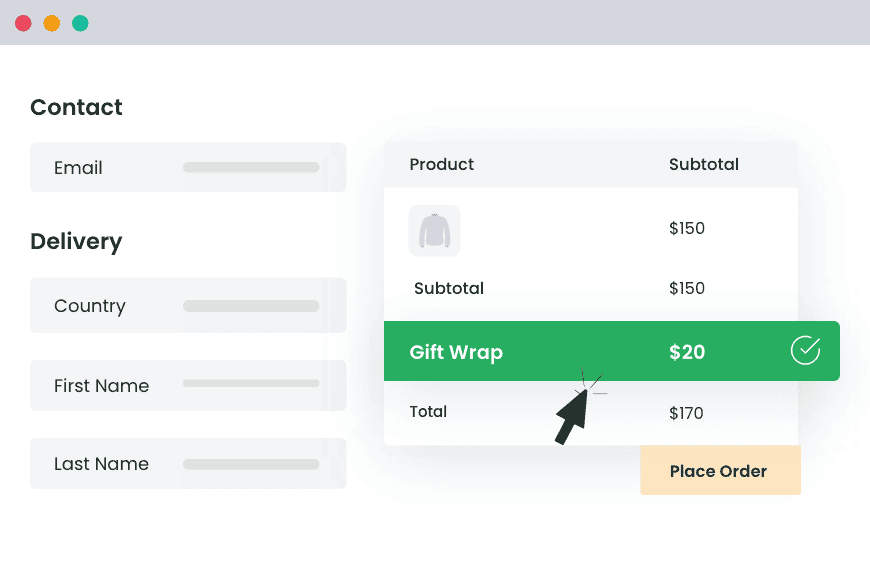
It treats gift wrapping as what it actually is: a conditional service, not a product. The gift wrap option automatically appears on the cart or checkout page only when relevant, i.e., when the cart contents match the rules you’ve defined.
From a UX standpoint, Dotstore Extra Fees Manager gives you full control over how the gift wrap option is presented. You can:
- Upload a custom icon to visually highlight the gift wrap option.
- Add a short description explaining what the service includes.
- Clearly show the fee so customers know exactly what they are paying for.
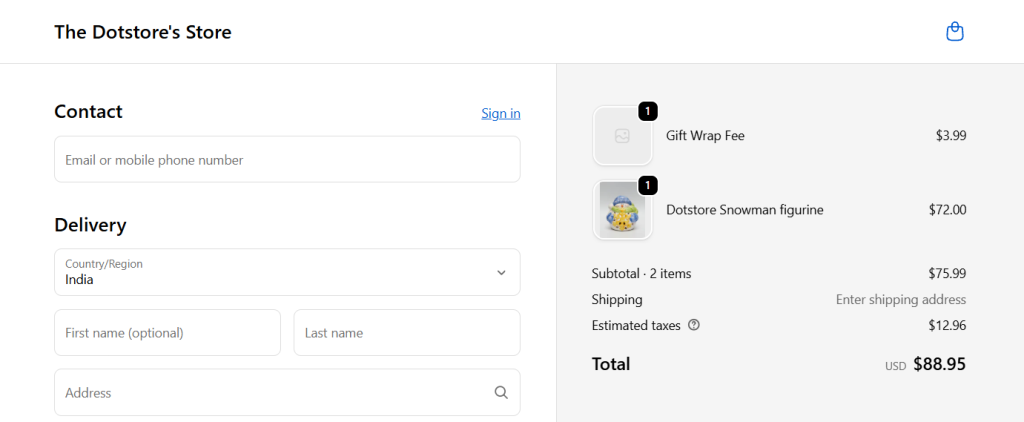
Dotstore Extra Fees Manager is available in both free and pro versions. Plus, gift wrap fees are auto-converted and displayed correctly in each customer’s local currency.
Key features
- ✔️ Flexible fee types. It supports both fixed and percentage-based fees, so you can add gift wrap charges however you see fit.
- ✔️ Gift wrapping as a standalone checkout fee. With Extra Fees Manager, gift wrapping appears in its own separate section in the cart and checkout.
- ✔️ Conditional logic. You can control when gift wrapping appears using conditions like product type or collection, physical vs digital products, cart value thresholds, customer tags, shipping country or region, and more.
- ✔️ Optional descriptions and visuals during checkout. It lets you show customers a clear label (for example, “Gift wrapping”), the fixed or percentage-based fee (depending on your configurations), and an optional icon and descriptive text explaining what’s included. This sets the right expectations before purchase and reduces the number of post-order complaints.
- ✔️ Built-in scheduling. Stores that don’t want to offer gift wrap all year round can enable gift wrapping automatically during holidays and disable it outside peak seasons. This empowers you to adapt this service to your order fulfillment team’s bandwidth.
How to add a gift wrapping option in Shopify
Here’s a step-by-step walkthrough of how to use the Dotstore’s Extra Fees Manager app to add a gift wrapping upcharge to your Shopify store.
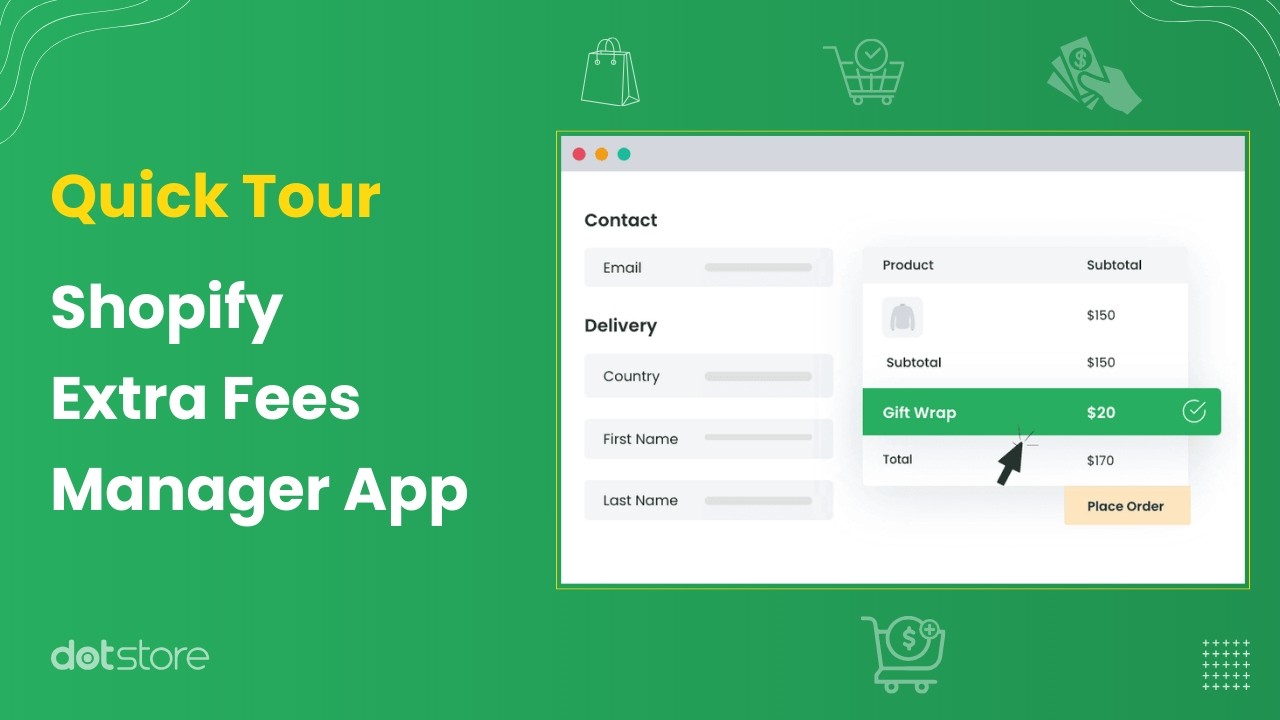
How to add a gift wrap option in Shopify
- Install Dotstore Extra Fees Manager from the Shopify App Store and complete the onboarding process.
- Open the app dashboard and press the “Add New Fee” button.
- Name the fee. Use a clear descriptive name like “Gift Wrapping” or “Premium Gift Wrap.”

- Choose the fee type: a fixed amount or a percentage of the cart value. Then set the gift wrap fee amount.
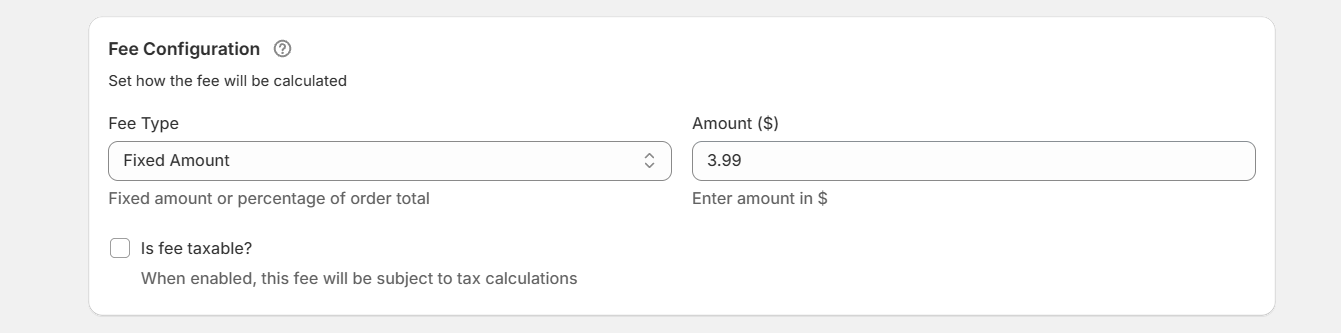
- Specify whether the gift wrap fee should be taxable or tax-exempt.
- Choose which items are eligible for the gift wrapping service: specific products or the entire cart.

- Add a short description that explains what the gift wrap service entails (optional but recommended).
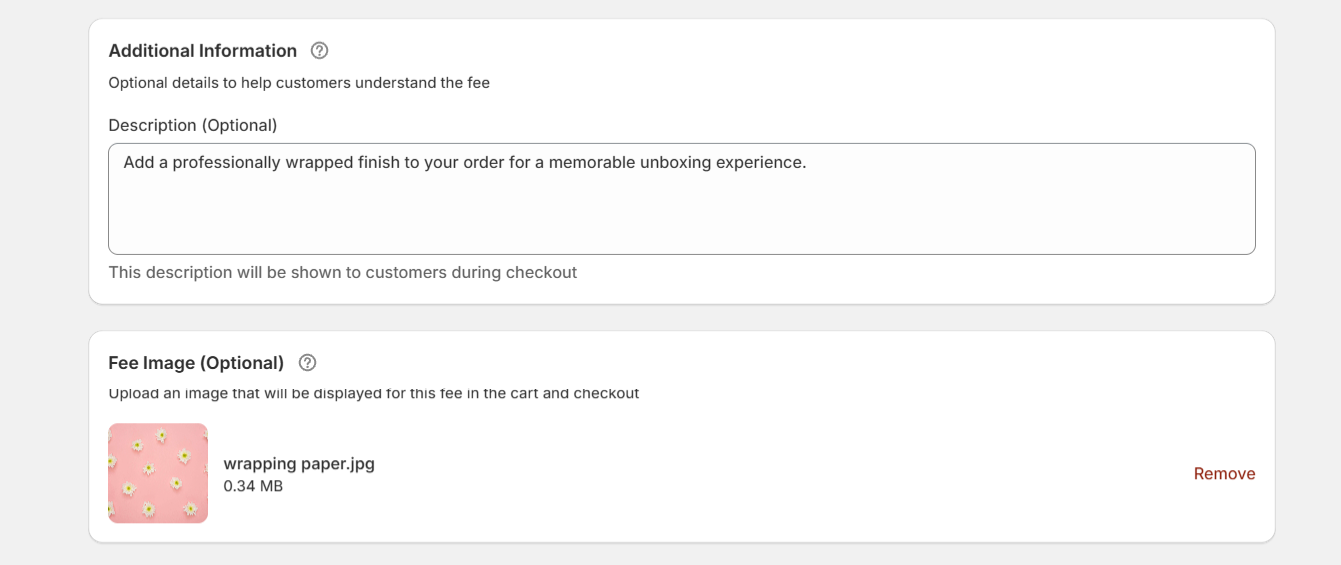
- Upload an image that depicts the gift wrapping service (also optional, but highly recommended).
- Schedule availability of the gift wrapping service (if seasonal or time-bound).
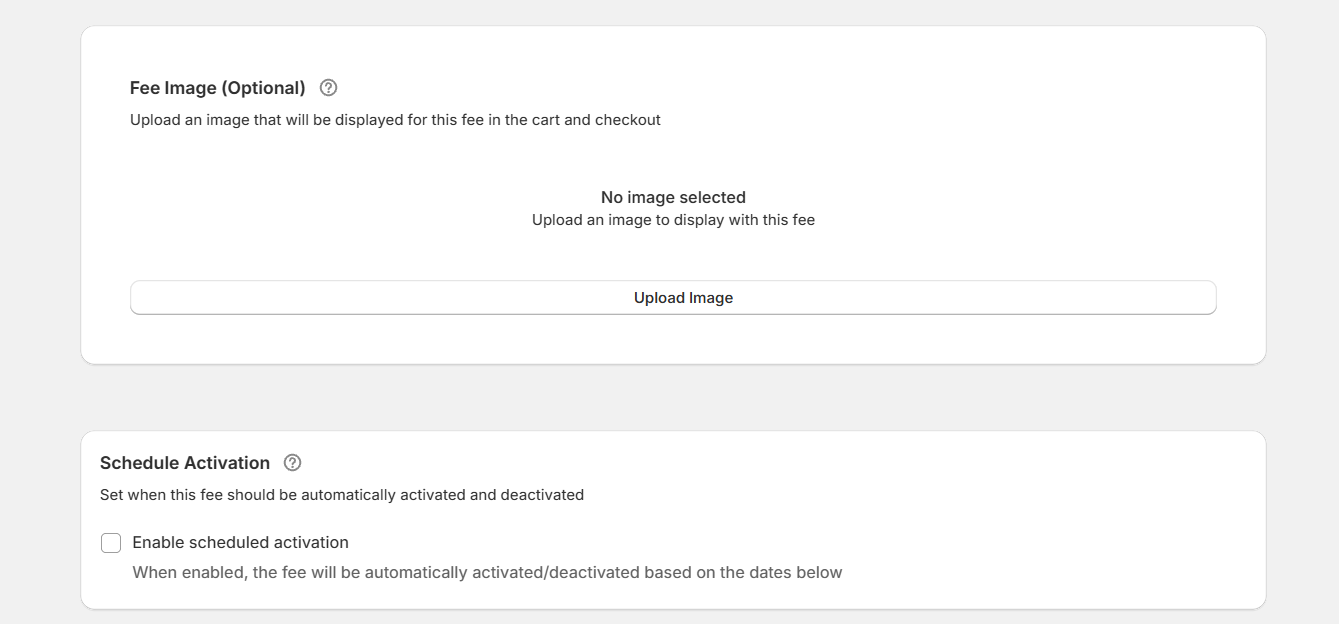
- Apply conditions that control availability of the gift wrapping option (e.g., specific products only, specific collections, cart value thresholds, number of items in the cart, etc.).
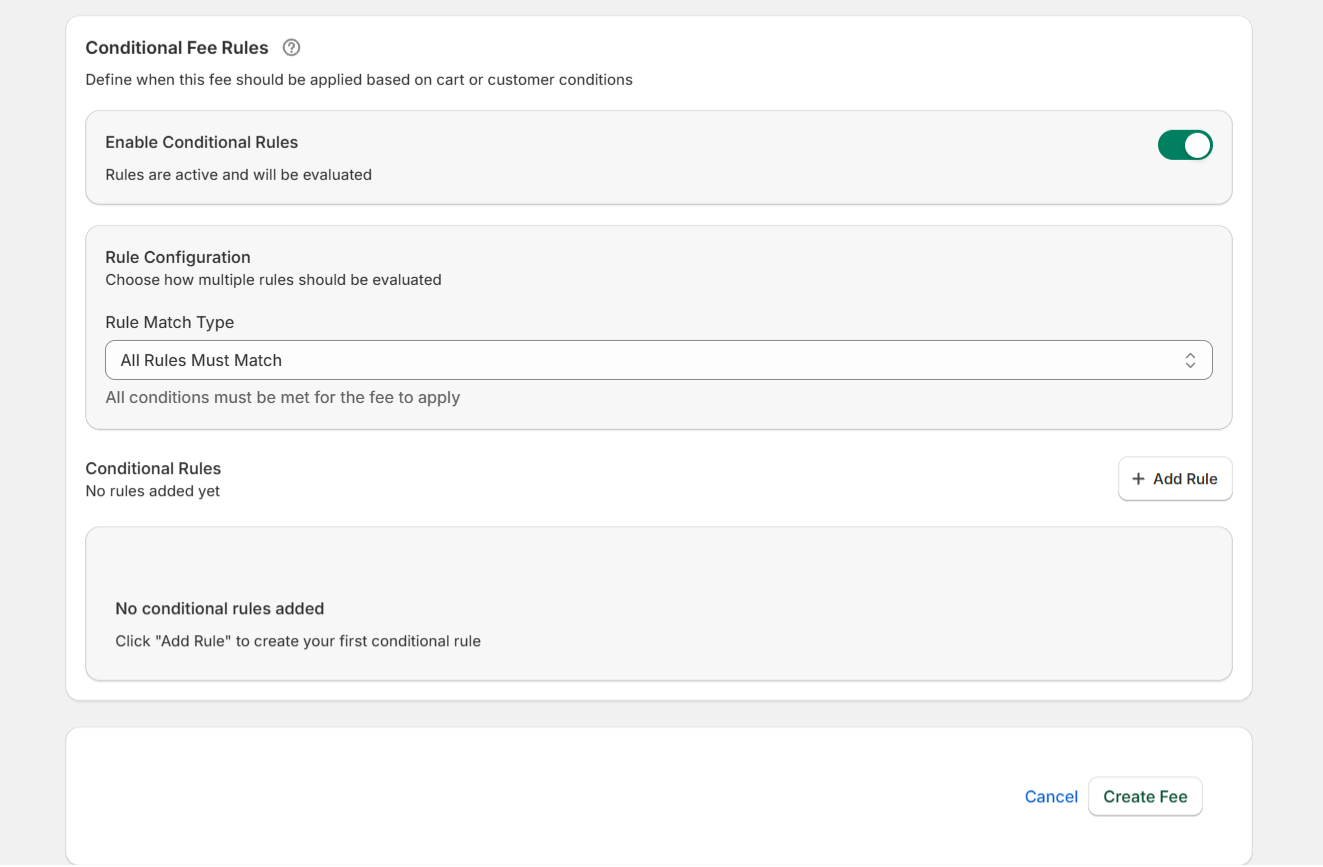
- Press “Save Fee” to add the gift wrap service to your Shopify store.
Important: Embed the gift wrapping fee section on the Shopify cart and checkout
These instructions walk you through adding the gift wrapping fee modal to your cart page, which allows shoppers to choose the gift wrap service while checking out.
- Log in to your Shopify admin dashboard and go to Apps → Extra Fees Manager.
- From the “Enable App Embed” section, press “Enable App Embed” to open your theme editor.
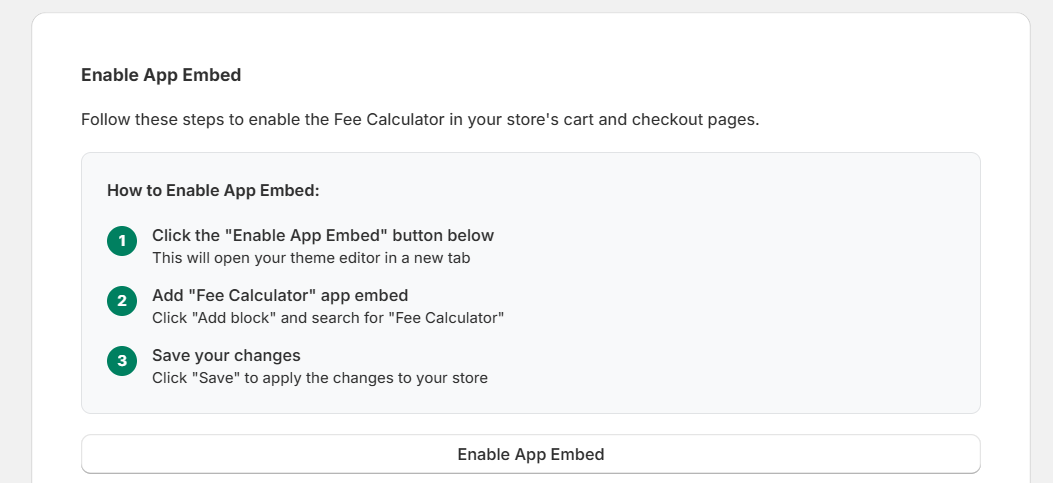
- Inside the theme editor, locate the “Apps” tab and turn on the Dotstore Extra Fees Manager button.
- Save the changes to enable the gift wrapping fee modal on your Shopify store’s cart page.
To test your setup, add products that qualify for the gift wrapping fee and move through the checkout flow. Then, place a test order to confirm the gift wrapping option works as expected.
Estimated ROI of adding a gift wrap option to Shopify
Just how much can adding a gift wrapping upcharge boost your ecommerce store’s revenue? Below, we’ll illustrate projections of the ROI of offering a gift wrapping option using 3 different Shopify stores.
A quick note: We’ve only shared use cases with conservative estimates and modest gift wrap fees. In practice, many stores across different niches frequently report higher attachment rates over time.
Use case 1: Clothing and accessories
- Products: handbags, wallets, scarves, etc.
- Average order value (AOV): $75
- Monthly orders: 1,200
- Gift wrap fee: $5 per order
Projecting gift wrap attachment rates between 10–15%, even if 12% of orders add a gift wrapping option: 144 × $5 = $720 in monthly gift wrap revenue, and an annual incremental revenue of $8,640.
Use case 2: Skincare and beauty
- Products: skincare kits, cosmetics, self-care bundles, etc.
- Average order value (AOV): $60
- Monthly orders: 2,000
- Gift wrap fee: $4 per order
Projecting gift wrap attachment rates between 15–25%, even if 18% of orders add a gift wrapping option: 360 × $4 = $1,440 in monthly gift wrap revenue, and an annual incremental revenue of $17,280.
Use case 3: Toys and other kids’ products
- Products: toys, educational kits, kids’ accessories, etc.
- Average order value (AOV): $45
- Monthly orders (average): 900; Monthly orders (Q4 peak): 2,500
- Gift wrap fee: $6
Projecting gift wrap attachment rates between 8–10% outside peak season and 30% or more during Q4. If 10% of orders add a gift wrapping option: 810 × $6 = $4,860 in monthly gift wrap revenue during off seasons, and 2,250 × $6 = $13,500 in peak seasons. This results in an annual incremental revenue of $18,360.
Ready to add a gift wrap option to your Shopify store?
Offering a gift wrap service is a great way to boost revenue, delight shoppers, while meeting customer expectations.
Shopify doesn’t include a dedicated feature to add a gift wrap service. Some merchants use various other features to achieve the same effect, namely: (1) creating a separate “gift wrap” product, (2) collecting requests through order notes, and (3) bundling gift wrap into separate products as individual variants.
However, these workarounds are manual, hard to scale, and often quite limiting, especially for stores with large catalogs.
A better approach is to use a dedicated Shopify app like Dotstore Extra Fees Manager that lets you add a gift wrap option as an upcharge at the product level, variant level, or cart level.
Equally importantly, it enables you to set precise conditions, such as product type, cart value thresholds, customer tags, shipping country or region, etc., that control how and when gift wrapping appears. For example, you can:
- Show the gift wrap option only for specific products or collections.
- Enable gift wrapping when the cart total crosses a certain value.
- Restrict gift wrap by customer tag, shipping country, or region.
- Hide the gift wrap service entirely when it isn’t relevant.
When relevant, the gift wrap option appears as a clearly labeled add-on in its own section so customers immediately understand what the charge is for and why it’s there. You can also include a brief description and a custom image to explain what the service includes, which helps improve conversions.
Dotstore Extra Fees Manager is simple to use and available in 2 robust versions: free and pro. Learn more or try it out for free now.
Shopify Extra Fees Manager
Add dynamic checkout fees for add-ons, upcharges, surcharges, etc., to your Shopify store — the easy way!
14-day, no-questions-asked money-back guarantee.

🌟 Supercharge Your Shopify Revenue with the Extra Fees!
Try the plugin 100% risk free!