Table of Contents
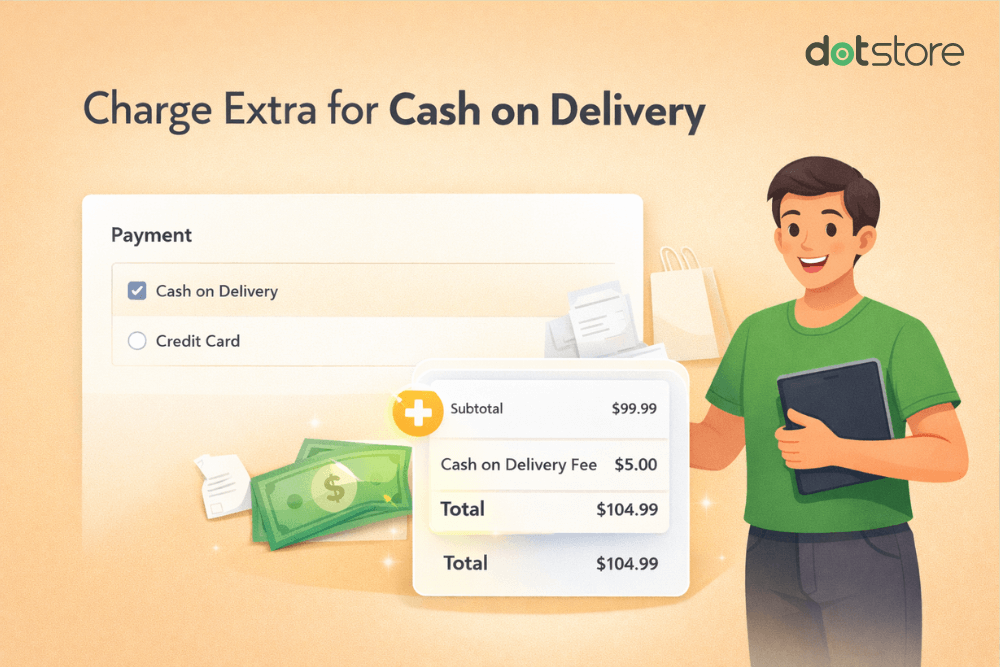
In this in-depth tutorial, I’ll show you step-by-step how to add a WooCommerce cash on delivery fee to your store in ten minutes or less (100% no code).
Key Takeaways
- WooCommerce doesn’t include a cash on delivery (COD) fee functionality by default. While COD has been available as a payment method since 2014, you’ll need a plugin to charge fees for it.
- COD fees help recoup the operational costs, lower the risk of fake orders, offset the risk of failed deliveries, and encourage prepaid payment methods.
- WooCommerce Extra Fees is a COD fee plugin that lets you set up fixed, percentage-based, or combined fixed and percentage-based COD fees, and apply them conditionally based on payment methods, cart value, location, user roles, products, categories, shipping methods, etc.
- Best practices for adding a COD fee to WooCommerce include setting reasonable fee amounts, transparently showing it during the checkout flow, and providing prepaid payment method alternatives.
Searching for a way to add cash on delivery (COD) extra fees to your WooCommerce store?
Since WooCommerce’s initial launch, COD has been available as a default payment method. However, there’s still no built-in WooCommerce COD fee setting to charge extra for this payment method.
The native COD gateway allows customers to select “Pay on Delivery” during the checkout flow, but that’s where its functionality ends.
This isn’t ideal for many Woo stores, considering that orders where customers opt for cash on delivery can cost more to process, compared to other payment methods.
In this tutorial, I’ll show you step-by-step how to add COD fees in WooCommerce in less than ten minutes using the powerful WooCommerce Extra Fees plugin by The Dotstore.

A quick note: Hi, we’re The Dotstore! WooCommerce Extra Fees is our plugin. Since 2017, thousands of stores across various niches have used it to add extra fees to COD payments, credit card orders, and more. Available in both free and pro versions, it supports fixed fees, percentage-based fees, and a combination of both, conditional logic based on dozens of criteria, and gives you complete control over when and how fees apply. Get started now or try the demo to see it in action.
WooCommerce Extra Fees
Make profits from every confirmed sale through smart, conditional fees.
14-day, no-questions-asked money-back guarantee.
What is a WooCommerce cash on delivery fee?
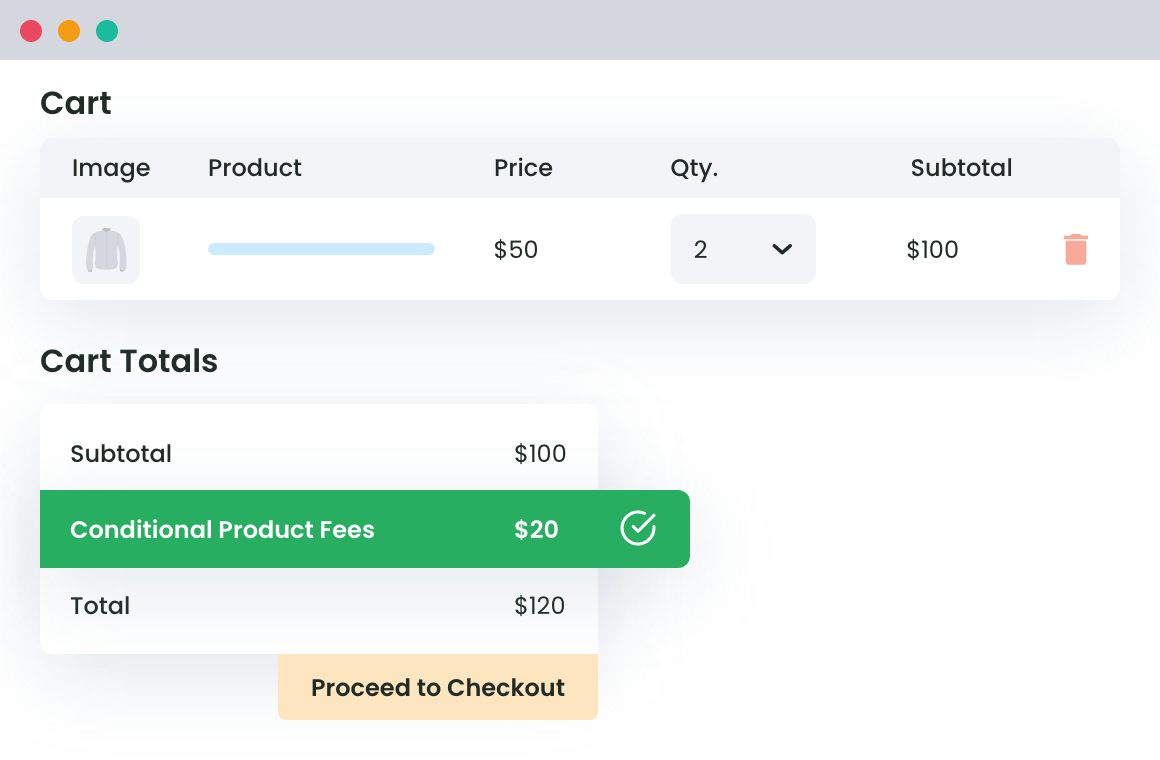
A WooCommerce cash on delivery (COD) fee is an extra charge that store admins add to an order when the customer chooses to pay in cash at the time of delivery.
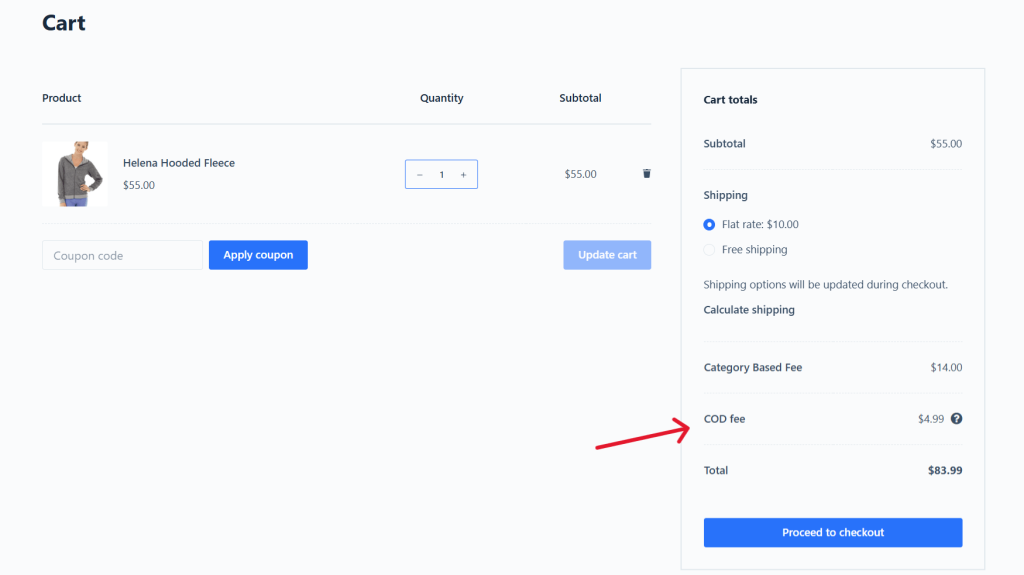
COD fees are a premium for payment flexibility. Customers who prefer the convenience of paying for orders at the time of delivery or those who don’t have credit cards or trust online payments can still shop with you; they just pay a bit extra for that privilege. At the same time, customers who choose online payment methods avoid the COD fee entirely.
There are various ways to structure cash on delivery fees, depending on your business needs. For instance:
- Fixed COD fees that remain consistent, e.g., $2, $5, or $10, regardless of order size.
- Percentage-based COD fees that scale with order value, e.g., 3% or 5% of the cart total.
- Tiered COD fees, e.g., orders under $50 incur a $5 cash on delivery fee, while orders over $100 are not charged COD.
- Location-based COD fees that charge more for remote areas where cash collection is riskier or more expensive.
Popular examples and use cases of COD fees
There are no limitations on the type of store that can charge cash on delivery fees. That said, they are most common amongst:
- Restaurants and food delivery services.
- Electronics and high-value products.
- Fashion and accessories stores.
- Furniture and home decor.
- Beauty and cosmetics.
- Books and media.
- Grocery and daily essentials.
- Jewelry and luxury goods.
- Healthcare and pharmacy.
- Baby products and kids’ items.
- Sports equipment and fitness gear.
- Pet supplies.
Why add WooCommerce COD charges?
The prevailing advice for ecommerce success states that merchants should charge as little as possible. Adding extra charges for customers who opt for COD payment goes directly against that guideline.
So why do some merchants still choose to add an extra fee to cash on delivery payments in WooCommerce? Here are the top reasons:
- To recoup operational costs. Every cash on delivery transaction creates tangible costs that eat into your margins. For instance, you’ll need systems to monitor which orders were paid, which ones weren’t, and how much cash is in transit at any given time. And someone on your team needs to reconcile cash payments when received. Not to mention, COD orders come with a cash flow problem. Instead of receiving funds within days (as with prepaid payment methods), with COD, you’re waiting 2-5 weeks to receive payment from courier partners. During that window, you’ve already paid for inventory, packaging, and shipping. Adding a small COD fee helps offset the financial strain of having capital locked up in unpaid orders.
- To reduce the risk of fake orders. Compared to prepaid transactions, cash on delivery orders carry significantly higher fraud risk. There’s no consequence for placing fake orders, so scammers and malicious buyers can easily place a COD order with zero intention of accepting delivery. Meanwhile, orders rejected at the doorstep lead to a loss in processing and shipping costs and the opportunity cost of the product sitting in transit instead of being available for legitimate buyers. A COD fee likely won’t eliminate fraud entirely. However, it creates friction that filters out non-serious buyers, which reduces the volume of fake orders.
- To offset the risk of failed deliveries. Legitimate customers create costs when COD orders fail. Similar to returned fake orders, failed deliveries due to customers not being at home when the courier arrives, or products returned because the customer changed their mind, still incur costs in the form of courier charges for the attempt, return shipping, restocking labor, and the opportunity cost of inventory being unavailable. A cash on delivery fee acts as insurance to help offset these inevitable costs.
- To encourage online payments. A COD fee creates a financial incentive for customers to choose prepaid options instead. If paying by card, UPI, or digital wallets helps customers save money, many customers will opt to pay online. Making cash on delivery slightly more expensive shapes customer behavior and gently nudges them toward payment methods that are better for your business.
Can I add a WooCommerce COD extra fee using the default features?
You can accept COD as a payment option alongside other payment methods in WooCommerce → Settings → Payments. However, if you want to add a cash on delivery fee in WooCommerce, you’ll find that WooCommerce doesn’t include built-in functionality to charge these extra fees.
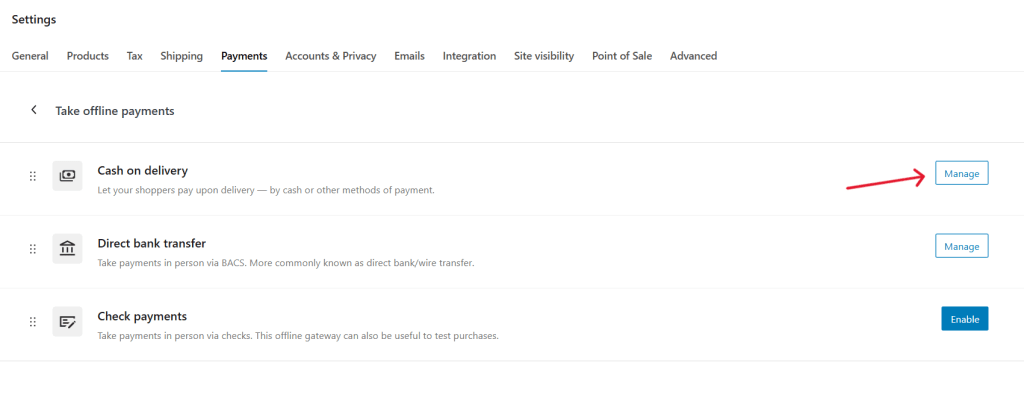
If you want to add an extra charge for cash on delivery in WooCommerce, you’ll need either custom code or a dedicated plugin.
Introducing a powerful WooCommerce COD fee plugin
The Dotstore’s WooCommerce Extra Fees is a powerful WooCommerce COD fee plugin that lets you add cash on delivery extra fees and other payment method-based charges to your store.
Since its launch, over 11,000 WooCommerce stores across a wide range of niches have used it to set different kinds of fees that recover operational costs and boost revenue.
There are 3 different fee types to choose from: fixed-amount fees (e.g., $3 per order), percentage-based fees (e.g., 2% of the cart total), and a combination of both fixed-amount and percentage-based fees (e.g., $3 per order + 2% of the cart total). This gives you the freedom to adapt the cash on delivery fee structure to suit your business operations.
WooCommerce Extra Fees is available in both free and pro versions. You will need pro version to enable COD and other payment method-based fees.
Its intuitive interface lets you create COD fees in minutes. And you can add multiple fee rules, customize when they apply, and manage everything with ease from a simple, centralized dashboard.
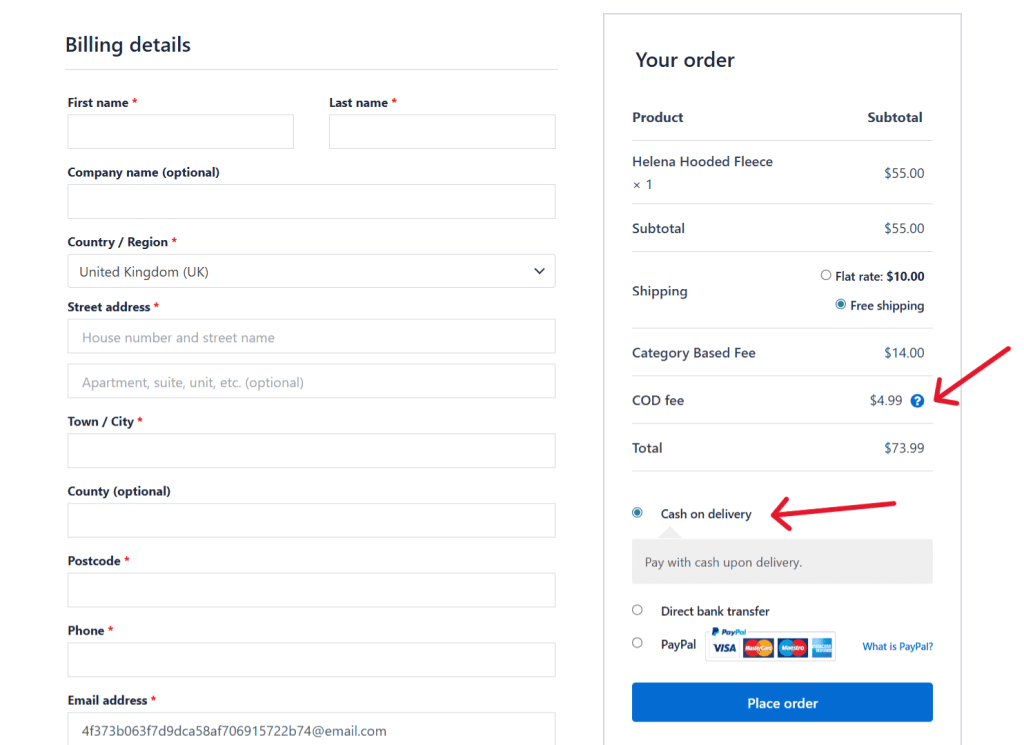
The best part? WooCommerce Extra Fees is more than just a COD fee plugin. It enables you to create fees for other payment methods, e.g., card transactions, bank transfers, digital wallets, etc.
Beyond payment methods, you can charge fees based on shipping methods, product types, customer locations, cart contents, user roles, and heaps of other conditions.
Here’s a brief overview of its top features.
Top features
- ✔️ Conditional logic for targeted COD fee application. Its smart conditional logic engine lets you add COD charges only when specific criteria are met. For instance, a hybrid wholesale-retail store may want to charge retail buyers cash on delivery fees and waive them for wholesale customers. You can use its rule builder to layer multiple conditions together. For example, charge a $5 COD fee only to guest users who order products from the “jewelry” category, with a cart value under $100.
- ✔️ Geographical restrictions for regional control. Stores admins who want to apply cash on delivery fees to specific locations only will appreciate the geographical control feature, which lets you enable or disable COD based on countries, states, cities, or specific zip codes. This allows you to create different fee structures for different regions.
- ✔️ Tax integration. Depending on where your business operates, adding extra fees may require you to add extra taxes to those fees. This WooCommerce COD fee plugin includes an option to apply tax on extra fees. When this feature is enabled, the cash on delivery fee becomes part of the taxable transaction, calculated at checkout using whatever tax rates apply to the customer’s location. The tax amount is accurately factored into your accounting and tax reports.
- ✔️ Minimum and maximum thresholds. Setting an order value threshold before the extra COD charge applies is a great way to encourage higher spending. For example, waiving fees entirely for orders over $150 incentivizes customers to increase their order size.
How to add cash on delivery charges in WooCommerce
Below, I’ll walk you through step-by-step instructions (with screenshots) showing you how to add a WooCommerce cash on delivery fee to your store using the powerful WooCommerce Extra Fees plugin.
- Open your WooCommerce admin. Then install and activate WooCommerce Extra Fees on your site.
- Navigate to Dotstore Plugins → WooCommerce Extra Fees → Manage Fees.
- Press “Add New” to create the COD fee.
- Turn on the “Status” button.
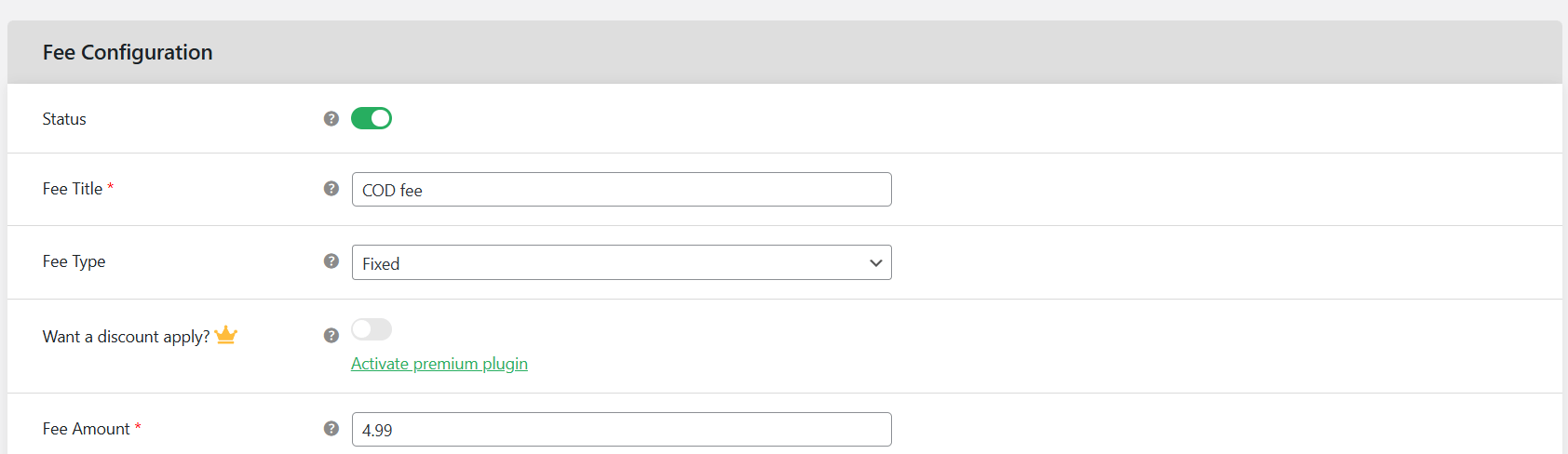
- Enter “COD fee” or another appropriate name in the “Fee Title” field, which will be shown to customers in the checkout flow.
- Specify the COD “Fee type”, whether fixed, percentage, or a combination of both. Then set the COD fee amount.
- Add a brief explanation of the purpose of the cash on delivery fee in the “Tooltip Description” and “Price Message on Cart” fields.
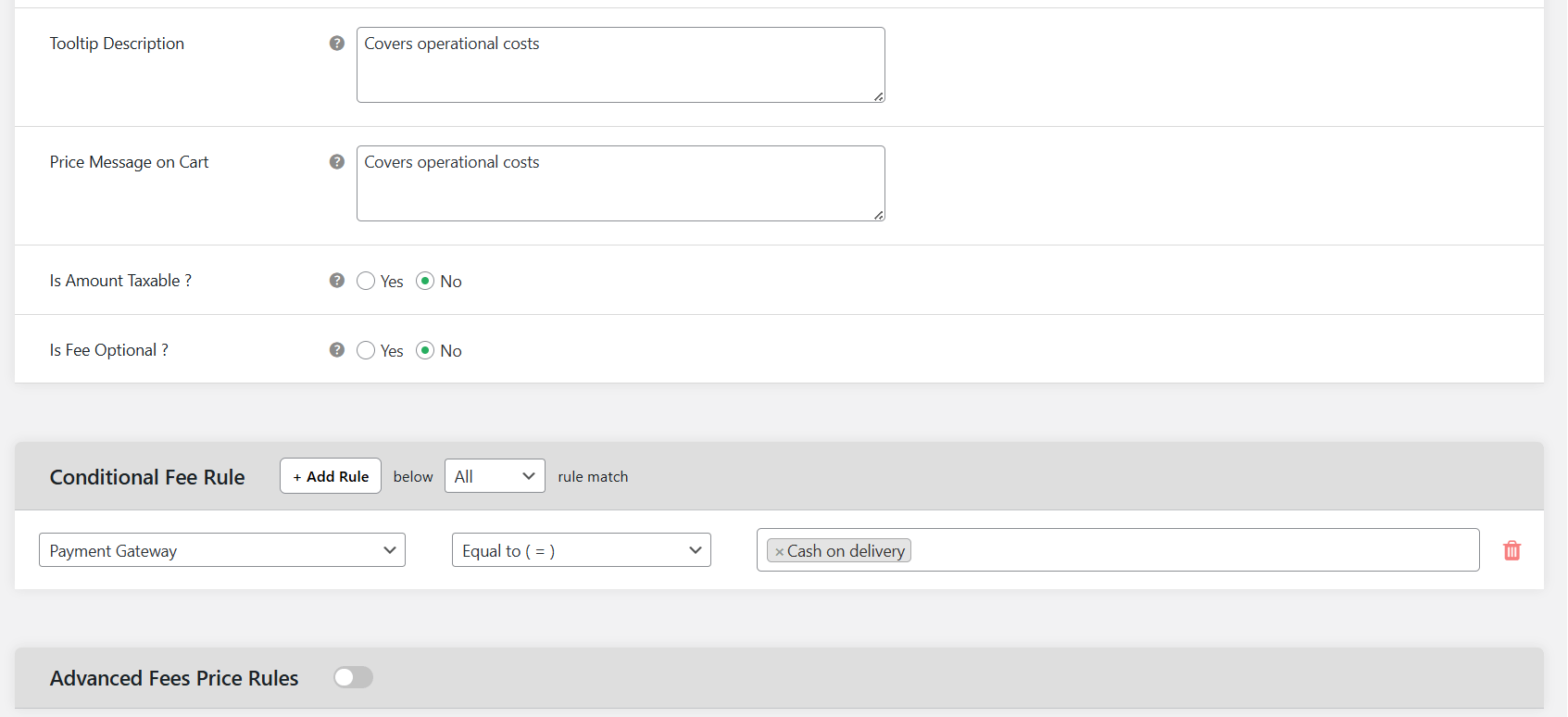
- Specify whether the cash on delivery fee is taxable or tax-exempt. Also, specify whether it is optional or mandatory.
- Go to the “Conditional Fee Rule” modal and select “Payment specific” from the left dropdown. Leave the middle dropdown as “Equal to”. In the right dropdown, select the cash on delivery payment method.
- You can also add extra conditions, such as shipping address, specific products, product attributes, user role, etc., that define how this COD fee is applied in your store.
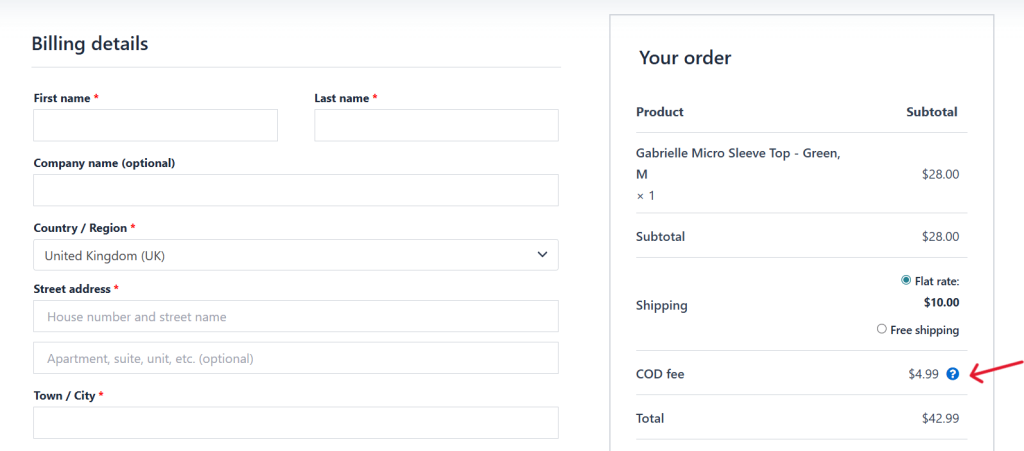
- Press “Save fee” to add the COD fee to your WooCommerce store.
Best practices for adding COD charges in WooCommerce
These 5 tips will help you balance recouping WooCommerce COD fees with delivering a stellar customer experience.
- Keep fees reasonable to avoid impacting your conversion rate. If you’re unsure about the appropriate COD fee, A/B test different amounts, then track conversion and cart abandonment rates to identify the sweet spot.
- Transparently show the cash on delivery fee on the cart page along with a brief explanation about why the fee exists. For example, “COD orders require additional cash handling and courier coordination. This fee helps cover these operational costs.” This justification makes it easier for customers to accept the fees.
- Use conditional logic to optimize your WooCommerce COD charges based on your business’s operations. For instance, you can choose to apply location-based fees: $2 for urban areas with high success rates, $6 for remote regions with 40% failure rates.
- Offer prepaid payment alternatives to give customers multiple payment options to choose from as desired.
- Check legal requirements in your state. As of this writing, there aren’t many COD-fee-specific regulations in most jurisdictions, as cash on delivery is considered a service (delivery + cash handling) rather than just a payment method. However, most consumer protection laws require that all fees (including COD) be clearly disclosed before checkout.
Ready to add COD charges to your WooCommerce store?
Cash on delivery remains a preferred payment method for many customers. Although WooCommerce’s default features permit you to accept cash on delivery payments, they don’t let you add WooCommerce COD extra fees to these transactions.
In this tutorial, I’ve shown you how to add cash on delivery charges in WooCommerce using the WooCommerce Extra Fees plugin by The Dotstore.
WooCommerce Extra Fees is a powerful plugin that lets you add fixed, percentage-based, or a combination of fixed and percentage-based COD fees, and apply them conditionally based on payment methods, cart value, location, user roles, products, categories, shipping methods, etc.
Fees integrate with WooCommerce’s tax system, are transparently shown on the cart and checkout pages, and can be managed from a simple-to-use, central dashboard.
Since 2017, thousands of stores across various niches have used it to add extra fees to cash on delivery payments, credit card orders, and much more.
Get WooCommerce Extra Fees’ free or pro version, or try the demo now to see it in action.
WooCommerce Extra Fees
Make profits from every confirmed sale through smart, conditional fees.
14-day, no-questions-asked money-back guarantee.