Table of Contents
We’ve handpicked the six best WooCommerce quantity management plugins that enable you to set minimum and maximum quantity limits, change default and step quantity values, along with condition-based rules like user roles, stock quantity, location, etc.
Key Takeaways
- By default, WooCommerce doesn’t include advanced built-in quantity management features. As your ecommerce business grows, this can result in unprofitable orders, inventory issues, and order fulfillment problems.
- WooCommerce quantity management plugins enable you to enforce minimum/maximum quantity rules, order value limits, step-based increments, and more, to control how customers purchase in your store.
- The best quantity management plugins for WooCommerce empower you to apply rules at different levels of targeting (product, variation, category, and storewide) along with conditions like user roles, cart value, customer location, etc.
- This roundup includes the best WooCommerce quantity management plugins, starting with our number one pick, Min/Max Quantity for WooCommerce by The Dotstore.
On the hunt for the best quantity management plugins for WooCommerce?
By default, WooCommerce gives store admins almost no control over product quantities. Customers can buy as little or as much as they want, with no restrictions.
This may seem fine on the surface. But as many stores grow, they quickly run into issues like:
- A high number of low-margin orders that eat into profit margins.
- Orders of products in odd quantities that don’t align with the store’s packaging or fulfillment constraints.
- Bulk orders that clear out your inventory of “special” products, leaving nothing for other shoppers.
In this post, we’ll share the 6 best WooCommerce quantity management plugins that enable you to set minimum and maximum order quantity limits, change the default product quantity, apply quantity limits based on product, category, user role, and other conditions, and much more.
A quick note: Hi, we’re The Dotstore, makers of the Min/Max Quantity for WooCommerce plugin. Since 2020, more than 4,000 businesses have used it to set minimum and maximum limits, change the default quantity and step increment values, customize the quantity input selector, and much more. Want to check if it’s the best WooCommerce quantity management plugin for your store? Try out the live demo or download the free or pro version now.
Min/Max Quantity for WooCommerce
Set min/max/step quantities to manage product quantities effectively and enhance the customer experience in your WooCommerce store.
14-day, no-questions-asked money-back guarantee.
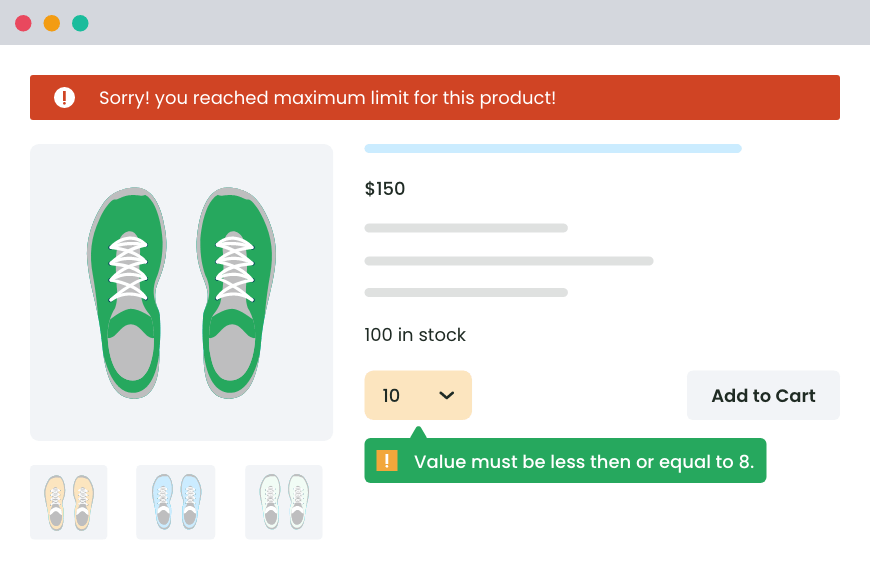
What makes the best WooCommerce quantity management plugin?
“Quantity management” can mean different things depending on how your store operates.
For example, a store that sells low-cost items might want to enforce a minimum order quantity per product rule to protect profit margins, whereas a store that runs limited inventory drops may need to set maximum limits per customer. At the same time, wholesale stores may need to set different quantity limits for different user roles.
Considering these varying use cases, the best quantity management plugins for WooCommerce are those that enable:
- Various types of quantity management rules. Your chosen WooCommerce quantity management plugin should support setting rules for minimum quantity, maximum quantity, step quantities, and default quantity. This allows you to set purchase controls as desired.
- Granular rule targeting. You’ll want to be able to apply quantity rules at different levels of targeting: product-specific, category-based, and storewide.
- Advanced quantity management conditions. Look for WooCommerce quantity management plugins that enable you to set rules based on conditions like user roles (retail vs wholesale customers), cart subtotal, cart quantity, specific products in the cart, shipping methods, shipping zones, etc.
- Clear messaging and error handling. To make sure your customers understand the set quantity rules, your plugin should let you display rules and customize error messages to be shown on product, cart, and checkout pages.
- UX-friendly quantity selectors. Adjusting quantities shouldn’t feel clunky; otherwise, conversions will drop. Look for quantity management plugins that allow you to change the default quantity input options as desired.
- Cart and checkout validation. Good plugins validate quantity management rules on the product page (before adding to cart), inside the cart (when product quantities change), and during the checkout flow (final validation). They also block checkout until rules are met, which prevents invalid orders.
6 best WooCommerce quantity management plugins
Editor’s note: We included quantity management plugins for varying budgets and use cases to make this roundup comprehensive and accessible. This means that some plugins listed here may not fit every criterion outlined in the “What makes the best WooCommerce quantity management plugin?” section. However, they warrant their place on this list as they add some quantity controls that aren’t available in the default WooCommerce.
Without further ado, here are the six best quantity management plugins for WooCommerce:
- Min/Max Quantity for WooCommerce by The Dotstore
- Dynamic Pricing and Discount Rules by The Dotstore
- WooCommerce Minimum/Maximum Quantity by AOVup
- YITH WooCommerce Minimum Maximum Quantity
- WooCommerce Min Max Step Quantity Limits Manager by WP Factory
- Min/Max Quantities for WooCommerce by Woo
Min/Max Quantity for WooCommerce by The Dotstore
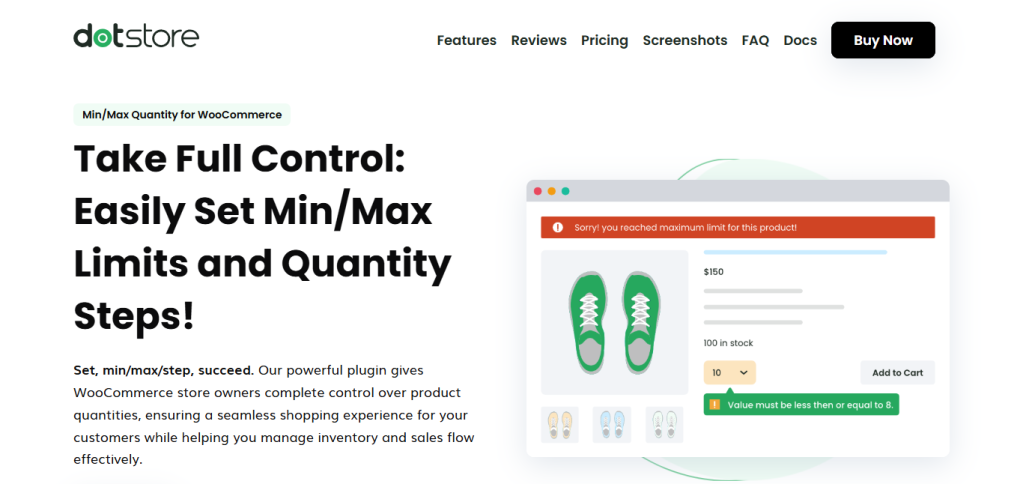
Min/Max Quantity for WooCommerce is a powerful quantity management plugin that gives you complete control over how customers purchase products from your store. It lets you define quantity limits at four precise levels of granularity: individual products, product variations, product categories, and storewide.
Purpose-built to handle simple and advanced quantity rules, Min/Max Quantity for WooCommerce is super simple for admins to set up. You can easily create and apply rules in minutes, even if you’re not technical.
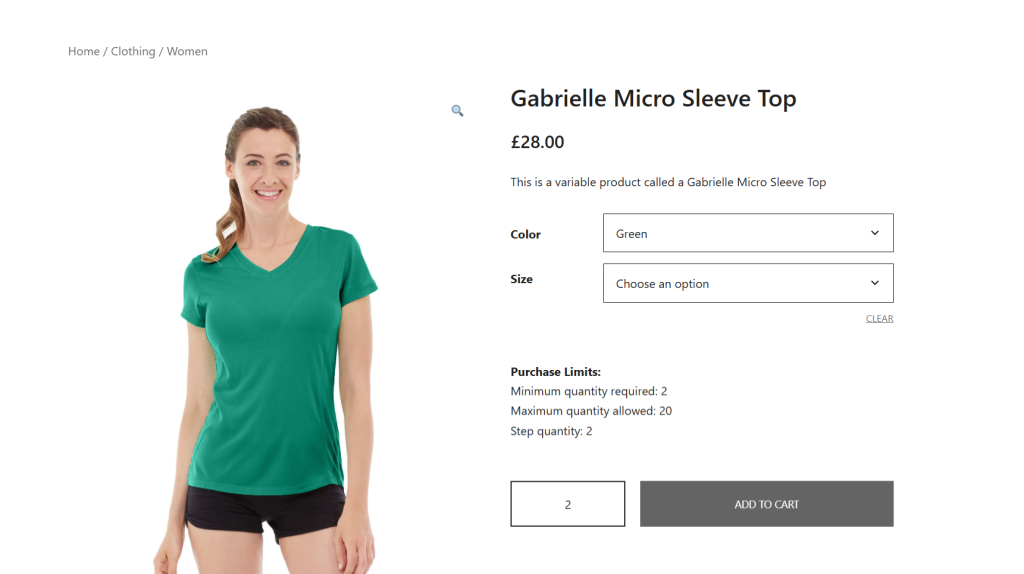
It also provides a smooth user experience from a customer’s perspective by including several UX-focused features that prevent friction from the product page to checkout, such as:
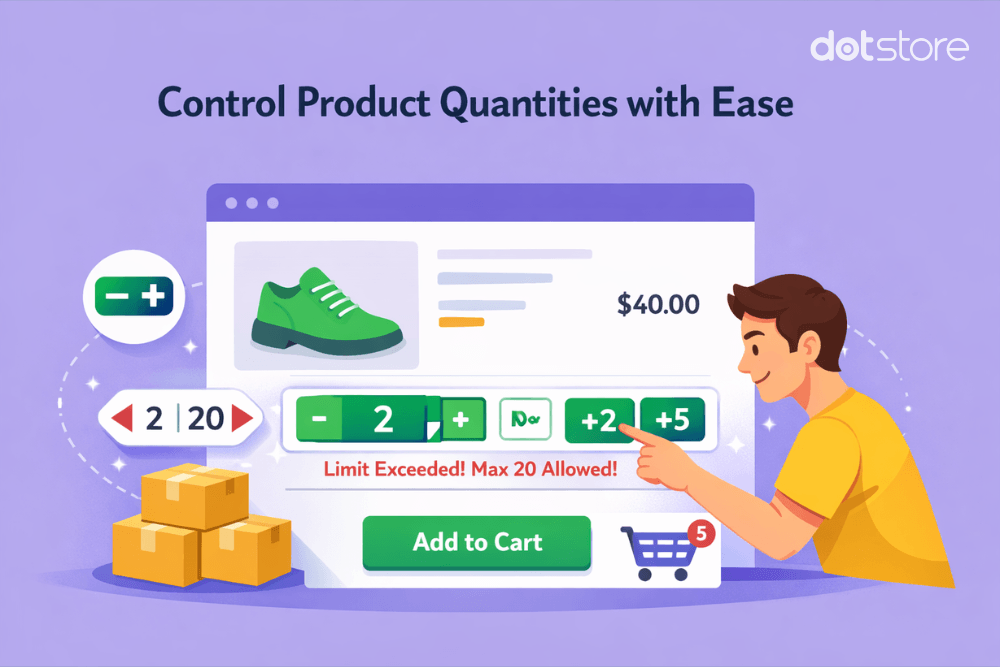
- Custom quantity selectors (dropdowns, input fields, +/- buttons).
- Clear rule visibility on product, cart, and checkout pages.
- Smart checkout behavior that lets you hide the checkout button until all quantity-related conditions are fulfilled.
Min/Max Quantity for WooCommerce is available in both free and pro versions. And since 2020, thousands of WooCommerce stores across various niches continue to trust it to set minimum quantity rules per product, change the default quantity, customize step quantity controls, sell to both wholesale and retail users from the same storefront, and more.
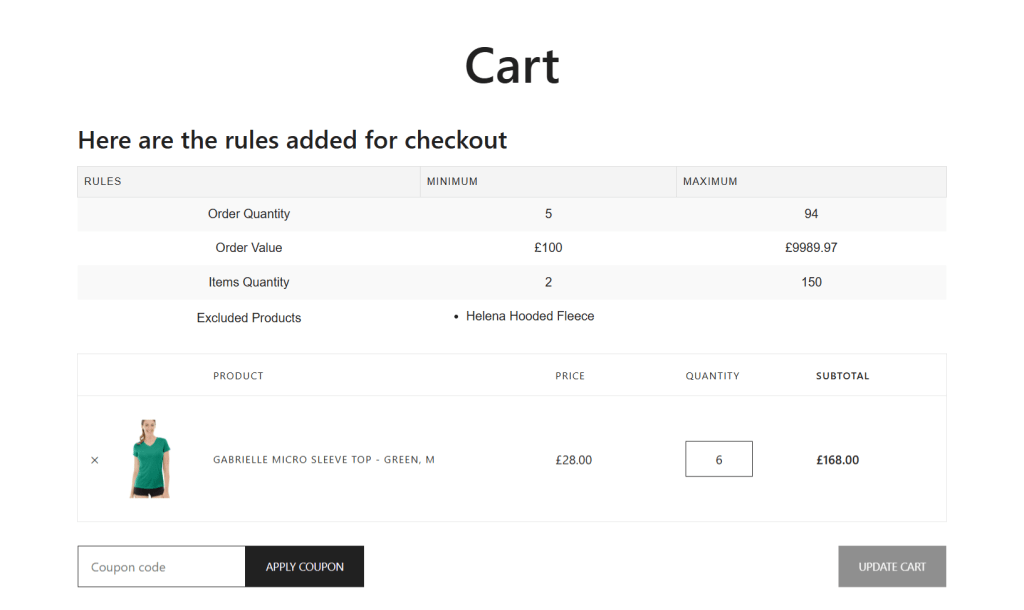
Min/Max Quantity for WooCommerce’s standout features
- A wide range of quantity management rules. You can set minimum, maximum, default, and step quantity rules across products, variations, categories, or storewide.
- Advanced conditional logic. It lets you create conditions, such as user roles, cart conditions, product types, etc., that determine when quantity management rules are applied. This lets you adapt quantity management rules to customers’ shopping behavior in your store.
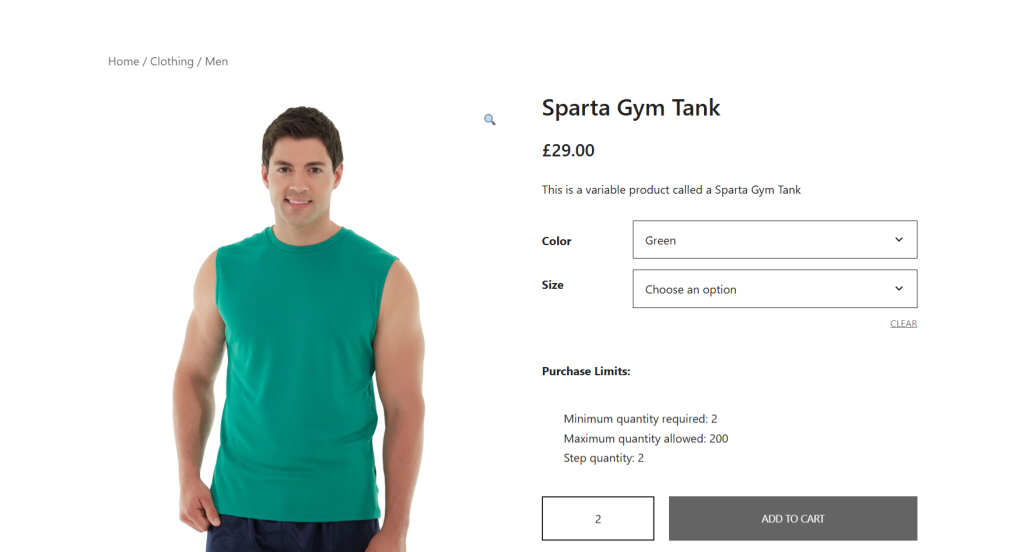
- Easily communicate quantity management rules on your site’s frontend. You can display quantity rules in a simple-to-understand table format on your store’s product and cart pages. This ensures that customers are aware of the rules before they attempt to add products to their carts or proceed to checkout. The result? Reduced friction and a lower cart abandonment rate.
- Flexible quantity input styles. Want to change WooCommerce’s default quantity input style? You can customize how customers interact with product quantities by changing them to dropdowns or +/- buttons for quicker adjustments.
- Custom error messaging. Another feature that makes it easier to communicate quantity management rules on the front end: instead of generic errors, you can show tailored messages that explain what went wrong when customers try to add incorrect product quantities to their carts, and how to fix it.
Ready to get started with this WooCommerce quantity management plugin? Download its free or pro versions, or check out its live demo now.
Min/Max Quantity for WooCommerce
Set min/max/step quantities to manage product quantities effectively and enhance the customer experience in your WooCommerce store.
14-day, no-questions-asked money-back guarantee.
Dynamic Pricing and Discount Rules by The Dotstore

The Dynamic Pricing and Discount Rules plugin combines quantity management with pricing logic. Instead of simply restricting customers to purchase products in certain quantities, it enables you to offer incentives that increase your store’s average order value (AOV).
With Dynamic Pricing and Discount Rules, you can:
- Offer discounts when customers buy a certain number of product units.
- Create tiered pricing that reduces per-unit prices when customers buy more (e.g., buy 5 products to get 10% off, buy 10 products to get 20% off).
- Encourage bulk orders.
Launched in 2020, thousands of WooCommerce stores in a wide range of niches trust it to run promotions based on purchase volume, increase AOV through bulk incentives, and manage both pricing and quantity logic with ease.
Dynamic Pricing and Discount Rules’ standout features
- Quantity-based pricing rules. It lets you create discounts such as bulk/volume discounts, tiered pricing, buy X get Y, etc., that reward customers for purchasing products in certain quantities.
- Different quantity management conditions. You can trigger quantity and pricing rules based on user roles (e.g., wholesale vs retail), cart value or quantity, specific products or product categories, payment methods, etc.
- Granular quantity management rule targeting. This lets you apply rules at multiple levels: product, variation, category, or storewide.
- Add product page notices. You can showcase dynamic discount messages that communicate quantity and pricing rules on your store’s product pages.
- Time-based rule scheduling. Want to schedule pricing and quantity rules to run during specific time periods? You can set up rules to activate and deactivate automatically.
Ready to get started with this quantity management plugin for WooCommerce? Download its free or pro version, or check out the live demo now.
WooCommerce Dynamic Pricing and Discount
Apply advanced discount conditions to drive more revenue with our intuitive and easy-to-use plugin.
14-day, no-questions-asked money-back guarantee.
WooCommerce Minimum/Maximum Quantity by AOVup
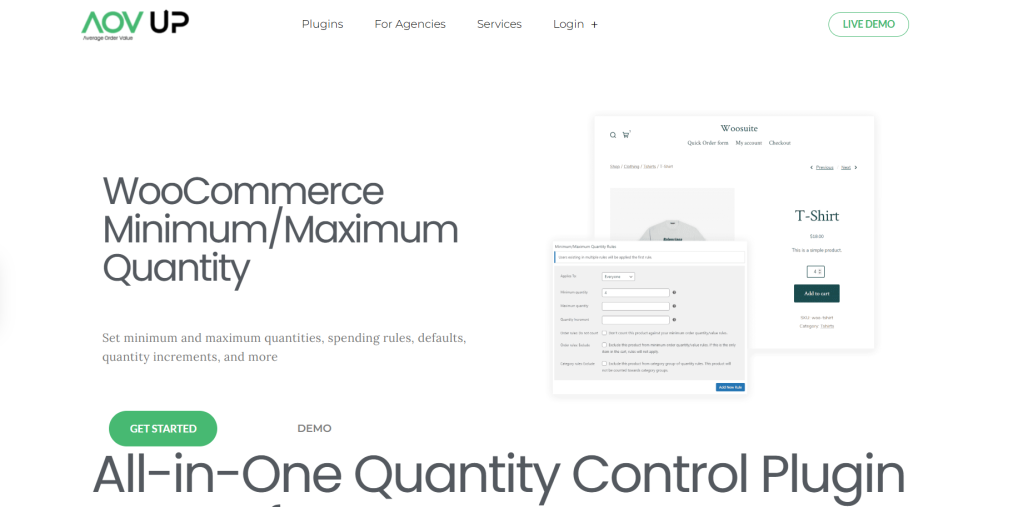
WooCommerce Minimum/Maximum Quantity by AOVup (previously WooSuite) is a simple quantity management plugin that enables store owners to set product-level and cart-level restrictions on how customers purchase from your store.
WooCommerce Minimum/Maximum Quantity lets you manage quantity in 4 different ways. You can set:
- Minimum and maximum quantity limits.
- Minimum and maximum order values.
- Step-based quantity increments.
- Different quantity defaults.
It comes with basic rule targeting options that enable you to set quantity limits for individual products, at the category level, and globally. And you can create different quantity rules for different customer segments by assigning them based on user roles.
YITH WooCommerce Minimum Maximum Quantity
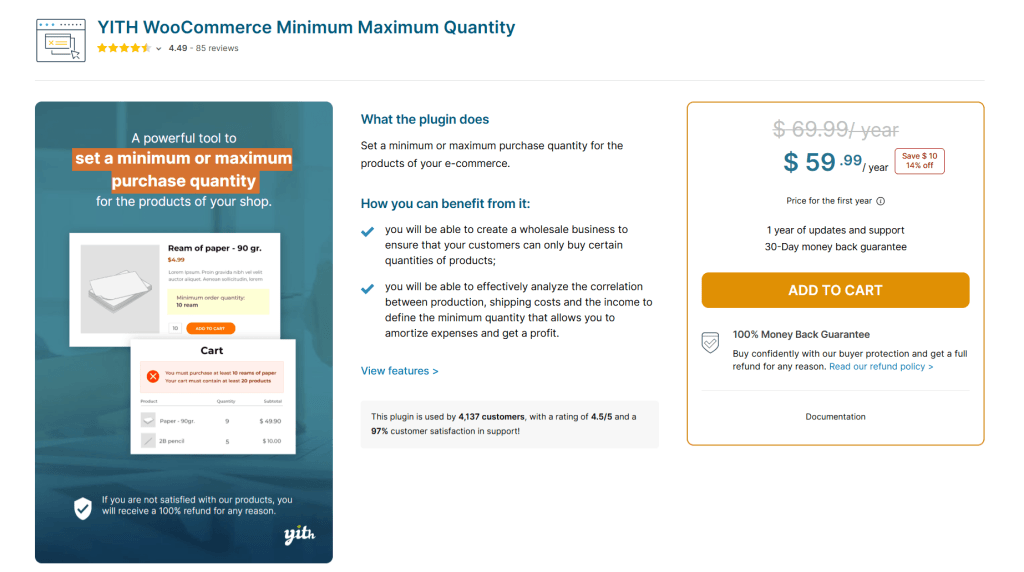
YITH WooCommerce Minimum Maximum Quantity is a lightweight plugin that gives you control over how products are purchased and how much customers spend in your store.
It allows you to set both minimum and maximum quantity limits and minimum or maximum order totals. And with flexible rule targeting settings, you can apply restrictions at multiple levels: individual products, categories, tags, and storewide. Note that if you set category, tag, or storewide restrictions, you can create exceptions that exclude specific products from them.
YITH WooCommerce Minimum Maximum Quantity improves transparency for customers by enabling you to showcase quantity and purchase rules on product detail pages. The plugin can show error messages to customers who don’t meet the quantity rules, both when they click on the “Add to cart” button and when they view their cart’s contents. These messages are fully customizable, so instead of showing generic warnings, you can clearly explain what needs to be adjusted.
That said, the plugin focuses on core functionality, not advanced features like default quantity settings or step-based increments.
WooCommerce Min Max Step Quantity Limits Manager by WP Factory
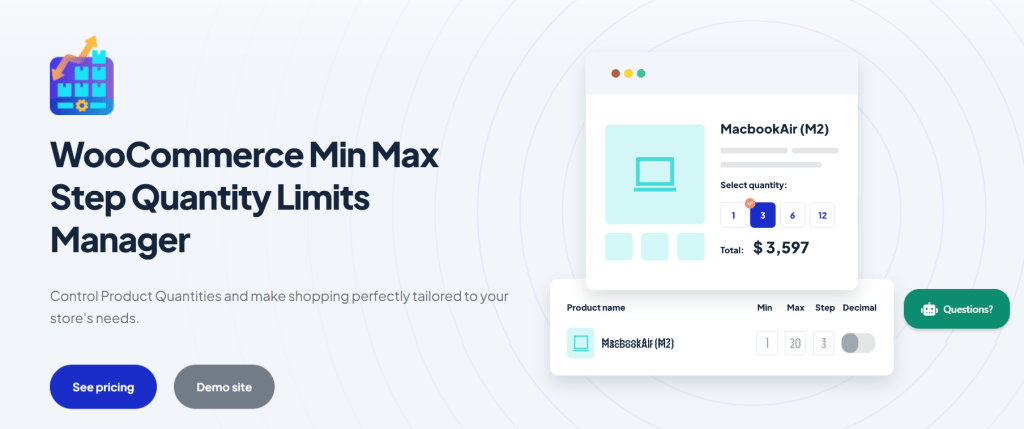
WooCommerce Min Max Step Quantity Limits Manager is a versatile plugin that balances giving store admins complete control over how customers select and purchase product quantities with giving buyers a stellar user experience.
It includes all the essential features you’d expect from a quantity management plugin: minimum and maximum limits, step-based quantity increments, as well as flexible rule application across products, categories, and storewide.
WooCommerce Min Max Step Quantity Limits Manager enables you to improve your site’s usability by replacing the standard quantity input with a dropdown selector. And you can adjust the default quantity that appears automatically when customers land on a product detail page.
This plugin earns its place on our list of the best WooCommerce quantity management plugins because it supports decimal quantities. Stores that sell products by weight, volume, or measurement can combine the decimal quantities feature with min/max and step rules to maintain control and flexibility.
In addition, store admins can opt to showcase quantity rules, such as minimums, maximums, and increment values, together with unit labels like “kg” or “litres” on relevant product pages. This enables you to communicate quantity restrictions with ease.
Min/Max Quantities for WooCommerce by Woo

Developed and maintained by Woo’s official team, Min/Max Quantities for WooCommerce is another simple plugin that lets you define minimum and maximum quantity limits for individual products, product variants, product categories, as well as all the products in your store.
It supports setting up quantity multiples that require customers to purchase products in fixed increments, such as 5, 10, or 20 units. In stores that sell items pre-packed or in bulk, this feature helps align order behaviors with packaging and fulfillment processes.
You can also set minimum or maximum order values, and if needed, specific products can be excluded from quantity restrictions.
However, this WooCommerce quantity management plugin doesn’t include advanced features, such as the option to set custom error notices, change the default product quantity, and customize the quantity input option.
Which is the overall best WooCommerce quantity management plugin?
This in-depth roundup includes 6 strong contenders for the title of the best WooCommerce quantity management plugin.
Each option brings something useful to the table. However, our top pick for the best WooCommerce quantity management plugin is Min/Max Quantity for WooCommerce by The Dotstore.
Its generous free version lets you define minimum and maximum order quantities and order values across products, variations, categories, or storewide. And you can customize error notices to guide customers on how to adjust product quantities.
Upgrading to the pro version unlocks tons of useful features, including the option to change default quantities and step increment values. You can also apply advanced conditions like user roles, product attributes, location, and more, to adapt quantity rules as desired.
Min/Max Quantity for WooCommerce by The Dotstore enables you to exclude specific products or categories from broader rules. On the frontend, you can showcase detailed quantity rules and restriction messages on product and cart pages. Equally importantly, you can hide the checkout button until quantity or order value conditions are met (to prevent invalid orders).
Download Min/Max Quantity for WooCommerce’s free or pro version, or try out its live demo now!
Min/Max Quantity for WooCommerce
Set min/max/step quantities to manage product quantities effectively and enhance the customer experience in your WooCommerce store.
14-day, no-questions-asked money-back guarantee.