Table of Contents
Product bundling, premium add-ons, extra services, smart AI-powered chatbots, or something else? Based on our 17+ years in ecommerce and recommendations from real-life merchants across different niches, these are the seven most effective strategies for increasing AOV in Shopify, along with tips and app recommendations for implementation.
Key Takeaways
- AOV (average order value) is a measure of how much customers spend per transaction.
- The most effective strategies to increase AOV in Shopify include offering paid services and add-ons, bundling relevant products, enabling a smart chatbot, and setting a free shipping threshold.
- This post discusses the top apps for increasing AOV across Shopify stores in various niches, including Dotstore Shopify Extra Fees Manager, Bundler, Essent Free Shipping Upsell, and more.
Thinking about how to increase AOV in your Shopify store?
The hardest thing about increasing the amount customers spend per visit is that what works for one store won’t necessarily work for another. There’s no universal formula: it heavily depends on the niche, product type, target customers, season, and various other factors.
Alongside that, execution matters just as much as the strategy itself. Over time, stores that properly adapt, optimize, and iterate on tactics to match their operating model see far better results than stores that don’t.
In this post, we’ll walk you through seven proven strategies to increase AOV in Shopify, along with implementation tips and app recommendations.
These strategies are based on our firsthand experience: 17+ years of building ecommerce software and helping merchants in different industries optimize their online stores. We’ve also compiled practical insights from real Shopify merchants with different business operating models.
How to increase AOV in Shopify: 7 proven strategies
Offer paid services and add-ons
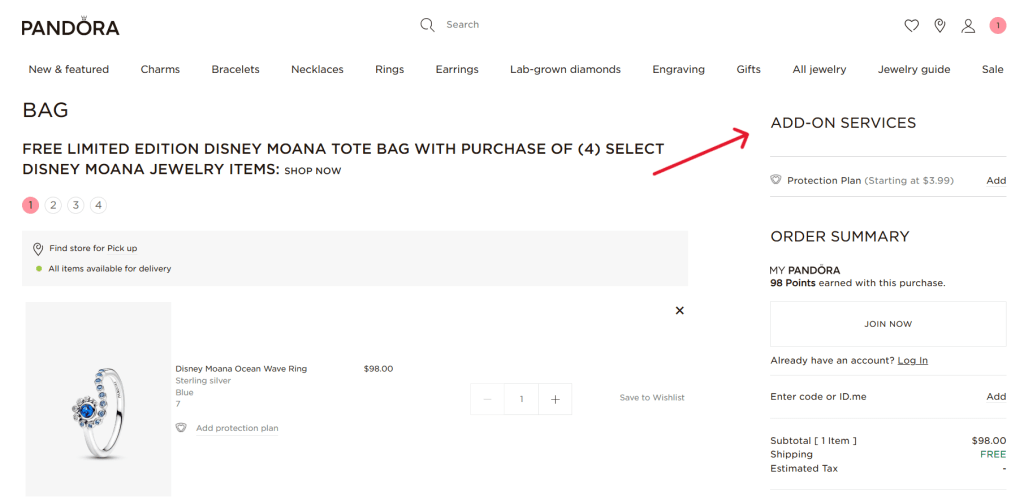
No matter what you sell, there’s almost always an option to offer add-ons and services for an additional fee. Common examples include insurance, gift wrapping, shipping protection, priority processing, handling, extended warranties, eco-friendly packaging, rush delivery, personalization services, and product setup or installation services.
Paid add-ons often have high profit margins because they usually rely more on service or presentation than physical products. And even though each individual surcharge may be small, they can add up quickly over time.
Tips to offer paid add-ons and services in your Shopify store
- Stick to offering add-ons that feel like a natural extension of the main product and improve the customer experience.
- Transparently communicate what the add-on is, its benefits, its standalone price, and other relevant information.
- Excessive add-on options can overwhelm customers and lower conversion rates. A good rule of thumb is to offer a maximum of three highly relevant add-ons per product or cart.
Best Shopify app to increase AOV with paid add-ons and services
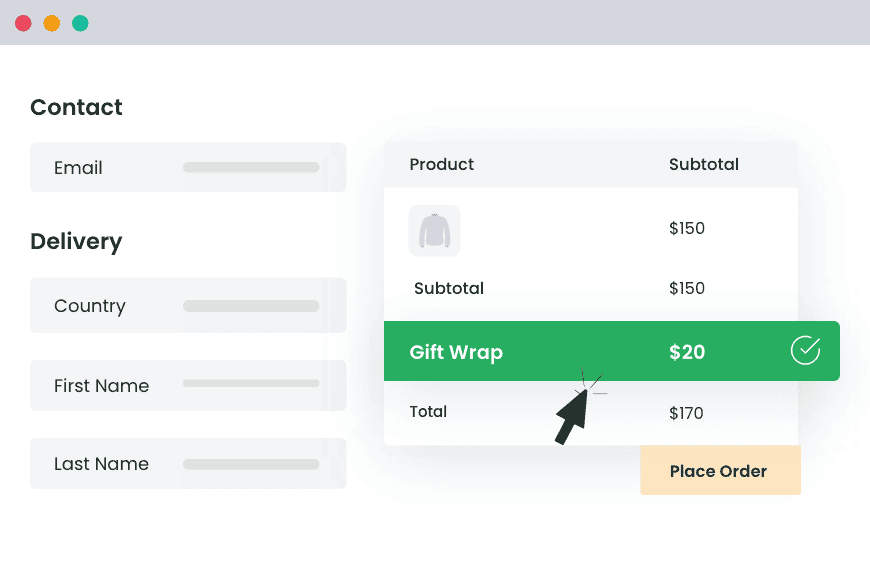
Dotstore Shopify Extra Fees Manager lets Shopify stores add fixed or percentage-based add-ons and present them in a clearly labelled, separate section during the checkout flow.
It lets you use conditional logic to apply add-ons based on specific products or collections, cart subtotal, quantity of items, customer location, shipping method, payment method, customer tags or types, and other criteria.
Shopify stores across various niches use it to increase AOV by offering paid add-ons like gift wrapping, priority processing, shipping protection, fragile item handling, product personalization, eco-packaging upgrades, small-order fees, cash on delivery (COD) fees, and more with ease.
Shopify Extra Fees Manager
Add dynamic checkout fees for add-ons, upcharges, surcharges, etc., to your Shopify store — the easy way!
14-day, no-questions-asked money-back guarantee.
Bundle relevant products
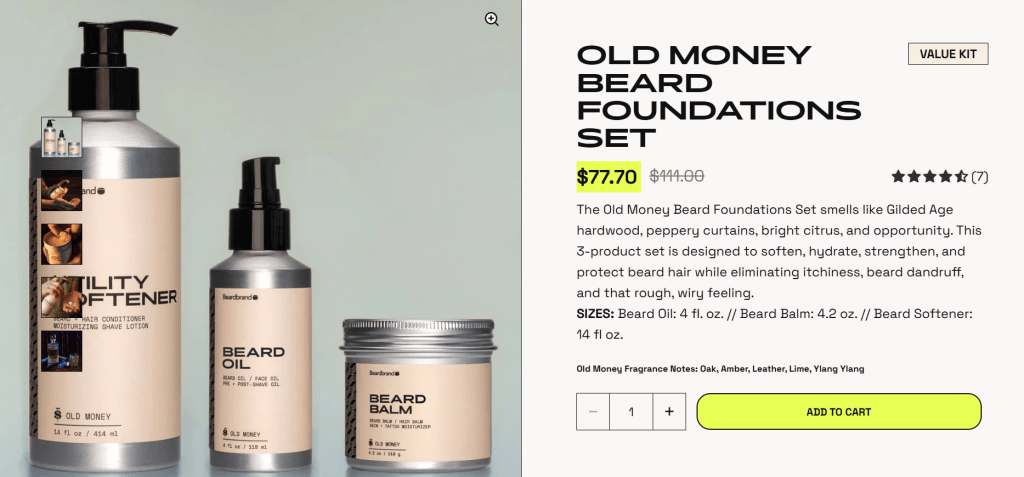
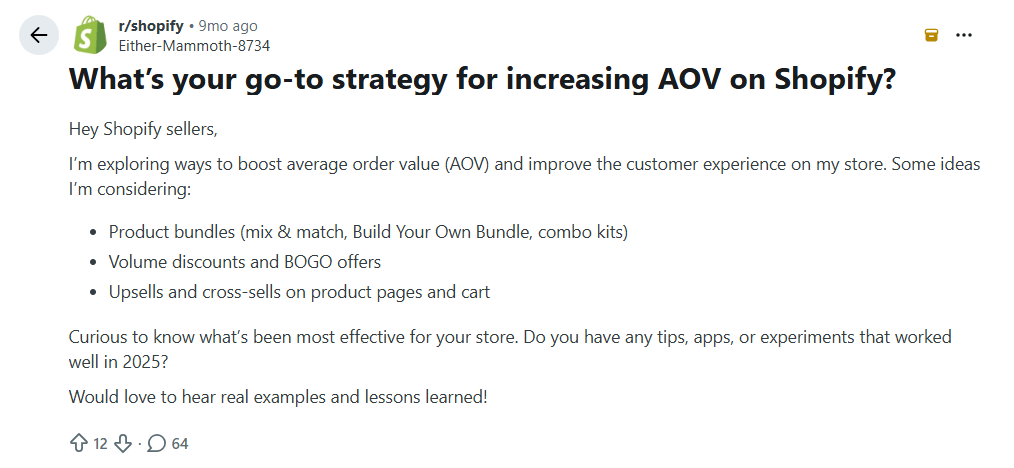
Based on comments in various Shopify merchant communities, product bundles are probably the most popular strategy for increasing AOV across stores in various niches.
Depending on your products and audience, there are various formats to offer product bundles, including:
- Fixed bundles. These are pre-configured product packages sold together. Think: starter kits, holiday gift boxes, meal prep bundles, home office sets, etc.
- Mix-and-match bundles. This involves enabling shoppers to flexibly choose the items that comprise their bundles. For example, pick any 3 candles, build your own snack box, choose any 4 skincare minis, etc.
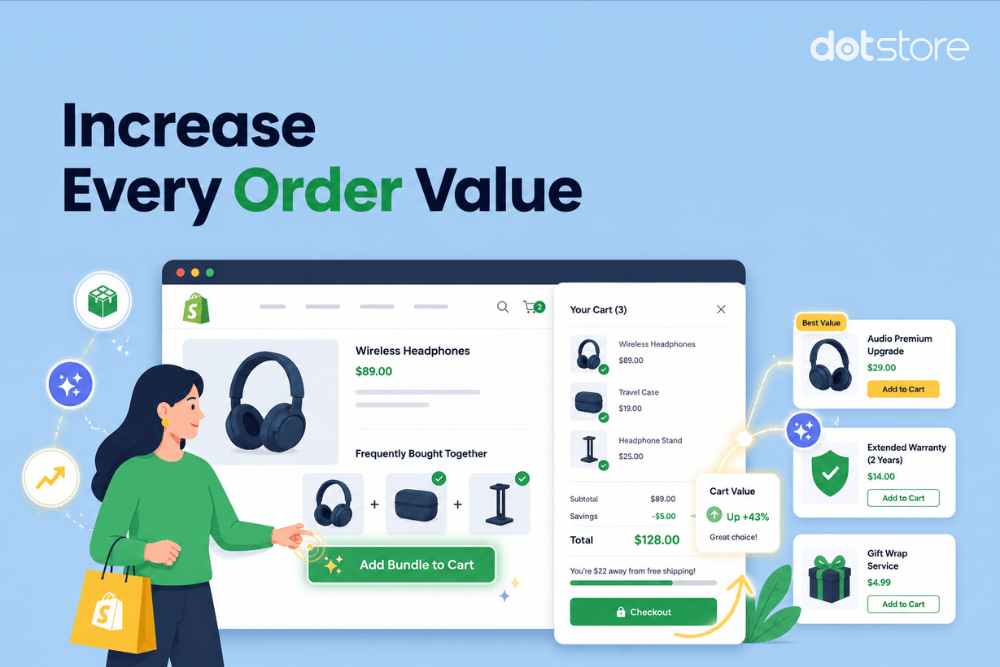
- Frequently bought together bundles. Popularized by Amazon, this approach entails recommending complementary products on the two most effective “buying” pages in an ecommerce store: on product pages or in the cart.
Tips to offer product bundles in your Shopify store
- Bundle products that naturally fit together to solve a specific customer need or use case. Examples include shampoo and conditioner, a laptop with a mouse and keyboard, a camera with a tripod and memory card, etc.
- Keep pricing simple to understand. Many stores see strong results with small percentage discounts, fixed savings (e.g., “save $15”), or free add-on items.
- Showcase bundles in easily visible locations on your site: near the Add to Cart button on product pages and inside the cart drawer on the checkout page.
Best Shopify app for increasing AOV with product bundles
Bundler is a powerful app that supports several bundle types, including fixed product, mix-and-match, frequently bought together bundles, along with quantity-based discounts. Savings are auto-applied when bundled products are added to the cart (when applicable). Plus, it provides in-depth analytics to help merchants track bundle performance and identify which offers generate the highest AOV.
Enable a smart chatbot
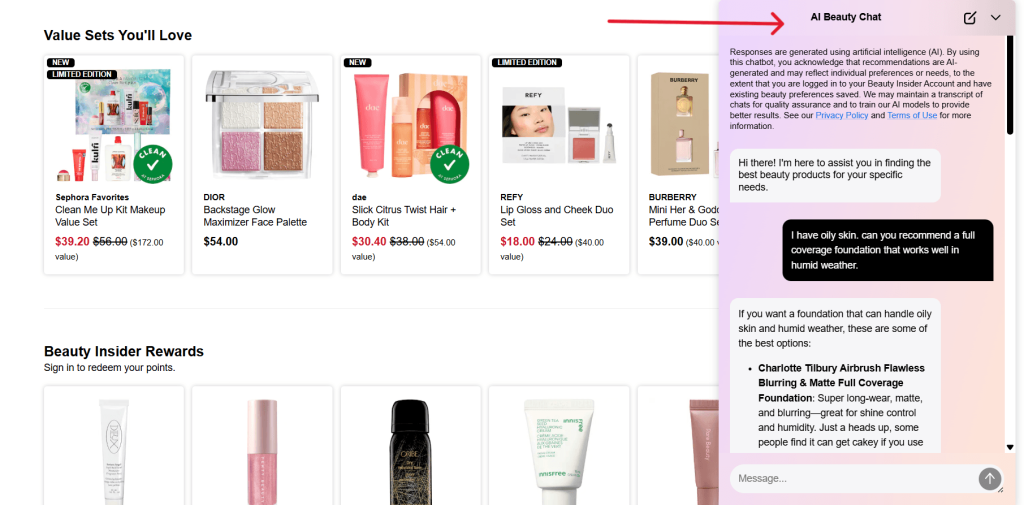
Ecommerce chatbots aren’t a recent invention. However, the new crop of chatbots (those with built-in AI features) has become increasingly adept at helping customers discover relevant products, get answers faster, and make purchasing decisions with greater confidence.
Customers may have questions about product compatibility, shipping times, product sizing, materials, return policies, and more.
Modern AI-powered chatbots go beyond basic support widgets to help Shopify stores increase AOV by actively guiding shoppers toward higher-value purchases and relevant add-ons during the buying journey. They are even more effective because their answers and recommendations are personalized to each shopper’s needs.
Tips to enable a smart chatbot in your Shopify store
- Keep answers and recommendations relevant to the shopper’s intent. Irrelevant suggestions can frustrate customers.
- Train your chatbot to sound simple and conversational. Robotic or overly sales-focused language performs poorly.
- Ground your AI chatbot with relevant store and product-related information, such as product sizing, materials, shipping times, return policies, product compatibility, and other important details to ensure that it shares accurate responses.
Best Shopify app to increase AOV with a smart chatbot
Tidio is a powerful app that combines live chat, chatbot automation, AI customer support, and sales assistance into a single platform to help boost revenue and augment customers’ shopping experience. It engages shoppers while they browse your store and shares contextual recommendations. Lyro, its AI sales and support assistant, can answer common customer questions instantly and recommend complementary products or higher-value options where relevant.
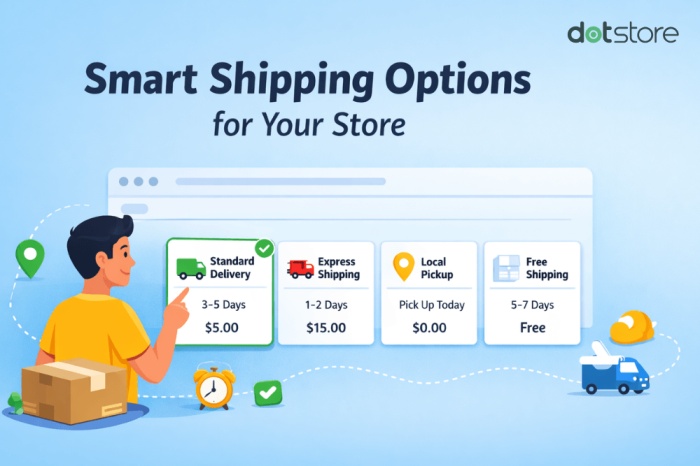
Set a free shipping threshold
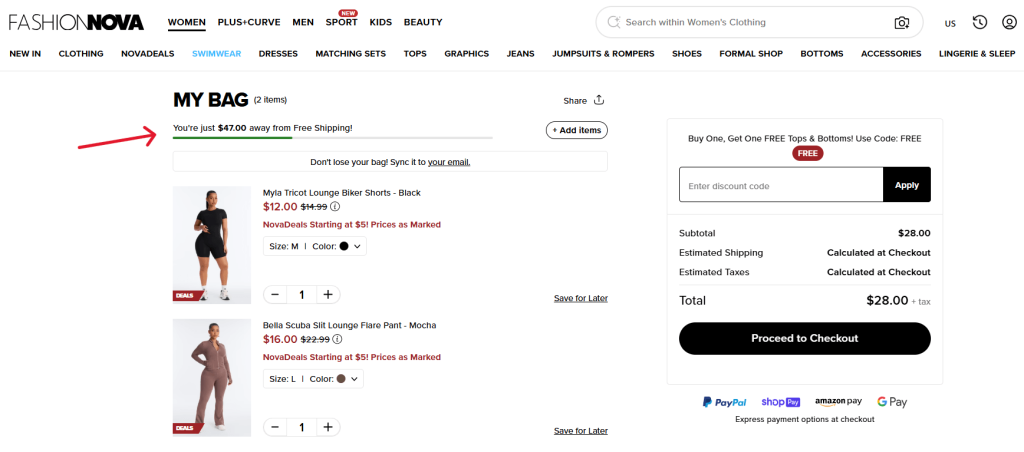
Free shipping is a baseline expectation of many online shoppers. According to Baymard Institute, 48% of shoppers abandon their carts because extra costs like shipping fees, taxes, and other charges are too high.
However, free shipping isn’t profitable unless customers spend a decent amount per order. Setting a minimum spend requirement that customers must reach to qualify for free shipping nudges them to add extra products to avoid paying shipping fees.
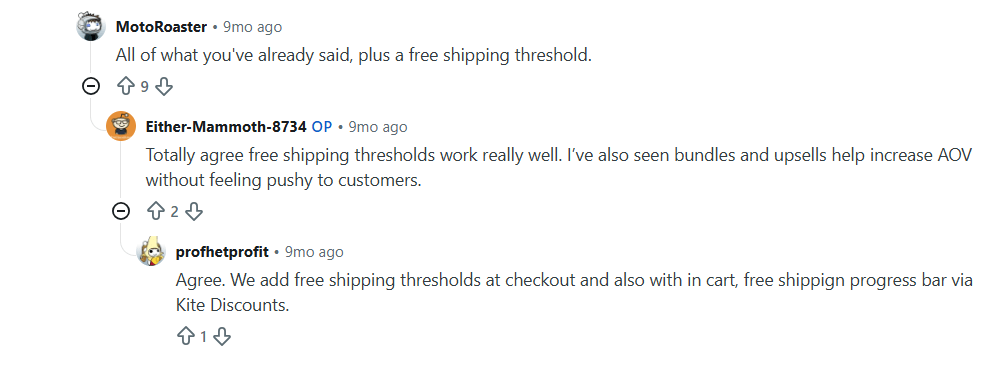
The good news is that many ecommerce stores have adapted accordingly; free shipping thresholds have become widespread enough that customers now expect them.
Tips for setting a free shipping threshold
- Set a realistic free shipping threshold, ideally slightly above your store’s current average order value.
- Use free shipping banners, cart drawer notifications, progress bars, and dynamic messages to focus customers’ attention on reaching the free shipping threshold.
- Add low-cost upsells and cross-sell recommendations near the cart to make adding more products to meet the free shipping threshold as frictionless as possible.
Best Shopify app to increase AOV with a free shipping threshold
With the Essent FreeShipping Upsell app, you can show a fully custom free shipping progress bar at various touchpoints in the shopping journey, namely product pages, cart pages, cart drawers, and announcement bars. In addition, it tracks analytics so you can attribute how much additional revenue the free shipping bar generates.
Recommend upsells and cross-sells
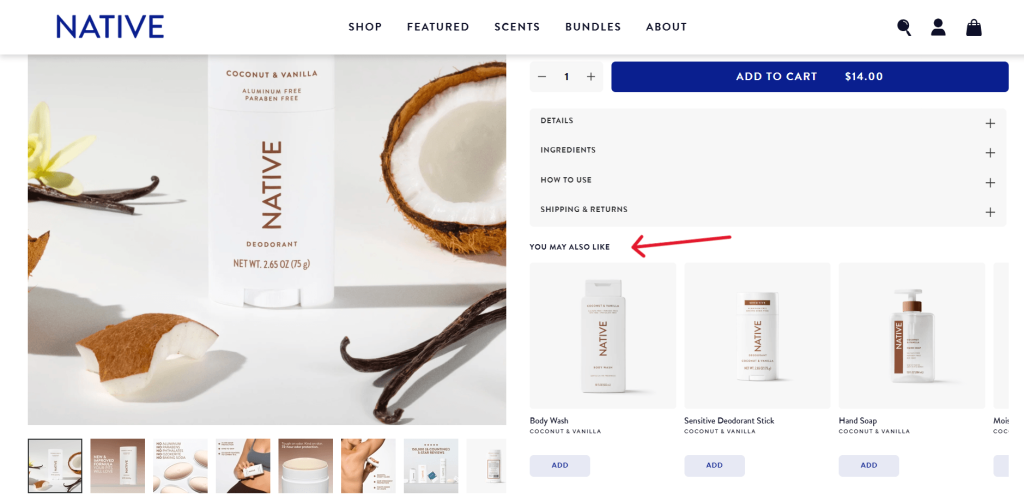
An upsell is a more expensive or upgraded version of a product that a customer is already considering. Take the examples below:
- Showing a premium coffee machine model to customers who view the standard model.
- A customer who selects the base smartphone model is recommended the same phone with higher built-in storage.
- Offering to upgrade customers from the starter kit to a larger skincare bundle.
Cross-sells encourage shoppers to purchase complementary products. Take the examples below:
- A customer buying a laptop is recommended to buy a mouse and a mousepad.
- Showing hair conditioner and styling creams when customers add a shampoo to their cart.
- Suggesting matching shoes, bags, and fashion accessories that complete the look on the product page of a dress.
Both strategies involve recommending products relevant to the customer’s original purchase intent to get them to spend more per transaction.
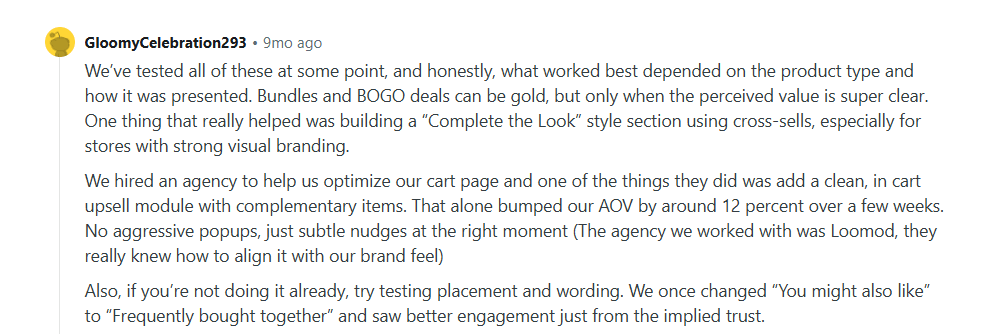
Tips for offering upsells and cross-sells
- Recommend products that complement the intended purchase.
- Use language that signals social proof, like “Frequently bought together”, to present cross-sells and “Customers also like” to present upsells.
- Show upsells and cross-sells in various stages of the shopping journey: Product pages, Cart drawers, Checkout pages, Post-purchase pages, AI chatbots, and live chat flows.
Best Shopify app to increase AOV via upsells and cross-sells
Upsell.com (previously ReConvert Upsell) is a popular app that lets merchants display product recommendations on the product page, cart drawer, checkout, post-purchase, and through its AI-powered chatbot. Merchants can build different upsell and cross-sell flows that increase AOV based on products in the cart, customer behavior, purchase history, subscription products, and more.
Provide volume discounts and quantity breaks
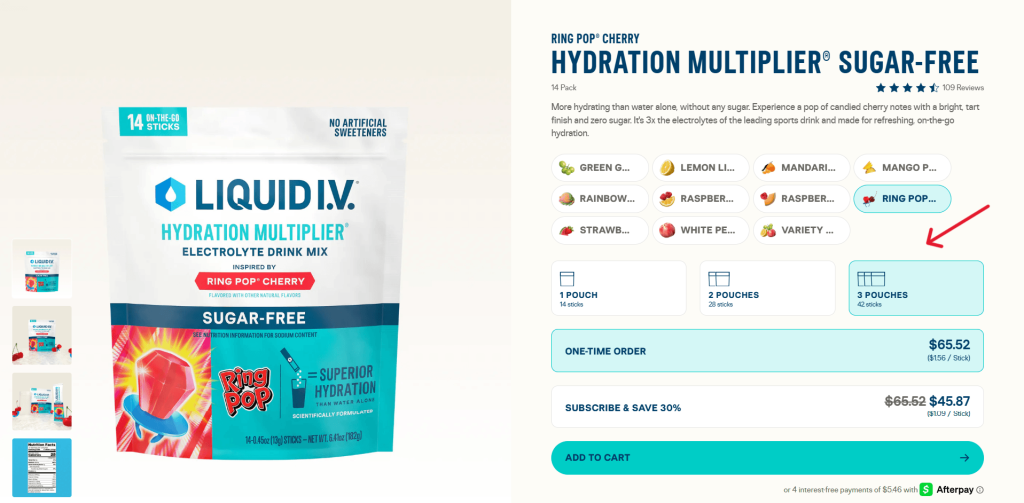
Quantity breaks and volume discounts work best for products that customers use repeatedly and therefore purchase in multiples. Think: supplements, skincare products, coffee, pet food, apparel basics, office supplies, etc.
In many cases, customers were already planning to reorder later. Volume-based discounts merely encourage them to increase their purchase size now instead of waiting.
Tips for offering quantity breaks and volume discounts
- Use simple to understand discount amounts or quantities and clear discount tiers.
- Highlight savings visually, ideally showing the per-unit price reduction when customers buy in higher quantities.
- Avoid steep discounts: they hurt margins in the short term and damage your brand in the long-term.
Best Shopify app to increase AOV with quantity breaks and volume discounts
Kaching Bundles App & Upsells lets you offer quantity discounts, product bundles, and volume pricing. It supports different discount formats, including quantity breaks, fixed amounts, and percentage discounts. Its A/B testing features help identify which discount structures perform best. And with the built-in analytics dashboard, you can track the revenue lift from quantity-based discounts.
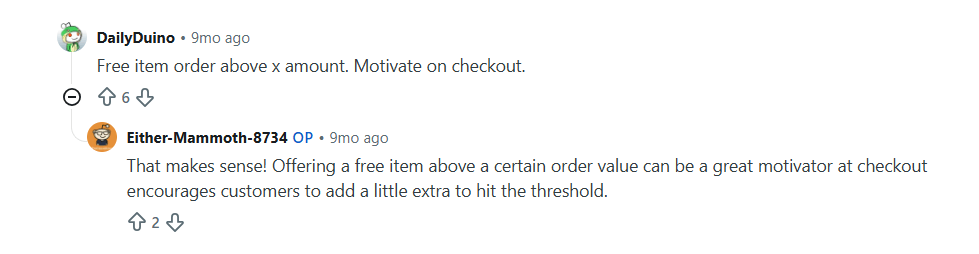
Offer free gifts with purchase
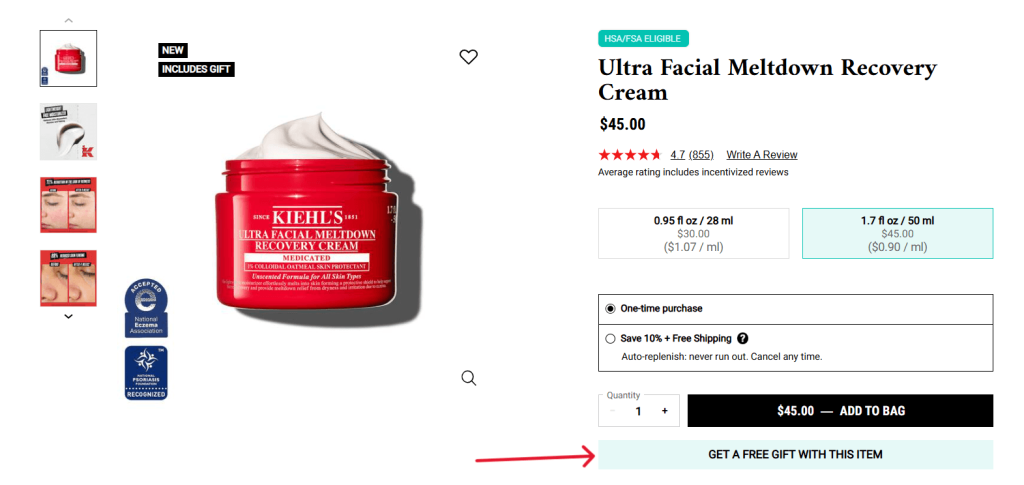
Like free shipping thresholds, rewarding customers who reach a specific cart value or purchase condition with bonus items spurs more customers to add more products to their carts.
The “free gift” can be based on various criteria and positioned in a variety of ways. For example:
- Free gift on orders over $75.
- Buy 2 products and get a free sample.
- Free tote bag with qualifying purchases.
- Free skincare mini with orders above $100.
A not-so-obvious advantage of free gifts over discounts is that, in most instances, customers perceive a free product as more valuable than a small percentage discount. In addition, free gift samples help introduce the product to customers and encourage future purchases.
Tips for offering free gifts with purchase in Shopify
- Choose gifts that complement the main purchase to make the offer enticing to customers.
- Set realistic cart thresholds above your current AOV that your customers can reliably attain.
- Display the reward clearly throughout your website: on product pages, collection pages, in cart, etc.
Best Shopify app to increase AOV via free gifts with purchase
Koala Bundles Volume Discounts lets you create various types of free gifts with purchase campaigns. Merchants can display offers with the help of announcement bars, countdown timers, product page widgets, and in-cart promotions. It also supports product bundles, quantity breaks, volume discounts, one-click upsells, and buy-one-get-one (BOGO) offers.
Which strategy will increase AOV in your Shopify store?
Every strategy on this list is effective for increasing AOV in your Shopify store. However, how you implement them will vary based on your niche, product range, target customers, and other factors important to your business operations.
Not sure which strategy to start with? The top three proven to be most effective across a wide range of niches are:
- Offering paid services and optional add-ons like gift wrapping, shipping protection, rush processing, premium packaging, etc. (implement this with the Dotstore Shopify Extra Fees Manager app).
- Bundling relevant products that contain multiple complementary items (implement this with the Bundler app).
- Setting a free shipping threshold that nudges customers to add more products to their shopping carts to qualify for free shipping (implement this with the Essent FreeShipping Upsell app).
Our parting advice: to maximize effectiveness, don’t implement every strategy outlined at once. Instead, execute one approach at a time. Adapt the strategy to your business operations, and iterate on it. Once you’re confident you’ve reached the maximum reward, move on to the next method.
Shopify Extra Fees Manager
Add dynamic checkout fees for add-ons, upcharges, surcharges, etc., to your Shopify store — the easy way!
14-day, no-questions-asked money-back guarantee.