Table of Contents
The Dotstore builds utility plugins for WooCommerce store owners, covering pricing, product visibility, order management, checkout, and store security.
Black Friday and Cyber Monday bring your biggest order volume of the year, and fraud hides inside that rush. Steep discounts pull in card testers and coupon abusers alongside real buyers.
Key Takeaway
- WooCommerce holiday fraud prevention is layered, not a single setting. Turn on gateway checks, restrict regions, limit and review risky orders, keep a blocklist, and automate scoring before BFCM, so the busiest days of your year are protected before the first fake order arrives.
To protect a WooCommerce store from BFCM fraud, build defense in layers. Turn on AVS, CVV, and 3D Secure at your payment gateway so card mismatches are declined and chargeback liability shifts to the bank. Restrict the countries you sell and ship to. Set order and velocity limits, and control cash on delivery. Review high-risk orders manually, and keep a blocklist so known bad actors cannot return.
This guide covers WooCommerce holiday fraud prevention as a set of layers you can put in place before the surge, so fake orders, card testing, and chargebacks are stopped before they cost you.
Why does fraud spike during Black Friday and Cyber Monday?
High order volume is what fraudsters count on. When hundreds of orders arrive in a day, a stolen-card order or a bot signup looks like every other order, and your team has no time to inspect each one.
Discounts add a second problem. A 40% code is as useful to a card-testing ring as it is to a real shopper, and stacked coupons turn a good offer into a loss. So your most profitable days are also your most exposed.
What types of fraud hit WooCommerce stores during the holidays?
Different attacks need different defenses, so it helps to know what you are actually facing during a sale.
- Stolen card testing: Fraudsters run small orders with stolen card numbers to see which ones still work, often in rapid bursts from the same source known as carding attack.
- Chargeback fraud: A real cardholder disputes a legitimate charge to get goods for free, which costs you the product, the fee, and the staff time to respond.
- Fake and COD orders: Bot-driven or malicious orders with junk details, or cash-on-delivery orders placed with no intention to pay, leaving you the shipping cost.
- Account takeover: An attacker logs into a real customer’s account to abuse saved payment details or loyalty balances.
- Refund and coupon abuse: Repeated returns, stacked coupons, or exploited promo logic that drains margin during your biggest sale.
How AI is changing holiday e-commerce fraud
AI is making holiday fraud faster, cheaper, and higher in volume. Fraudsters use it to run familiar attacks like card testing, phishing, and fake accounts at a scale that would be impossible by hand, which is why these spike during a big sale.
Three shifts matter most going into the holidays:
- Bot-driven card testing. Automated bots test stolen card numbers in rapid bursts, and bot activity climbs sharply over the BFCM period.
- AI-written phishing and fake stores. Fraudsters use AI to produce convincing phishing emails, fake customer-service scripts, and lookalike storefronts, which makes scams harder for your shoppers to spot during a busy sale.
- Synthetic identities and deepfakes. Fabricated but plausible identities let fraudsters clear basic verification checks.
Key takeaway: AI raises the volume and speed of holiday fraud, which is why automated scoring matters more than manual review during the rush.
How do I protect a WooCommerce store from holiday fraud?

Fraud prevention works as a stack of defenses, not a single switch, and the order below runs from the cheapest, broadest protection to the most targeted. Each layer catches what the one before it missed.
| Layer | What it stops | Effort | Where to set it |
| 1. Gateway checks (AVS, CVV, 3D Secure) | Card mismatches, unauthorized-transaction chargebacks (shifts liability to the issuer) | Low | Payment gateway settings (Stripe, PayPal, etc.) |
| 2. Country restrictions | Cross-border fraud from regions you don’t serve | Low | WooCommerce → Settings → General |
| 3. Order & velocity limits + COD control | Automated card testing, high-value fraud, unpaid COD orders | Medium | Anti-fraud plugin / gateway rules |
| 4. Manual review of high-risk orders | Suspicious orders that rules miss (address mismatch, VPN, rush shipping) | High (time) | WooCommerce admin order screen |
| 5. Blocklist | Repeat offenders returning after a first attempt | Medium | Anti-fraud plugin |
| + Automated scoring | Everything above, applied to every order instantly at holiday volume | Low (ongoing) | Anti-fraud plugin |
When does manual fraud review stop working?
Every layer above is worth setting up. For a low-volume store, they may be all you need. But they lean on your attention. Manual review works at twenty orders a day and breaks at two hundred.
Building a blocklist by hand cannot keep pace with a card-testing script. During the holiday rush, fraud peaks at the exact moment your team has the least time to fight it. Automated scoring fills that gap. A WooCommerce anti-fraud plugin applies your rules to every order the instant it arrives, with no fatigue and no backlog.
Can a plugin automate WooCommerce fraud prevention?
WooCommerce Fraud Prevention by The Dotstore has a fraud score engine that lets you assign a weight to each risk signal and set a threshold. An order that trips several red flags gets held or blocked, while clean orders pass through.
You can block by IP, email, domain, browser, ZIP, name, or address. Apply those blocks at registration or at checkout, and run the fraud check before payment, so a bad order never reaches your gateway.

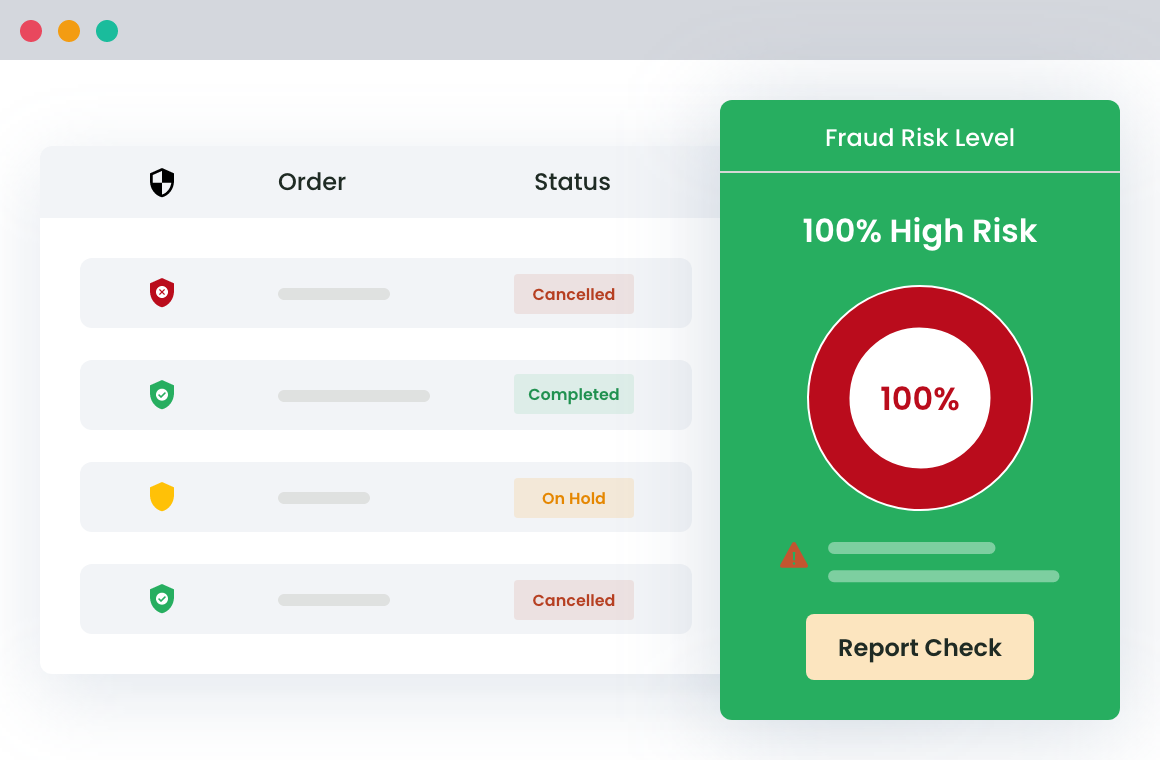
Color-coded risk icons let you scan a busy holiday order list at a glance. A real-time dashboard tracks blocked attempts and score patterns. A whitelist lets trusted repeat customers skip the checks.
You can bulk-upload blacklists by Excel file, and tune each rule’s sensitivity up for the holiday rush, then back down after.
Because AI now drives more of the attacks above, the plugin includes an AI Fraud Detection layer of its own.
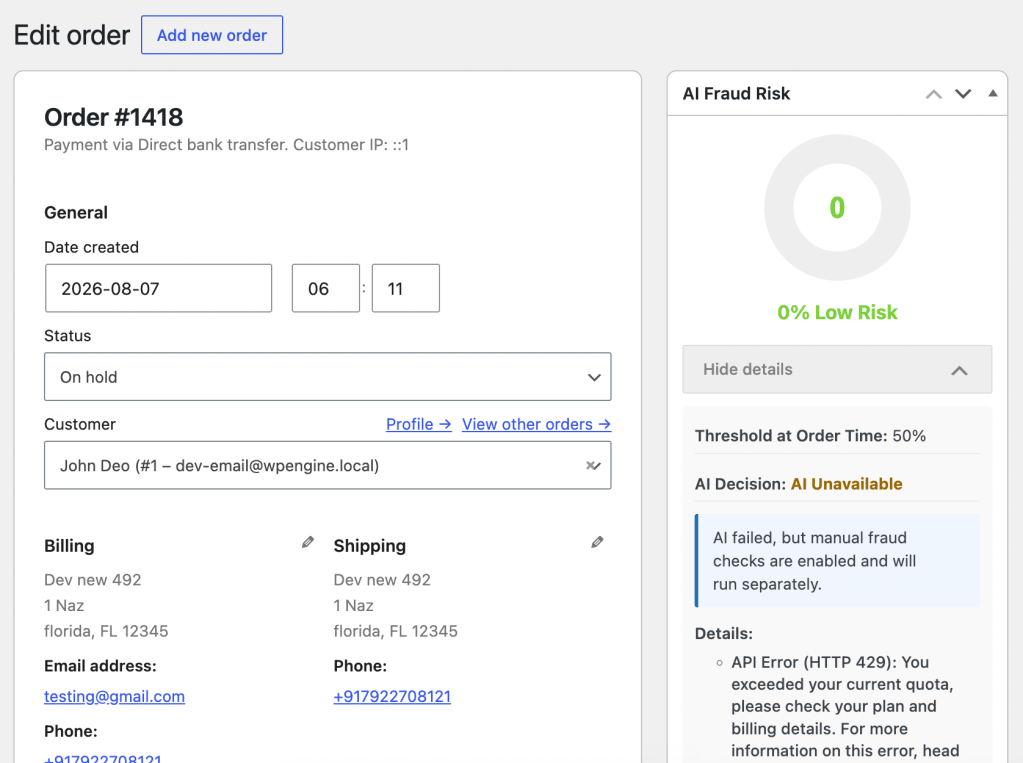
It sends each order to Google or OpenAI for a confidence score and blocks anything above the threshold you set, such as 70. You can run it alongside the plugin’s rule-based engine, so if the AI call fails or hits a rate limit, your manual rules still check the order rather than letting it through.
The AI layer needs your own Google or OpenAI API key, which the provider bills by usage, so it carries a running cost separate from the plugin license. The rule-based engine works without a key.
Fraudulent daily payment volume runs about 8.5x higher during BFCM than in early November.
For many stores the rule-based scoring alone is enough; the AI layer is an option to add when you want it.
How do I handle holiday chargebacks in WooCommerce?
Holiday chargebacks deserve their own attention, because prevention and response are different jobs. For prevention, 3D Secure is your strongest lever. A fully authenticated transaction generally shifts fraud-chargeback liability from you to the card issuer, so enabling it matters beyond just declining bad cards. Blocking fraud before payment helps too. An order that never charges can never be charged back.
For response, know that WooCommerce does not run disputes. Your payment gateway does, and each one sets its own deadline, fee, and evidence process. Disputes show up in your admin under your gateway’s dispute area.
Winning a holiday chargeback dispute comes down to evidence:
- proof of delivery,
- matching order and customer records,
- prior undisputed history with that buyer, and
- 3D Secure authentication data for authenticated payments.
Respond before the deadline, because a missed window is an automatic loss. And pick the disputes you can actually win rather than fighting every one.
Also read: The 6 best WooCommerce spam prevention plugins (compared)
What should be on my pre-BFCM fraud checklist?
Work through this before the traffic arrives:
- Enable AVS, CVV, and 3D Secure at your payment gateway.
- Restrict selling and shipping to countries you serve.
- Set order-value and velocity limits, and cap or restrict COD.
- Define your manual-review warning signs and who checks them.
- Build or import a blocklist of known bad actors.
- Add automated order scoring so the layers run without manual effort.
- Confirm you can pull delivery and authentication evidence for disputes.
WooCommerce Fraud Prevention
Equip your store with our feature-rich fraud prevention plugin to reduce risk and safeguard your profits.
14-day, no-questions-asked money-back guarantee.
Frequently Asked Questions
How do I stop fake orders on WooCommerce during BFCM?
Stopping fake orders during BFCM takes layered defense rather than one setting. Enable AVS, CVV, and 3D Secure at your payment gateway, restrict the countries you sell to, set velocity limits so one source cannot place many orders quickly, and add automated order scoring to flag or block high-risk orders. The combination stops most fake orders without slowing down real customers.
Does WooCommerce have built-in fraud protection?
WooCommerce does not include dedicated fraud protection beyond basic order management. Real protection comes from your payment gateway’s AVS, CVV, and 3D Secure checks, WooCommerce’s own country restrictions, and a dedicated anti-fraud plugin that scores orders and blocks risky ones. Most stores combine all three layers.
Does 3D Secure prevent chargebacks?
3D Secure does not stop every chargeback, but it prevents a major category of them. When a transaction is fully authenticated with 3D Secure, liability for fraud-related chargebacks generally shifts from the merchant to the card issuer, so you are protected against disputes where a cardholder claims they did not authorize the purchase. It does not cover non-fraud disputes like “item not as described.”
Can I block a customer by country in WooCommerce?
Yes, you can block or restrict customers by country in WooCommerce. Basic selling and shipping restrictions live under WooCommerce > Settings > General, and an anti-fraud plugin extends this by blocking orders and registrations by country alongside IP, email, ZIP, and other identifiers. Country blocking removes a large share of cross-border fraud in one step.
When should a store move from manual fraud review to an automated plugin?
A store should move to automated fraud scoring when order volume outgrows the time available to review orders by hand, which for most stores happens during sales like BFCM. Manual review is workable at low volume but cannot keep pace with holiday traffic or automated card-testing attacks. An anti-fraud plugin applies your rules to every order instantly, so protection does not depend on your team’s spare attention.
What does WooCommerce fraud actually cost my store?
How much does fraud rise during Black Friday and Cyber Monday?
Fraud spikes sharply during BFCM. Fraud-prevention firm Riskified found fraudulent daily payment volume runs about 8.5x higher during BFCM than in early November, and holiday seasons account for close to 65% of annual fraud cases. High volume and steep discounts let stolen-card and bot orders blend in with real buyers.
How is AI being used to commit e-commerce fraud during the holidays?
AI lets fraudsters run familiar attacks in far higher volume. It powers bot-driven card testing, AI-written phishing emails and fake storefronts, and a rise in synthetic-identity and deepfake scams. Your defences still hold: velocity limits and automated order scoring stop bot attacks, while AVS, CVV, and 3D Secure catch the stolen cards behind them.
What happens if the AI fraud check fails during checkout?
The order is not waved through. If you run AI fraud detection in the combined mode, a failed or rate-limited AI call falls back to the plugin’s rule-based engine, which checks the order using your manual fraud rules. The order screen shows the AI decision as “AI Unavailable” along with the error, so you can see exactly what happened.