Table of Contents
We’ve compared the 6 best conditional shipping and payments WooCommerce plugins that help you customize your store’s checkout flow. We’ll also show you how to conditionally show, hide, or add extra fees to specific shipping and payment methods.
Key Takeaways
- WooCommerce’s default settings offer limited control to choose which shipping methods and payment gateways appear for each order based on cart contents, location, user role, and other conditions.
- Showing only relevant shipping and payment methods reduces confusion, improves conversions, and prevents issues during checkout.
- Choosing the best WooCommerce plugin to show or hide shipping and payment methods depends on your product catalog, shipping setup, customer types, and how complex your store’s checkout rules are.
- This roundup contains the six best conditional shipping and payments WooCommerce plugins, with Dotstore Conditional Payments for WooCommerce occupying the top spot.
Searching for the best WooCommerce conditional shipping and payments plugins?
By default, WooCommerce enables you to set standard shipping methods and payment gateway settings. This can work fine for small stores, but as you scale with different products, customer types, regions, and order requirements, the default settings can feel limited.
Conditional shipping and payments WooCommerce plugins let you control which shipping methods and payment gateways appear in the checkout flow based on specific rules.
Instead of showing every available shipping and payment method to every customer, these plugins let you decide what should appear based on various conditions.
The result? A clutter-free checkout experience that reduces confusion and boosts conversions.
In this post, we’ve rounded up the six best conditional shipping and payments plugins for WooCommerce stores of all sizes, starting with Dotstore Conditional Payments for WooCommerce, our top pick.
A quick note: Hello and welcome, you’re reading The Dotstore blog! Our team has been working on ecommerce software since 2009, and this roundup features 3 Dotstore plugins that help control which shipping and payment methods are available in the checkout. Although we genuinely believe they are the overall best options in this category, we know they may not be the perfect fit for every store or use case.
So, we also researched and included additional plugins that offer similar functionality. We reviewed how they work so you can compare your options and choose the best match for your business. We’ve done our best to keep this roundup fair, balanced, and genuinely useful.
Want to see whether Dotstore’s plugins are the right fit for your WooCommerce store? Try out the live demos or install the free or pro versions on your site now.
- Dotstore Conditional Payments for WooCommerce. It lets you enable or disable payment gateways based on shipping methods, cart subtotal, customer country, billing details, products in the cart, user role, and more. Also, you can add extra fees to orders based on specific payment methods. Check out the live demo or add the free or pro version to your WooCommerce store.
- Dotstore Hide Shipping Method for WooCommerce. It helps you hide shipping methods based on payment method, postcode, country, cart weight, shipping class, category, coupon use, and customer role. Check out the live demo or add the free or pro version to your WooCommerce store.
- Dotstore Flat Rate Shipping Plugin for WooCommerce. It allows unlimited custom flat-rate shipping based on payment method, weight, quantity, subtotal, destination, user role, categories, and more. Check out the live demo or add the free or pro version to your WooCommerce store.
Otherwise, read on for a rundown of what to look for in a WooCommerce conditional shipping and payments plugin, followed by the remaining picks.
What makes a great WooCommerce conditional shipping and payments plugin?
Conditional shipping and payments plugins for WooCommerce come in different shapes and sizes. So how do you pick the right one for your site based on your product catalog, shipping capabilities, and business operations?
Here are the top 3 factors to consider when choosing a WooCommerce conditional shipping and payments plugin for your store.
- Support for both shipping and payment methods. Some plugins only manage shipping method restrictions, with no way to restrict payment methods, and vice versa. The best plugins enable you to control both from the same dashboard, so you can create smarter checkout flows with ease.
- Flexible rule conditions. As most stores scale, they quickly outgrow plugins that only enable one or two rule types. You should be able to create shipping and payment method rules based on conditions most relevant to your business. This includes cart subtotal, order weight, product category, specific products, shipping country or state, user role, coupon usage, cart quantity, and others.
- Multiple conditions in a single rule. Most stores rarely run on one-condition logic. You should be able to combine multiple conditions with AND / OR conditions so you can customize your checkout flow.
6 best conditional shipping and payments WooCommerce plugins
The 6 best WooCommerce conditional shipping and payments plugins are:
- Dotstore Conditional Payments For WooCommerce
- Dotstore Hide Shipping Method For WooCommerce
- Dotstore Flat Rate Shipping Plugin for WooCommerce
- Conditional Shipping and Payments for WooCommerce by Woo
- Extendons Conditional Shipping and Payment Methods for WooCommerce
- Codiepress WooCommerce Conditional Shipping and Payments
Dotstore Conditional Payments for WooCommerce
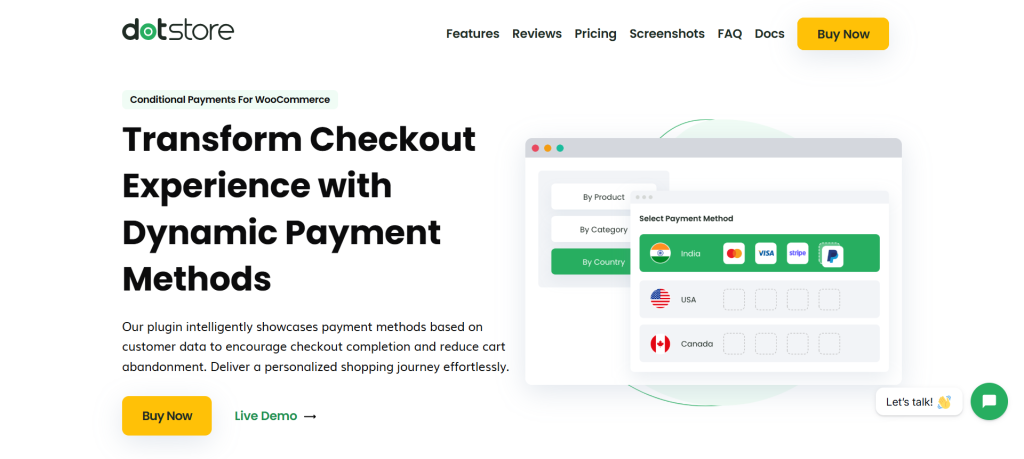
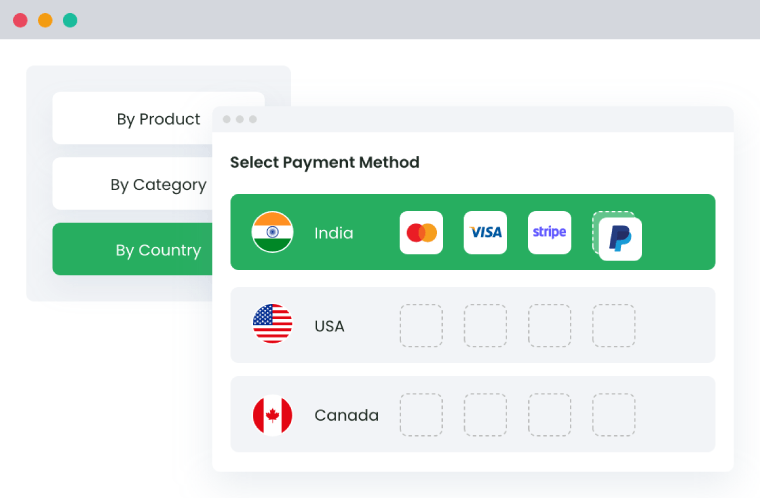
Dotstore Conditional Payments for WooCommerce lets you align payment methods with the shipping methods selected during checkout.
It lets you set 3 different kinds of shipping and payment method-related conditions:
- Enable specific payment methods for specific shipping methods.
- Disable specific payment methods for specific shipping methods.
- Add extra fees to specific payment methods when specific shipping methods are selected.
You can show or hide payment methods based on shipping classes, shipping methods, and other conditions like products in the cart, product categories, product tags, product quantity, stock status, cart subtotal, weight, billing details, user role, login status, country, postcode, and more.
In the checkout flow, instead of displaying every gateway to every shopper, it lets you use smart rules to enable, disable, and adjust payment options as needed.
For example, you can hide cash on delivery for large orders, offer bank transfer only to domestic customers, or show PayPal only for international customers.
Want to check out this conditional shipping and payments for WooCommerce plugin? Try out Dotstore Conditional Payments for WooCommerce’s live demo or install the free or pro versions on your site now.
Standout features
- A wide range of conditions. It lets you enable or restrict payment gateways based on shipping methods, shipping location, shipping classes, products, categories, tags, attributes, stock status, user role, subtotal, weight, quantity, etc.
- Payment gateway-specific fees. Dotstore Conditional Payments for WooCommerce lets you add conditional charges to selected payment methods to offset transaction costs.
- Custom unavailable messages. To avoid confusion during checkout, you can explain why a specific payment gateway is hidden and guide customers toward available options.
- Date and time scheduling. It enables you to adjust payment options by day, date, or time window so you can control their availability.
Conditional Payments For Woocommerce
Reduce risk and supercharge your conversions with strategic payment limitations.
14-day, no-questions-asked money-back guarantee.
Dotstore Hide Shipping Method For WooCommerce
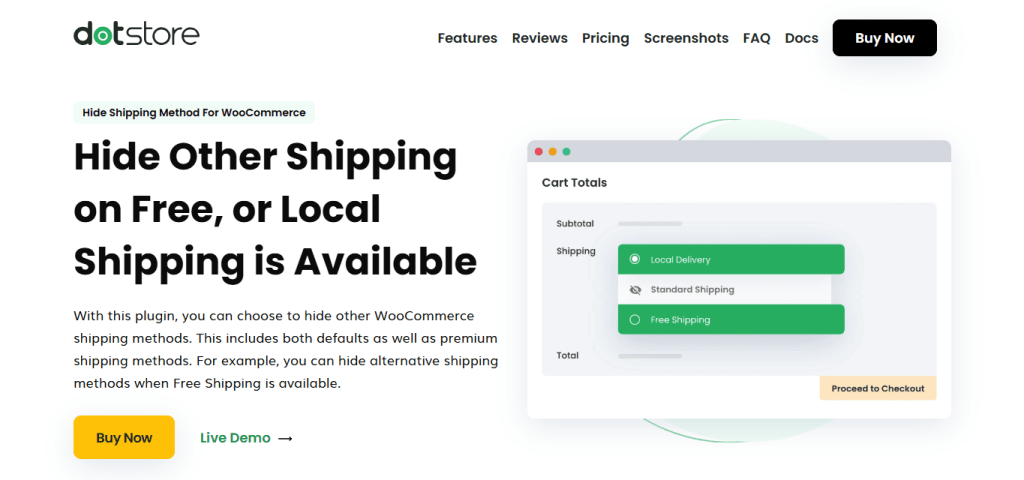
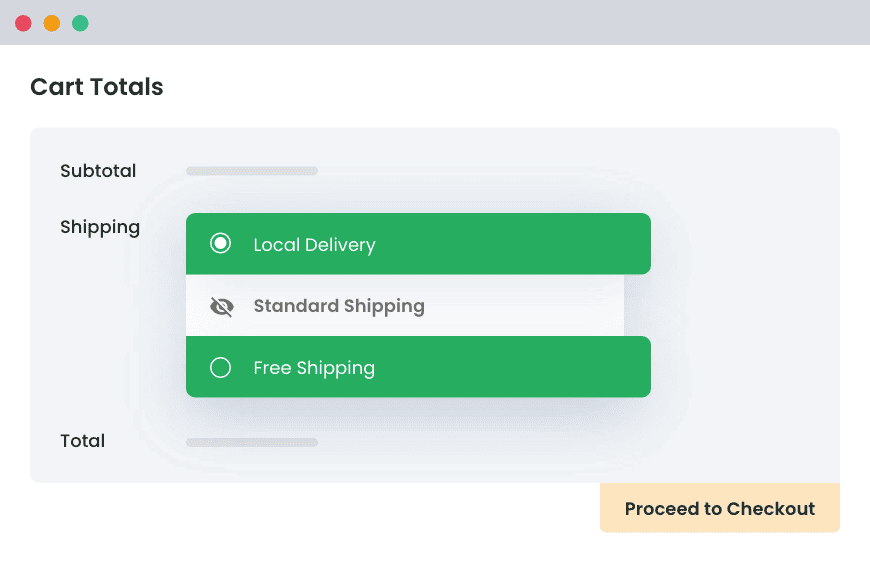
Dotstore Hide Shipping Method for WooCommerce lets you hide specific shipping methods based on payment methods and other conditions you set, rather than showing every available option to every customer.
It works for both default WooCommerce shipping methods and custom shipping methods created with third-party shipping plugins.
It lets you hide shipping and payment methods based on a wide range of conditions, including country, state, city, postcode, user roles, product attributes, product types, shipping class, category, quantity, subtotal, cart weight, dimensions, and more.
You can set up multiple rules at a time, each with custom conditions, to tailor your store’s checkout flow for each customer type.
Want to check out this conditional shipping and payments for WooCommerce plugin? Try out Hide Shipping Method for WooCommerce’s live demo or install the free or pro version on your site now.
Standout features
- Set advanced rule conditions. You can create rules that conditionally hide shipping and payment methods based on products, categories, cart totals, weight, dimensions, quantity, and more.
- Date and time scheduling. Instead of manually hiding shipping and payment methods just before the rule is meant to go live, you can schedule them to activate on specific days and hours.
- Different payment and shipping methods. It lets you hide both standard shipping and payment methods, as well as custom methods set up through external plugins.
Hide Shipping for WooCommerce
Hide all other shipping methods when free shipping and/or local pickup are available in two minutes or less.
14-day, no-questions-asked money-back guarantee.
Dotstore Flat Rate Shipping Plugin for WooCommerce
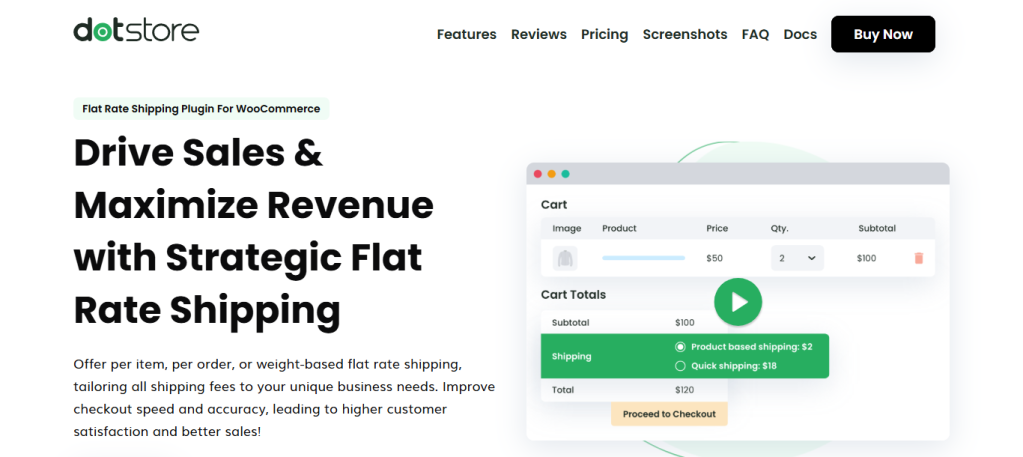
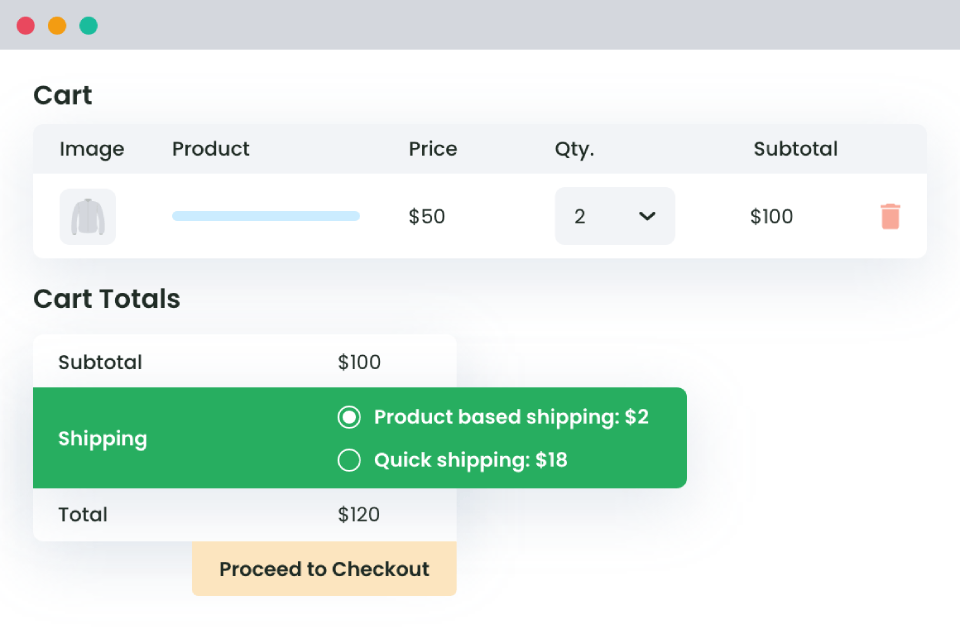
Dotstore Flat Rate Shipping Plugin for WooCommerce lets you control available flat rate shipping methods and payment gateways based on defined conditions.
Instead of relying on one simple flat fee per zone (as imposed by WooCommerce’s default shipping settings), Dotstore Flat Rate Shipping Plugin for WooCommerce lets you create condition-based shipping methods that adapt to the payment method, cart contents, user role, location, and order details during checkout.
It gives you complete control to prioritize how shipping methods appear on the checkout screen. You can choose to show the cheapest option, the highest rate, all available rates, or let customers choose between them.
Want to check out this conditional shipping and payments for WooCommerce plugin? Try out Dotstore Flat Rate Shipping Plugin for WooCommerce’s live demo or install the free or pro version on your site now.
Standout features
- Unlimited shipping zones. Unlike with WooCommerce’s default shipping settings alone, you can set up separate flat-rate methods for different countries, states, cities, or postcodes.
- Advanced conditional shipping rules. It lets you create shipping methods based on specific products, variations, categories, tags, cart subtotal, weight, quantity, user roles, destination, and other conditions.
- Combined shipping options. It allows you to merge multiple shipping methods into one simplified option during the checkout flow.
- Schedule shipping methods. You can schedule specific flat rate shipping methods and payment method settings to be shown only on selected dates, weekdays, or seasonal windows.
Advanced Flat Rate Shipping Methods
Boost your WooCommerce store’s revenue with flexible shipping options. Your business deserves the best!
14-day, no-questions-asked money-back guarantee.
Conditional Shipping and Payments for WooCommerce by Woo
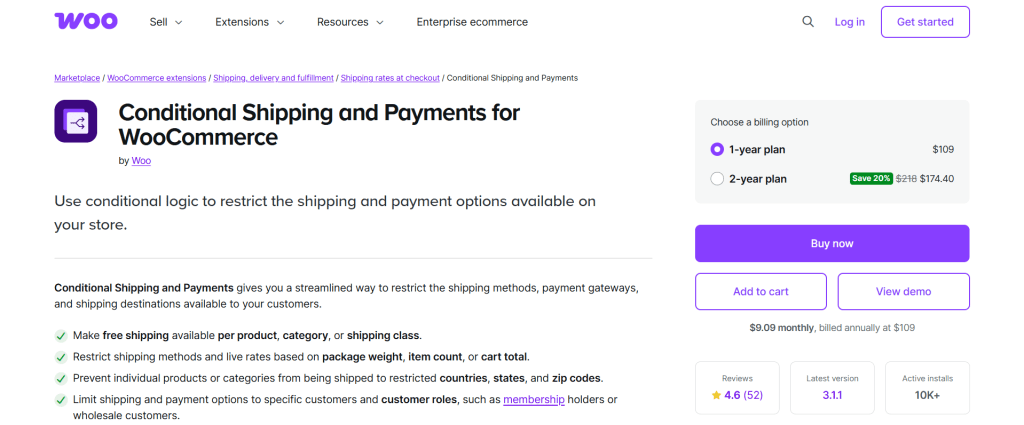
Conditional Shipping and Payments for WooCommerce enables you to use conditional logic across both shipping and payments to determine how they show up in the checkout flow.
You can hide or restrict shipping methods based on products, categories, shipping classes, cart weight, item quantity, order total, coupons, subscriptions, and user roles.
On the payment side, the plugin lets you restrict gateways using shipping method, country, state, postcode, billing country, order total, currency, products in the cart, subscriptions, or user role.
One of this plugin’s standout features is the ability to set shipping destination restrictions. You can block specific products or categories (think: hazardous products, fragile goods, etc) from being shipped to certain countries, states, or regions due to customs limits or shipping carrier restrictions.
Extendons Conditional Shipping and Payment Methods for WooCommerce
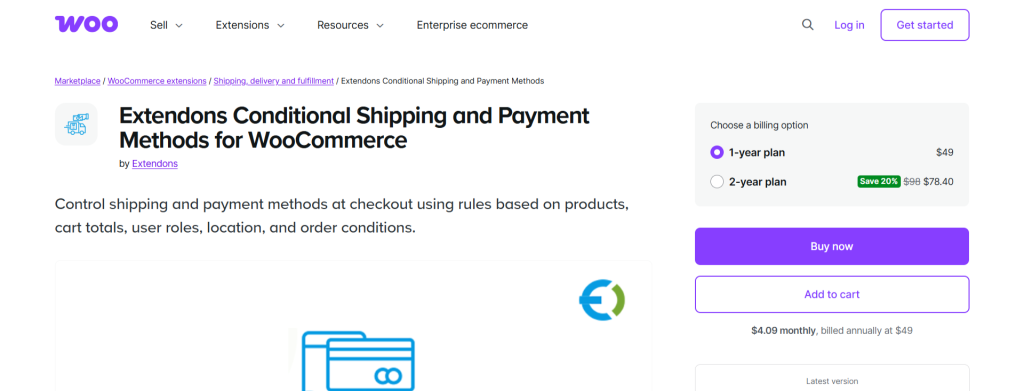
Extendons Conditional Shipping and Payment Methods for WooCommerce is another rules-based checkout plugin that controls which shipping methods and payment gateways appear during checkout.
It works with both the Cart and Checkout block experiences. Instead of showing every available option to every shopper, it lets you customize checkout choices for each order.
It allows you to set payment gateway restrictions using products, categories, subtotal, coupons, billing or shipping address, user roles, and cart details.
You can show or hide shipping methods based on products in the cart, categories, shipping classes, subtotal, weight, item count, user role, and customer location.
Extendons Conditional Shipping and Payment Methods for WooCommerce enables precise location targeting by country, state, city, and postcode. It also includes support for third-party shipping carriers like FedEx, UPS, DHL, and external payment gateways.
Codiepress WooCommerce Conditional Shipping and Payments
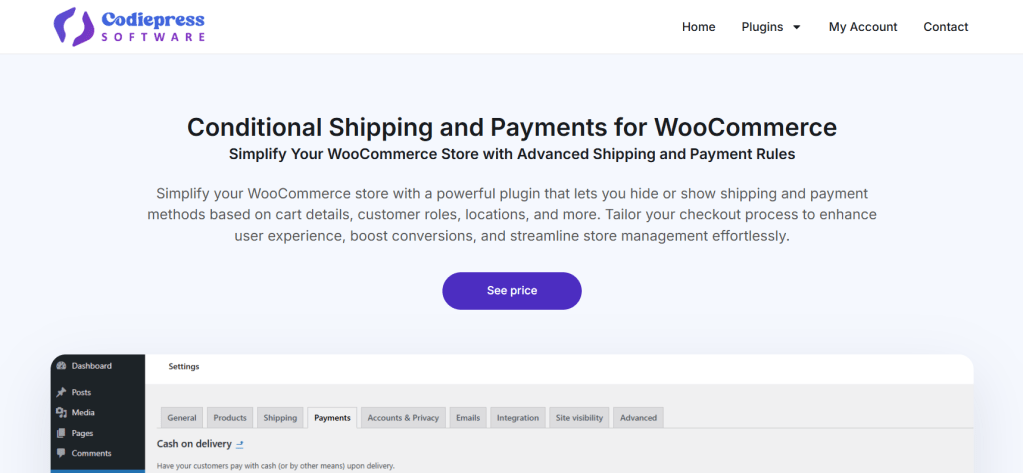
Codiepress WooCommerce Conditional Shipping and Payments is a relatively new checkout rules plugin that lets you control which shipping methods and payment gateways appear in the checkout.
On the shipping side, the plugin lets you hide or enable methods using conditions such as cart subtotal, order weight, product quantity, shipping class, specific products, product categories, addresses, date, or time.
On the payment side, the plugin gives you dynamic gateway restrictions based on customer role, billing country, cart totals, products in the cart, discounts, coupons, and order history.
Codiepress WooCommerce Conditional Shipping and Payments supports user-based shipping logic that shows different options to customers based on their user roles.
Note: As noted, this is a relatively new plugin. As such, it may require prior testing with niche payment gateways to ensure compatibility.
How to set up conditional shipping and payments for WooCommerce
Here’s a step-by-step walkthrough of how to set up conditional shipping and payments for WooCommerce using the Dotstore Conditional Payments for WooCommerce plugin. For this tutorial, I’ll show you how to hide the free shipping method for the cash on delivery payment method.
- Add Conditional Payments for WooCommerce’s free or pro version to your site.
- In your site’s admin, navigate to WooCommerce → Settings → Payments.
- Press “Add New” and turn on the “Status” button.
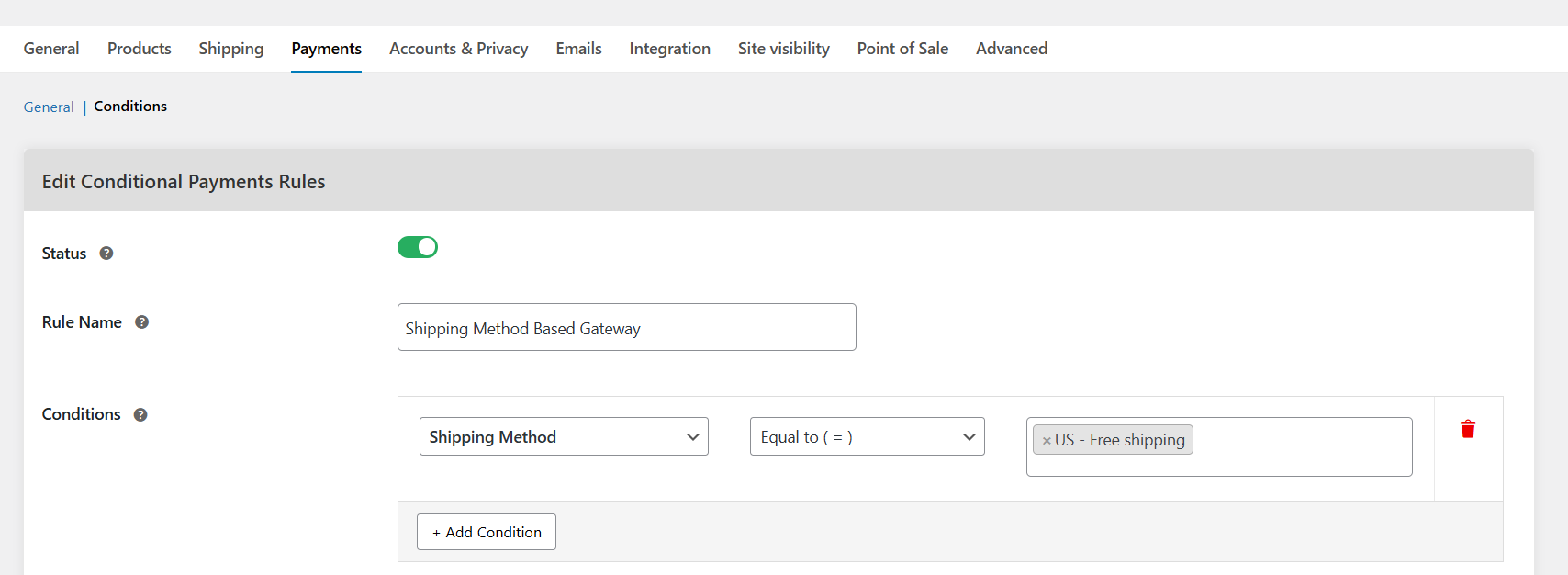
- Name this conditional shipping and payments rule in the “Rule Name” field.
- In the “Conditions” field, select “Shipping Method” equal to the specific shipping method to which you want to set conditions. For this tutorial, I’ll select the “Free Shipping” shipping method.
- Choose the desired action from the “Action” dropdown. You can enable specific payment methods, disable specific payment methods, or add a payment method fee. For this tutorial, I’ll select the “Disable Payment Methods” action.
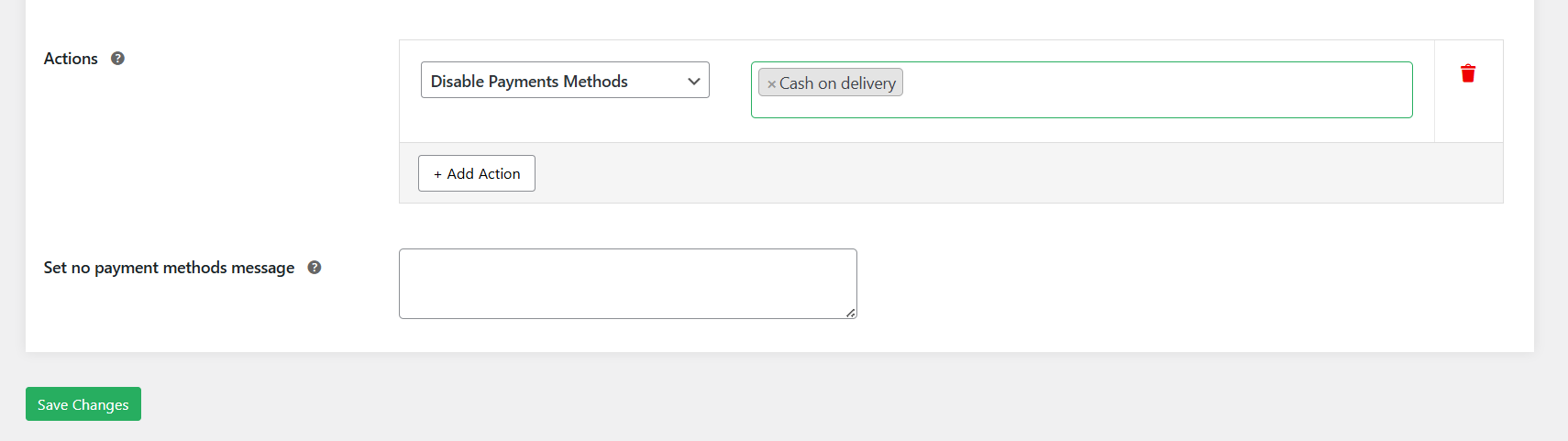
- Select the desired payment method you want to conditionally show / hide / add a fee to. For this tutorial, I’ll select the “Cash on Delivery” payment method.
- Customize the notice shown to customers if there are no payment methods available for checkout.
- Press the “Save changes” button at the bottom of the page.
Ready to set shipping and payment method conditions in WooCommerce?
Some plugins are designed to apply broad conditional rules that manage both shipping methods and payment gateways from one dashboard.
These are ideal if you want an all-in-one solution for showing, hiding, or restricting checkout options based on cart totals, customer location, products in the cart, user roles, and more.
Others are more specialized and are built to cater to specific shipping and payment strategies. Nevertheless, every plugin on this list is a solid option.
To recap, our top 3 picks are:
- Dotstore Conditional Payments for WooCommerce. It lets you enable or disable payment gateways based on shipping method, cart subtotal, customer country, billing details, products in the cart, user role, and more. You can also add extra fees to orders based on specific payment methods. Check out the live demo or add the free or pro version to your WooCommerce store.
- Dotstore Hide Shipping Method for WooCommerce. It helps you hide shipping methods based on payment method, postcode, country, cart weight, shipping class, category, coupon use, and customer role. Check out the live demo or add the free or pro version to your WooCommerce store.
- Dotstore Flat Rate Shipping Plugin for WooCommerce. It allows unlimited custom flat-rate shipping based on payment method, weight, quantity, subtotal, destination, user role, categories, and more. Check out the live demo or add the free or pro version to your WooCommerce store.
Get started with these WooCommerce conditional shipping and payments plugins. If they don’t fit your specific needs, there are three additional excellent options on this list worth exploring.