Table of Contents
Learn how to stop failed order spam bots, scripts, and API attacks in WooCommerce, including those with “unknown” origin.
Key Takeaways
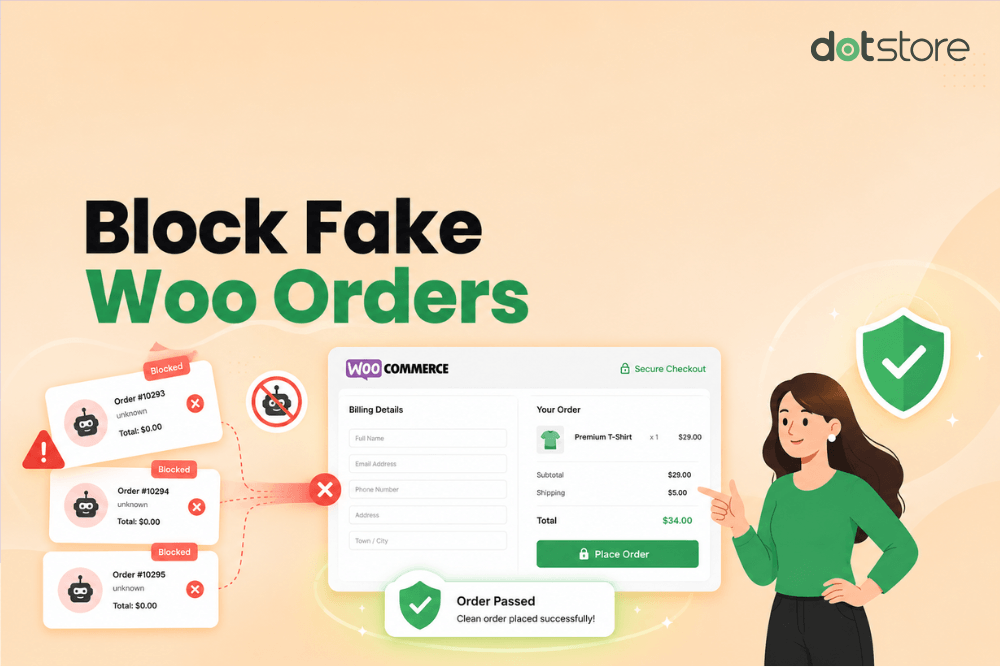
- In WooCommerce, failed order spam describes attacks where bots, APIs, or scripts flood a store with fake checkout attempts that appear as “Failed”, “Pending”, or “Canceled” orders.
- Failed orders with an “unknown” origin usually indicate automated checkout attempts submitted through APIs, scripts, or bots instead of genuine, human customers.
- Most failed order spam attacks are carried out with the intent of testing stolen cards (also known as carding attacks) or malicious attempts to overload your store’s server and website.
- Dotstore WooCommerce Fraud Prevention is the best plugin for stopping failed order spam (including those with “unknown” origin).
- The Dotstore WooCommerce Fraud Prevention plugin uses AI-powered spam detection, API checkout protection, Google reCAPTCHA, fraud scoring, checkout locks, automatic blacklists, and more, to thwart spam attacks.
More and more WooCommerce admins have been dealing with failed order spam attacks on their stores.
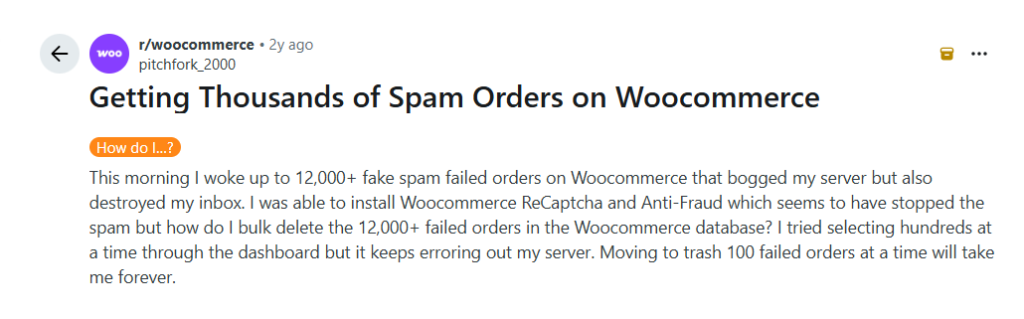
Case in point: This store admin woke up to more than twelve thousand failed transaction notifications from orders placed overnight. They then had to deal with an overloaded server and an inbox flooded with failed order notification emails.
WooCommerce stores are easy targets because checkout pages are publicly accessible by default. Not to mention, many stores allow guest checkout and don’t include advanced anti-fraud protections out of the box.
The good news is that there are various security measures you can take to put a stop to the attacks.
In this tutorial, I’ll explain what WooCommerce failed order spam is and how to identify whether your store is being targeted. Then I’ll walk you through the immediate and long-term steps to stop failed order spam in your WooCommerce store.
Plugin mentioned in this tutorial
- Dotstore WooCommerce Fraud Prevention Plugin: A comprehensive anti-fraud plugin that combines AI-powered fraud detection with advanced validation rules, rate limits, reCAPTCHA, blacklists, and more, to identify suspicious checkout activity and stop spam bots before they place orders on your store. Check out the live demo or get started with the free or pro version now.
WooCommerce Fraud Prevention
Equip your store with our feature-rich fraud prevention plugin to reduce risk and safeguard your profits.
14-day, no-questions-asked money-back guarantee.
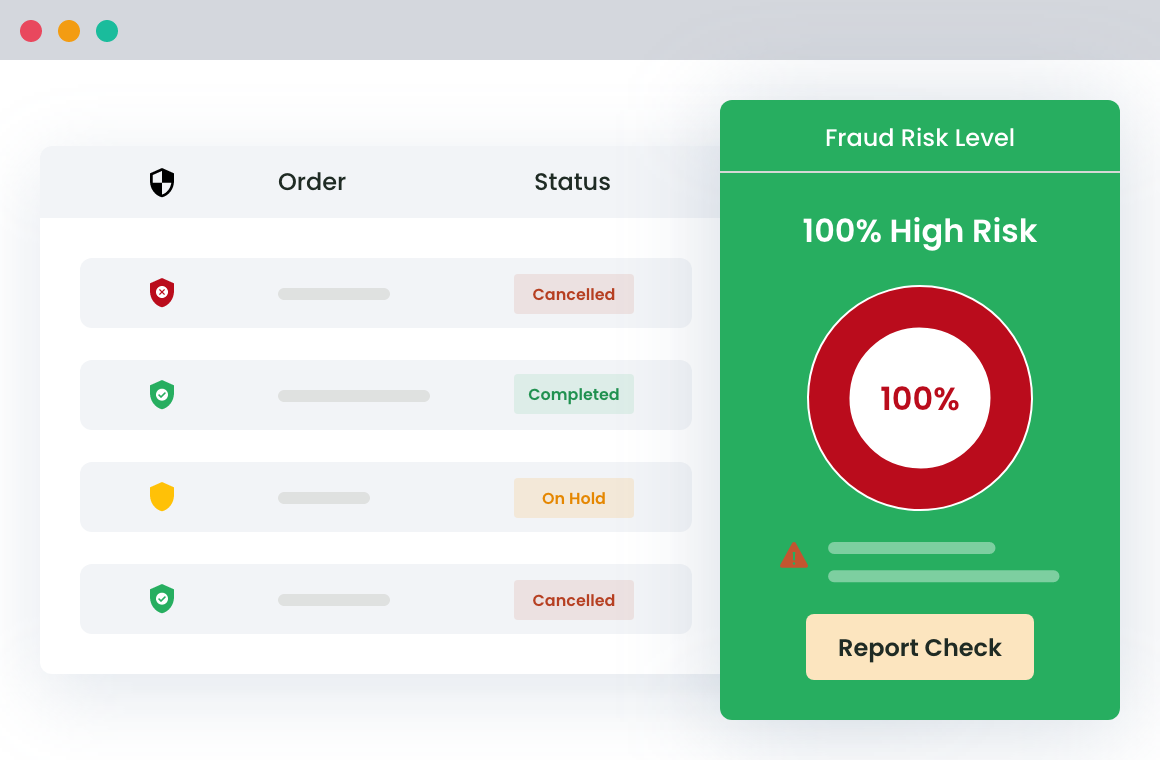
What is WooCommerce failed order spam?
In WooCommerce, failed order spam happens when bots or malicious users flood your store with fake checkout attempts that appear as “Failed”, “Pending”, or sometimes “Canceled” orders in your store’s admin dashboard.
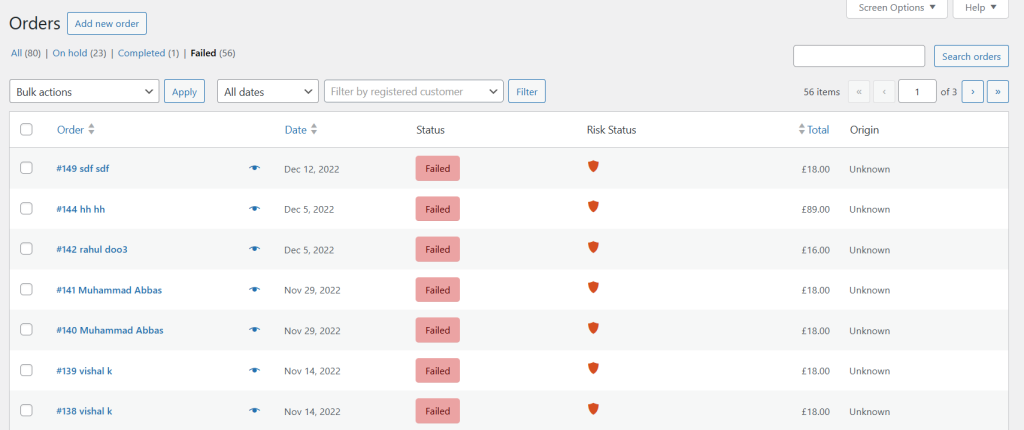
These fake orders can be in the hundreds or thousands and are usually of low-cost products because smaller transactions are less likely to trigger fraud alerts from payment gateways.
As you can imagine, such a large number of fake orders can slow down your site’s server, distort analytics data, trigger fraud warnings from payment processors, or worse, result in payment processors temporarily restricting your merchant account.
What is a failed order with an unknown origin in WooCommerce?
In WooCommerce, a failed order with an “unknown” origin or status refers to order attempts that couldn’t be linked to a normal customer browsing session or checkout flow.
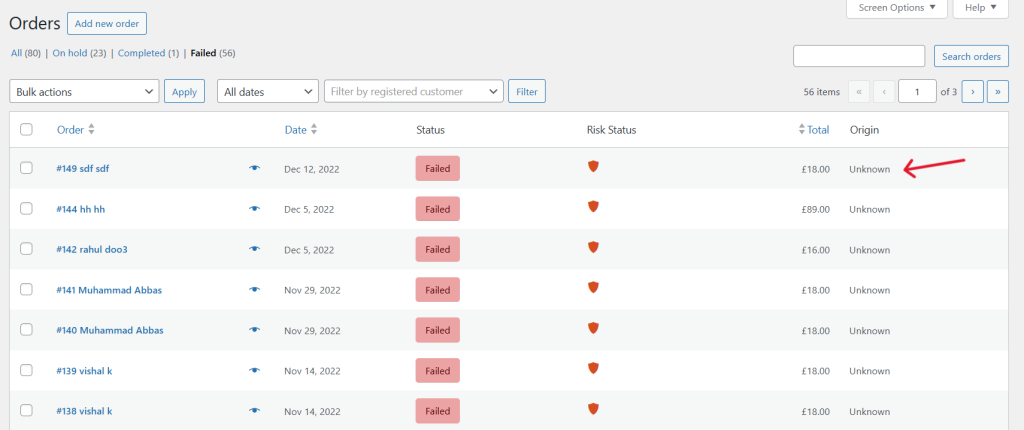
This means those orders that lack proper session tracking, have missing device or browser attribution, originate from automated API requests, or somehow bypass normal checkout behavior.
Failed orders with “unknown” origins are a common outcome of automated spam or card testing attacks, where bots submit checkout requests directly through APIs, scripts, or automated tools instead of through your store’s frontend like a genuine human.
Why do WooCommerce stores receive failed order spam?
At first glance, failed order spam seems absolutely pointless. Why would anyone waste time placing hundreds or even thousands of fake orders for low-cost products?
In reality, these spam attacks usually aren’t carried out by humans manually attempting the checkout process. Most WooCommerce failed order spam attacks are fully automated using bots, scripts, and malicious software that can launch thousands of checkout attempts within minutes.
There are two main reasons behind most failed spam order attempts in WooCommerce, namely:
- Card testing / carding attacks. Fraudsters use stolen credit card details purchased from data leaks or dark web marketplaces and test them on WooCommerce stores to see which cards are still valid. If a transaction succeeds, they can later use the payment credentials elsewhere for larger fraudulent purchases.
- Malicious intent and server abuse. Bots are known to test checkout APIs, payment gateway responses, and security vulnerabilities to identify weaknesses in your WooCommerce setup before launching larger attacks in the future.
How to identify a failed order spam attack in WooCommerce
It is not uncommon for WooCommerce stores to receive occasional failed transactions. Genuine customers sometimes mistakenly enter incorrect card details, use an expired payment method, or abandon checkout midway through the payment process.
So, how do you tell the difference between legitimate failed payments and bot-driven spam order attempts? Here are the five most common warning signs that your WooCommerce store is being attacked by spam bots:
- Unusually high volume of transactions. Automated card testing bots are known to submit payment attempts continuously. Some stores experience failed orders every few seconds, nonstop failed order notification emails, or thousands of checkout attempts within the span of a few hours.
- Random or gibberish customer details. Spam orders notoriously contain obviously fake information. Think: random customer names, disposable email addresses, incomplete billing details, meaningless addresses, invalid phone numbers, etc.
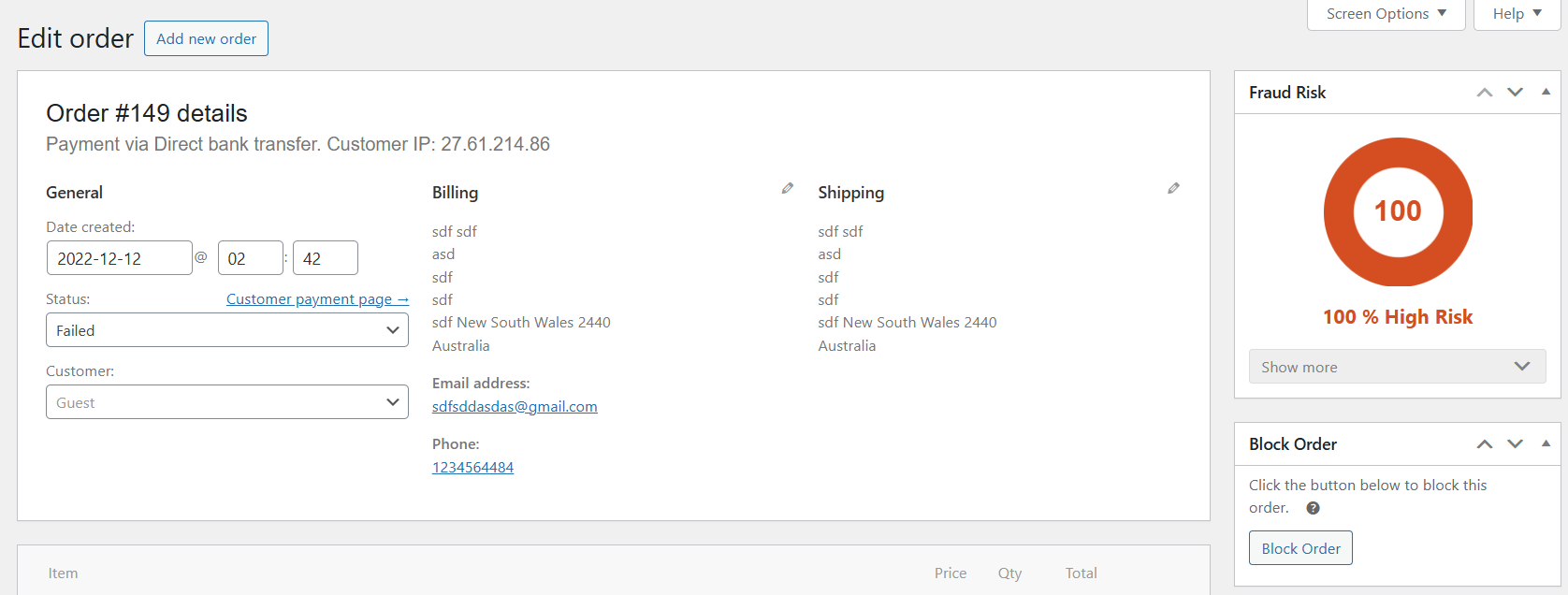
- Multiple failed orders with slight variations. Bots and scripts are programmed to auto-generate customer data for each checkout attempt. It’s common to receive multiple failed orders with repetitive email structures, nonsense text, or nearly identical customer information with only slight variations.
- Repeated purchases of the same set of low-cost products. Small purchases are less likely to trigger fraud reviews by banks and payment gateways. For this reason, most fraudsters who run carding attacks test cards with inexpensive items. So you may notice that the same set of low-cost products repeatedly appears in your failed orders list.
- Site performance and server issues. Because bots continuously hit checkout pages and payment endpoints, your site’s server may struggle to keep up with the sudden traffic load. As a result, you may notice unusual spikes in CPU or bandwidth usage, increased server resource consumption, and sluggish website performance overall.
Important: If you do identify failed order spam on your WooCommerce site, make sure you check your payment processor merchant account to make sure you were not charged extra transaction fees.
The best WooCommerce failed order spam protection plugin
Dotstore WooCommerce Fraud Prevention plugin is a comprehensive plugin that monitors checkout activity to detect suspicious behavior and blocks fake orders before they are placed. It is available in robust free and pro versions.
Unlike basic spam prevention plugins that rely on a handful of features to protect your store, the plugin combines multiple fraud prevention tools to defend against spam bots, automated scripts, and human fraudsters.
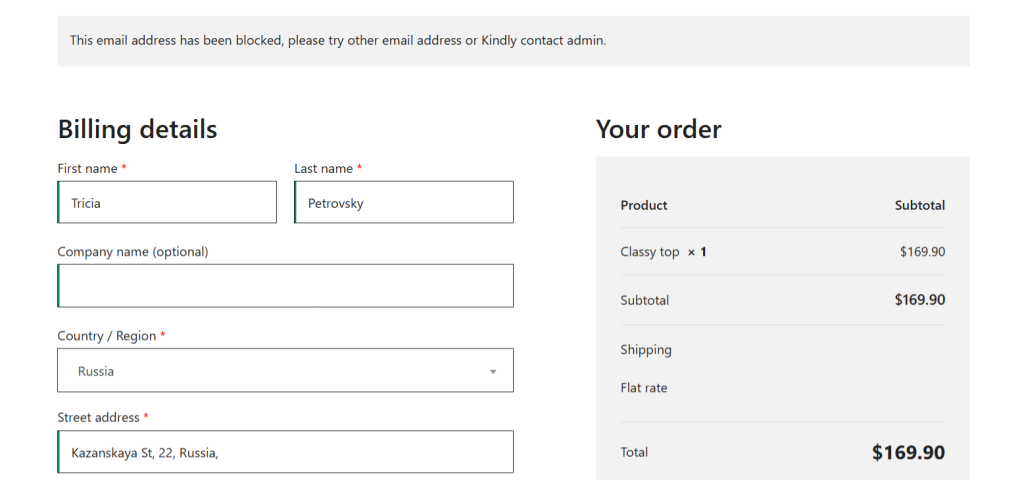
Once configured, you can choose how suspicious orders should be handled: automatically block high-risk transactions or place suspicious checkout attempts on hold for manual review by your site admins. Both options prevent spammers from placing successful fake orders that end up with the “failed” or “unknown” origin statuses.
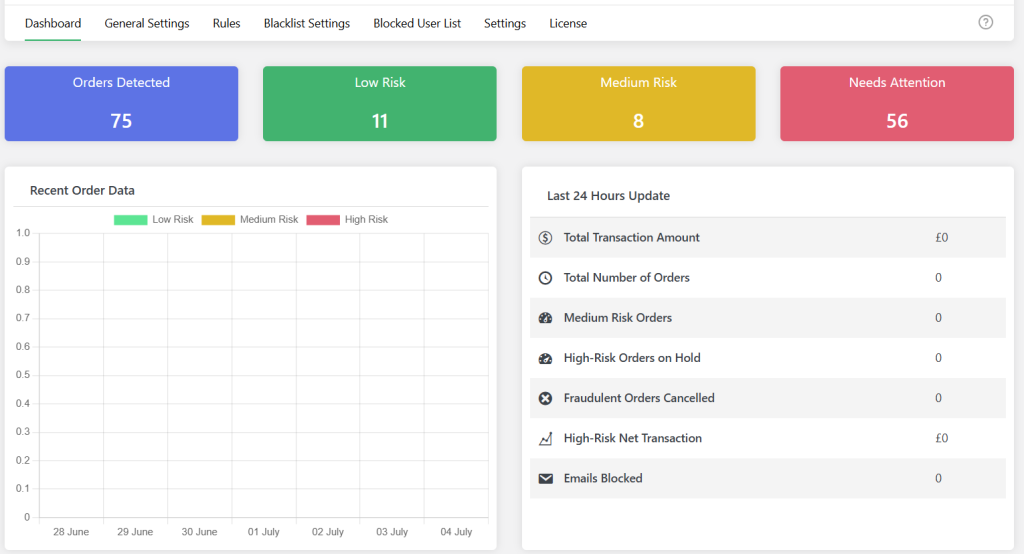
The Dotstore WooCommerce Fraud Prevention plugin prevents failed order spam bots and scripts using six powerful features, namely:
- API checkout protection. This prevents bots from targeting your WooCommerce APIs directly to automate checkout requests behind the scenes. It secures WooCommerce API-based checkout requests and blocks suspicious automated order attempts before they’re processed.
- Restrict checkout access for failed orders by the same user. Not all cards tested in a card testing attack will enable successful transactions. Putting a temporary checkout lock on failed orders after multiple failed payment attempts within a short timeframe (like 10 attempts within 5 minutes) from the same user or IP address stops bots from carrying out carding attacks.
- Google reCAPTCHA protection on the checkout page. You can enable Google reCAPTCHA v2 or v3 on your WooCommerce store’s checkout page to add an extra verification layer that filters out automated bots attempting to submit fake transactions.
- AI-powered spam detection. Powered by Google and OpenAI, its AI-powered fraud analysis feature evaluates checkout activity in real time to identify suspicious patterns and automatically block or flag orders that exceed spam and fraud thresholds.
- Custom fraud detection engine. Its built-in fraud detection engine compares checkout attempts against multiple parameters, such as IP, checkout frequency, location, etc, before orders are placed. Orders that hit or exceed your configured fraud threshold can automatically be blocked or placed on hold.
- Automatic blacklists. You can automatically block specific suspicious users based on IP addresses, email addresses, physical addresses, domains, billing names, countries, browsers, and tons of other parameters. This feature is particularly useful for stopping repeated spam attacks known to originate from the same sources.
Important note: Some of these features are only available on the plugin’s pro version.
You can combine the Dotstore WooCommerce Fraud Prevention plugin with Cloudflare, server-level firewalls, and additional protections. However, many WooCommerce admins find that it provides sufficient protection against failed order spam because it includes multiple anti-spam and anti-fraud features in one. This saves you from having to use multiple plugins and software tools to achieve the same goal.
How to stop WooCommerce failed order spam
Here’s a step-by-step guide to stop failed order spam (including those with “unknown” origin) from your WooCommerce store.
- Download the Dotstore WooCommerce Fraud Prevention plugin’s free or pro version to your site.
- Navigate to Dotstore Plugins → Fraud Prevention → General Settings.
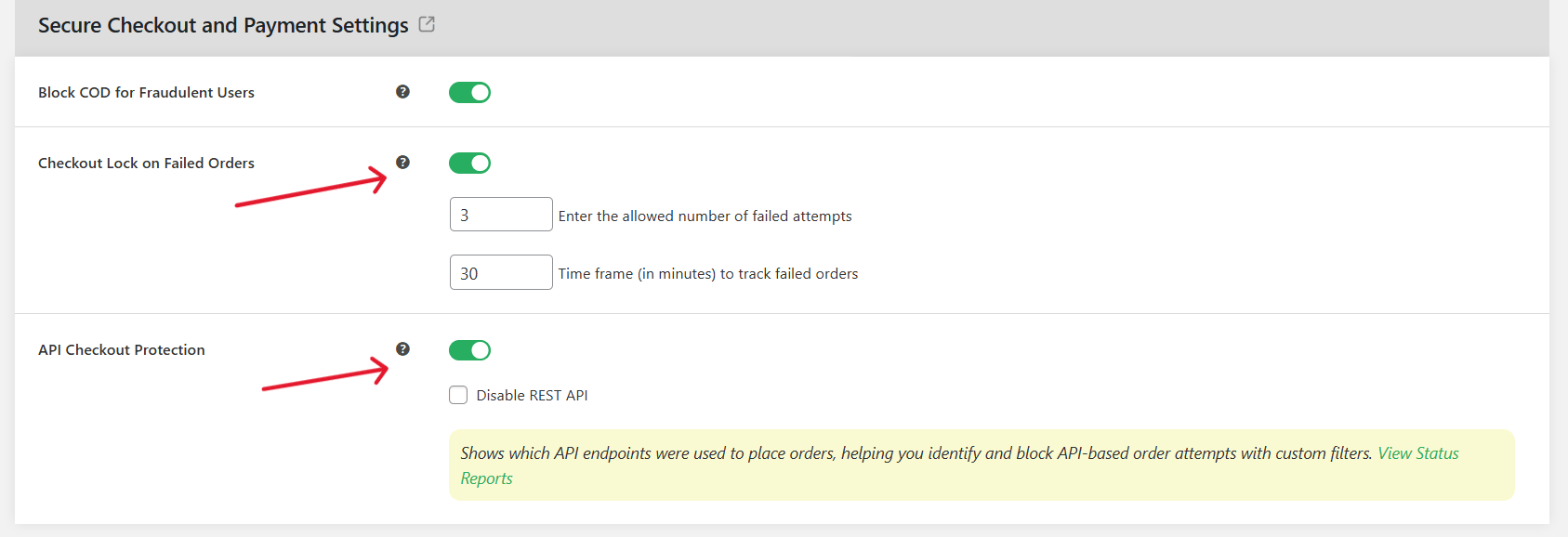
- To enable API checkout protection and restrict checkout access for failed orders by the same user: In the “Secure Checkout and Payment Settings” section, enable “Checkout Lock on Failed Orders” and “API Checkout Protection”.
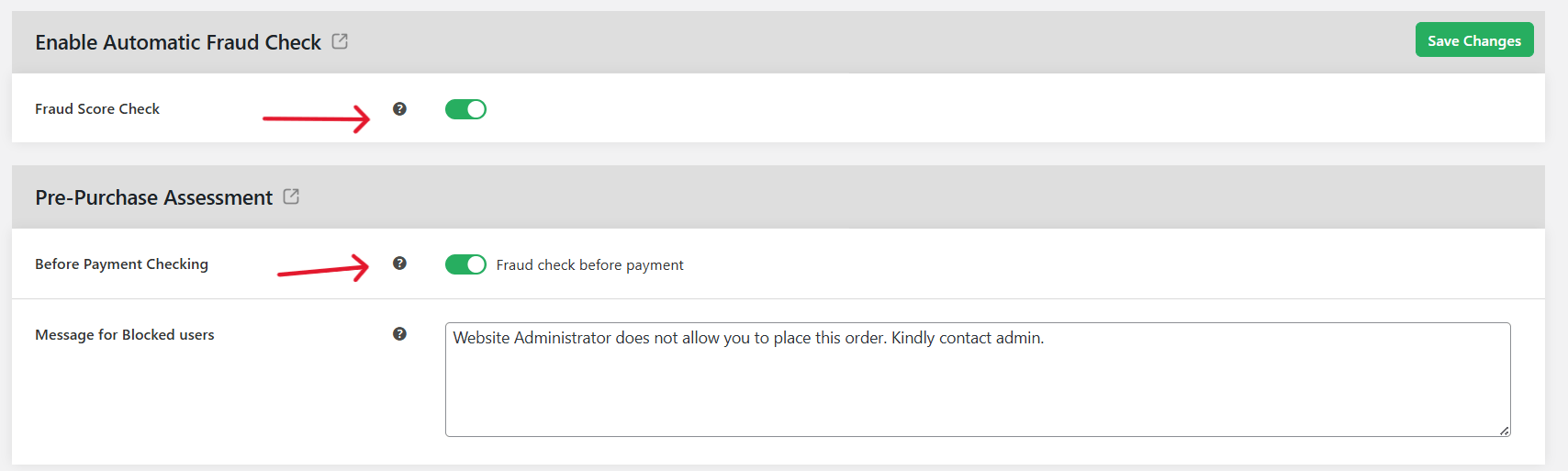
- To enable the custom fraud detection engine: In the “Enable Automatic Fraud Check” section, activate the “Fraud Score Check” setting. In the “Pre-Purchase Assessment” section, activate the “Before Payment Checking” setting. Then customize the parameters of the fraud detection engine, as desired.
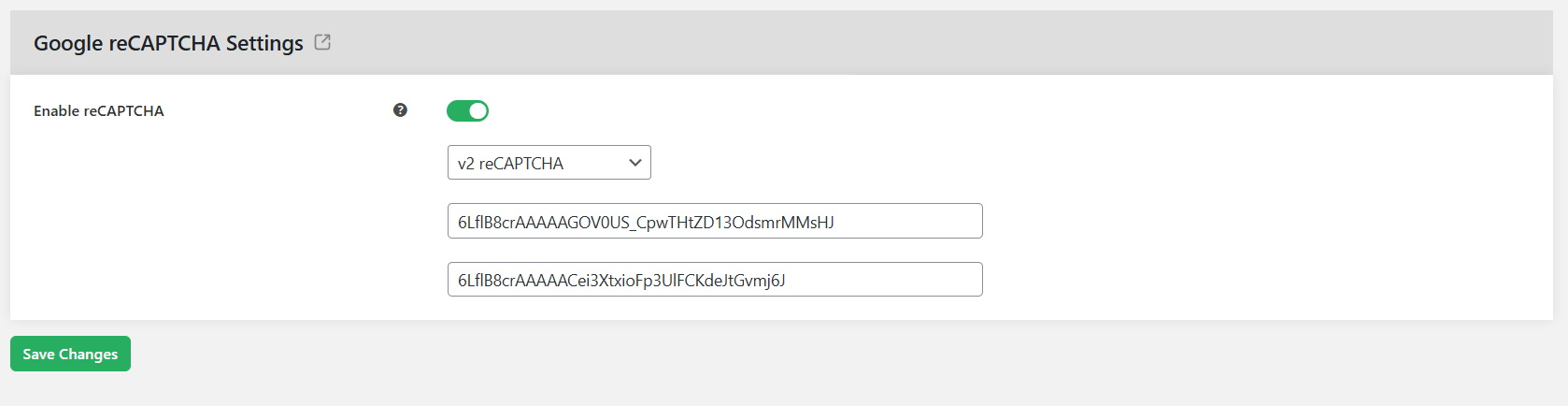
- To enable reCAPTCHA for the checkout page: In the “Google reCAPTCHA Settings” section, turn on the “Enable reCAPTCHA” button. Select your preferred reCAPTCHA version, then enter the API keys.
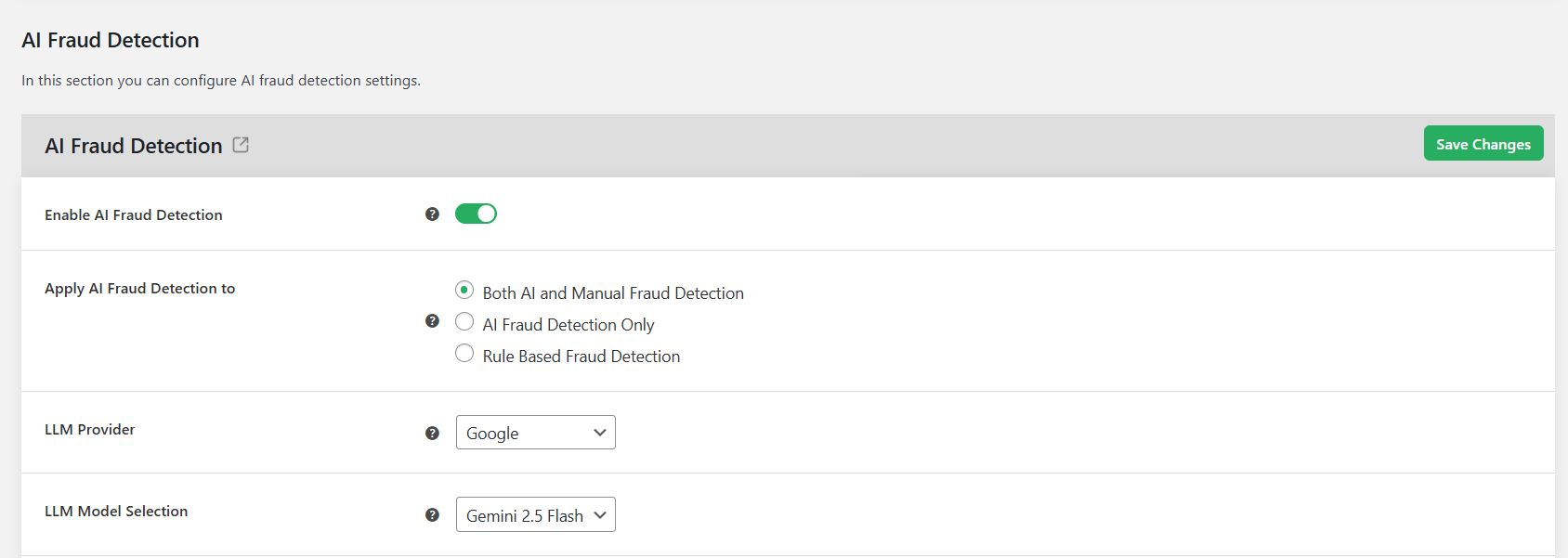
- To enable AI-powered spam detection: Navigate to Dotstore Plugins → Fraud Prevention → AI Fraud Detection. Activate the “Enable AI Fraud Detection” button, and configure your preferred settings.
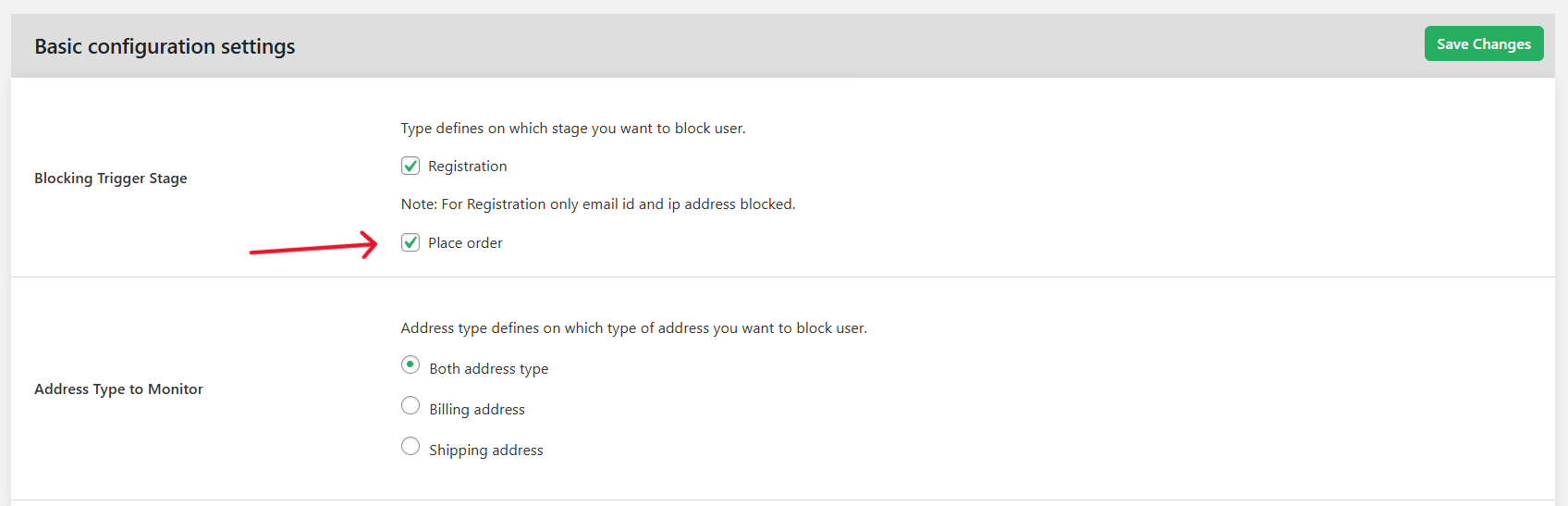
- To automatically blacklist known spammers: From Dotstore Plugins → Fraud Prevention → Blacklist Settings, configure the specific users, IPs, email addresses, domains, etc. to be blocked from placing spam orders.
- Press the “Save Changes” button at the bottom of the page.
Important: What to do after a failed order spam attack
After you’ve used the Dotstore WooCommerce Fraud Prevention plugin to secure your site from additional failed order spam, there are two additional steps you should take immediately to minimize long-term damage to your business.
- Check for payment processor fees and ask them to reverse charges. During card testing attacks, some transactions may temporarily go through successfully before the payment processor later flags them as suspicious or fraudulent. Depending on your payment gateway, you may still be charged transaction fees for those attempts. Check your payment processor dashboard (Stripe, PayPal, WooPayments, Authorize.net, etc.) and flag unexpected successful transactions or processing fees for fake orders before those charges are finalized or deducted from your merchant account.
- Clean up spam orders. If you’re comfortable working with command-line tools, use WP-CLI to bulk-delete spam orders much faster than manually removing them one by one from the WooCommerce admin area. Another option is to use plugins like Bulk Delete to remove junk orders in batches. Note: First, back up your database in case legitimate orders are accidentally removed during the cleanup process.
Stop failed order spam attacks with the Dotstore WooCommerce Fraud Prevention plugin
Fake checkout attempts can wreak tremendous havoc on your WooCommerce store. They can slow down your website, trigger fraud warnings from payment gateways, or worse, cause payment processors to temporarily restrict your merchant account.
Dotstore WooCommerce Fraud Prevention Plugin is the best plugin to stop failed order spam attacks (including those with “unknown” origin). It continuously monitors checkout activity and analyzes customer behavior to identify suspicious patterns commonly associated with spam bots, automated scripts, card testing attacks, and fraudulent users.
Depending on your settings, suspected spam orders are either automatically blocked or placed on hold for manual review by your store admins, which blocks fake orders from being successfully placed.
Dotstore WooCommerce Fraud Prevention plugin tackles fake orders via a combination of six powerful features, namely:
- API checkout protection. Advanced spam attacks can bypass the visible checkout page entirely and target WooCommerce APIs directly. It secures API-based checkout requests and blocks suspicious automated order attempts before they create fake “Failed” or “Unknown origin” orders.
- Restrict checkout access after failed attempts. Excessive repeated failed transactions are a strong indicator of carding attacks. Dotstore WooCommerce Fraud Prevention can temporarily restrict checkout access after multiple failed attempts from the same source. This makes it infinitely harder for bots to continuously test stolen payment credentials on your site.
- Google reCAPTCHA for WooCommerce checkout protection. It supports Google reCAPTCHA v2 and v3 on WooCommerce checkout pages. This filters out automated spam bots so they can’t submit fake transactions.
- AI-powered spam detection. You can enable AI-driven spam detection, powered by Google or OpenAI. This advanced AI fraud analysis system evaluates checkout behavior in real time to identify suspicious patterns linked to fake orders and automated spam attacks.
- Custom fraud detection engine. This feature analyzes multiple fraud indicators under the hood, such as unusual checkout frequency, suspicious billing details, repeated failed payments, IP reputation, abnormal customer behavior, and others. Checkout attempts that exceed your configured fraud threshold are automatically blocked or flagged for review.
- Automatic blacklists. Dotstore WooCommerce Fraud Prevention can automatically block suspicious IP addresses, email addresses, domains, browsers, names, countries, billing addresses, and more. This is useful to stop spammers from known attackers.
Ready to stop failed order spam bots and scripts from attacking your WooCommerce site? Try out the Dotstore WooCommerce Fraud Prevention plugin’s live demo or install its free or pro version on your website now.
WooCommerce Fraud Prevention
Equip your store with our feature-rich fraud prevention plugin to reduce risk and safeguard your profits.
14-day, no-questions-asked money-back guarantee.