Table of Contents
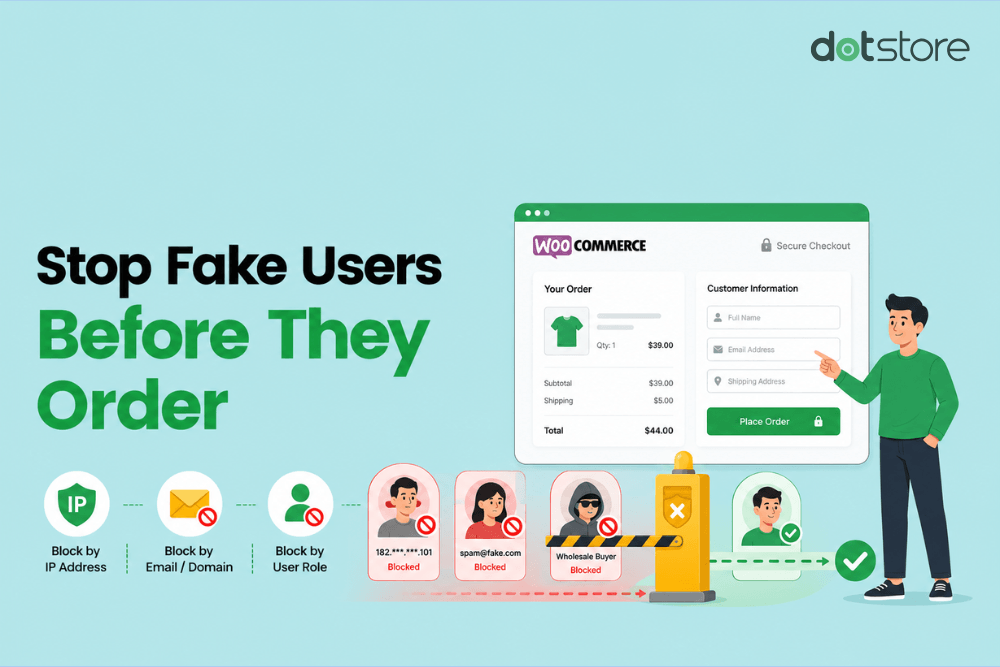
We’ll show you how to block users by IP address, email address, email domain, country, ZIP code, phone prefix, browser, shipping zone, user role, and other identifiers so you can stop fake orders and spam registrations.
Key Takeaways
- WooCommerce doesn’t include a dedicated user-blocking feature. However, admins can restrict unwanted users using WordPress’s default user management features or with the help of a dedicated fraud prevention plugin.
- Blocking a user account alone isn’t sufficient to protect your WooCommerce store because fraudsters can create new accounts, use guest checkout, change email addresses, or mask their IP addresses to bypass blocks.
- The Dotstore WooCommerce Fraud Prevention plugin lets you block both guest and registered users based on multiple identifiers, including email addresses, email domains, IP addresses, countries, ZIP codes, phone prefixes, browsers, shipping zones, names, and more.
Fraud is becoming one of the biggest threats facing ecommerce businesses today.
According to research from Juniper Research, ecommerce fraud losses are projected to exceed $131 billion globally by 2030, representing a 141% increase compared to 2024. The same report spotlights the growing role of AI, synthetic identities, card testing attacks, and friendly fraud in driving these losses.
This means one thing: if you run an ecommerce website long enough, you’ll almost certainly encounter spam user registrations, fake orders, card testing attacks, fraudulent chargeback requests, and other problematic behaviors.
The fix? Blocking offending users from your online store based on various identifiers.
In this tutorial, I’ll show you step by step how to block users in WooCommerce (no matter whether they are registered account holders or guests) without impacting legitimate shoppers.
We’ll use WordPress’s default user management features and the powerful Dotstore WooCommerce Fraud Prevention plugin.
Plugin used in this guide
- Dotstore WooCommerce Fraud Prevention: An advanced fraud prevention plugin that enables store admins to block users based on email addresses, IP addresses, domains, countries, billing information, shipping details, phone numbers, user roles, and other identifying data. Try out the live demo or install the free or pro version on your site.
WooCommerce Fraud Prevention
Equip your store with our feature-rich fraud prevention plugin to reduce risk and safeguard your profits.
14-day, no-questions-asked money-back guarantee.
What happens when you block a user in WooCommerce?
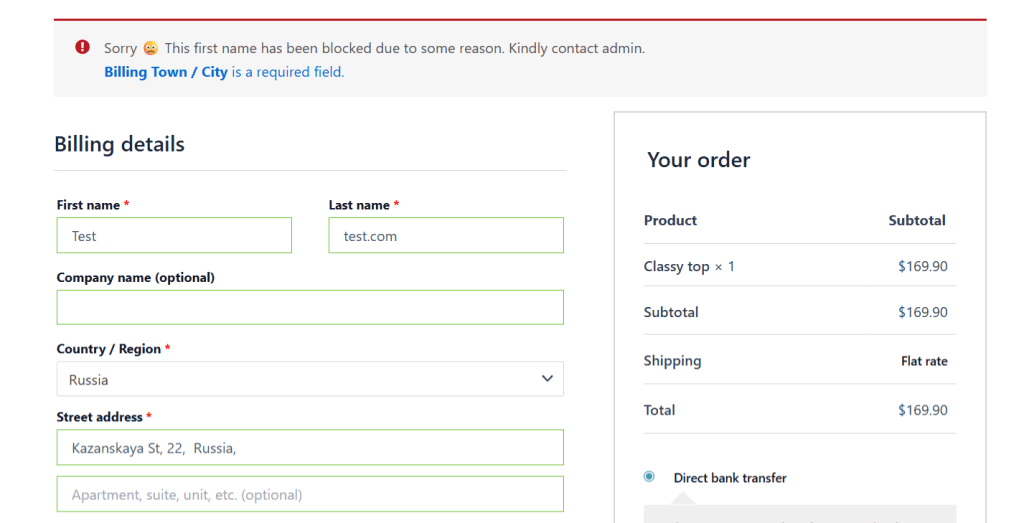
How users can access your site after being blocked depends on your configuration. If you disable a user’s account or change their user role permissions, they may lose access to their account and no longer be able to log in or place orders on your website.
However, blocking a user doesn’t automatically delete their account, order history, customer information, or previous transactions. Their existing orders and account data remain intact.
Admins can access their past orders in the WooCommerce dashboard for reporting, customer service, accounting, and record-keeping purposes. And blocked users can often continue to view products, read blog posts, and browse public pages.
Blocking a user account may not stop repeat fraud and spam
Blocking a user account may not be effective because fraudsters can create new accounts, use guest checkout, change email addresses, use VPNs to mask IP addresses, and employ a host of other tactics to avoid detection.
To effectively prevent spam and fraud, you need the ability to identify offending users through multiple signals, beyond a registered WooCommerce account.
Default settings to block unwanted registered users in WooCommerce
Technically, there is no dedicated user blocking feature in WooCommerce. However, considering that WooCommerce runs on WordPress, you can use some of WordPress’s default user management tools to block customers’ access on your site.
Note: These methods can limit access, but it doesn’t stop a user from creating a new account or using guest checkout.
Method 1: Change a user’s role in WooCommerce
Changing a registered user’s role can block them from accessing certain account features.
- In your WordPress admin, navigate to Users → All Users.
- Locate the user you want to restrict and hover over their username.
- Press the “Edit” button, then scroll to the “Role” setting.
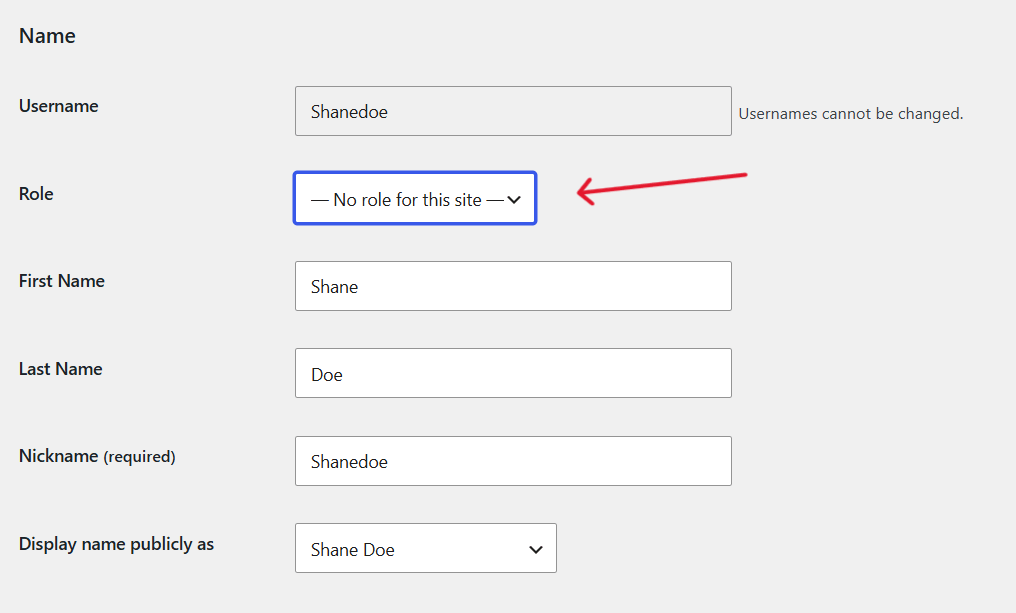
- Select an alternative role from the dropdown menu and press “Update User”.
Method 2: Reset the user’s password
Changing a registered user’s password temporarily prevents them from accessing their account until they successfully reset their password.
- In your WordPress admin, navigate to Users → All Users.
- Select the customer account and press the “Edit” button.
- Locate the “Account Management” section and generate a new password.
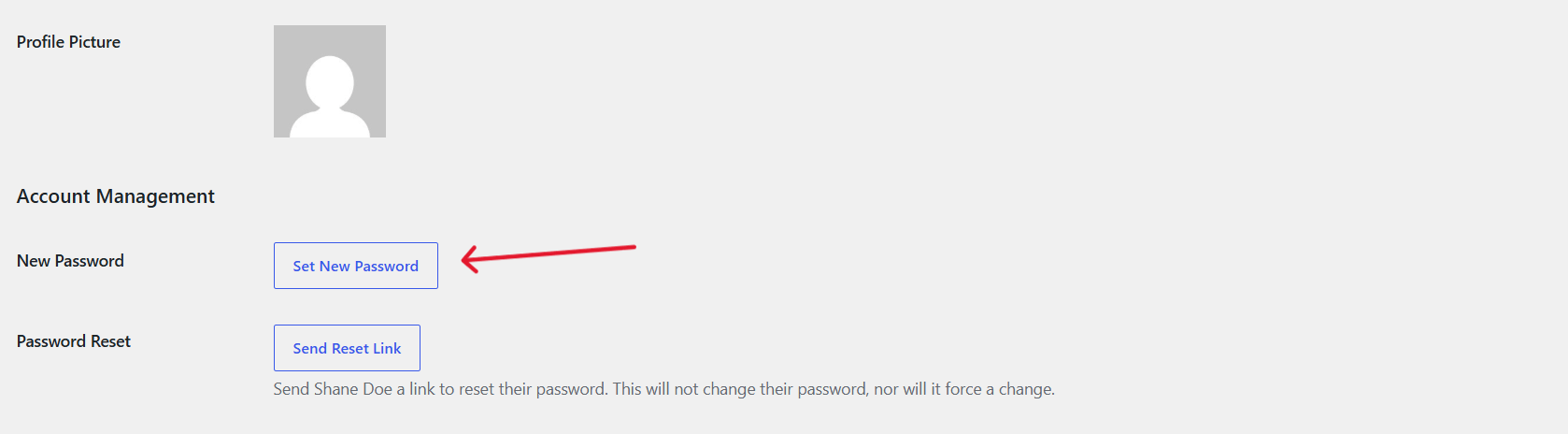
- Save your changes.
Method 3: Delete the customer account
Deleting a user’s account removes their customer account from your store.
- In your WordPress admin, navigate to Users → All Users.
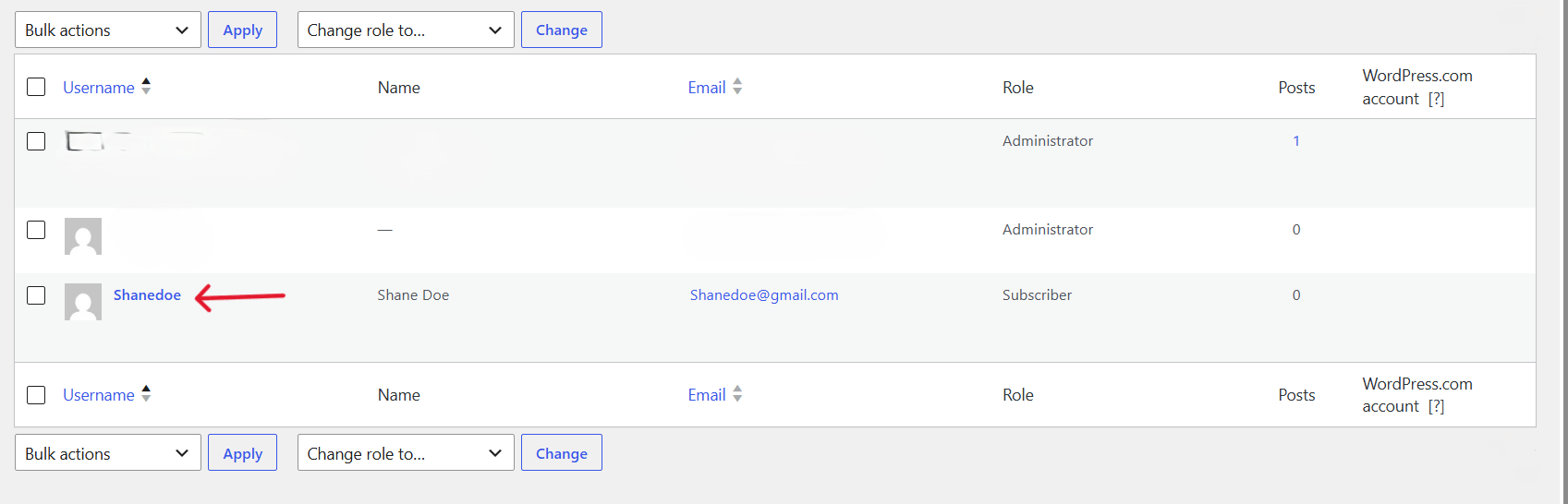
- Hover over the user’s account and press the “Delete” button.
- Decide how to handle content associated with that user’s account.
- Confirm the deletion.
The best WooCommerce user block plugin
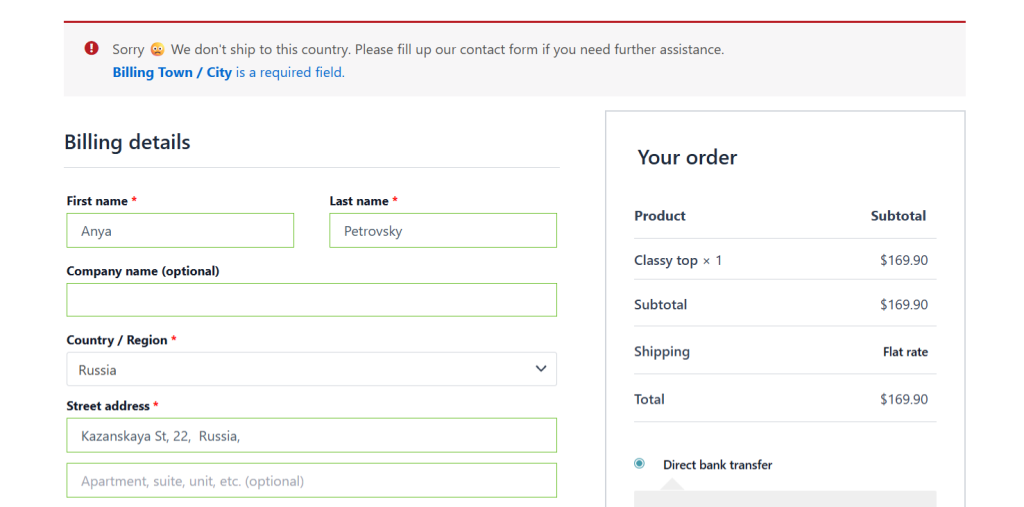
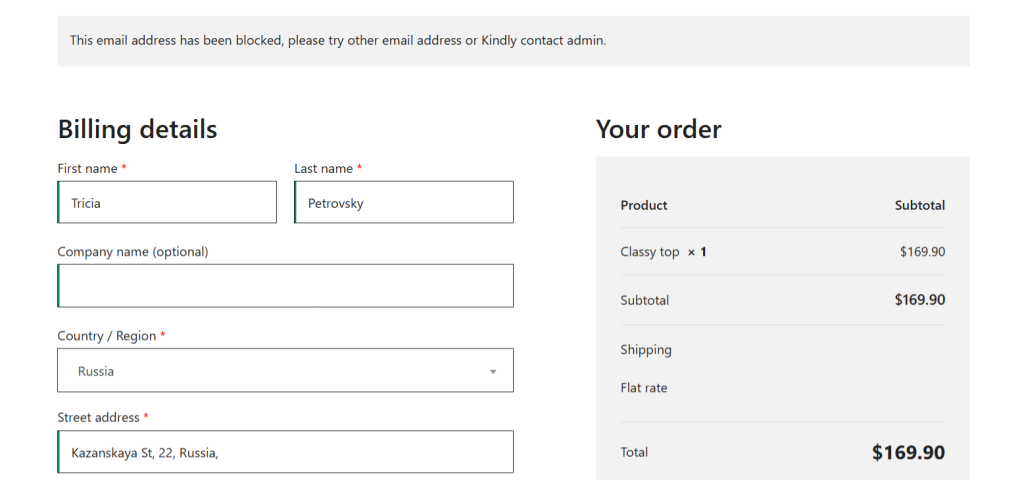
The Dotstore WooCommerce Fraud Prevention plugin is an advanced anti-fraud plugin that lets you block guest and registered users from registering or placing orders on your WooCommerce store.
Since 2017, thousands of WooCommerce admins across various niches have used it to protect their stores from fake orders, spam registrations, and other fraudulent activity, without adding friction for legitimate customers.
Unlike WooCommerce’s native settings, which only let you restrict users one identifier at a time, this plugin lets you block users based on combinations of details: email address, email domain, IP address, country, street address, ZIP code, phone prefix, browser, shipping zone, first or last name, and more. Plus, you can choose whether the user block applies on the registration or checkout pages, or both.
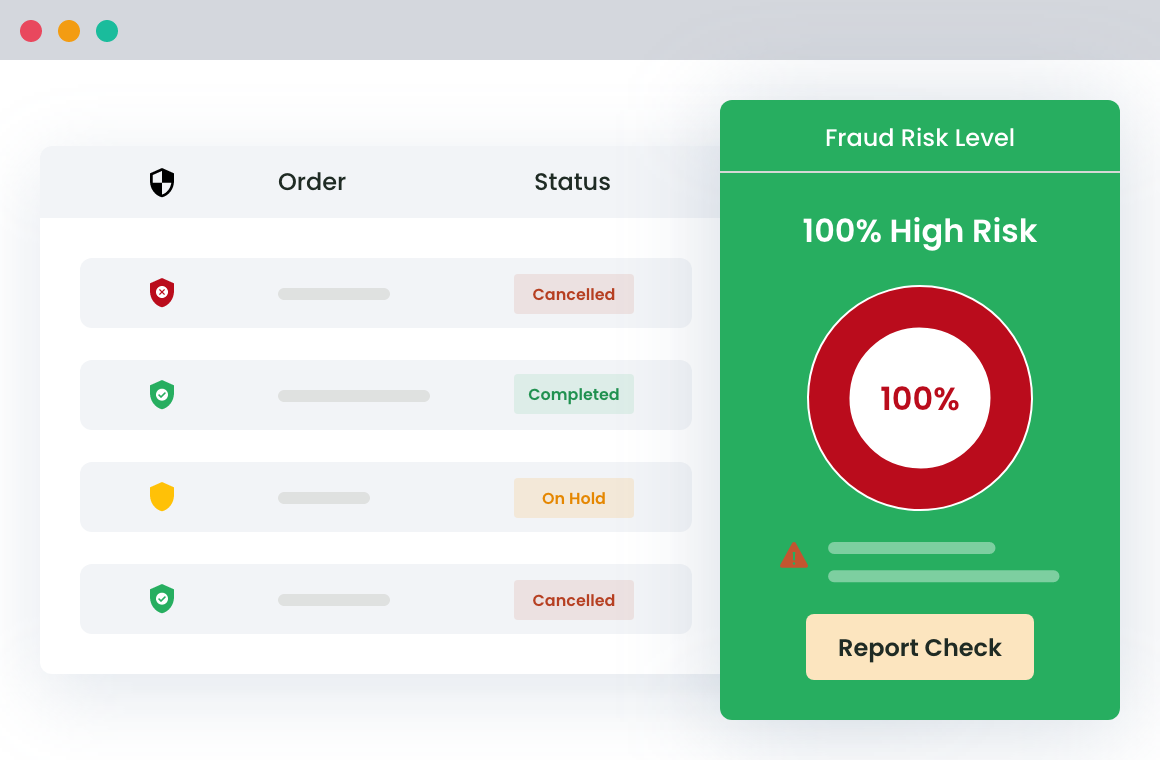
In addition to automatically blocking specific users, you can create a custom fraud scoring engine that evaluates customer activity and assigns weighted risk scores based on pre-defined rules.
It also lets you enable AI-powered fraud detection that syncs with Google or OpenAI’s platforms to evaluate users in real time. Fraudulent and spammy users are automatically blocked from the registration and checkout pages.
And you can view blocked users from an in-depth dashboard, along with detailed information, such as the number of fraud attempts, risk scores, and more.
Top features
- ✔️ Block users based on multiple identifiers. You can set user blocking rules based on email address, email domain, IP address, country, ZIP code, phone prefix, browser, shipping zone, or name, individually or in combination. This prevents fraudsters from logging in or placing orders using different credentials.
- ✔️ Detect disposable and temporary emails. It lets you enable an external blacklist to automatically block known disposable email domains (sourced from GitHub), so spammers can’t easily bypass your fraud prevention rules.
- ✔️ Custom block messages. You can customize the error notification shown to users, which helps avoid confused support tickets from customers who believe they’ve hit a bug.
Block guest and registered users with the Dotstore WooCommerce Fraud Prevention plugin
Follow these steps to block users in WooCommerce, including both guest and registered customers, from signing up and/or placing orders. We’ll use the Dotstore WooCommerce Fraud Prevention plugin.
- Add Dotstore WooCommerce Fraud Prevention’s free or pro version to your WooCommerce site.
- From your WordPress admin, navigate to Dotstore Plugins → Fraud Prevention → Blacklist Settings.
- In the “Blocking Trigger Stage” section, choose when the block should apply:
- Select “Registration” to block users on the registration page.
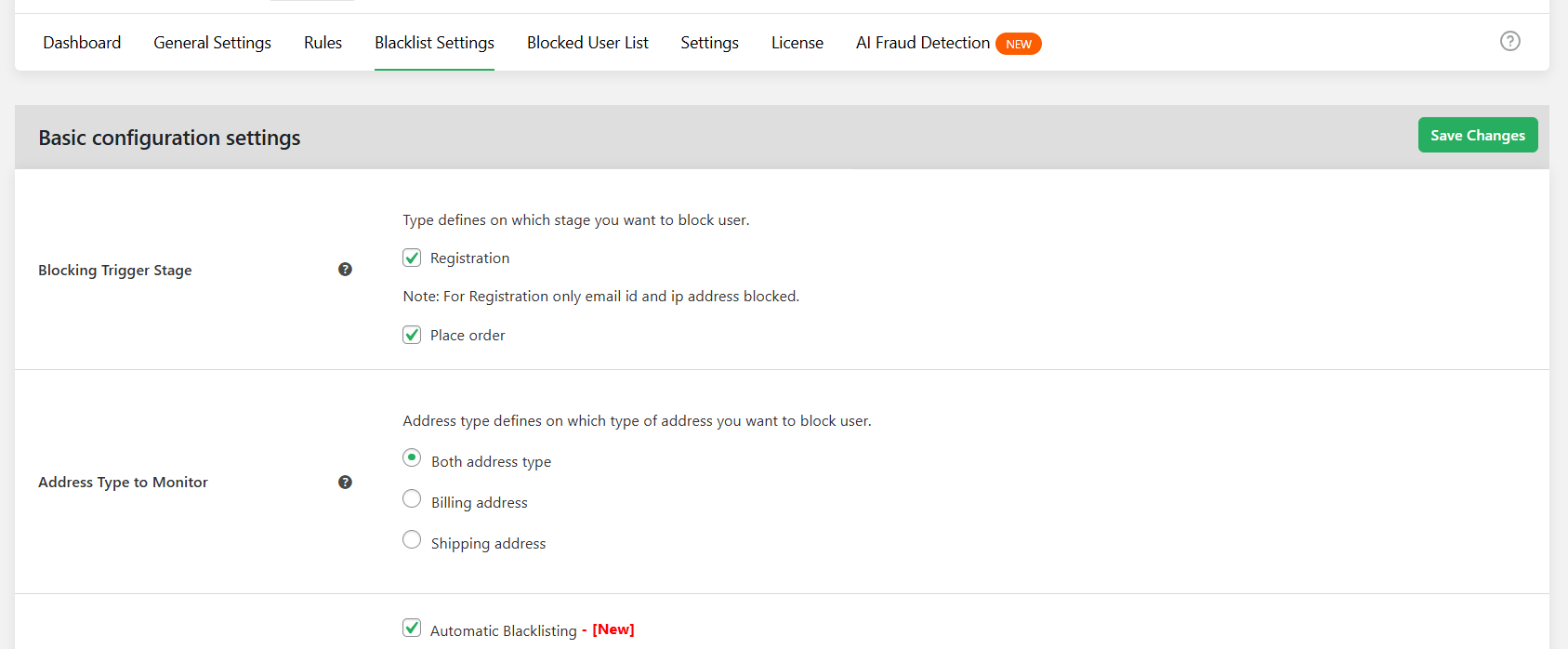
- Select “Place Order” to block users on the checkout page.
- Select “Registration” to block users on the registration page.
- In the appropriate fields, enter the combination of identifiers you want to block users based on: email addresses, email domains, IP addresses, countries, street addresses, ZIP codes, phone prefixes, browser types, etc.
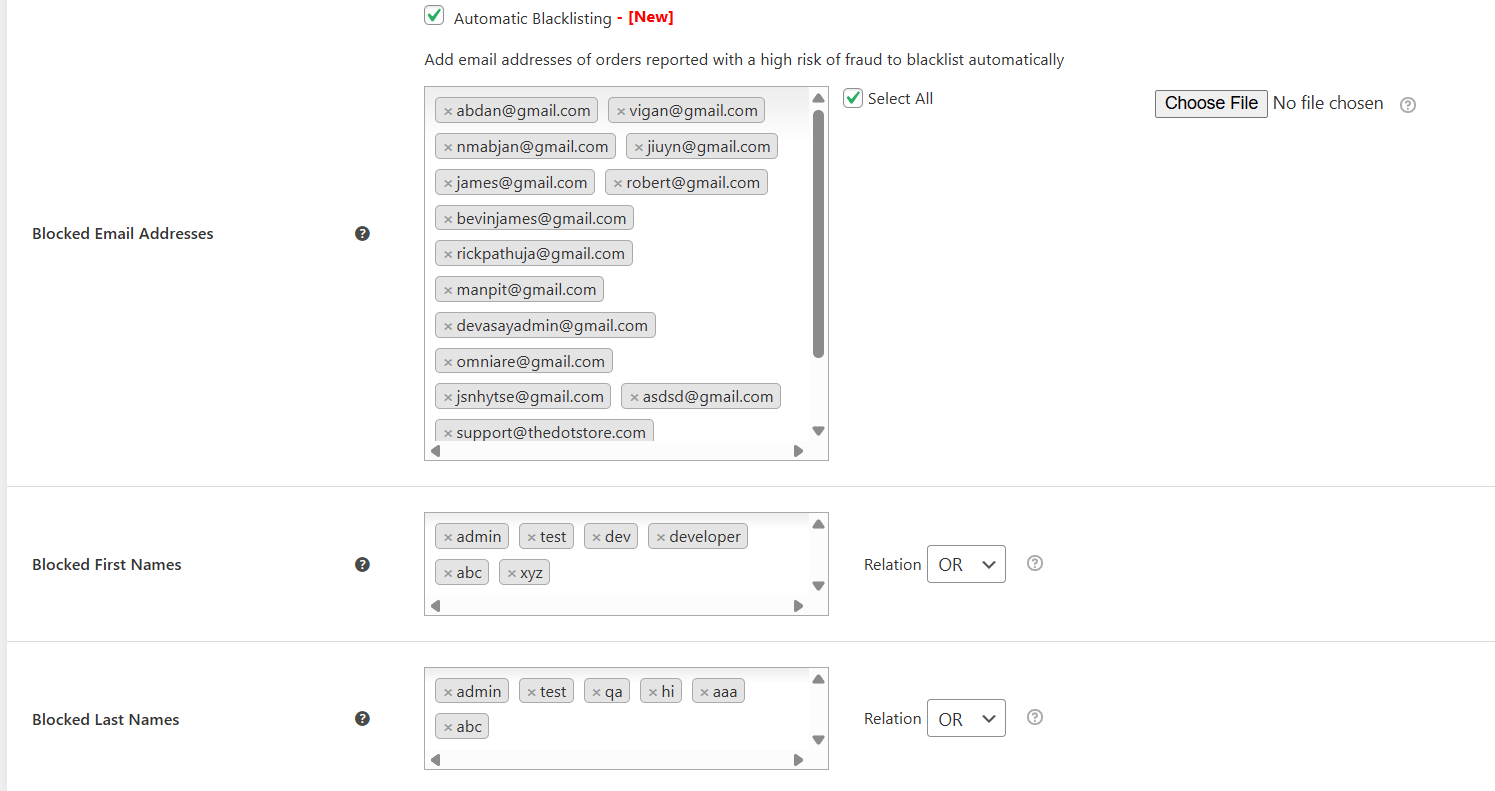
- To block users using known throwaway addresses, scroll to the bottom of the screen and enable the “Enable external blacklist” checkbox. This blocks known disposable and temporary email domains sourced from GitHub.
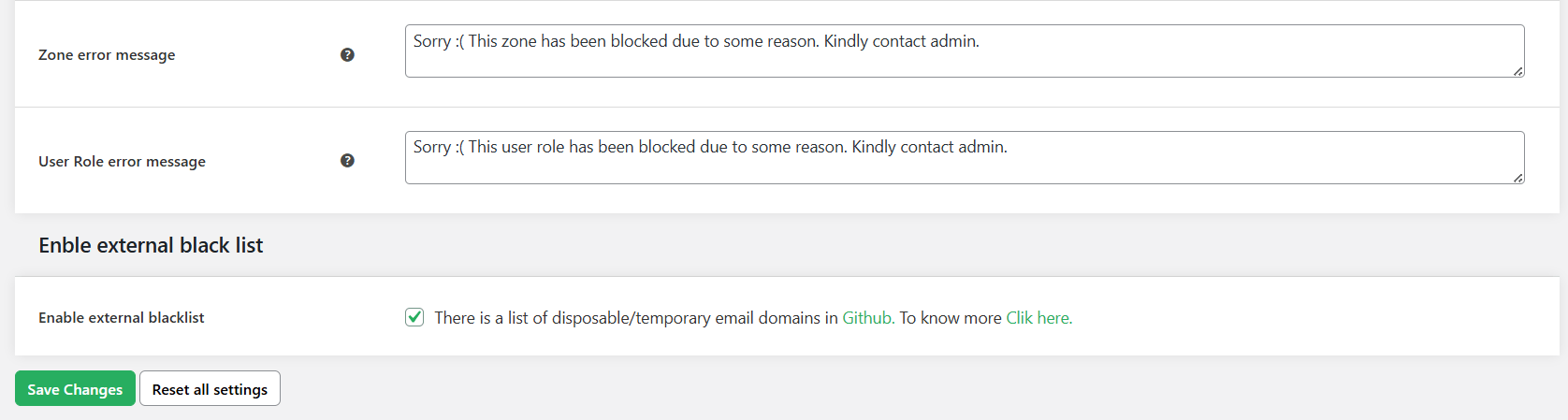
- Press the “Save” button at the bottom of the page.
Advanced: Use risk scoring and AI fraud detection to block unknown users
Add risk scoring for unknown users
Follow these steps to set up custom risk scoring to block new or unknown users who haven’t yet tripped a blocklist entry in your WooCommerce store.
- In your site’s admin, navigate to Dotstore Plugins → Fraud Prevention → Rules.
- Assign weights to risk factors such as new customer accounts, billing/shipping address mismatches, order country, email domain, or order frequency from the same IP.
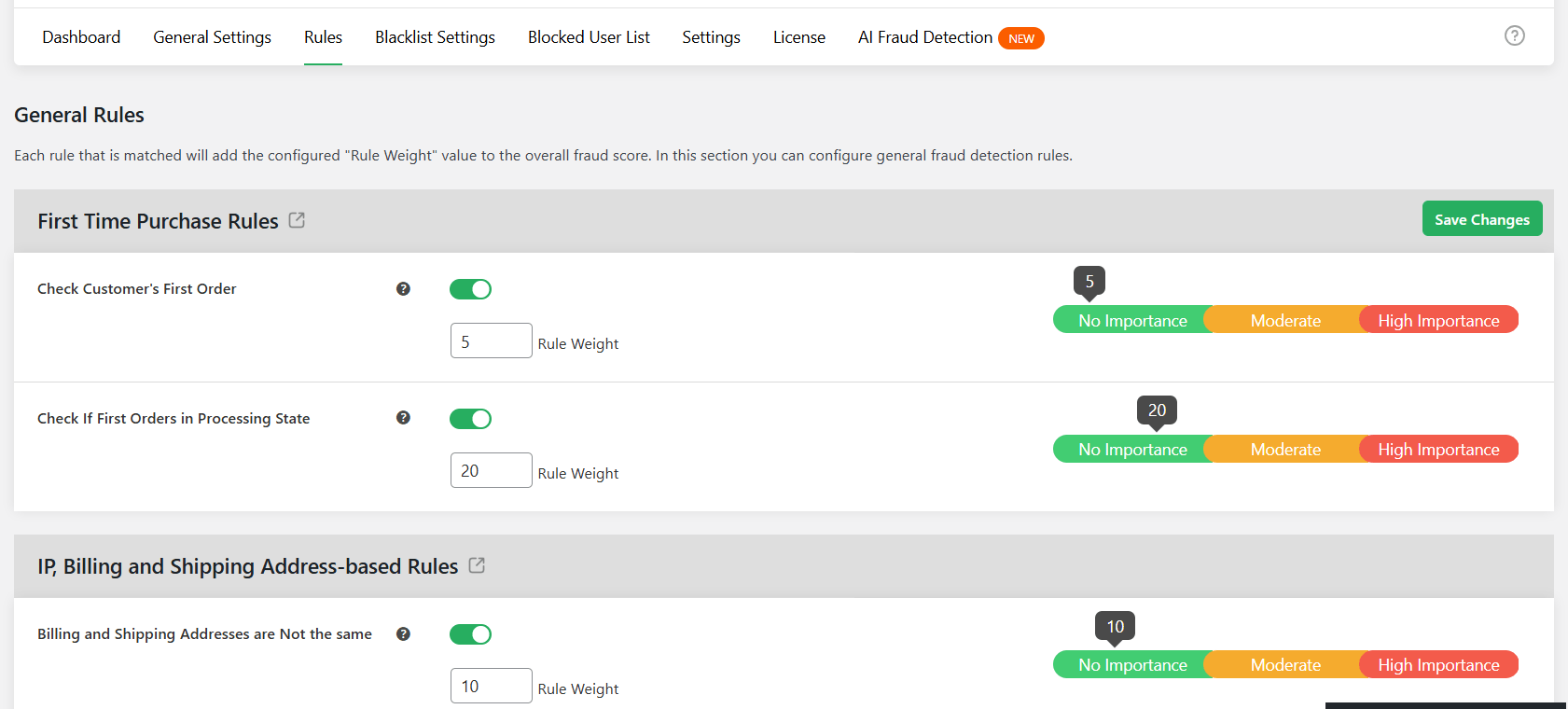
- Scroll down and press “Save”.
- Navigate to Dotstore Plugins → Fraud Prevention → General Settings and enable “Automatic Fraud Check” so every order is evaluated against your scoring rules.
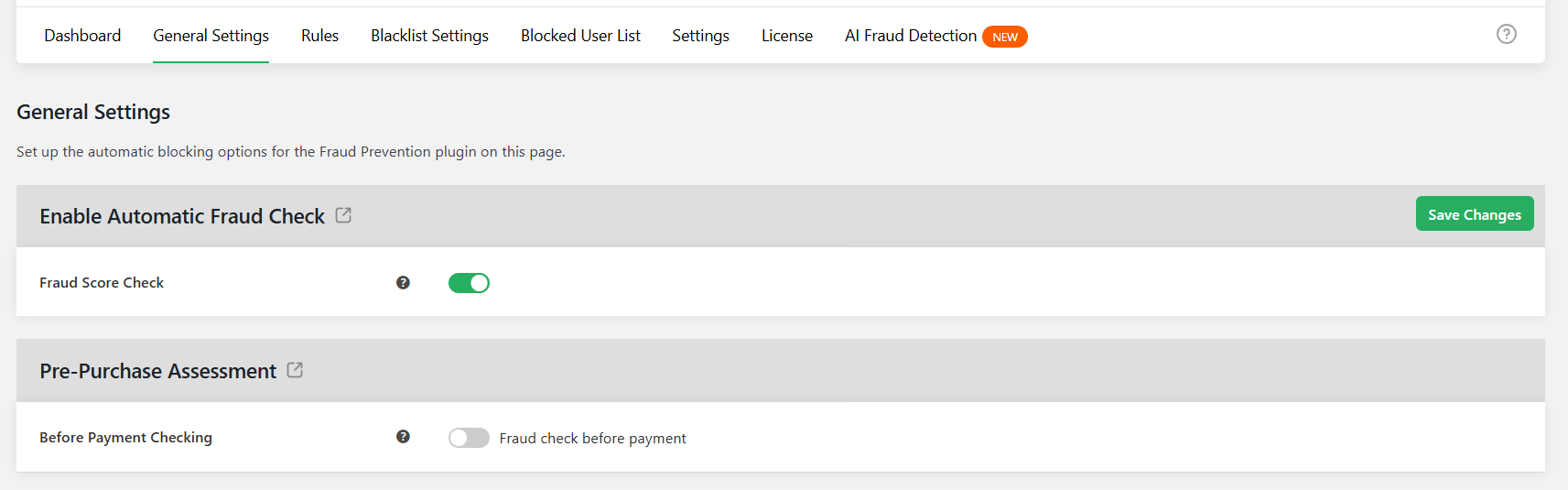
- Define the score thresholds at which orders should be held for review or automatically cancelled.
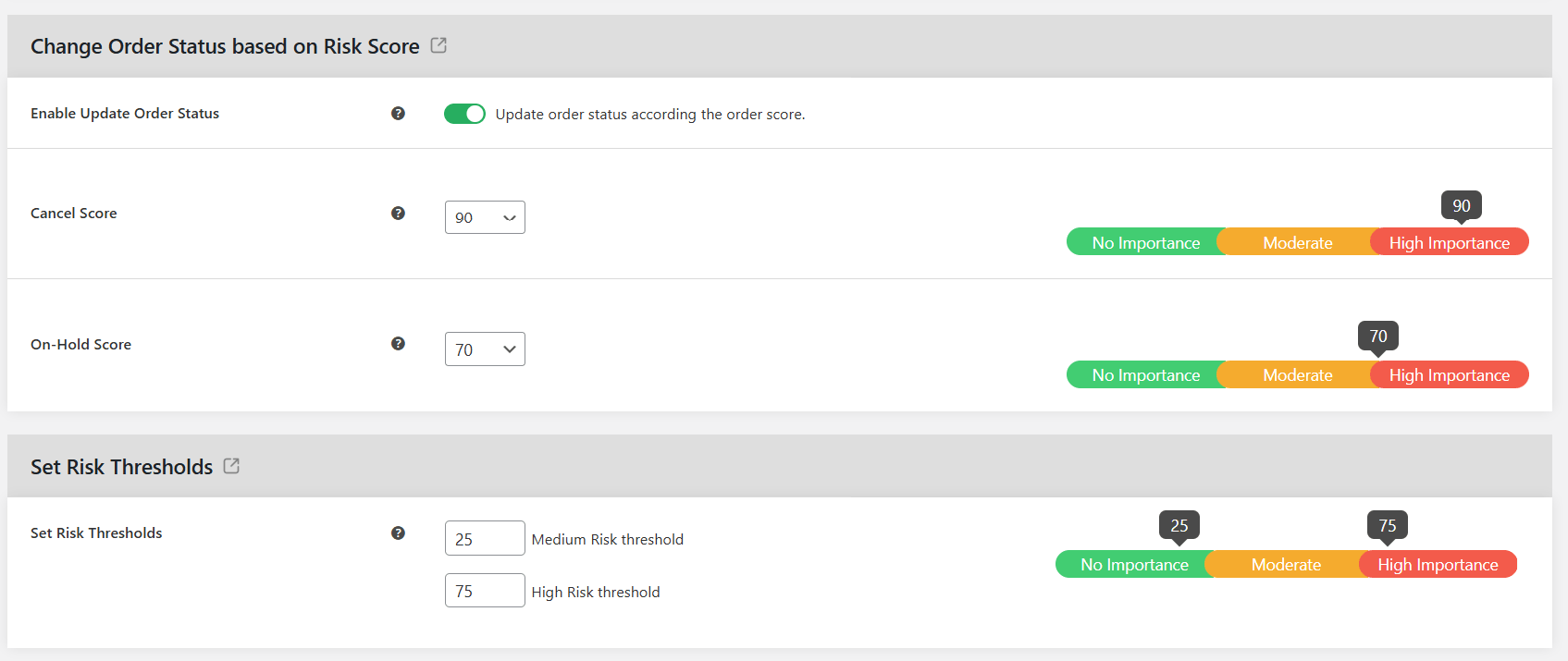
- Press “Save Changes”.
Enable AI fraud detection
Follow these steps to enable AI-powered fraud detection alongside your blocklist and scoring rules.
- Navigate to Dotstore Plugins → Fraud Prevention → AI Fraud Detection.
- Toggle on the “Enable AI Fraud Detection” option.
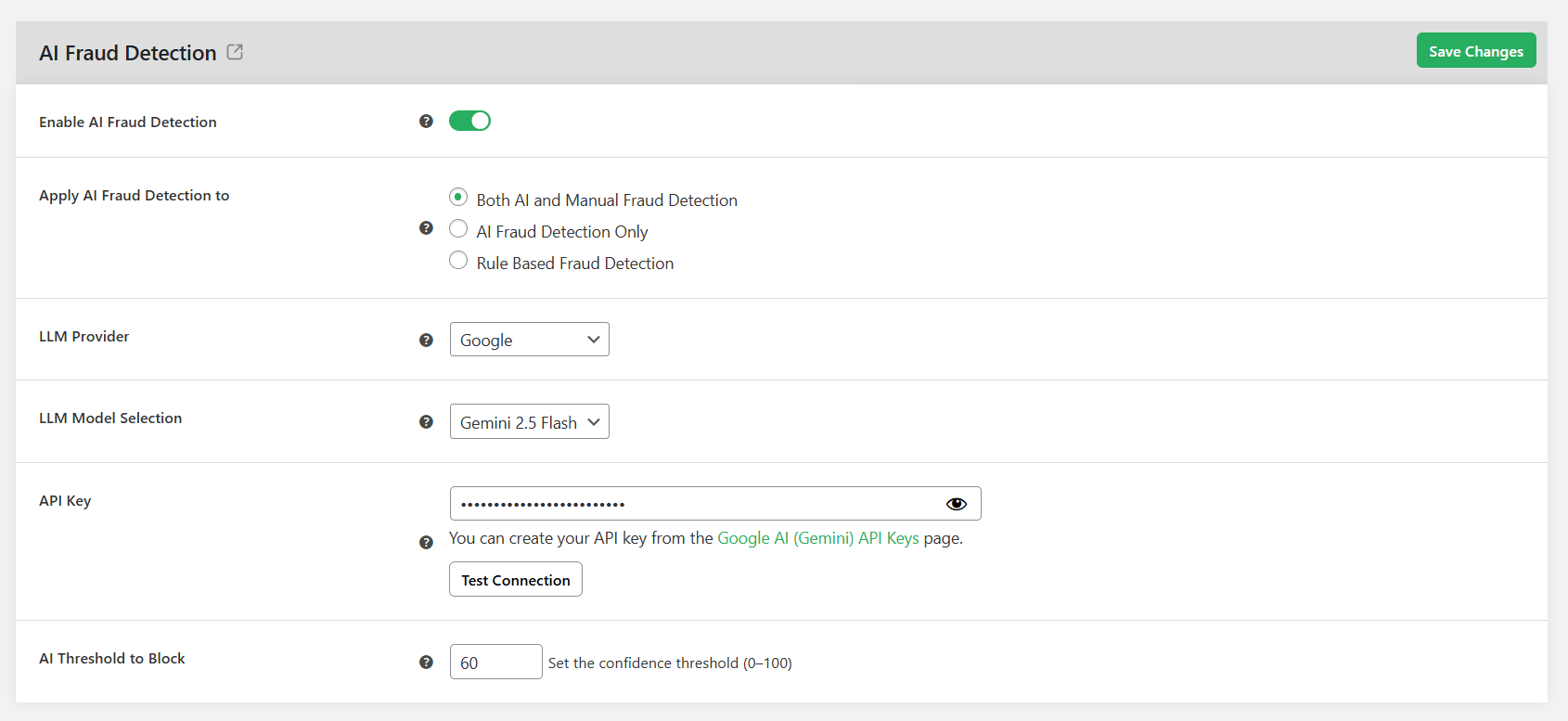
- Choose your favored AI provider: Google or OpenAI.
- Select an LLM model and enter your API key.
- Specify the risk threshold above which a user is automatically blocked on your site.
- Press the “Save Changes” button.
Protect your WooCommerce store from fraud and spam users
A single fraudster can place fake orders, generate false chargebacks, and cost thousands of dollars in losses. Spammers are equally destructive: spambots can flood your website with fake registrations, which slows down your server and wastes your staff’s time.
WordPress’s default user management features enable you to modify user roles, reset passwords, or delete accounts to block users’ access. However, because modern fraudsters and spammers can bypass these options, the native features alone are usually not sufficient to protect your store.
Dotstore WooCommerce Fraud Prevention lets you block users based on email addresses, domains, IP addresses, billing information, shipping details, countries, phone numbers, user roles, and other identifiers.
Alongside user blocking, this advanced fraud prevention plugin includes fraud scoring, AI-powered fraud detection, blacklist management, reCAPTCHA on the checkout form, and much more.
Ready to block unwanted WooCommerce users and stop spam registrations, fake orders, chargeback fraud, and other suspicious activities? Try out the live demo or install the free or pro version on your website now.
WooCommerce Fraud Prevention
Equip your store with our feature-rich fraud prevention plugin to reduce risk and safeguard your profits.
14-day, no-questions-asked money-back guarantee.