Table of Contents
We’ve curated the 10 best WooCommerce shipping plugins that let you create flexible shipping methods and rules, integrate carriers, manage local pickup options, calculate accurate rates, and streamline your store’s checkout flow.
Key Takeaways
- WooCommerce’s default shipping settings don’t include advanced conditional logic, carrier integration, and various additional features most stores require.
- Most stores benefit from using multiple shipping plugins together, depending on their order fulfillment model.
- In this post, we’ve rounded up the top 10 WooCommerce shipping plugins for various use cases, including flat-rate shipping, carrier-based rates, store pickup, and multi-vendor shipping.
Searching for the best WooCommerce shipping plugins to configure your store’s shipping settings?
WooCommerce’s default settings provide a solid template to set up shipping options. However, many store admins find them difficult to configure and limited in scope.
At The Dotstore, we’ve been developing WordPress and WooCommerce plugins for over ten years — several stellar shipping plugins included. Based on our firsthand experience with several of these plugins and in-depth research and testing of the top-rated plugins in this category, these are the 10 best WooCommerce shipping plugins that make setting up shipping methods easy and upgrade WooCommerce’s default shipping settings.
In a rush? Here are the 5 best WooCommerce shipping plugins for most use cases at a glance. Read on for an in-depth review of each (along with other recommendations), including their key features and how they work.
- Flat Rate Shipping Method for WooCommerce by The Dotstore. Free and pro versions available.
- Hide Shipping Method for WooCommerce by The Dotstore. Free and pro versions available.
- WooCommerce Advanced USPS Shipping Method by The Dotstore. Free and pro versions available.
- WooCommerce Local Pickup by The Dotstore. Free and pro versions available.
- WooCommerce Multi-Vendor Shipping Addon by The Dotstore. Pro version only.
First things first, let’s discuss what factors to consider when deciding on a shipping plugin for your WooCommerce store.
What to look for in a WooCommerce shipping plugin?
Taking into account that (1) there are tons of shipping methods and shipping carriers, each with different shipping rates depending on various parameters, and (2) your shipping configuration must adapt to fit your store’s order fulfillment processes. It’s likely that some stores may need to use more than one shipping plugin. Therefore, there is no single best WooCommerce shipping plugin for every WooCommerce site.
However, here are the top 4 factors to consider when choosing shipping plugin(s) for your WooCommerce store.
- Your primary shipping use case(s). Pick plugins that fit your order fulfillment setup, even if they are not the most popular shipping plugins. For instance, a small fashion and accessories business that ships globally and also offers customers the click and collect option from a physical retail store will likely need to use both carrier-based shipping and local pickup plugins.
- Flexible shipping rules and conditional logic. Instead of showing every shipping option to every customer, you need to define conditions that control which shipping methods show up on the checkout screen. For instance, showing free shipping only above a cart value threshold, hiding express shipping for large-sized products, restricting delivery methods based on location or postal code, offering different rates for wholesale vs retail customers, and more.
- Ease of setup. Avoid shipping plugins that are painfully complex to configure. After the initial learning curve, you don’t want to spend days setting up and tweaking shipping zones, adding shipping rates, connecting shipping carriers, and configuring other basic rules.
- Smooth user experience (UX) in the checkout flow. Here’s what a strong shipping UX looks like: clear, non-duplicated shipping options, accurate delivery estimates, logical grouping (e.g., standard vs express), accurate shipping rates, and mobile-friendly layout.
10 best WooCommerce shipping plugins: An in-depth review
Shipping isn’t one-size-fits-all for most businesses. Some need to ship worldwide, others within specific areas in certain countries, others use different shipping methods for different customers, and many other situations.
We’ve rounded up multiple WooCommerce shipping plugins that fit a wide range of use cases, so you can pick the ones that best suit your store’s requirements.
Flat Rate Shipping Method for WooCommerce by The Dotstore
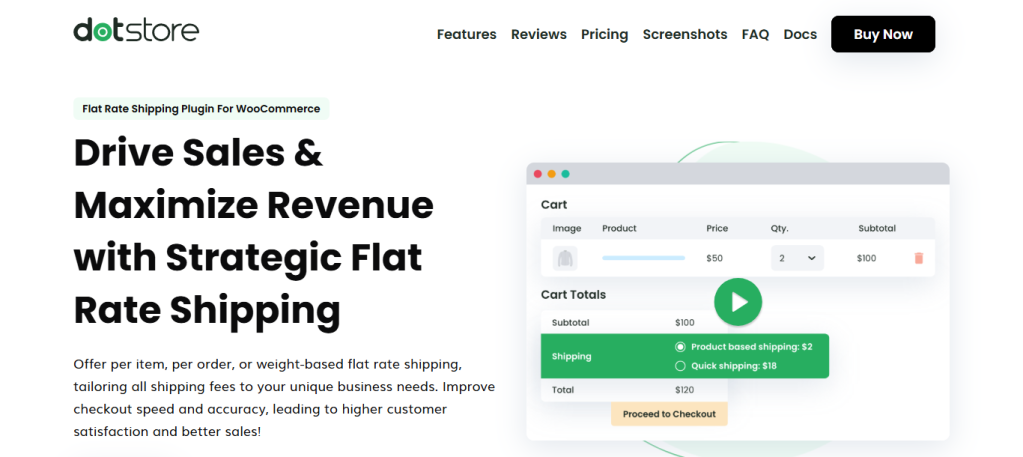
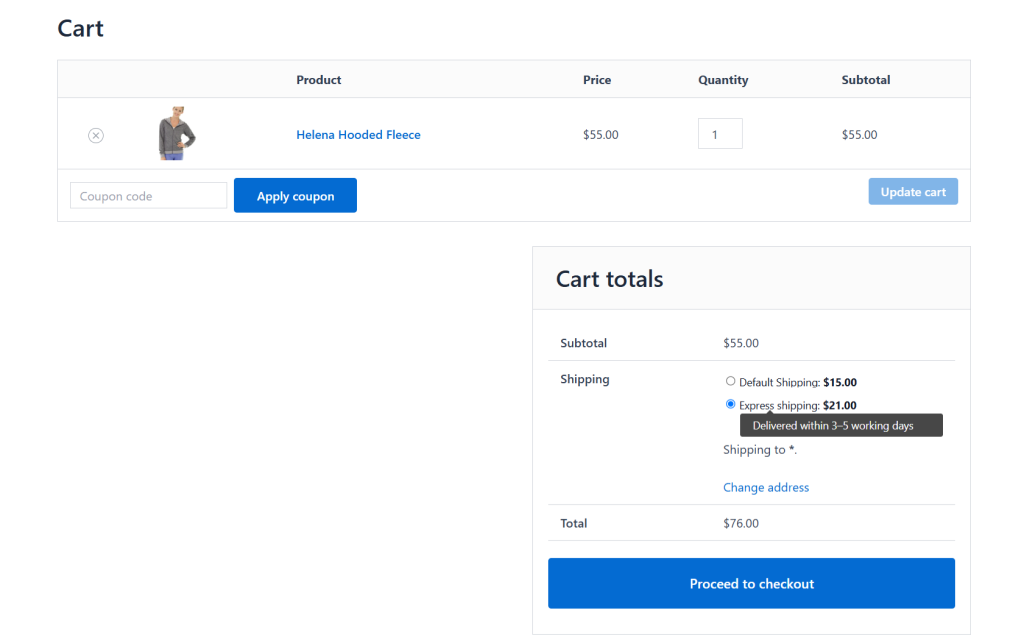
Flat Rate Shipping Method for WooCommerce is a powerful shipping plugin that lets you create custom shipping methods for virtually any shipping use case. It wins the top spot for the best WooCommerce shipping plugin because it lets you set up flat rate shipping by product, order, weight, location, and other important parameters.
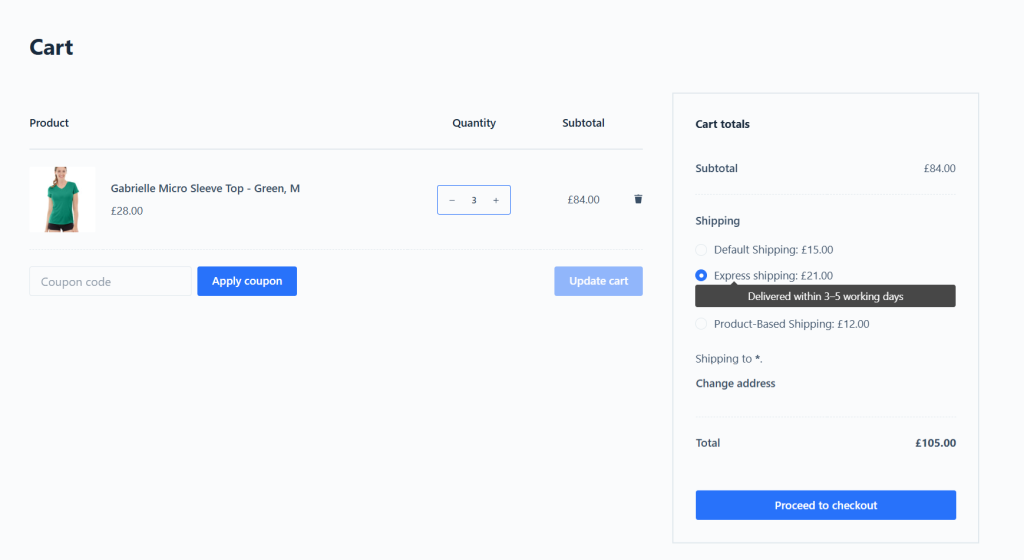
To use the plugin, you first need to add unlimited shipping zones that comprise the locations (i.e., countries, states, counties, or zip codes) you ship to. Then, you can configure shipping options to be triggered based on cart subtotal, product weight, item count, product SKU, shipping class, user role, product category, tag, and other relevant conditions, so customers are shown accurate shipping rates based on their precise location.
Flat Rate Shipping Method for WooCommerce is available in both free and premium versions. Since 2015, more than 15,000 WooCommerce stores across various niches have used it to replace WooCommerce’s basic default flat rate method with advanced, condition-based pricing that adapts to their store’s actual shipping costs.
Top features
- Smart conditional logic. It lets you choose from 20+ conditions, such as cart value, product type or variation, categories, SKUs, shipping classes, customer roles, locations (country, state, zip), order weight, quantity, and more, to configure shipping methods. You can create exceptions to exclude specific products from these shipping methods as required.
- In-built free shipping thresholds. Instead of creating separate methods, you can include free shipping within the same rule for situations where a customer’s shopping cart meets a defined value. This streamlines your backend setup while nudging customers to increase their average order value.
- Cart-level or product-specific pricing. You can create rules that apply flat rates across the entire shopping cart or restrict them to certain products, categories, tags, or shipping classes. For instance, you might charge a $6 standard rate across your store but add an extra $10 only when a cart includes fragile items like framed artwork.
- Control shipping method visibility on the checkout screen. You can decide whether customers are shown only the cheapest shipping method, all shipping methods, or a single merged shipping method with a custom label on the checkout page. Also, when customers qualify for free shipping, you can automatically remove paid options from checkout. These features let you hide irrelevant shipping methods and boost conversions by reducing decision friction in the checkout flow.
- Schedule shipping methods. You can activate or deactivate specific shipping methods on certain dates or days of the week, for instance, to offer a special “weekend delivery” option only on Fridays. This keeps the checkout experience clutter-free.
Get Flat Rate Shipping Method WooCommerce’s free or pro version, or try out the live demo now.
Hide Shipping Method for WooCommerce by The Dotstore
Out of all the plugins on this list, this one wins the prize for the most straightforward name.
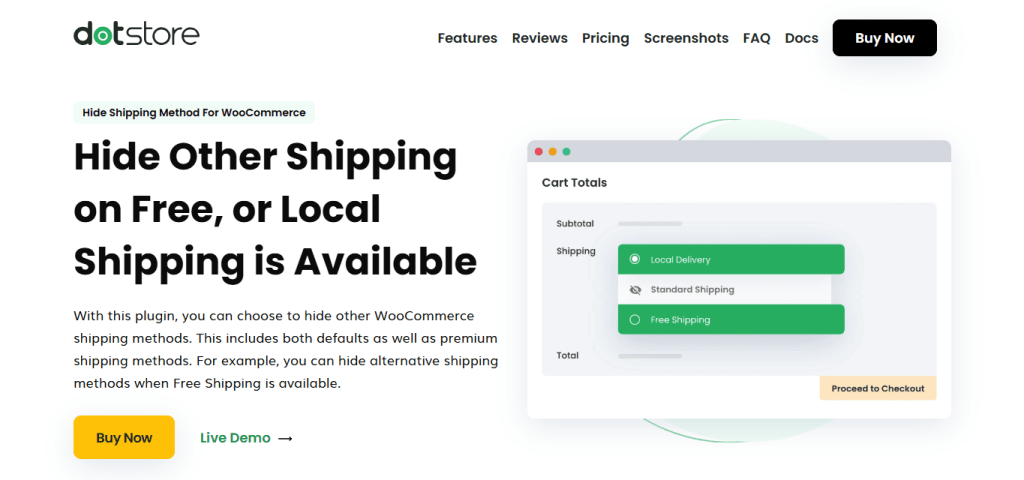
Hide Shipping Method for WooCommerce is a simple-to-use plugin with one essential purpose: controlling which shipping methods are shown to customers at checkout. Removing irrelevant shipping options from the checkout flow creates a streamlined, conversion-focused ordering experience.
It is the best WooCommerce shipping plugin for stores that want to show or hide shipping methods based on a wide range of conditions, such as cart value, product weight, quantity, SKUs, variations, categories, tags, and more. And you can block certain items from being shipped to specific regions (country, state, or zip code) or restrict them based on attributes like weight or quantity.
With over 11,800 happy customers and a 4.8/5 rating across 117 reviews, Hide Shipping Method for WooCommerce is one of the most trusted shipping control plugins in the WooCommerce ecosystem.
Top features
- Granular shipping restrictions. You can create rules to show or hide shipping methods for individual products (simple and variable), product categories, tags, and attributes, or storewide (all products).
- Advanced shipping rule combinations. It lets you set simple and advanced conditions that further determine when shipping methods should be shown or hidden, including product SKU, user role, category, or tag, product weight and dimensions, cart quantity, shipping class, payment method, location (country, state, postcode), etc.
- Hide all paid shipping methods when free shipping and/or local pickup is available. Once a customer qualifies for free shipping and/or local pickup, you can suppress every other shipping method.
- Coupon-specific shipping restrictions. You can link specific coupons to shipping visibility rules. So when a customer applies a particular coupon code, this shipping plugin can automatically hide or reveal certain shipping methods. This is handy for discount-triggered free shipping promotions or for channeling promotional orders toward specific fulfillment methods.
- Time-based shipping method availability. If you don’t want specific shipping methods to be available round the clock, you can schedule when they appear. This can be used to set start and end dates for seasonal promotions, restrict express shipping to weekday business hours, or hide same-day delivery on weekends when your fulfillment team is offline.
Get Hide Shipping Method for WooCommerce’s free or pro version, or try out the live demo now.
WooCommerce Local Pickup by The Dotstore
WooCommerce Local Pickup extends WooCommerce’s default local pickup option by adding a ton of features that upgrade both the store admin and customers experience.
Wondering what makes it one of the best WooCommerce shipping plugins? It lets you add unlimited pickup points (even with WooCommerce’s classic checkout), define in-store pickup availability, set working hours, block holidays, and customize how the feature works to match your business operations.
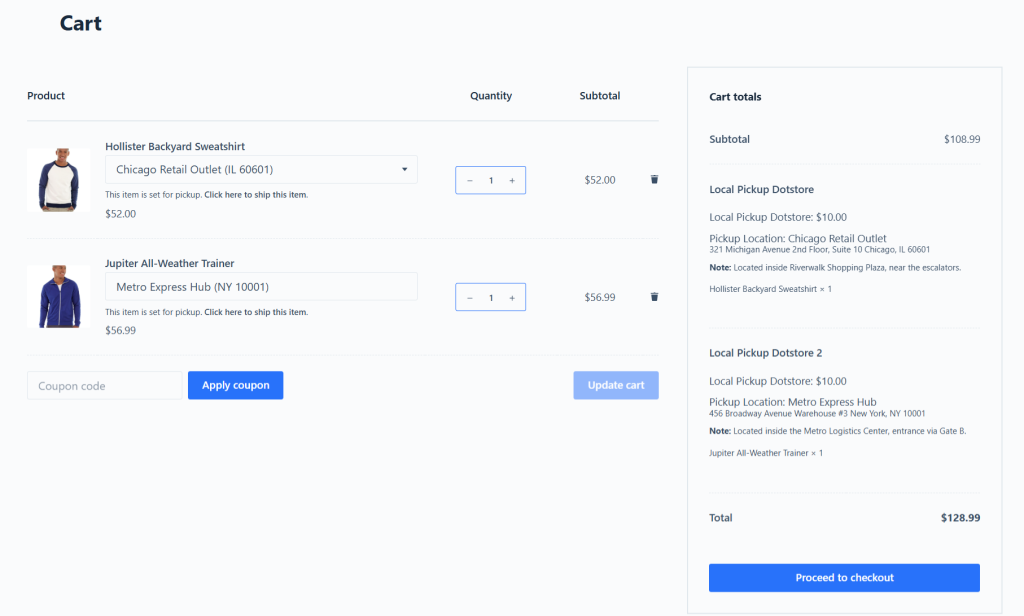
WooCommerce Local Pickup is widely used by stores with physical locations of various sizes, from single retail outlets to medium-sized stores and operations with multiple branches.
Top features
- Set up unlimited pickup points. You can add an unlimited number of in-store pickup points, and each physical store can have its own address, working hours, holidays, and custom instructions.
- Restrict pickup for specific products. It lets you specify which items qualify for in-store pickup and which must be shipped to customer-specified addresses.
- Location-based pickup point visibility. Instead of showing every physical store, it only displays relevant pickup points near each customer’s shipping zone.
- Customize schedules per pickup point. You can set custom store working days and available pickup time slots and block unavailable dates, like weekends or holidays, when a location isn’t open for order collection.
- Add lead time. Want to add a buffer for your staff to pack and prepare orders for pickup? You can factor in prep time into pickup slots to prevent customers from selecting pickup slots too soon after placing an order.
- Set extra fees and discounts. It lets you apply custom fees and discounts (flat or percentage-based) to orders marked for click and collect.
Get WooCommerce Local Pickup’s free or pro version, or try out the live demo now.
WooCommerce Advanced USPS Shipping Method
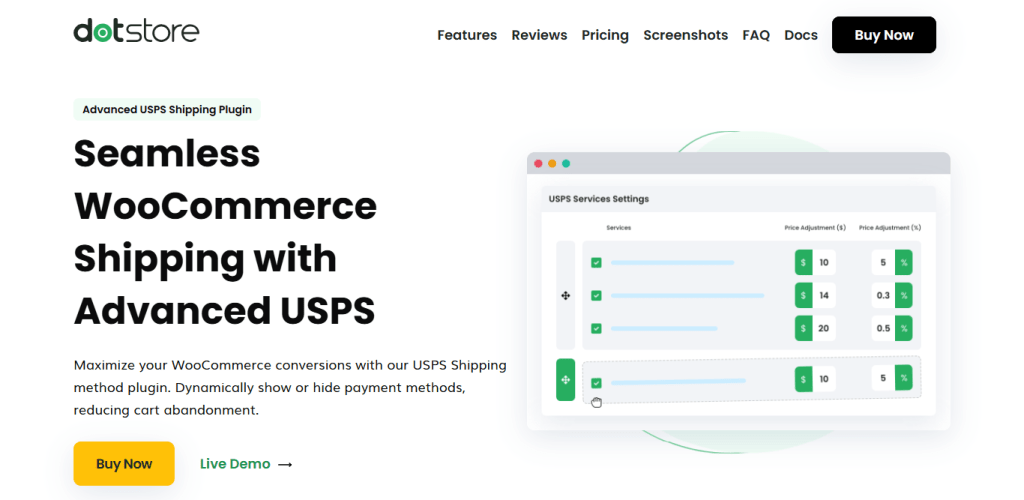
If your store relies on USPS to fulfill orders, connecting your store directly to their system can help you show accurate delivery options and up-to-date pricing in the checkout flow.
WooCommerce Advanced USPS Shipping Method lets you link your store to the USPS API and automatically pull real-time shipping rates and services. When a customer enters their shipping address during checkout, the plugin calculates and displays accurate and relevant USPS options.
On the backend, you can enter your shipping origin zip code (i.e., your warehouse or fulfillment center’s address). The plugin will dynamically calculate shipping methods and rates based on each customer’s location and cart contents.
Top features
- Calculate live USPS rates. It shows real-time shipping rates for domestic and international orders, factoring in shipping zones, cart contents, user roles, and other conditions.
- Choose preferred shipping services. You can handpick which USPS services to offer, e.g., Priority Mail or Express, and disable the ones you don’t want.
- Calculate precise shipping rates based on packaging. Define box sizes and weights to accurately determine shipping rates based on how orders will be packed and shipped.
Get WooCommerce Advanced USPS Shipping Method’s free or pro version, or try out the live demo now.
WooCommerce Multi-Vendor Shipping Addon
Searching for the best WooCommerce shipping plugin for your marketplace store?
WooCommerce Multi-Vendor Shipping Addon enables marketplace-style stores to offer multiple vendor-specific shipping options for every order.
Each vendor can define their own shipping methods and shipping rates. On the checkout screen, shipping costs are calculated and presented individually, according to each seller’s configurations, instead of being combined.
For example, one vendor might provide free shipping on orders above $75, while another applies a flat $10 shipping fee to all purchases.
WooCommerce Multi-Vendor Shipping Addon must be paired with the Flat Rate Shipping for WooCommerce plugin.
Top features
- Vendor-specific shipping setup. Master admins can assign custom shipping methods to each vendor and enable them to configure their own pricing and conditions independently.
- Rule-based flexibility. Vendors can apply flexible shipping conditions like product type, destination, cart value, quantity, categories, tags, user roles, etc.
- Multiple pricing approaches. Each vendor can set shipping costs per order or per item (along with estimated delivery times), depending on their needs.
Try out WooCommerce Multi-Vendor Shipping Addon’s live demo or get the plugin now.
WooCommerce Delivery Slots by Iconic
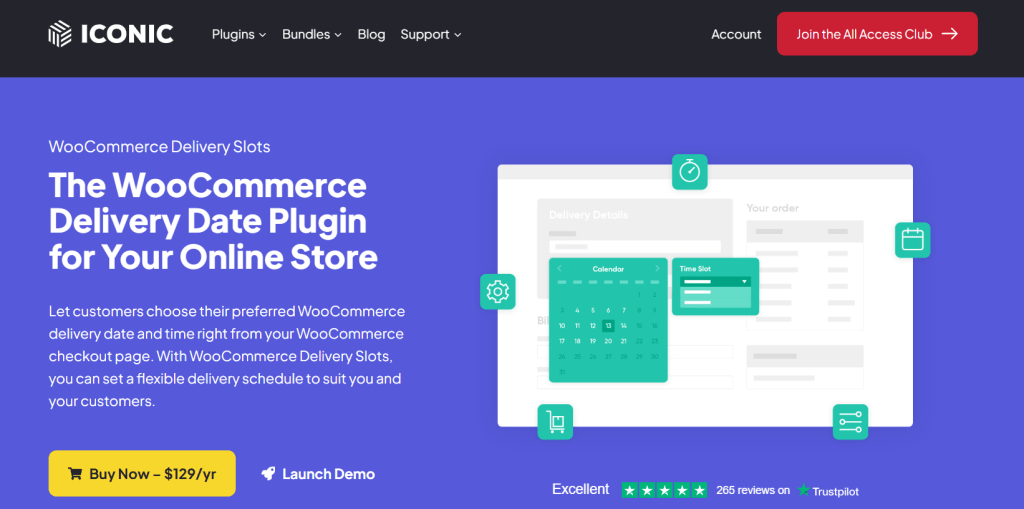
Need a WooCommerce shipping plugin that supports both delivery and in-store collection?
WooCommerce Delivery Slots is one of the best WooCommerce shipping plugins for time-slot-based fulfillment. It helps you manage when orders can be fulfilled, how many you can handle at a time, and how your local fulfillment process operates.
It is purpose-built for single-location businesses like retail stores, restaurants, or fulfillment centers that want to offer click and collect options with clear-cut scheduling control. It isn’t designed for multi-location setups, so if you operate across several branches, you’ll likely need a different shipping plugin for your WooCommerce store.
Top features
- Pickup date and time selection. Your customers can choose their preferred pickup date and time during the checkout flow, based on the pickup availability rules you set. You can define working days, specific time windows, and exact pickup hours.
- Order limits per slot or day. It lets you control how many orders your store can accept within each time slot or across an entire day to prevent overbooking. Once you reach capacity, that slot will no longer be available for booking.
- Lead time and cutoff settings. You can set a minimum preparation time before an order can be collected from the pickup point and define cutoff times for same-day pickups. For example, you can require a 24-hour notice or stop accepting same-day orders after a certain time.
- Shipping method-based slot visibility. It enables you to display pickup slots conditionally, i.e., only after customers choose the local pickup option. Pickup slots are hidden from customers who opt for delivery instead. This keeps the checkout flow clutter-free.
YITH WooCommerce Delivery Date
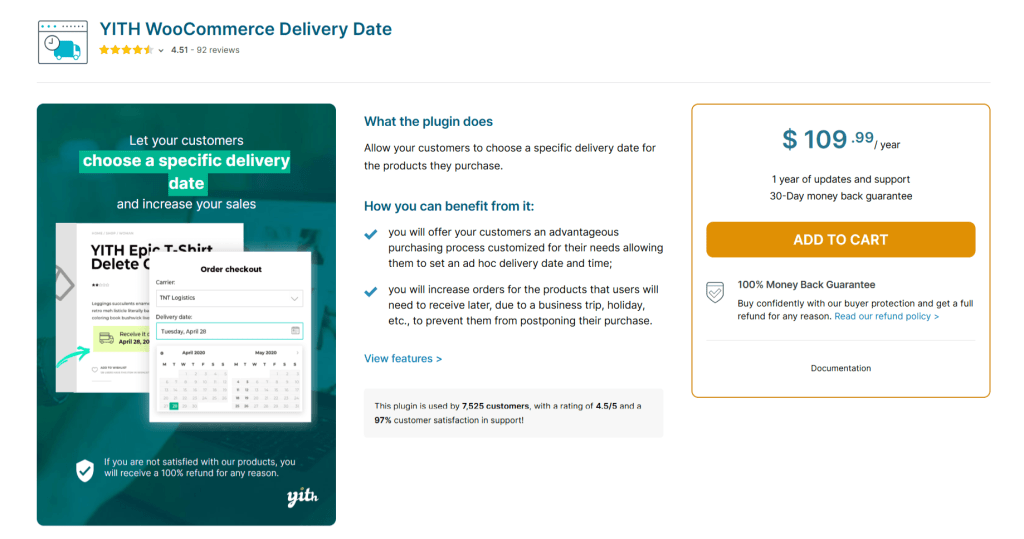
YITH WooCommerce Delivery Date eliminates one major conversion barrier from the ordering process: customers’ hesitation to place orders because they are unsure when their package will arrive.
Instead of forcing customers to accept fixed delivery timelines, it lets them choose a preferred delivery date and time during the checkout flow. You can also set minimum handling times to guarantee that customers can only select delivery dates that give your team enough time to prepare orders.
Customers are shown full visibility into estimated delivery timelines, including arrival dates and shipping duration, directly on product and checkout pages.
YITH WooCommerce Delivery Date can be used by stores across various niches; however, it is most favored by those that sell gifts, perishable items, or products tied to specific dates.
Below, we’ll outline the features that make it one of the best WooCommerce shipping plugins.
Top features
- Customer-selected delivery dates and time slots. You can let shoppers choose when their order should arrive, including specific days and available time windows on the checkout screen.
- Custom delivery schedules. It lets you define which days of the week you process and ship orders, together with valid delivery days and time slots for customers to pick from.
- Time slot limits and fees. You can limit how many deliveries can be booked per time slot to avoid overbooking on specific dates. If needed, you can also add extra charges for “premium” delivery windows.
WooCommerce Shipping by Woo
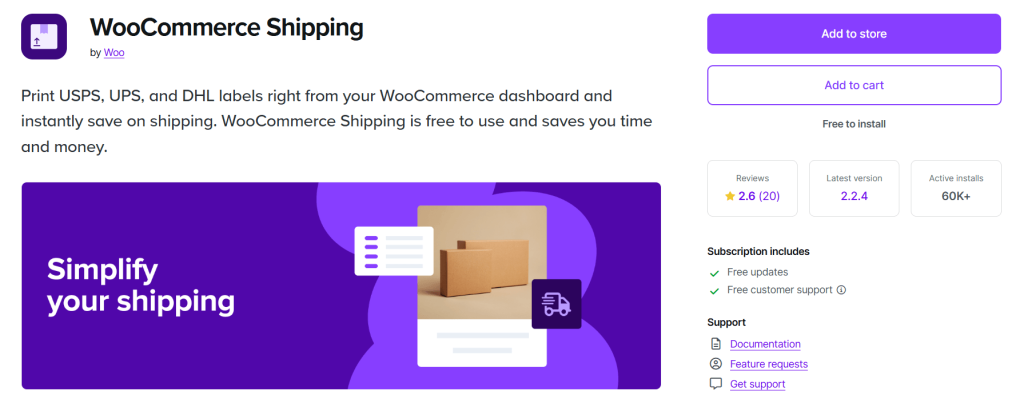
Do you juggle multiple carrier accounts and external tools to manage your shipping options?
WooCommerce Shipping enables you to manage rates, labels, and shipments from your site’s admin dashboard.
Instead of switching between carrier websites, you can compare real-time rates from providers like USPS, UPS, and DHL right inside WooCommerce. Then once you’ve selected the best option, you can instantly generate and print shipping labels.
While this plugin has mixed reviews, we’ve included it because in this roundup of the best WooCommerce shipping plugins two reasons: (1) it is developed and maintained by Woo’s official team and (2) it is free.
WooCommerce Shipping helps stores that want built-in carrier integrations save on costs by enabling access to discounted shipping rates for USPS and DHL. It also enables split shipments, which allows stores with varied inventory availability to ship orders in parts.
Top features
- Live rate comparison. It enables you to compare shipping prices across USPS, UPS, and DHL in real time so you can choose the most cost-effective option for each order.
- In-built label printing. You can generate and print shipping labels directly from the order page. This gets rid of manual steps and speeds up your fulfillment workflow.
- Discounted carrier rates. It enables you to access reduced shipping costs for carriers like USPS and DHL.
- Pickup scheduling and convenience. Prefer to avoid trips to the post office? You can schedule carrier pickups directly from your store.
YITH Multiple Shipping Addresses for WooCommerce
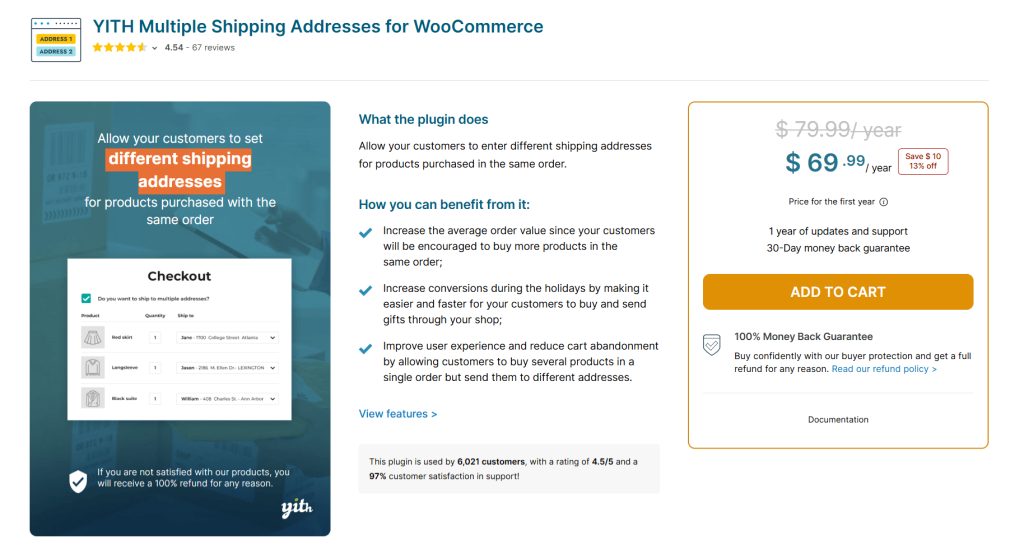
YITH Multiple Shipping Addresses for WooCommerce allows shoppers to split a single order across multiple delivery addresses. Customers who need to send items from a single order to different locations can assign different delivery addresses to each product in their shopping carts.
For example, during the holiday season, a customer might buy gifts for multiple people living in different cities. Instead of forcing them to place separate orders (which can lead to them abandoning their shopping carts), they can place the order in one go. Each shipment is tracked individually, and customers are notified when the status of each delivery changes.
Lauded as one of the best WooCommerce shipping plugins for multi-destination orders, YITH Multiple Shipping Addresses for WooCommerce lets admins retain complete control over how this feature is used. You can enable it storewide or restrict it to specific products, categories, or tags, depending on your fulfillment setup.
Top features
- Quick address management on the checkout screen. Shoppers can add, edit, and select multiple addresses without leaving the checkout page. Plus, they can set a default address or manually assign addresses per item.
- Flexible quantity distribution. Customers can split quantities of the same product across multiple addresses. They can, for instance, send part of an order to one location and the remaining items elsewhere.
- Product and category exclusions. You can disable multi-address shipping for specific items, categories, or tags for products that require special handling or centralized delivery.
- Customizable checkout display. It lets you control where the multi-shipping option appears on the checkout screen to match your store’s layout and improve usability.
Flexible Shipping Box Packing for WooCommerce by Octolize
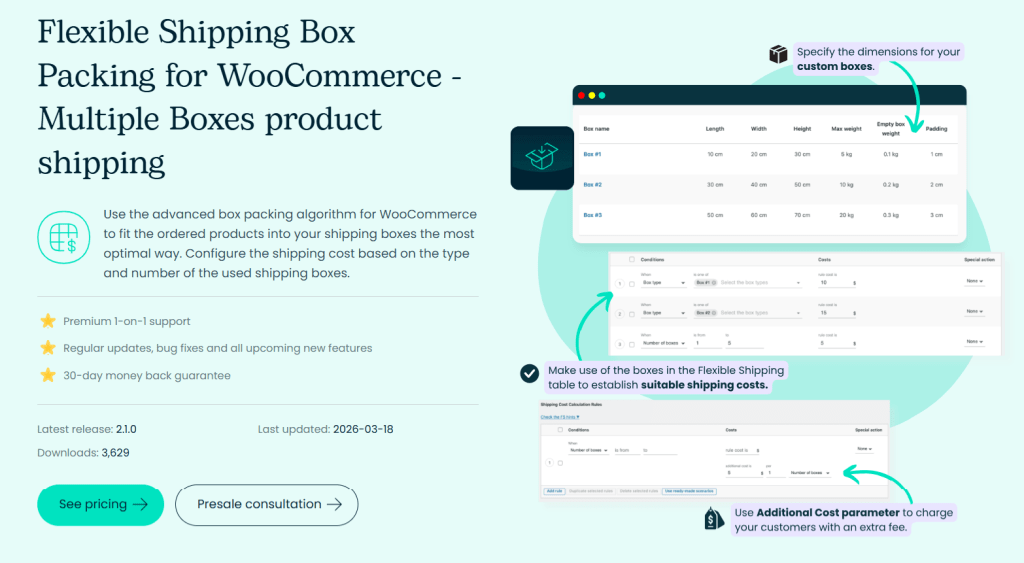
Instead of relying on basic weight-based calculations, Flexible Shipping Box Packing for WooCommerce uses dimension-based packing logic to calculate how products actually fit into boxes and uses the information to determine accurate shipping costs.
Stores that sell products of varying sizes and shapes can benefit from factoring in length, width, height, and box capacity when setting shipping rates. If an order needs more than one package, shipping costs adjust automatically based on how many boxes are used.
Flexible Shipping Box Packing for WooCommerce is an add-on for the Flexible Shipping plugin. Here’s a brief overview of the features that make it one of the best WooCommerce shipping plugins.
Top features
- Custom shipping boxes. It lets you define your custom box sizes with specific dimensions, weight limits, and padding requirements, and calculates shipping fees based on the type and number of boxes required, instead of relying on rough estimates.
- Automatic product-to-box matching. It auto-evaluates each product’s dimensions and assigns it to the most suitable box, no manual additional configuration needed.
- Advanced packing logic. Its powerful algorithm helps determine the most efficient way to pack items across one or multiple boxes for every order.
Which is the overall best WooCommerce shipping plugin?
In this post, we’ve shared the 10 best WooCommerce shipping plugins for most use cases.
As noted, there is no all-purpose shipping plugin for every WooCommerce store. Also, there’s the possibility that your store might need more than one shipping plugin.
Ultimately, your chosen plugins should depend on your desired specific shipping setup, shipping methods, shipping carriers, and order fulfillment processes.
In a rush? Here are the five best WooCommerce shipping plugins for most use cases:
- Flat Rate Shipping Method for WooCommerce by The Dotstore. Free and pro versions available. Check out the live demo.
- Hide Shipping Method for WooCommerce by The Dotstore. Free and pro versions available. Check out the live demo.
- WooCommerce Advanced USPS Shipping Method by The Dotstore. Free and pro versions available. Check out the live demo.
- WooCommerce Local Pickup by The Dotstore. Free and pro versions available. Check out the live demo.
- WooCommerce Multi-Vendor Shipping Addon by The Dotstore. Pro version only. Check out the live demo.
Get started with these plugins and configure your shipping settings to fit your operations and maximize conversions today!