Table of Contents
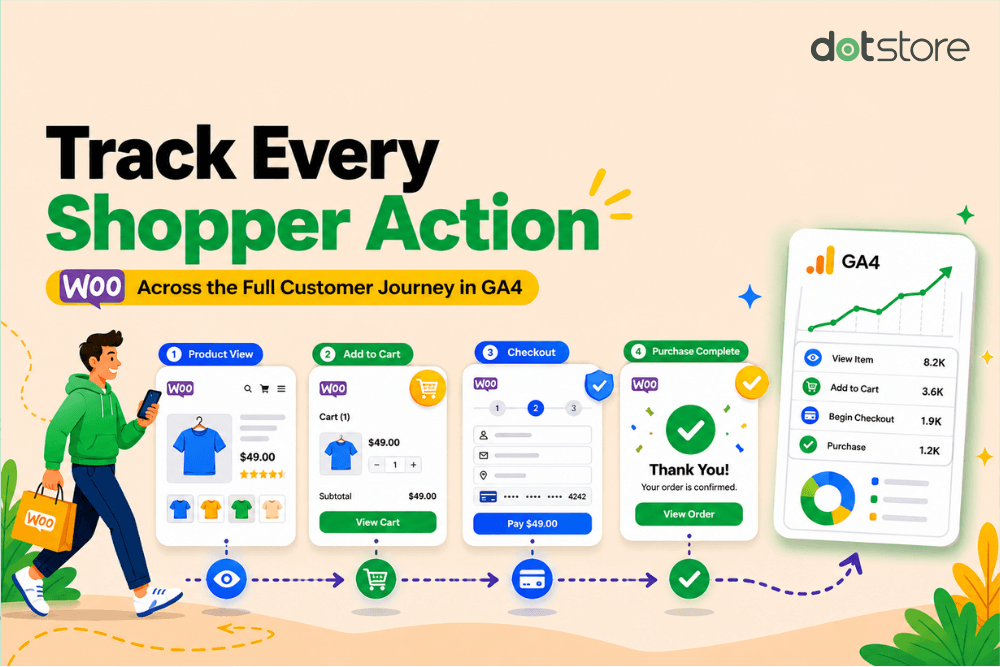
Proper ecommerce tracking goes beyond pageviews and purchases. In this Google Analytics WooCommerce integration guide, we’ll show you how to connect WooCommerce to Google Analytics so you can accurately measure product interactions, checkout behavior, conversions, and more in GA4.
Key Takeaways
- Many WooCommerce Google Analytics integrations successfully track purchases and pageviews but aren’t set up to capture enhanced ecommerce events.
- To properly connect WooCommerce to Google Analytics, you must enable complete GA4 ecommerce tracking for the entire customer journey.
- Missing ecommerce events such as add-to-cart actions, checkout steps, or product interactions can create inaccurate reports, unreliable funnels, and misleading attribution data.
- The Dotstore Enhanced Ecommerce Google Analytics for WooCommerce plugin integrates WooCommerce with Google Analytics and tracks enhanced ecommerce journey events, including product impressions, product views, add-to-cart actions, checkout behavior, purchases, and custom events.
Do you want to connect Google Analytics with WooCommerce?
Most advice about how to connect WooCommerce to Google Analytics sounds straightforward: install a plugin, connect your Google account, and finally, enable GA4 tracking.
These WooCommerce Google Analytics integrations appear to work correctly at first glance and may show pageviews, product views, and purchases; however, this setup is incomplete.
This means your analytics dashboard may look functional while important customer journey events like “add to cart”, “remove from cart” interactions, product view events, and others are either partially tracked, inconsistently tracked, or missing entirely.
In this guide, we’ll break down the most common gaps in WooCommerce GA4 integrations, explain why they happen, and show you how to properly track the full customer journey using the powerful Dotstore Enhanced Ecommerce Google Analytics for WooCommerce plugin that lets you set up enhanced ecommerce tracking in WooCommerce.
Enhanced Ecommerce Tracking
Leverage the power of analytics to boost your store’s performance and maximize profits.
14-day, no-questions-asked money-back guarantee.
Why is incomplete ecommerce tracking a serious problem?
Google sunset Universal Analytics and fully transitioned users to GA4 in 2024.
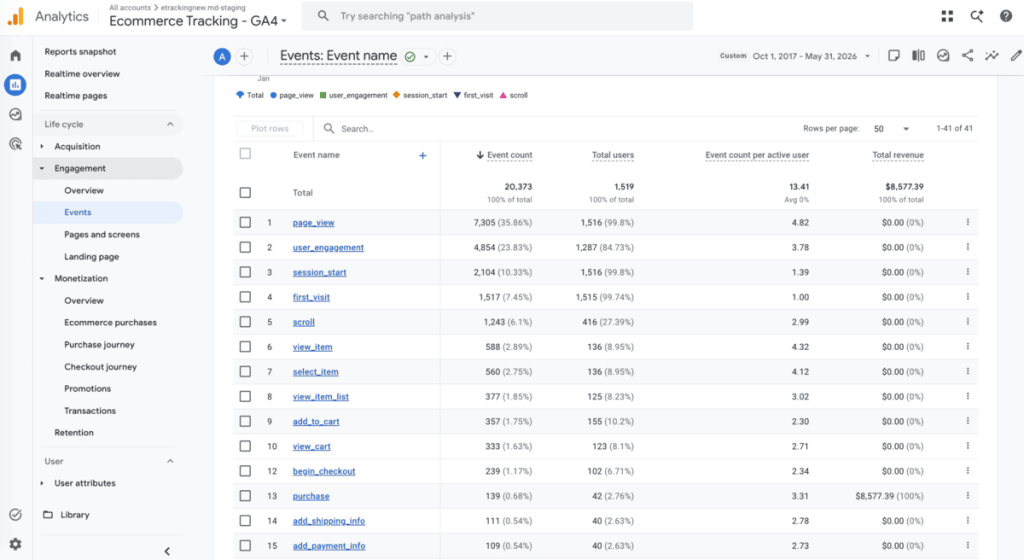
Considering that GA4 depends heavily on structured ecommerce events and event continuity, missing even one critical step (such as begin_checkout or add_payment_info) can disrupt your reporting and break funnel visibility.
Here’s how incomplete WooCommerce Google Analytics tracking can affect how you measure performance, optimize campaigns, build audiences, and make revenue decisions across your store.
Your GA4 funnels become unreliable
If events like begin_checkout, add_shipping_info, or add_payment_info aren’t tracked properly, your checkout funnel becomes incomplete. GA4 may show massive customer drop-offs that don’t actually exist.
This makes it difficult to understand where customers are abandoning checkout, which product pages drive the highest purchase intent, which campaigns generate high-intent traffic, what’s reducing conversion rates, and other important insights.
Without complete ecommerce events, you’re forced to make important business decisions with partial data.
Your ad campaigns optimize using inaccurate conversion signals
Platforms like Google Ads and Meta rely heavily on conversion events to optimize campaign delivery.
If WooCommerce isn’t sending consistent ecommerce events to GA4, your ad platforms may receive incomplete or delayed signals. This affects remarketing audiences, lookalike audiences, conversion optimization, ROAS reporting, and automated bidding strategies.
For instance, if “add_to_cart” events are missing for mobile users, Google Ads may incorrectly assume mobile traffic has lower purchase intent. Your campaigns may then shift budget away from audiences that were actually converting.
Attribution data becomes unreliable
Incomplete ecommerce tracking can distort attribution reporting on the full customer journey.
For instance, let’s say a customer discovers your store through organic search, returns later through an email campaign, and finally converts after clicking a retargeting ad.
If event continuity breaks during the journey, GA4 may incorrectly attribute the purchase to the wrong channel or fail to connect the sessions entirely.
Not tracking the full ecommerce journey accurately makes it harder to understand which channels are driving revenue to your store.
The problem with many WooCommerce Google Analytics integration plugins
Many WooCommerce Google Analytics integration plugins fail to track the complete customer journey.
Even if they connect WooCommerce with Google Analytics, many plugins don’t track enhanced ecommerce interactions comprehensively. Or they may require additional customization to work reliably across different store setups, for example, those with custom themes, AJAX add-to-cart functionality, variable products, custom checkout flows, page builders, third-party plugins, or express checkout options.
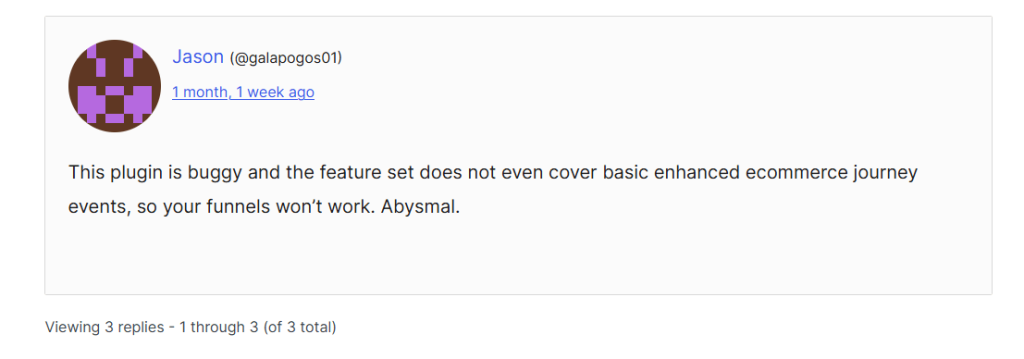
This results in missing or inconsistent ecommerce events, incomplete checkout tracking, delayed event firing, unreliable funnel reporting, and discrepancies between WooCommerce orders and GA4 purchase data.
This doesn’t mean these plugins are unusable; they may be sufficient for stores with basic reporting needs. Rather, it highlights that there is an important difference between connecting WooCommerce to Google Analytics and accurately tracking the full ecommerce journey in GA4.
So, we built a plugin that addresses these issues and delivers even better analytics for WooCommerce stores. Plus, users who need hands-on help can easily contact our award-winning support team for quick assistance.
Introducing the best WooCommerce Google Analytics integration plugin
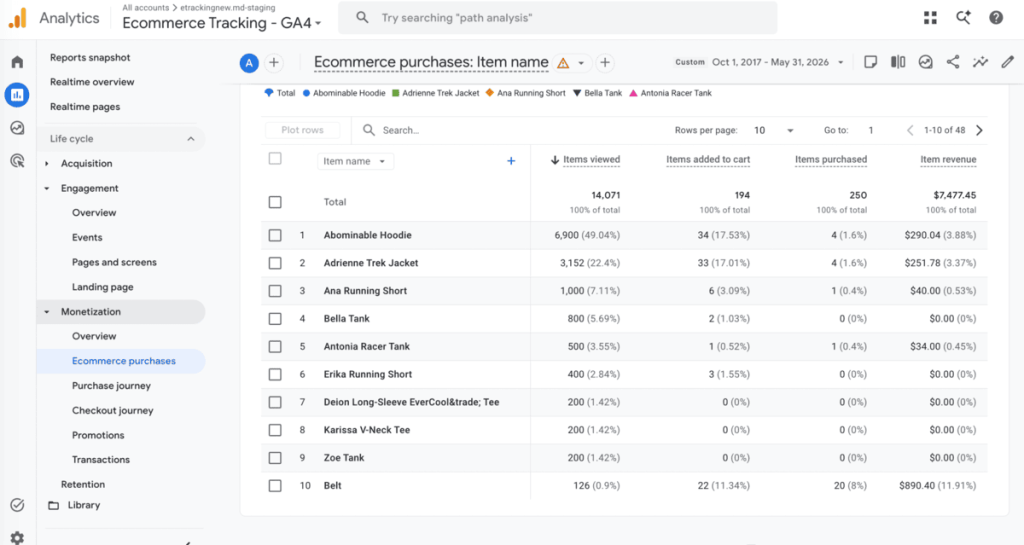
The Dotstore Enhanced Ecommerce Google Analytics for WooCommerce plugin lets you accurately track the entire ecommerce journey and collect rich customer data.
Instead of only recording purchases, it captures important ecommerce events and key interactions such as product impressions, product clicks, product views, add-to-cart actions, checkout activity, completed purchases, and custom ecommerce events.
Tracking the full customer journey inside GA4 helps you better understand how shoppers interact with your store so you can glean deep insights to make more informed marketing decisions.
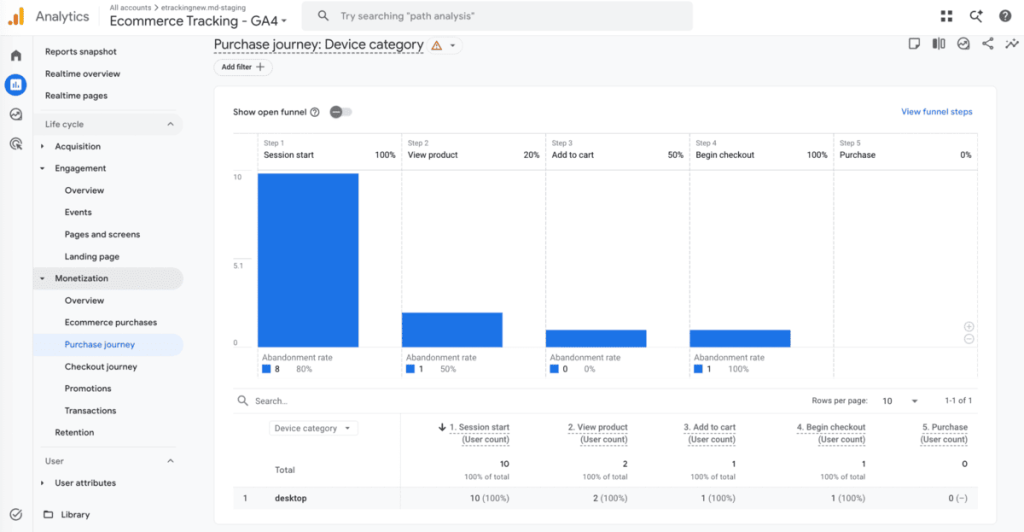
For example, let’s say you notice that a product receives plenty of views but relatively few add-to-cart actions. This insight can point to pricing concerns, weak product descriptions, missing trust signals, or other conversion obstacles that deserve further investigation.
Or if shoppers regularly add products to their carts but abandon checkout before completing the purchase, you might need to focus your optimization efforts on the checkout flow rather than the product page.
Dotstore Enhanced Ecommerce Google Analytics for WooCommerce is useful for:
- WooCommerce admins who want better visibility into customer behavior.
- Ecommerce marketers who manage paid advertising campaigns.
- Agencies responsible for client reporting and attribution.
- Multi-store businesses that need consistent analytics across properties.
- Growth-focused brands looking to improve conversion rates.
- WooCommerce merchants who use remarketing and audience-based advertising strategies.
Advanced ecommerce tracking doesn’t have to mean a complicated configuration. Dotstore Enhanced Ecommerce Google Analytics for WooCommerce connects directly to your Google Analytics account in minutes. The entire process is simple to set up, and once the integration is complete, it starts collecting meaningful ecommerce data, including enhanced ecommerce journey events, almost immediately.
Key features
Here are some of the top Dotstore Enhanced Ecommerce Google Analytics for WooCommerce plugin features that help WooCommerce stores move beyond surface-level reporting.
- Detailed ecommerce tracking. This WooCommerce Google Analytics integration plugin tracks critical ecommerce interactions throughout the customer journey. In addition to recording the sale, this helps you understand the actions and interactions that happen before the sale occurs.
- Custom dimensions and metrics. Need deeper insights into your products, customers, or transactions? You can configure custom dimensions and metrics that segment and analyze data more effectively, beyond what standard GA4 reports may reveal.
- Dynamic remarketing support. Many visitors to your WooCommerce site won’t purchase during their first session. The plugin supports dynamic remarketing, which allows you to build more relevant advertising campaigns based on previous product interactions and browsing behavior.
- Custom event tracking. Beyond standard ecommerce events, you can configure and track custom events that align with your unique business goals and customer journeys.
- Advanced analytics and reporting. Dotstore Enhanced Ecommerce Google Analytics for WooCommerce provides access to detailed ecommerce reporting, purchase insights, customer behavior data, search tracking, session information, and other valuable metrics that help you evaluate your store’s performance.
- Role-based exclusions. Want to prevent employees, administrators, or internal traffic from skewing your reports? You can set up role-based exclusion capabilities that filter out their actions on your site. This keeps your analytics data cleaner and more reliable.
How to set up complete WooCommerce GA4 tracking with Dotstore’s Enhanced Google Analytics plugin
Here’s a step-by-step walkthrough showing how to connect WooCommerce to Google Analytics to properly track the full WooCommerce customer journey in GA4.
- Download and activate the “Dotstore Enhanced Ecommerce Google Analytics for WooCommerce” plugin on your site.
- In your WooCommerce admin, navigate to Dotstore Plugins → Ecommerce Tracking.
- To integrate Google Analytics with WooCommerce via the setup wizard:
- Press the “Start to Setup” button to launch the setup wizard.
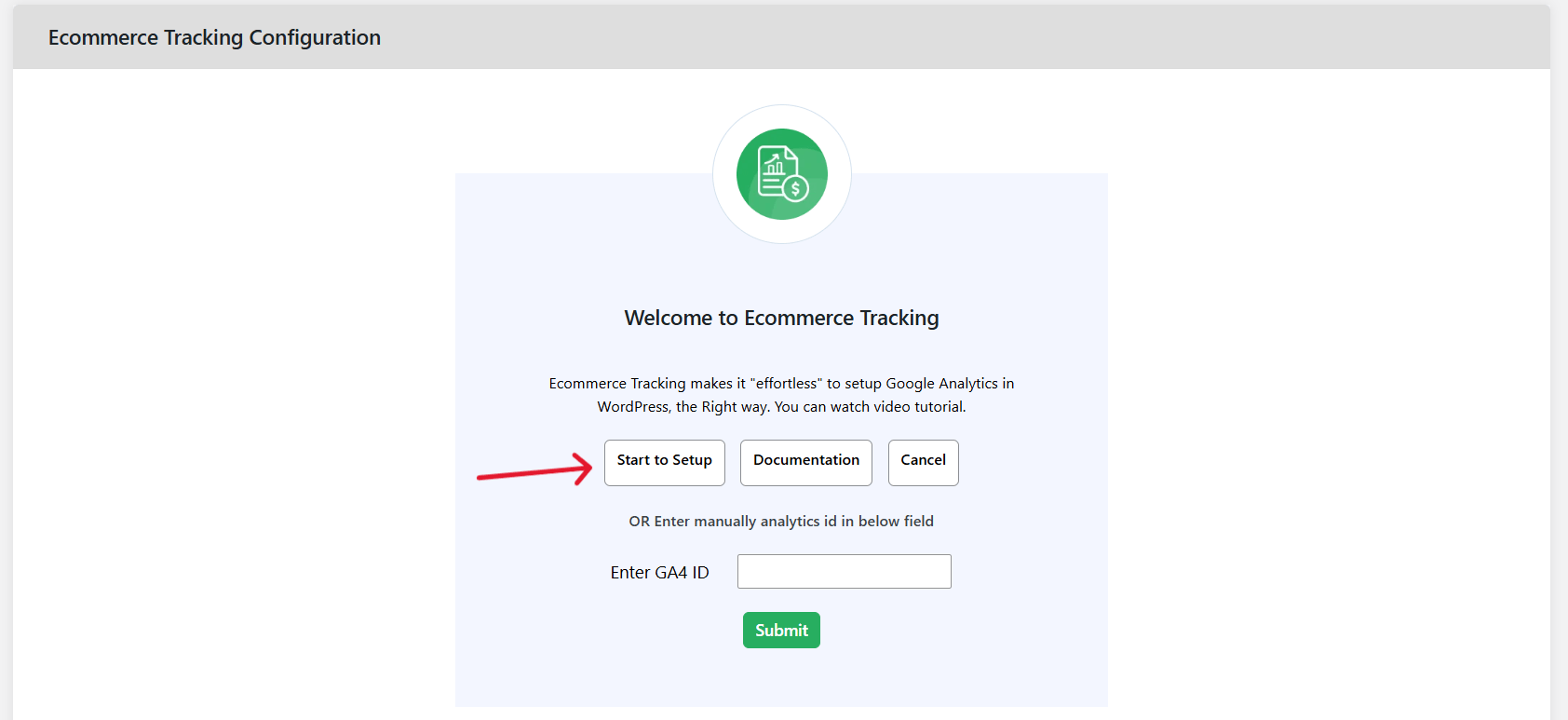
- Press the “Sign in with Google” button and select your Google Analytics account.
- It will pull all the analytics IDs associated with the selected Google account. Select the appropriate GA4 ID and then click on the “Complete Connection” button.
- Press the “Start to Setup” button to launch the setup wizard.
- To integrate Google Analytics with WooCommerce by pasting the GA4 ID directly:
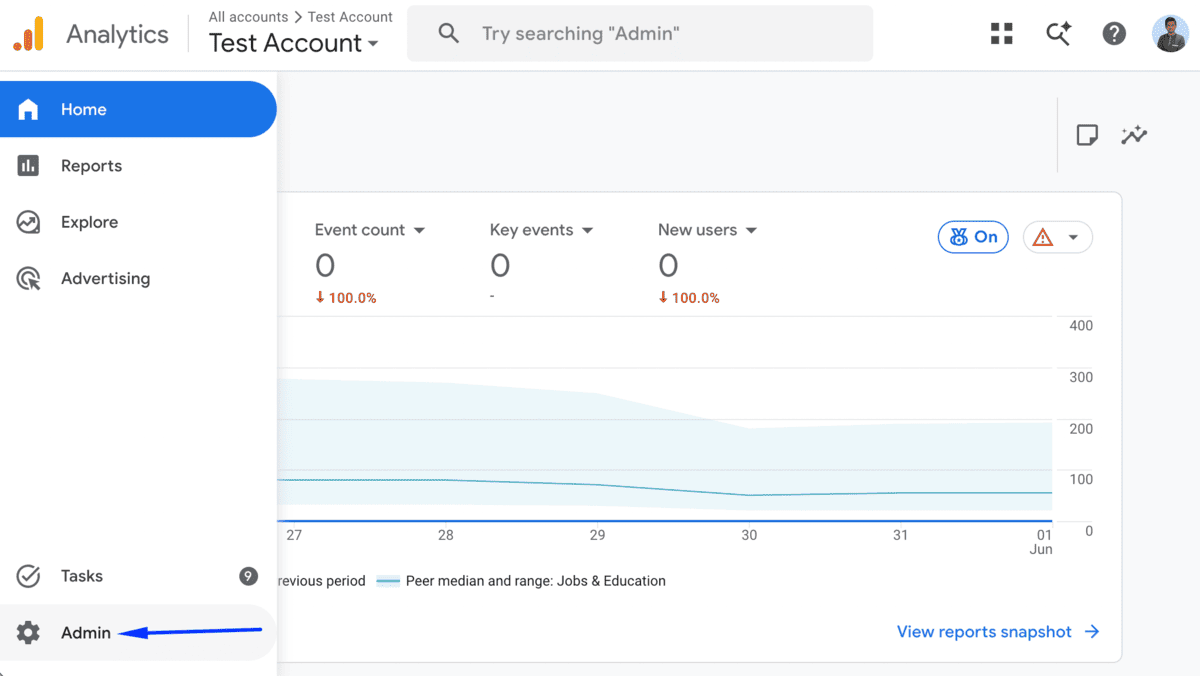
- Log in to your Google Analytics account, then press the “Admin” button.
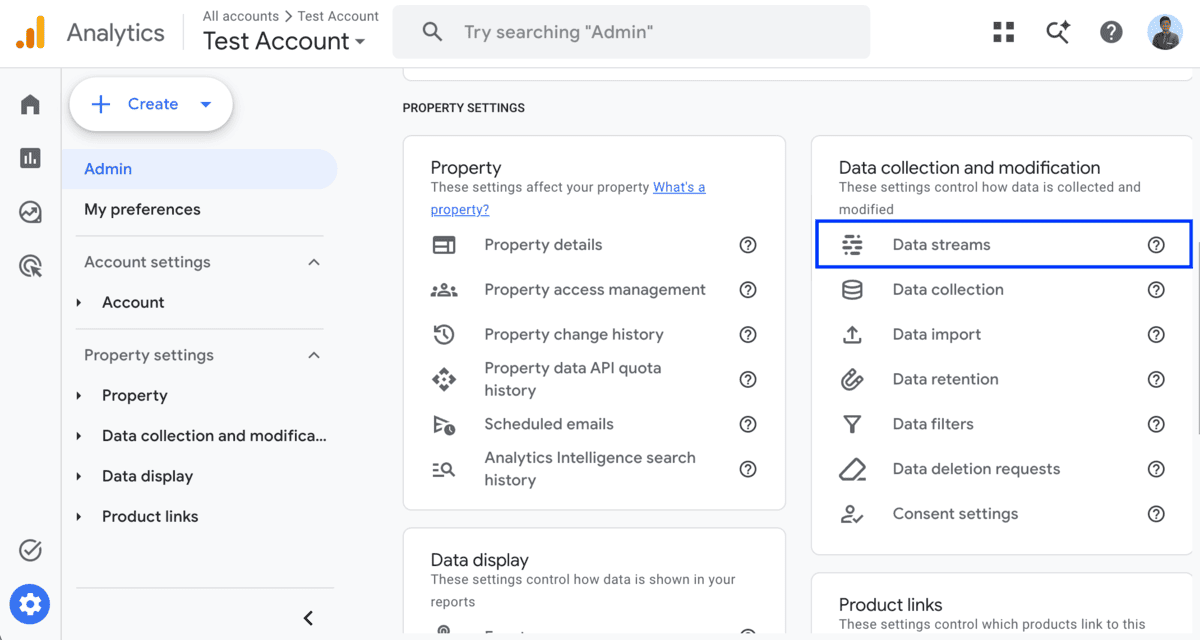
- Under “Data collection and modification”, click on “Data streams”.
- Click on your store’s data stream and copy the “Measurement ID”.
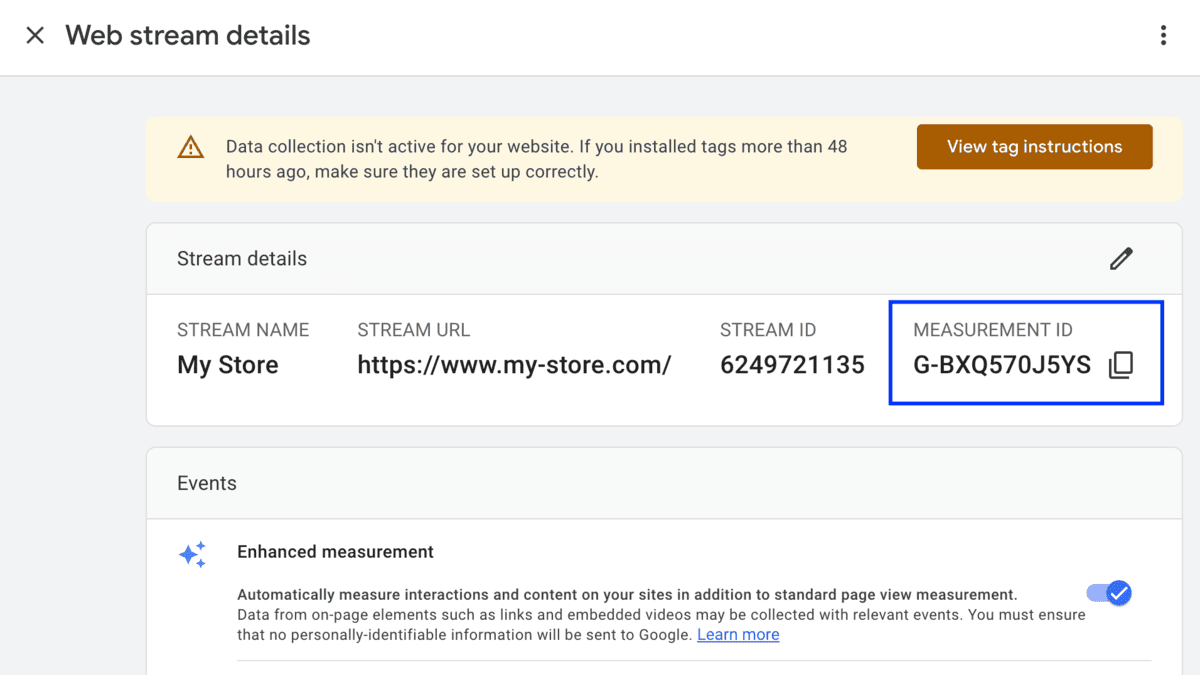
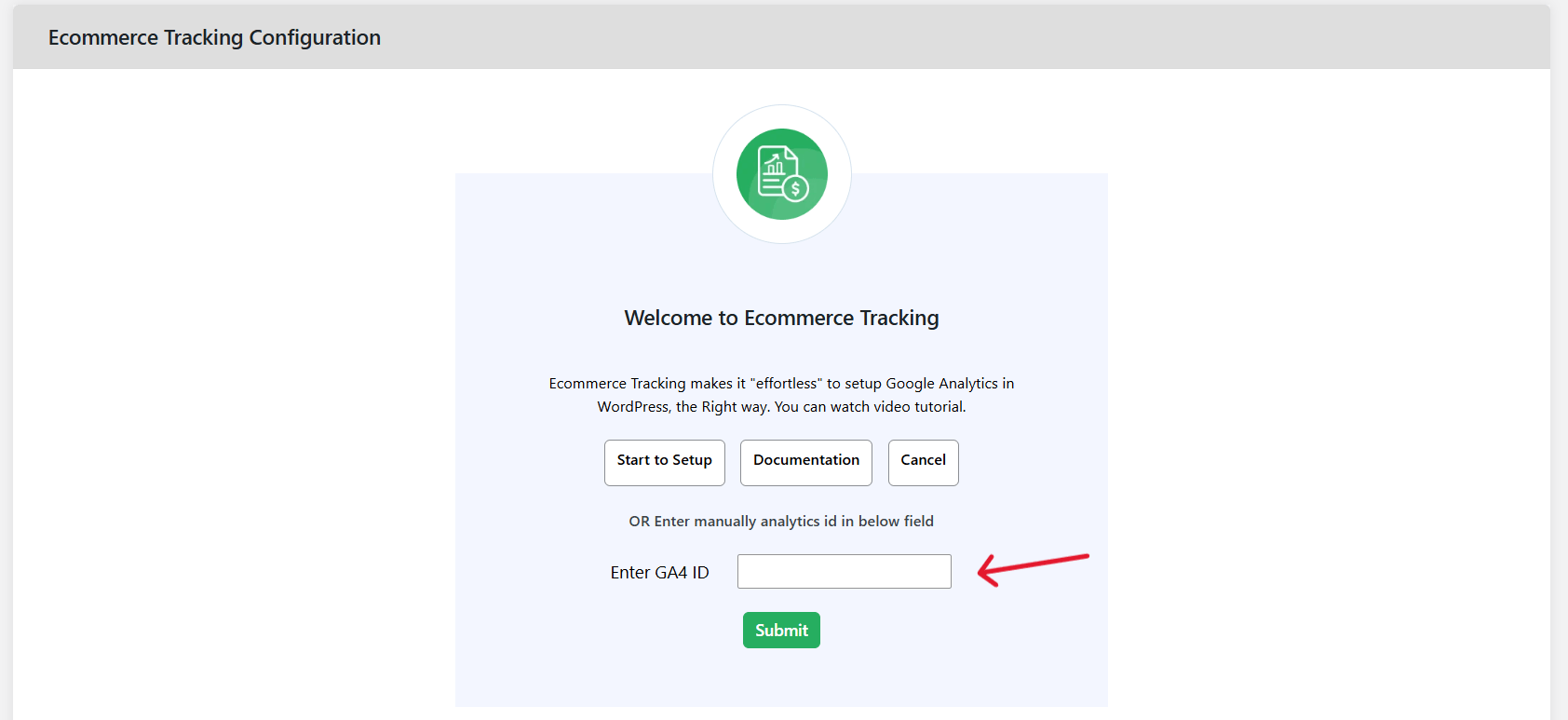
- Paste the measurement ID in the “Enter GA4 ID” box, and press “Submit”.
- Log in to your Google Analytics account, then press the “Admin” button.
- Once you’ve completed the Google Analytics WooCommerce integration, you can configure the remaining settings to capture enhanced ecommerce events.
- Enable Enhanced eCommerce: This will send all website data, including transactions, revenue, product views, add to cart, remove from cart, apply coupon, increase and decrease cart quantity, and others, to Google Analytics.
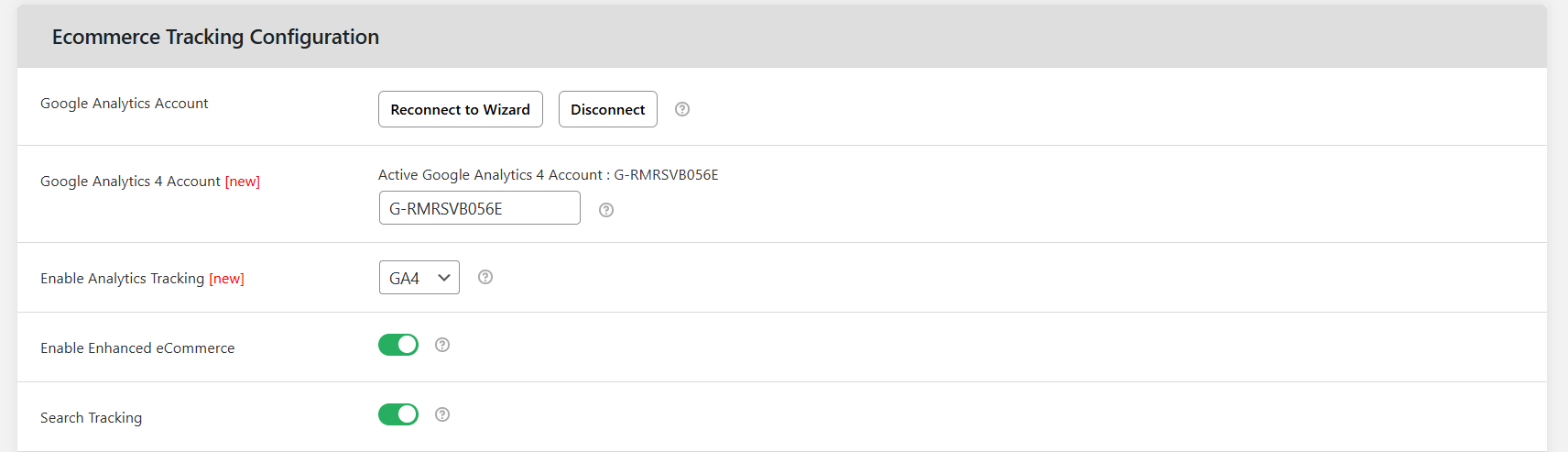
- Search Tracking: This sends all the website’s search terms to Google Analytics.
- Sign Up Tracking: This sends a sign_up event when a visitor registers.
- Custom Event: This lets you track custom events and actions.
- Demographics and Interests Reports for Remarketing and Advertising.
- Enable Enhanced eCommerce: This will send all website data, including transactions, revenue, product views, add to cart, remove from cart, apply coupon, increase and decrease cart quantity, and others, to Google Analytics.
- Scroll to the bottom of the page and press “Save changes”.
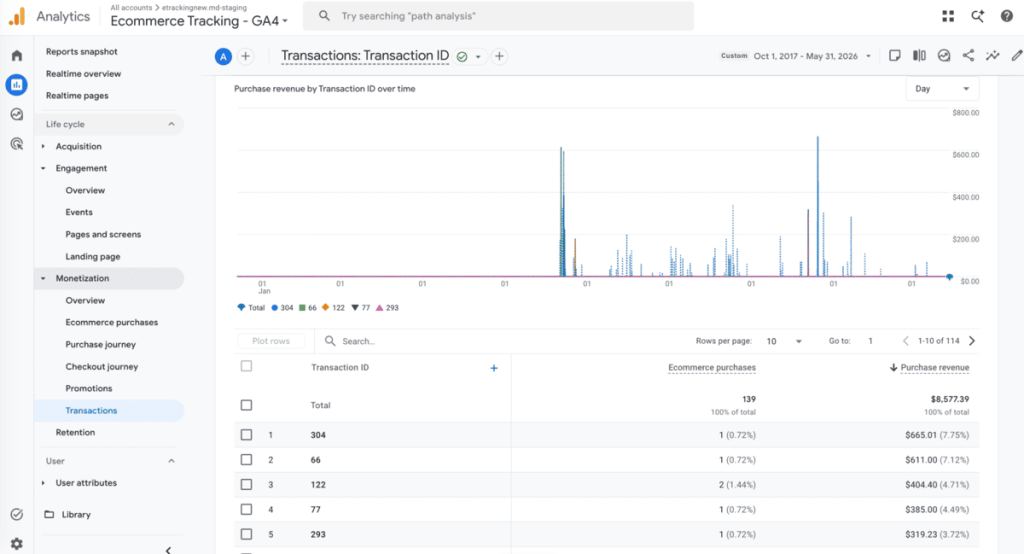
Is your WooCommerce Google Analytics integration missing critical GA4 events?
Data is the lifeblood of every ecommerce business. Decisions around marketing campaigns, product launches, pricing, optimization, and revenue depend on it.
The goal isn’t just to connect WooCommerce to Google Analytics. It is to collect accurate ecommerce data that helps you understand how customers interact with your store, what influences their purchasing decisions, as well as opportunities for growth.
If your WooCommerce Google Analytics integration is missing critical GA4 events, you’re operating with an incomplete picture of your business.
Whether you’re trying to identify funnel drop-offs, improve ad performance, build more effective audiences, or simply gain confidence in your reporting, Dotstore Enhanced Ecommerce Google Analytics for WooCommerce lets you collect the data needed to make smarter decisions.
It lets you track the full ecommerce journey accurately, including product impressions, product views, add-to-cart actions, checkout behavior, completed purchases, and everything in between.
You can set custom dimensions and metrics, track custom events, and use the data obtained for dynamic remarketing.
Try the live demo or get started with the Dotstore Enhanced Ecommerce Google Analytics for WooCommerce plugin now.
Enhanced Ecommerce Tracking
Leverage the power of analytics to boost your store’s performance and maximize profits.
14-day, no-questions-asked money-back guarantee.