Table of Contents
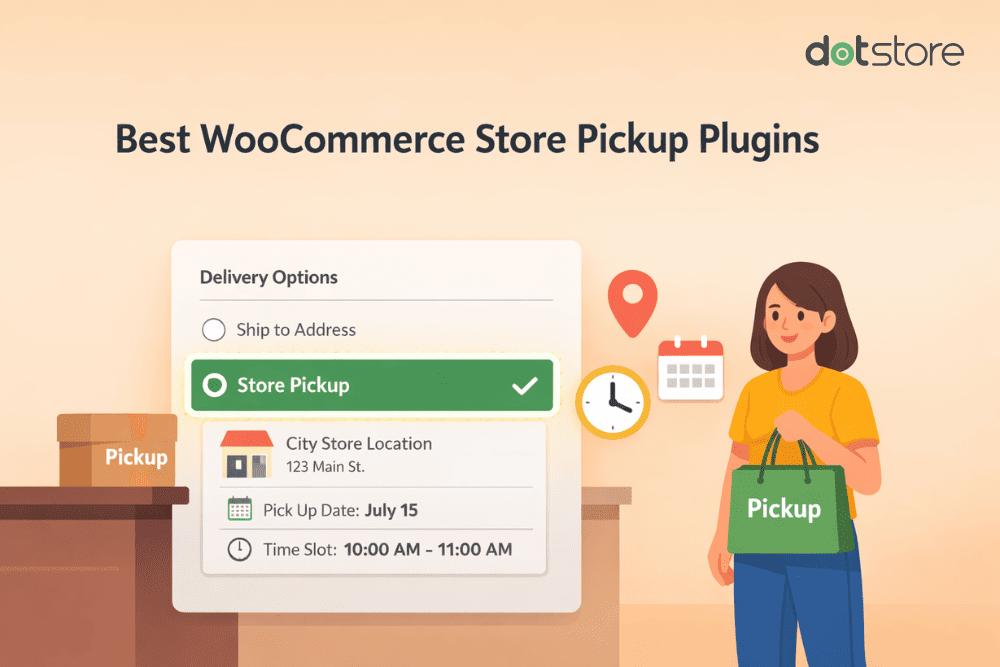
Offering local pickup for WooCommerce can boost your business’s conversion rate and revenue. We’ve rounded up the 10 best WooCommerce store pickup plugins that enable you to add multiple local pickup locations, define business days and hours, allow customers to select preferred pickup date and time slots, block non-working days, and much more.
Key Takeaways
- WooCommerce’s built-in local pickup options are functional but limited. They don’t support pickup scheduling, working hours, multiple locations with proper rules, conditional availability, and more.
- The default WooCommerce local pickup options work fine for small businesses; however, most scaling stores outgrow them in a short time.
- WooCommerce store pickup plugins (also known as local pickup plugins, local delivery plugins, click and collect plugins, or pickup plugins) upgrade WooCommerce’s default features by letting admins add unlimited pickup locations, define business hours and availability rules, block holidays, manage lead times, pickup date and time slots, and more.
- This post contains pickup plugins that cater to different business types, from small single-store shops to multi-location retail chains, restaurants, grocery stores, and high-volume warehouses.
- The top features consider when choosing a WooCommerce store pickup plugin are: (1) support for multiple pickup locations, (2) customizable availability and working hours, (3) conditional logic based on products, categories, or customer address, (4) a date and time slot picker with lead time and cutoff rules, and (5) flexible fees or discounts for pickup.
- For most WooCommerce stores (especially those that offer click and collect or operate multiple pickup points), WooCommerce Local Pickup by The Dotstore is the best all-around local pickup plugin. It offers unlimited pickup locations, advanced scheduling, conditional rules, lead times, holiday blocking, fees/discounts, an intuitive customer-facing checkout experience, and more.
If you’re on the hunt for a WooCommerce store pickup plugin (also known as a WooCommerce local pickup plugin, WooCommerce local delivery plugin, WooCommerce click and collect plugin, or WooCommerce pickup plugin) that bypasses the limitations of WooCommerce’s default local pickup feature, this post is here to help.
By default, WooCommerce allows admins to enable store pickup via two methods: the so-called “legacy WooCommerce local pickup option” and purpose-built blocks added to the checkout page.
The problem? Both default WooCommerce local pickup methods have several limitations that make them ineffective for most businesses. Case in point: neither of the default methods allows store admins to set working hours and designate non-working days as holidays, or allows customers to select their favored pickup date and time slot to collect their orders.
That’s where WooCommerce store pickup plugins come in.
In this post, we’ll walk you through:
- What to look for in a WooCommerce store pickup plugin.
- The top 10 WooCommerce store pickup plugins for various kinds of businesses.
- Our final verdict — which WooCommerce store pickup plugin is the best overall?
Want to skip the post and get started with our top recommendation? Download the free or premium version of WooCommerce Local Pickup by The Dotstore. It enables you to add unlimited pickup locations, define working hours, add date and time pickers so customers can select their preferred slots, define non-working days when in-store pickup is unavailable, and much more.
Local Pickup For WooCommerce
Let your customers shop online and later pick up their purchased items from your store with Local Pickup Plugin.
14-day, no-questions-asked money-back guarantee.
First things first, let’s discuss what to look for in a WooCommerce local pickup plugin.
What makes the best WooCommerce store pickup plugin?

A WooCommerce store pickup plugin lets your customers place an online order and collect it themselves from a designated physical location — whether that’s a retail store, warehouse, curbside counter, or local pickup point — instead of having them shipped to their doorsteps. But the right pickup plugin does much more than add a local pickup dropdown menu to the WooCommerce checkout flow; it gives you fine-grained control over how WooCommerce local pickup works for your business.
Here are six important features top-notch WooCommerce store pickup plugins add to your website.
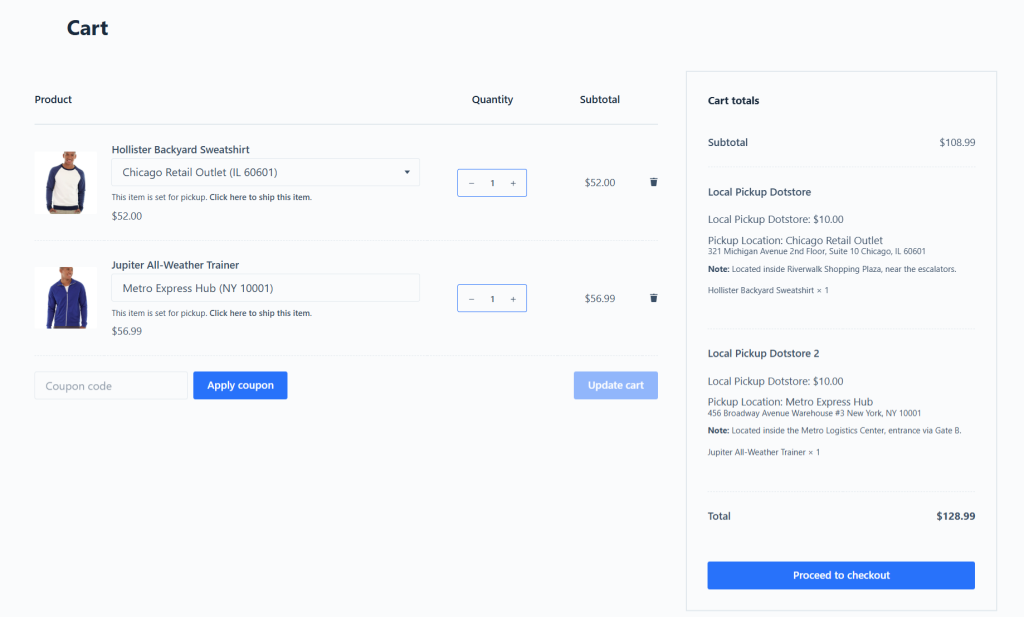
- Multiple pickup locations. The legacy default WooCommerce local pickup option limits admins from adding more than one pickup location per shipping zone. The new purpose-built local pickup WooCommerce blocks allows admins to add multiple local pickup locations, however, it shows them to all customers at the checkout stage regardless of their location and regardless of whether the product is available at that pickup point. Your chosen pickup plugin should support the creation of unlimited store pickup location profiles. What’s more, beyond a simple dropdown menu on the cart and checkout page, local pickup points should be showcased as actual location profiles with business hours, pickup policies and instructions, and custom availability.
- Customizable availability rules. Unless you want customers to be able to pick up items from a physical location 24/7/365, you’d likely want to have control over when the store pickup option is available and under what conditions. A good WooCommerce store pickup plugin will let you offer pickup only on certain days of the week, set business hours per location, disable pickup on specific dates (e.g., holidays), and create pickup rules by product category or tag.
- Show store pickup conditionally at checkout. Not every customer or product qualifies for local pickup. Your plugin should enable you to use conditional logic to show or hide the store pickup option based on each customer’s shipping address and cart contents. For example, a grocer might want to prevent customers from picking up frozen meats from their store and require that they be delivered to each customer’s address (to ensure that the quality isn’t compromised while being transported by customers). In this case, your chosen plugin should hide the store pickup option if the cart includes any “frozen” tagged products.
- Store pickup date and time selection. Once you’ve set up availability rules for each store on your website’s backend, you want to control how it is offered to customers on the front end. The pickup calendar should clearly display a date and time slot picker, buffer time for order preparation (e.g., 2 days’ notice), time slot limits (e.g., 3 pickups per hour), and cutoff times (e.g., no same-day pickup after 2 PM).
- Pickup charges or discounts. WooCommerce’s inbuilt local pickup feature enables you to add a basic fee for in-store pickups. The best WooCommerce store pickup plugins go a step further by enabling you to use different methods to charge fees and discounts to incentivize pickup for all or specific pickup points.
Top 10 WooCommerce store pickup plugins
These are the 10 best WooCommerce store pickup plugins at a glance. Read on for an in-depth comparison of each.
(Editor’s note: We included WooCommerce local pickup plugins for different budgets and types of businesses to make this list accessible and comprehensive. This means, some plugins on this list may not include all the top criteria listed in the “What makes the best WooCommerce store pickup plugin?”. However, they earned their place on this list as they offer some kind of improvement to the default WooCommerce local pickup feature).
- WooCommerce Local Pickup by The Dotstore.
- Orderable by Liquid Web.
- Local Pickup Plus for WooCommerce by Skyverge.
- WC Pickup Store by Keylor Mendoza.
- WooODT Lite by mdalabar.
- Pickup Points PRO for WooCommerce by Octolize.
- WooCommerce Pickup Locations (Local Pickup) by ddeveloper.
- Advanced Local Pickup (ALP) by Zorem.
- Multi Store Addons For WooCommerce by Agile Store Locator.
- WooCommerce Delivery Slots by Iconic.
WooCommerce Local Pickup by The Dotstore
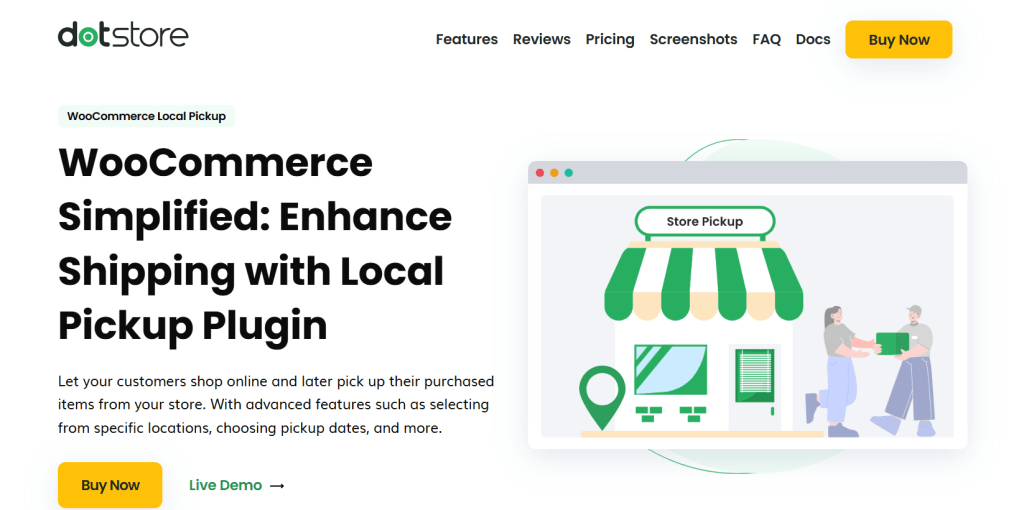
WooCommerce Local Pickup is the best store pickup plugin overall. Available in both free and premium versions, it enables you to add unlimited local pickup points to every shipping zone in WooCommerce, set up custom store pickup schedules, define pickup availability (opening and closing hours, non-working days, etc.), add advanced pickup rules, and more.
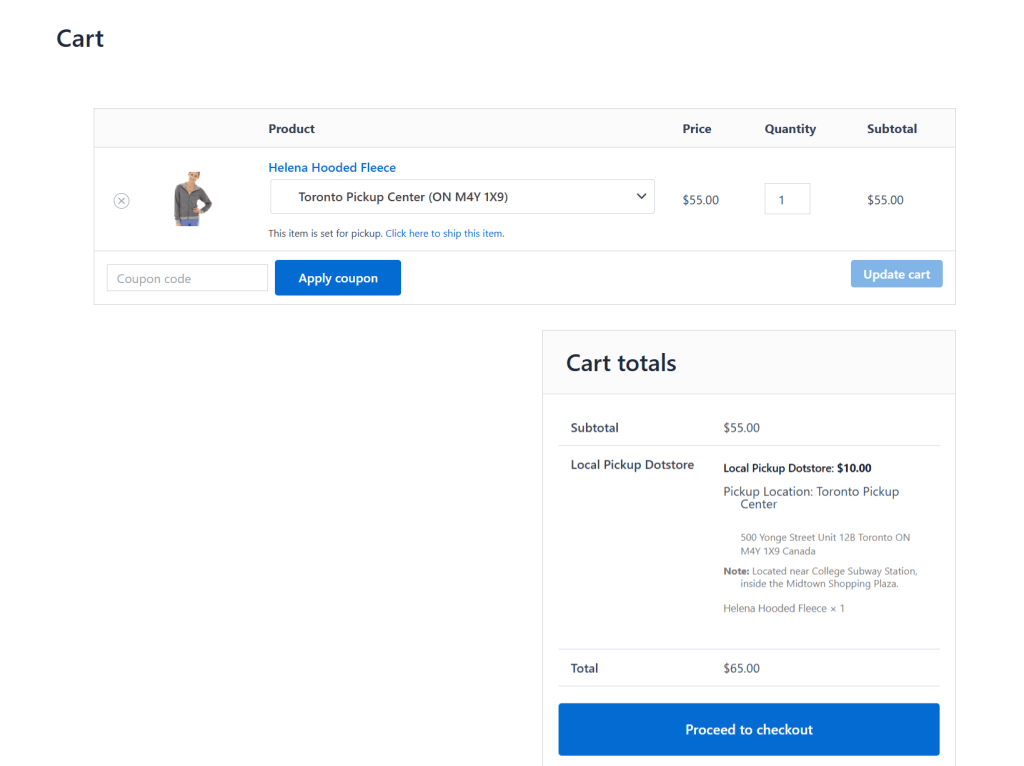
Thousands of businesses with various types of physical locations use WooCommerce Local Pickup to offer in-store pickup as a standalone option or together with traditional shipping methods. It upgrades the default WooCommerce local pickup method and empowers you to:
- Require a small payment (such as a handling fee) or discount for orders picked up in-store.
- Add a calendar with a time slot picker to enable customers to schedule pickups during checkout.
- Limit store pickup times to business hours and specific days.
- Restrict in-store pickup to certain products or categories.
- Display store pickup location details during checkout.
- Much more.
WooCommerce Local Pickup’s key features
- Unlimited local pickup locations. You can add and manage as many store pickup locations as needed (even hundreds or thousands), each with its own address, working hours, lead time, pickup instructions, and more.
- Restrict pickup by product, category, or cart contents. It gives you full control to only allow WooCommerce local pickup for specific products. For instance, a superstore might want to allow customers to pick up perishable goods but require shipping for electronics or fragile items.
- Define store pickup availability based on shipping zone. When appropriate, it shows all appropriate local pickup points to each customer based on their shipping zone (unlike the new WooCommerce Blocks feature).
- Custom pickup schedules per location. It lets you add time slots, define official working hours, and block off weekends or holidays to make sure customers can only pick dates or times that work for your business.
- Factor in order processing time. To avoid situations where customers place orders online and show up to pick them up within the hour, it lets you set minimum pickup lead times to account for order processing.
- Charge a fee or offer a discount for local pickup. Depending on your business strategy, you can apply flat or percentage-based pickup fees or offer discounts customized to each physical location to motivate or discourage customers from picking up orders from your physical stores.
The best bit? It takes less than ten minutes to set up from start to finish — even if you have multiple store pickup points.
Get WooCommerce Local Pickup’s free or premium version now.
Orderable by Liquid Web
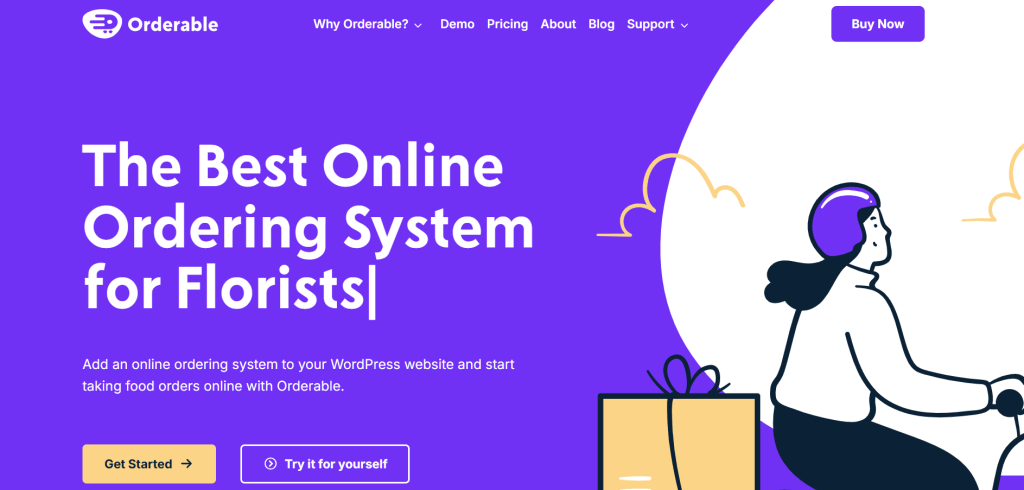
Orderable bills itself as the best online ordering system for businesses that operate in the food and retail industry — think: bakeries, cafes, delis, florists, local restaurants, pizzerias, and the like.
Its all-in-one interface streamlines local ordering and its store pickup functionality is tightly integrated with the rest of the platform, which makes it handy for businesses to fulfill a large number of time-sensitive orders in real-time.
Orderable’s key features
- Order pickup and delivery schedules. Customers can choose between local delivery and pickup during checkout. More importantly, store admins get full control over when in-store pickups can happen as it enables you to configure available days, working hours, lead times, and prep times.
- Real-time pickup slot management. You can control the number of pickup orders you accept per time slot to prevent overload during busy hours. For example, if a specific outlet can only handle 5 orders every 15 minutes, Orderable lets you cap it and auto-block slots that fill up.
- Holiday and special hours management. You can easily block specific dates or set holiday hours. This is handy if you’re closing early on a festival weekend or shutting down for maintenance and want to make sure that no one can place an order for pickup or delivery during that time.
- Order bumps and upsells. It goes beyond logistics and order fulfillment by enabling you to add custom upsells at checkout, such as offering a drink, dessert, or side dish for pickup orders. This can go a long way toward increasing your store’s average order values without complicating the customer journey.
Local Pickup Plus for WooCommerce by Skyverge
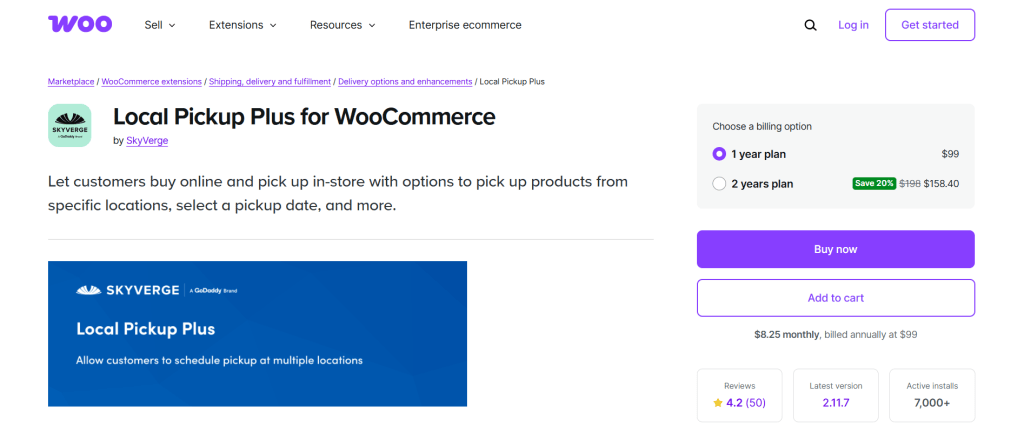
Local Pickup Plus for WooCommerce is a popular plugin that takes WooCommerce’s default local pickup feature and transforms it into a fully customizable, location-based pickup system. It’s built for businesses with multiple pickup points, that require staff coordination and customer communication.
Local Pickup Plus’ key features
- Multiple pickup locations. It lets you add unlimited pickup locations each with a unique name, address, business hours, and specific product availability so customers can choose the most convenient pickup point during checkout.
- Pickup appointment scheduling. You can configure appointment-based pickup based on your workflow. This gives you the freedom to set up pickup days, time slots, lead times, and buffer periods between orders.
- Control store pickup based on product, category, or shipping zone. It allows you to restrict WooCommerce local pickup to only certain products or categories or disable it entirely for virtual or drop-shipped items. This helps prevent confusion and makes sure customers don’t opt for store pickup for items that can’t be made physically available at the location.
- WooCommerce shipping zones integration. Because each pickup location can be tied to a shipping zone, local pickup options only appear to customers in specific regions. Customers see pickup points curated to their location which makes for an intuitive shopping experience.
- Control the number of WooCommerce local pickup appointments per time slot. Some stores might want to avoid too many customers showing up to collect their orders during a specific interval. It lets you set basic restrictions on the number of available pickup appointments per slot.
WC Pickup Store by Keylor Mendoza
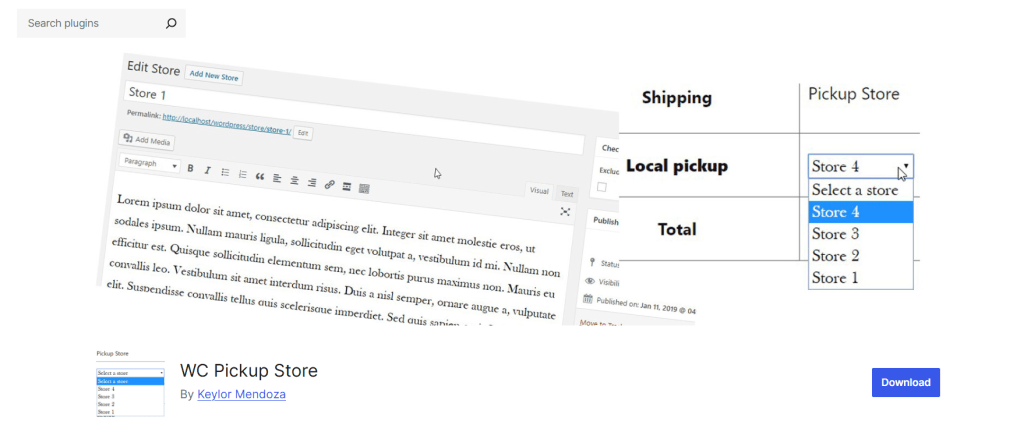
WC Pickup Store is a good fit for WooCommerce stores that have multiple physical pickup locations, don’t need complex scheduling or conditional logic, and want a lightweight, easy-to-configure solution. Think: retail businesses, small chains, and local stores.
But if your business requires time-based scheduling, lead time controls, advanced checkout logic, or want to restrict pickup options by product or category, you’ll eventually run into its limits. In that case, you may want to pair it with a delivery date plugin or look into more comprehensive options like The Dotstore’s Local Pickup plugin.
WC Pickup Store’s key features
- Support for multiple local pickup locations in WooCommerce. You can define and manage unlimited WooCommerce local pickup points — each with its own name, address, and optional description. At checkout, customers can select their preferred location from a clean dropdown menu.
- Showcase custom pickup location info on emails and in the admin panel. Once an order is placed, both the customer and admin see the chosen pickup store clearly in emails and on the order page. This helps reduce confusion and the chances of missed pickups.
- Flexible setup with standard WooCommerce shipping. WC Pickup Store adds store pickup as a shipping method, which makes it easy to configure within your WooCommerce store’s shipping zones. You can offer WooCommerce store pickup alongside other methods like flat-rate shipping or local delivery.
WooODT Lite by mdalabar

Searching for a budget-friendly WooCommerce store pickup plugin? WooODT Lite is a free plugin that adds basic pickup and delivery scheduling to WooCommerce. It enables you to add a simple calendar at checkout from which customers can choose suitable order pickup dates and time slots (which store admins can define).
Considering that WooODT Lite is available at no cost, it isn’t the most polished plugin in this category. However it expands upon WooCommerce’s core functionality, and can be handy for small businesses and startups.
WooODT Lite’s key features
- It works with a single pickup location. For stores that don’t need multi-location support, this plugin handles pickup from a single predefined location together with optional location details shown at checkout.
- It supports delivery and pickup. You offer both WooCommerce local delivery and store pickup from the same plugin. On your store’s front end, customers choose between them via a radio button or dropdown during checkout.
- You can define specific days and time ranges for pickup. You can specify which days of the week customers are allowed to pick up orders, define lead times, and set cutoff times for same-day or next-day orders.
- Basic holiday blocking. It enables you to block certain dates from being selected, such as national holidays or maintenance days. Granted, setting this up isn’t the most straightforward process, but it works.
Pickup Points PRO for WooCommerce by Octolize
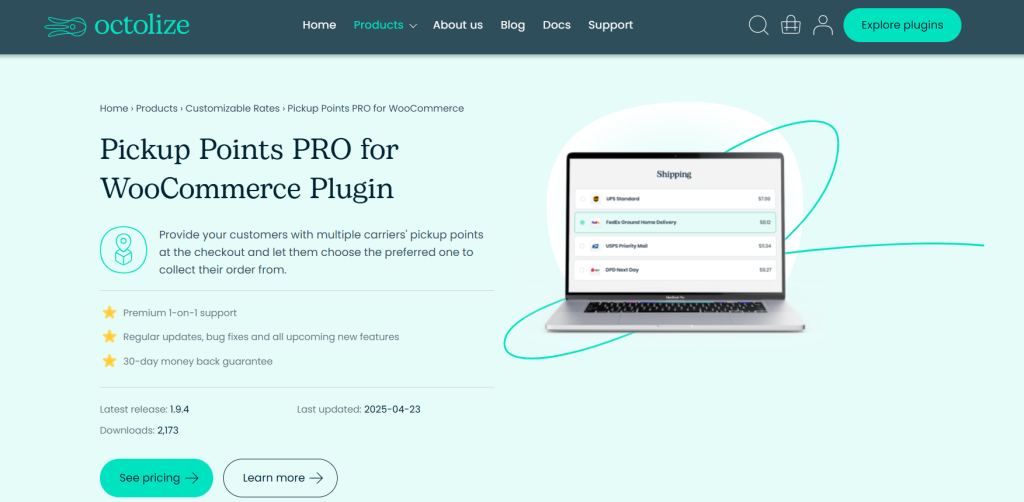
Pickup Points PRO for WooCommerce works a bit differently than other WooCommerce store pickup plugins. It enables businesses to allow their customers to pick up their orders from third-party shipping carriers — such as DPD, DHL, UPS, FedEx, GLS, etc. — at designated pickup points.
Pickup Points PRO for WooCommerce is purpose-built for businesses that want to offer convenient, scalable, and cost-effective local pickup options without managing a store network. It’s best for stores that ship to countries with robust third-party pickup networks. However, for small businesses or local shops, it’s probably overkill.
Pickup Points PRO for WooCommerce’s key features
- Support for third-party pickup networks. It syncs to major pickup networks like DHL, DPD, GLS, InPost, UPS, USPS, Chronopost, and others to enable you to offer local pickup at thousands of locations without managing your own brick-and-mortar sites.
- Geolocation and map selection. It integrates with Google Maps to let customers search by ZIP code or city and select the most convenient store pickup point right on the checkout page. For stores with a national or international customer base, this makes for an engaging and intuitive experience, compared to a basic dropdown list with 200 pickup points.
- Carrier-specific pickup filters. You can filter pickup points by shipping carrier to tailor how they are offered to customers. So, for example, if you only want to offer UPS Access Point in the US and InPost in Poland, you can. This granular level of targeting is important for stores that ship across multiple regions with different carrier preferences.
Woocommerce Pickup Locations (Local Pickup)
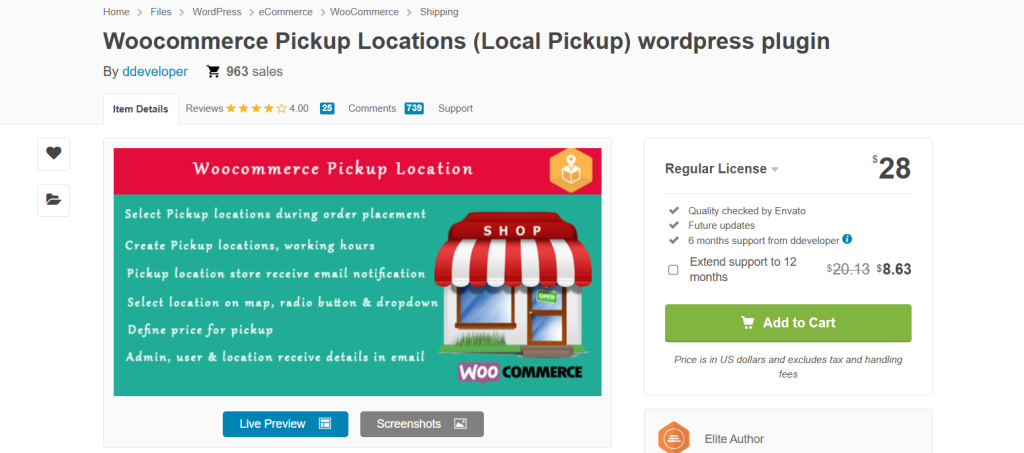
Woocommerce Pickup Locations (Local Pickup) is a lightweight plugin that lets you offer pickup from multiple locations. Developed by Webence, and available on CodeCanyon, it gives you the tools to assign pickup points, restrict availability, and display store-specific info right on the checkout page.
It’s a bit basic for businesses that depend on local pickup scheduling, location-based inventory, or custom conditional logic. But single-location or multi-location businesses that want to offer clear, dependable store pickup without relying on shipping carriers might find it useful.
Woocommerce Pickup Locations (Local Pickup)’s key features
- Multiple store pickup locations with detailed info. It lets you create as many pickup locations as you need, each with a unique name, address, Google Maps link, contact number, email, opening hours, fees, and more. Customers can choose the most convenient one during checkout with ease.
- Restrict local pickup by product, category, or shipping class. If your business uses a hybrid system to fulfill orders, you can enable pickup only for specific products or categories. When configured, it’ll hide the WooCommerce store pickup method entirely for items that aren’t eligible for local pickup (e.g., fragile goods, made-to-order items).
- Conditional pickup availability by shipping zones. Along with restricting store pickup based on product, category, or shipping class, you can assign pickup locations to specific WooCommerce shipping zones. This helps you control which customers see which locations, based on their shipping address.
- Add custom store pickup instructions. Each pickup location supports custom notes shown during checkout and added to the order details. So you can instruct customers to “Use the rear entrance” or “Bring order confirmation”. That improves clarity and reduces failed pickups.
Advanced Local Pickup (ALP) by Zorem

Advanced Local Pickup (ALP) is a popular plugin amongst businesses with multiple locations, such as physical branches, regional fulfillment centers, or even temporary pop-up spots who are looking to streamline order routing by pickup point.
With Advanced Local Pickup (ALP), store pickup is treated as its own shipping method, which enables you to set different pricing (e.g., free pickup) and rename it to tailor how it’s shown on the front end (“Click and Collect“, “Collect in Store,” “Self Pickup,” etc.).
Advanced Local Pickup (ALP)’s key features
- Unlimited local pickup locations with conditional availability. It lets you set up multiple pickup locations with their own address, contact info, instructions, and operating hours. You can limit locations based on shipping zones so that only the relevant ones appear for the customer’s location.
- WooCommerce local pickup scheduling. You can define your business days, working hours, and pickup time slot intervals, and customers choose their preferred window on the checkout page. This makes it easier for your business to manage staff capacity at pickup counters.
- Holiday and lead time settings. You can define cutoff times, minimum lead time, and blackout dates (like holidays) to prevent customers from picking unrealistic pickup times.
- Display options and custom instructions. Zorem Local Pickup gives you the option to show location maps, add custom instructions for each pickup point, and customize pickup labels throughout the checkout flow. This helps avoid confusing customers at the most important stage in the ordering process and ensures clear communication post-purchase.
Multi Store Addons For WooCommerce by Agile Store Locator
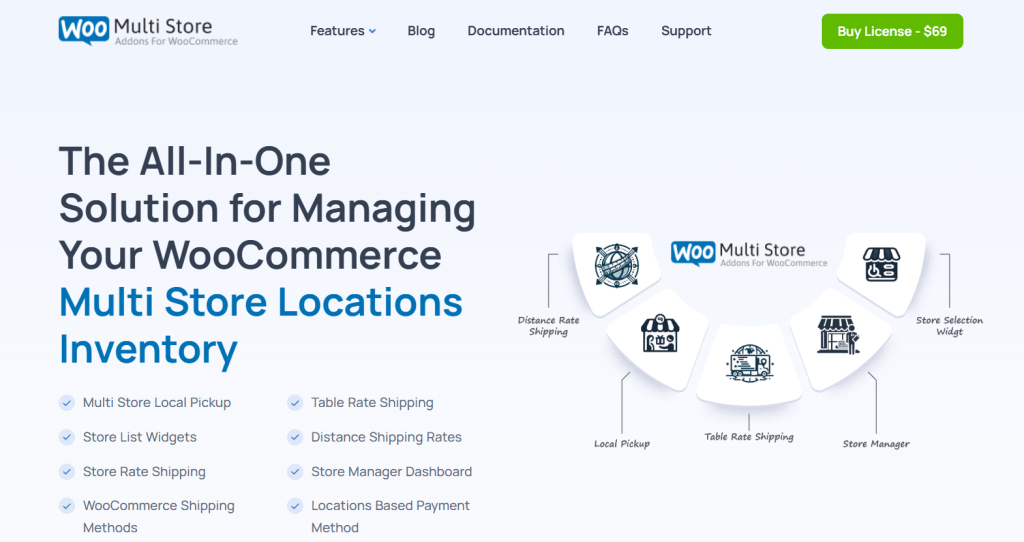
If your business operates across multiple locations and you want to offer store pickup with a visual map-based experience, the Multi Store Addons For WooCommerce might be the ideal option. Purposely designed for businesses with retail chains, physical outlets, warehouses, or regional pick-up points, it brings together a frontend store locator and pickup point integration right into the WooCommerce checkout.
Its advanced store locator functionality enables you to present your pickup locations on a dynamic Google Map (set up via an API connection). For businesses with dozens or even hundreds of pickup points across a country or continent, this empowers shoppers to find the most convenient store with ease.
Note: This isn’t a plug-and-play WooCommerce pickup plugin. To make the most of its features, you’ll need custom meta fields, API keys, and sometimes developer support. Also, while it does location selection very well, it lacks a built-in pickup scheduling feature.
Multi Store Addons For WooCommerce’s key features
- Google Maps store locator integration. Customers can view nearby pickup locations on a map during checkout, and search by postal code, city, or region. Compared to basic dropdowns, the map interface is a major improvement UX-wise, as it lets customers choose the closest store quickly rather than scrolling through a long, unorganized list.
- Store-level inventory visibility. This WooCommerce store pickup plugin supports linking stores to product availability using custom meta fields. Note that this feature is not built-in by default. However, with a bit of customization, admins can control which products are available at which pickup locations.
- Custom fields per pickup point. Each store can display full metadata: name, address, working hours, contact info, holidays, special pickup instructions, etc. This guides customers to choose locations based on practical details like parking availability or opening times.
- Bulk store import via CSV. Considering that this plugin targets businesses that manage dozens of locations — think: franchises, nationwide retail brands, retail chains, etc — you can bulk-upload each location’s details with the help of a CSV import tool. This makes the process more efficient.
- Total admin control and order tagging. Orders where customers opt for store pickup are tagged with store data. This makes it easier for in-store staff to prepare and organize fulfillment. Admins can see the exact pickup location and time slot in each order, and filter orders by store to streamline order prep and staffing.
WooCommerce Delivery Slots by Iconic
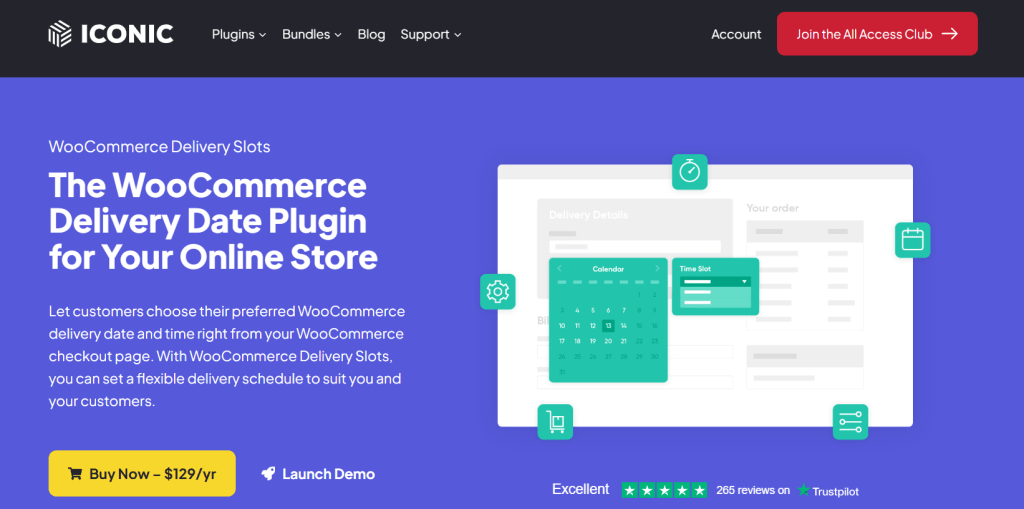
Looking for a WooCommerce store pickup plugin that enables both order delivery and store pickup? WooCommerce Delivery Slots is an advanced, reliable pickup scheduling plugin. It enables you to control when customers can collect orders, how many orders you’ll accept per window, and how to structure your local fulfillment flow.
WooCommerce Delivery Slots is best suited for single-location setups that require tight fulfillment scheduling. For example, if you’re managing pickup windows at a single retail site, restaurant, or fulfillment center. However, it does not support multiple pickup locations. So if you operate a franchise or chain, this pickup plugin isn’t ideal.
WooCommerce Delivery Slots’ key features
- Pickup date and time slot selection. This local pickup plugin’s core use is to enable customers to choose their order pickup date and time at checkout, based on the rules you define. You can create available days, limit the number of orders per time slot, and define exact pickup hours.
- Limit orders per time slot or day. If appropriate, you can restrict how many orders are allowed for delivery or local pickup per slot or per day. Once a slot fills up, it becomes unavailable to new customers. Businesses with a few staff members can avoid overloading employees and keep customers’ experience intact.
- Lead times and cut-offs. Need a 24-hour prep window before orders can be picked up? Want to stop same-day pickups after 1 PM? WooCommerce Delivery Slots enables you to set both lead time (how far in advance orders must be placed) and cut-off times (when today’s slots stop showing).
- Assign slots by shipping method (e.g., pickup only). You can enable slots only for the “Local Pickup” shipping method. If a customer selects shipping, they won’t see pickup slots. This keeps the logic clean and reduces confusion.
Which WooCommerce store pickup plugin will you choose?
Store pickup plugins bypass the limits of the default WooCommerce “Local Pickup” method and let you transform it into a robust, reliable order fulfillment option for your business.
Every pickup plugin mentioned on this list enhances the core pickup feature in some way. Some are purpose-built for small stores with one physical location and others for regional chains, franchises, and high-volume superstores. Feel free to give them a spin and choose whichever works best for your business model and customers.
That said, if you’re looking for a powerful, flexible, and simple-to-use solution, the best overall choice is WooCommerce Local Pickup by The Dotstore. Available in both free and pro versions, it strikes the right balance between features, usability, and flexibility, and doesn’t require a steep learning curve to get going.
With WooCommerce Local Pickup, you can:
- Set up multiple pickup locations, each with a unique address, business hours, contact details, and non-working days.
- Assign pickup locations to specific shipping zones to guarantee that customers only see relevant options.
- Take into account lead time, buffer time, and cutoff rules so your staff has time to prepare each order properly.
- Allow customers to select a pickup date and time slot on the checkout page with ease.
- Restrict pickup availability by product, category, cart total, or user role — handy for businesses with a hybrid fulfillment system.
- Much more.
Get started with WooCommerce Local Pickup’s free or premium version now.
Local Pickup For WooCommerce
Let your customers shop online and later pick up their purchased items from your store with Local Pickup Plugin.
14-day, no-questions-asked money-back guarantee.